How I Started Automating My Trading with n8n and TradingView (And You Can Too)
Look, I'll be straight with you - I used to be one of those traders who'd spend literally hours every day checking charts, manually logging trades, and basically doing the same repetitive stuff over and over. It was exhausting, and honestly, I was missing opportunities because I couldn't be glued to my screen 24/7.
Then I stumbled across this combination of n8n and TradingView that completely flipped my trading routine upside down. And the best part? You don't need to be some coding wizard to make it work.

What the heck is n8n anyway?
So n8n is basically this workflow automation tool that lets you connect different apps and services together without needing a computer science degree. Think of it like digital duct tape - you can literally stick any two online services together and make them talk to each other.
The interface is drag-and-drop, which means if you can use PowerPoint or draw simple flowcharts, you can probably figure out n8n. I'm not kidding here - my first workflow took me about 20 minutes to set up, and I was definitely overthinking it.
Here's what makes n8n special for traders:
- No coding required (seriously, none)
- Works with basically any app that has an API
- Can trigger actions based on real-time events
- Completely customizable workflows
- Can run 24/7 without you babysitting it
TradingView: More than just pretty charts
Most of us know TradingView as that place with the gorgeous charts and endless stream of trading ideas. But here's what I didn't realize for way too long - TradingView can actually send data and alerts to other applications automatically.
When you combine TradingView's alert system with n8n's automation capabilities, you basically get a personal trading assistant that never sleeps. It's like having someone watching your trades and handling all the boring administrative stuff while you focus on the actual trading decisions.
The key is understanding that TradingView alerts can trigger webhooks, and webhooks are like little messengers that can knock on other apps' doors with information. Once you wrap your head around that concept, the possibilities become pretty mind-blowing.
How I connected them (and why it changed everything)
Setting up my first n8n and TradingView automation was honestly a game-changer. Here's what my typical trading day looks like now:
My strategies run themselves: I've got my Pine Script trading strategies set up in TradingView, and when something interesting happens - like a crossover or breakout - n8n automatically logs the signal in my Google Sheets, sends me a text message, and even updates my portfolio tracker.
No more forgetting to journal: Before automation, I'd execute a trade and then completely forget to write it down in my trading journal. Now every single trade gets automatically logged with the entry price, reason for entry, and even a screenshot of the chart at that moment.
Everything flows together: My trading data now moves seamlessly between TradingView, my spreadsheets, my notification apps, and even my accounting software. It's like having a perfectly organized trading operation that runs itself.
Smart filtering: I can set up rules so I only get notified about the trades that really matter. No more getting pinged every time a minor indicator twitches - just the good stuff.
The coolest part is how customizable everything is. Want to get a Slack message when a trade hits your profit target? Easy. Want to automatically update your position sizes based on your risk management rules? Done. Want to send your significant other a text when you're having a particularly good (or bad) trading day? Well, that's up to you, but you definitely can.
The Pineify factor: Making TradingView even better
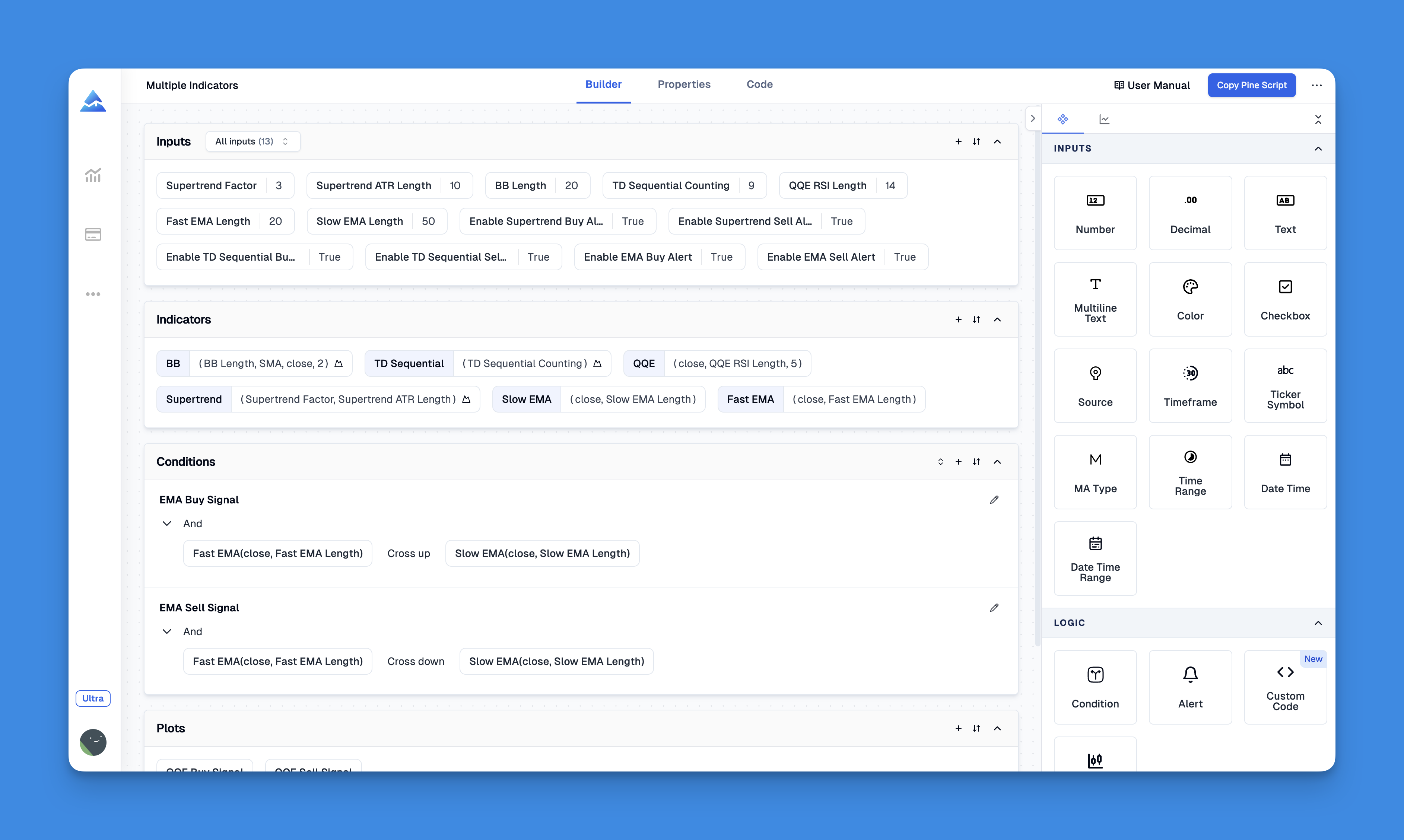
Since we're talking about supercharging TradingView, I have to mention Pineify. This tool has been an absolute revelation for anyone who wants to create custom indicators but doesn't want to learn Pine Script from scratch.
Here's what blew my mind about Pineify: remember how TradingView limits the number of indicators you can add to your charts unless you're paying for their premium plans? Pineify essentially bypasses that limitation. You can create and combine as many indicators as you want, all through a visual interface.
I built my first custom indicator in about 10 minutes using Pineify's point-and-click interface. No coding, no syntax errors, no pulling my hair out trying to figure out why my Pine Script wasn't working. Just drag, drop, configure, and boom - custom indicator ready to go.
The indicators you create with Pineify work perfectly with n8n automation too. So you can build a completely custom trading setup and then automate all the mundane tasks around it. Check it out: Pineify
Want to see everything it can do? Here's the complete feature list.
Why this automation combo actually works
You don't need to be technical: Seriously, if I figured this out, anyone can. The learning curve is way gentler than you might expect.
It's platform agnostic: n8n runs on pretty much any computer or cloud service, so you're not locked into one ecosystem.
Scales with your needs: Start simple with basic trade logging, then gradually add more sophisticated workflows as you get comfortable.
Connects to everything: Slack, Discord, Google Sheets, email, SMS, broker APIs - if it has an internet connection, n8n can probably talk to it.
Actually saves time: Once you've got your workflows set up, you'll wonder how you ever managed without automation.
Setting this up: easier than you think
Here's the basic process to get your first automation running:
- Sign up for n8n: Create an account and familiarize yourself with the interface
- Create a webhook: This is basically a URL that TradingView can send data to
- Configure TradingView alerts: Copy your webhook URL into TradingView's alert settings
- Build your workflow: Decide what you want to happen when the alert triggers
- Test everything: Start simple and make sure it works before getting fancy
The whole setup process usually takes less than an hour for your first workflow. And once you've done it once, creating additional automations becomes second nature.
Real-world automation ideas
Here are some workflows I'm actually using that you might find useful:
Trade journal automation: Every time I enter or exit a position, the details automatically get logged in my Google Sheets with timestamps, prices, and even chart screenshots.
Risk management alerts: If my portfolio hits certain drawdown levels, I get immediate notifications across multiple channels so I can take action quickly.
Market condition notifications: I've got workflows that monitor volatility indicators and let me know when market conditions change significantly.
Performance tracking: Weekly summaries of my trading performance get automatically generated and sent to my email, complete with charts and analysis.
The bottom line on trading automation
Look, I'm not trying to oversell this, but combining n8n with TradingView has genuinely made trading more enjoyable and less stressful for me. I spend way less time on administrative tasks and more time on the parts of trading I actually find interesting - like market analysis and strategy development.
The setup requires a bit of initial investment in time, but once you've got your automations running, they save you hours every week. Plus, you'll sleep better knowing that your trading system is working even when you're not actively monitoring the markets.
If you're tired of feeling like a slave to your trading routine, seriously consider giving this automation approach a try. The combination of TradingView's analytical power and n8n's workflow automation capabilities can transform how you approach trading.
And remember, you don't have to automate everything at once. Start with one simple workflow - maybe automated trade logging - and build from there. Before you know it, you'll have a sophisticated trading operation that practically runs itself.
Trust me on this one - once you taste the freedom that comes with properly automated trading workflows, you'll never want to go back to doing everything manually.