Pine Script Wizard AI ChatGPT: Revolutionizing Trading Strategy Development

In the fast-paced world of trading, having effective tools to develop and optimize strategies is crucial. One such innovation is the Pine Script Wizard, an AI-powered tool that utilizes ChatGPT to generate high-quality Pine Script code for TradingView. This article will delve into how the Pine Script Wizard works, its features, use cases, and how you can leverage it to enhance your trading strategies.
What is Pine Script?
Pine Script is a domain-specific programming language created by TradingView to facilitate the development of custom technical indicators and strategies. It allows traders to backtest their strategies and visualize data on charts, making it an essential tool for those looking to automate their trading processes.

The Role of ChatGPT in Pine Script Wizard
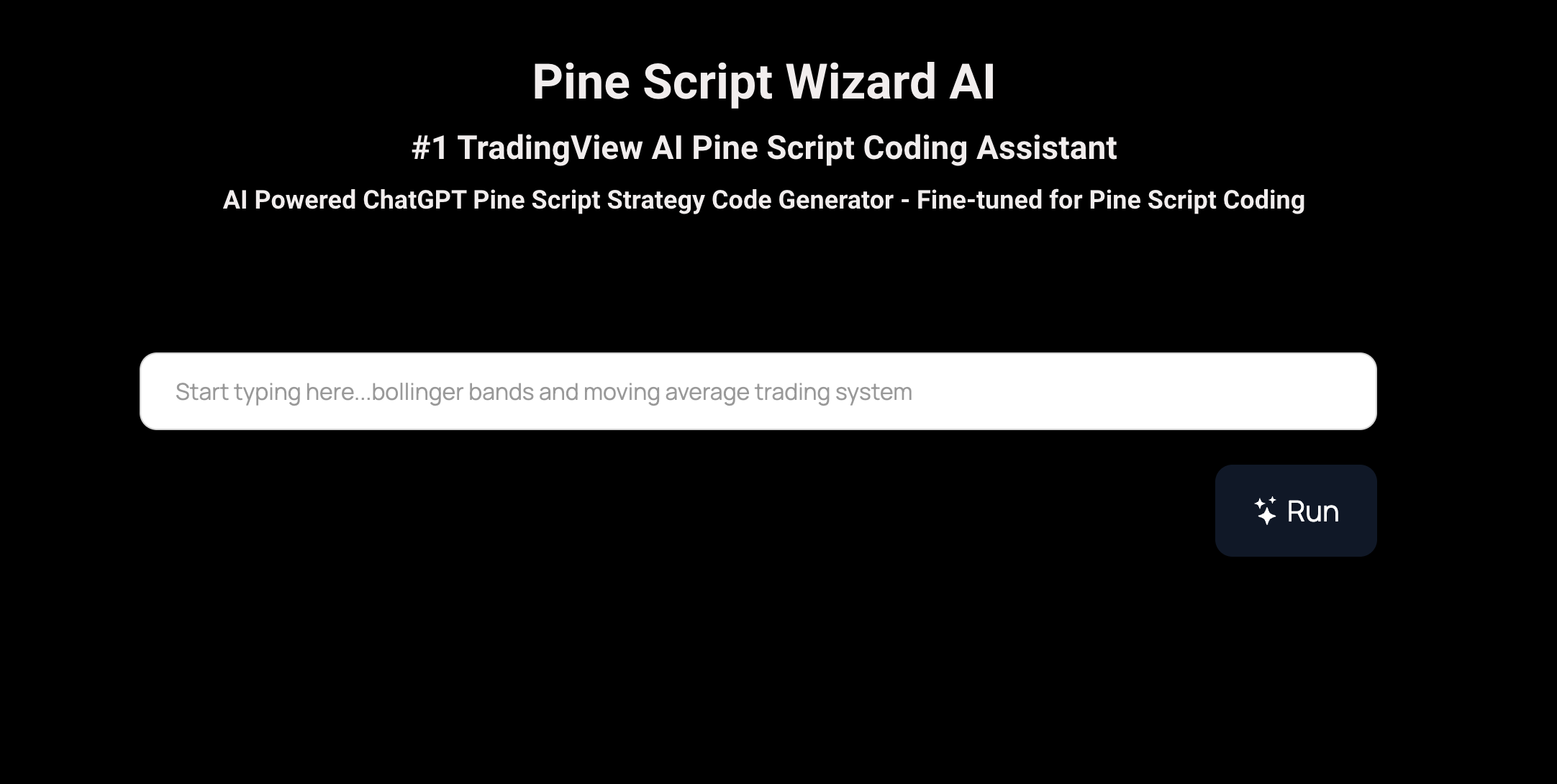
The Pine Script Wizard integrates ChatGPT's advanced language processing capabilities to simplify the coding process for users. By inputting specific requirements or descriptions of desired strategies, users can receive optimized Pine Script code tailored to their needs. This eliminates the need for extensive coding knowledge and speeds up the strategy development process significantly.
Key Features of Pine Script Wizard
- AI-Powered Code Generation: The tool uses artificial intelligence to create accurate and optimized Pine Script code for various trading strategies and indicators.
- Customization Options: Users can specify parameters, rules, and indicators, allowing for a high degree of personalization in the generated scripts.
- Quick Turnaround Time: The AI-driven process enables users to receive their desired code almost instantaneously, saving valuable time compared to manual coding methods.
- Educational Resource: The generated code comes with explanations, helping users understand the structure and functionality of their scripts, which is beneficial for learning purposes.
- Support for Multiple Versions: The tool supports both Pine Script version 4 and version 5, catering to a broader range of user needs.
Enhancing Your Trading Strategy Development with Pineify

Website: Pineify
When it comes to generating Pine Script code, the Pineify platform stands as a superior alternative to the Pine Script Wizard ChatGPT. Pineify offers a free, user-friendly AI Pine Script v6 code generator tailored specifically for TradingView users, allowing traders to create custom indicators and strategies without any coding expertise. Unlike traditional tools that may confine users to a limited number of indicators, Pineify empowers traders to add unlimited technical indicators to their charts, effectively bypassing TradingView's restrictive two-indicator limit.
Moreover, Pineify features a powerful condition editor that enables users to combine multiple technical indicators and price data, ensuring the construction of precise trading rules. The ability to backtest any generated indicator and strategically manage trades with built-in market orders, take-profit, and stop-loss options further enhances its appeal. By eliminating the need for programming knowledge and offering a cost-effective solution that saves both time and money, Pineify truly revolutionizes the way traders develop and manage their trading strategies. Experience the ease and efficiency of Pineify, and discover how it can transform your trading approach into a more productive and enjoyable endeavor.
Click here to view all the features of Pineify.How to Use Pine Script Wizard with ChatGPT
Using the Pine Script Wizard is straightforward. Here’s a step-by-step guide:
- Access the Tool: Navigate to the Pine Script Wizard platform.
- Input Your Requirements: Describe your desired trading strategy or indicator in detail. Be specific about the rules, indicators, and any parameters you wish to include.
- Receive Generated Code: The AI will process your request and generate a Pine Script code snippet based on your inputs.
- Copy and Paste into TradingView: Once you have your code, simply copy it into TradingView's Pine Editor.
- Test and Optimize: After pasting the code, you can run backtests on your strategy using TradingView's built-in tools. Adjust parameters as necessary based on performance results.
Practical Use Cases
The Pine Script Wizard can be utilized in various scenarios:
- Developing Custom Trading Strategies: Traders can create unique strategies tailored to their trading styles without needing extensive programming skills.
- Creating Technical Indicators: Users can design indicators that fit their specific trading needs, enhancing their market analysis capabilities.
- Backtesting Strategies: By generating optimized code, traders can conduct thorough backtesting analyses to ensure their strategies are robust before deploying them in live markets.
- Learning Tool: For those new to programming or trading, the generated scripts serve as educational resources that illustrate how different components of Pine Script work together.
Benefits of Using Pine Script Wizard
- Time Efficiency: Significantly reduces the time required to develop trading scripts.
- Accessibility: Makes trading automation accessible to individuals without programming backgrounds.
- Enhanced Performance: Optimized scripts can lead to improved trading performance through better strategy execution.
Best Practices for Using ChatGPT with Pine Script
To maximize your experience with ChatGPT while coding in Pine Script:
- Be Specific in Your Requests: Clearly outline what you want from your script—this includes specifying indicators, conditions for entry and exit points, and any other relevant details.
- Understand Basic Pine Script Concepts: While ChatGPT can generate code for you, having a foundational understanding of Pine Script will help you make necessary adjustments and optimizations later on.
- Iterate Based on Feedback: Use backtesting results to refine your strategy further. If initial results are not satisfactory, return to ChatGPT with new specifications for improved outcomes.
Conclusion
The integration of AI through tools like the Pine Script Wizard represents a significant advancement in how traders can develop and optimize their strategies. By leveraging ChatGPT's capabilities alongside the powerful features of Pine Script, traders can streamline their workflow and enhance their market analysis efforts effectively.
References:
- https://powerusers.ai/ai-tool/pine-script-wizard/
- https://www.tradingview.com/pine-script-docs/v4/quickstart-guide/
- https://www.tradingview.com/chart/ETHUSD/yBaWf9Cx-HOW-TO-USE-CHATGPT-TO-CODE-PINESCRIPT-ACTUALLY/
- https://100xgrowth.ai/tool/pine-script-wizard-chatgpt
- https://www.futuretools.io/tools/pine-script-wizard
- https://algotrading101.com/learn/pine-script-tradingview-guide/
- https://www.youtube.com/watch?v=LXQ6uWfxzFE
- https://opentools.ai/tools/pine-script-wizard
- https://www.udemy.com/course/learn-tradingview-pine-script-programming-from-scratch/
- https://www.youtube.com/watch?v=niZE3JA-cp4