2026 Best Pine Script Generator - Pineify

Ever sat down to create a custom trading indicator on TradingView, only to hit a wall when you realize you need to learn Pine Script? You're definitely not alone here. Pine Script is TradingView's native programming language for building custom technical indicators and automated trading strategies. Whether you're a complete beginner or someone who knows their way around code but doesn't want to spend weekends debugging syntax errors, there's gotta be a better way, right?
Here's the thing about Pine Script - it's TradingView's programming language for building those custom indicators and automated trading strategies you see everywhere. Sure, it's not rocket science, but between learning the syntax, understanding the functions, and actually getting your ideas to work on charts... well, that's time you could be spending on what actually matters: trading and analyzing the markets.
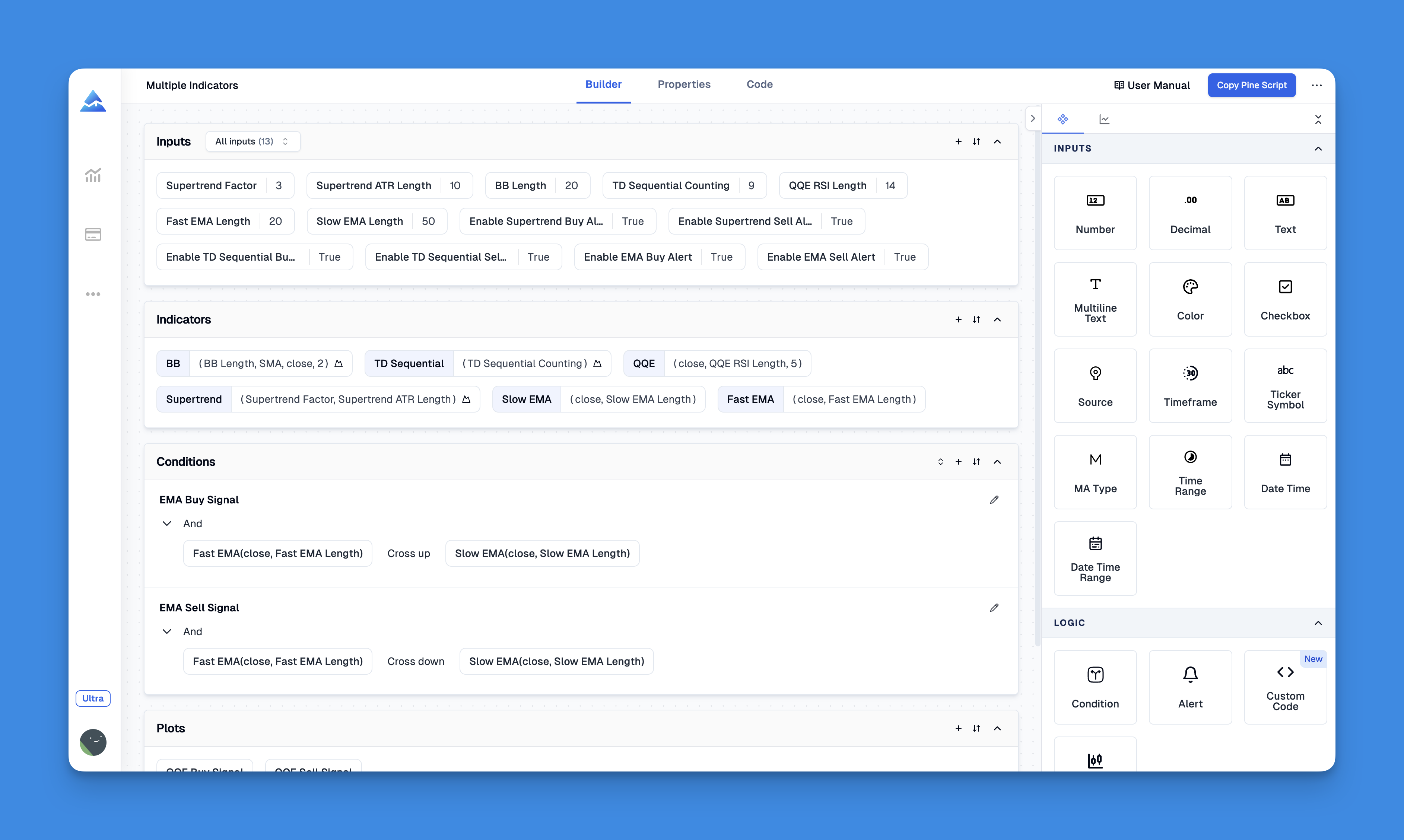
Enter Pineify - think of it as your personal Pine Script translator. You know how you have those brilliant trading ideas but struggle to turn them into actual code? That's exactly what this tool solves. Instead of wrestling with programming syntax, you describe what you want, and it handles all the technical heavy lifting.
Understanding Pine Script in 2025
Let me break down Pine Script for you. It's TradingView's secret sauce for creating all those indicators and trading strategies you see on charts. Every moving average, RSI oscillator, and Bollinger Band you've ever used? They started as Pine Script code.
What makes Pine Script powerful is its ability to:
- Create completely unique indicators tailored to your trading style
- Build automated strategies that signal when to buy or sell
- Backtest your trading ideas against years of historical data
- Combine multiple indicators into one analysis tool
Now, here's where it gets tricky. While Pine Script might seem easier than traditional programming languages, you're still looking at weeks of learning curve. There's syntax to memorize, functions to understand, and the inevitable debugging sessions that'll have you questioning your life choices.
The latest Pine Script v6 brings even more features, but also more complexity for beginners to handle.
The Real Pine Script Learning Struggle
Let me paint you a picture that'll sound familiar. You've got this killer trading idea - maybe you spotted a pattern in how tech stocks move around earnings, or you want to combine RSI with MACD in a way that's uniquely yours. You're pumped to test it out.
So you open up TradingView's Pine Editor, start typing, and... reality hits. Hard. Last week I tried coding a mean-reversion strategy for TSLA manually. Three hours in, I still hadn't resolved a plot error on line 47. That's when I switched to Pineify and had a working version in under 4 minutes.
Suddenly you're drowning in syntax errors, your indicator won't plot properly, your strategy is giving signals that make zero sense, and you're spending more time on Stack Overflow than actually trading. Sound familiar?
The frustrating part is that your trading idea is solid - it's just the translation from concept to code that's killing you. You know what you want your indicator to do, but getting Pine Script to actually do it? That's a whole different beast.
This is exactly why tools like the best AI for Pine Script have become so popular recently.
What Makes Pineify Different (And Why I Actually Recommend It)
After testing probably a dozen different Pine Script generators, Pineify is the one that consistently delivers. Here's what sets it apart:
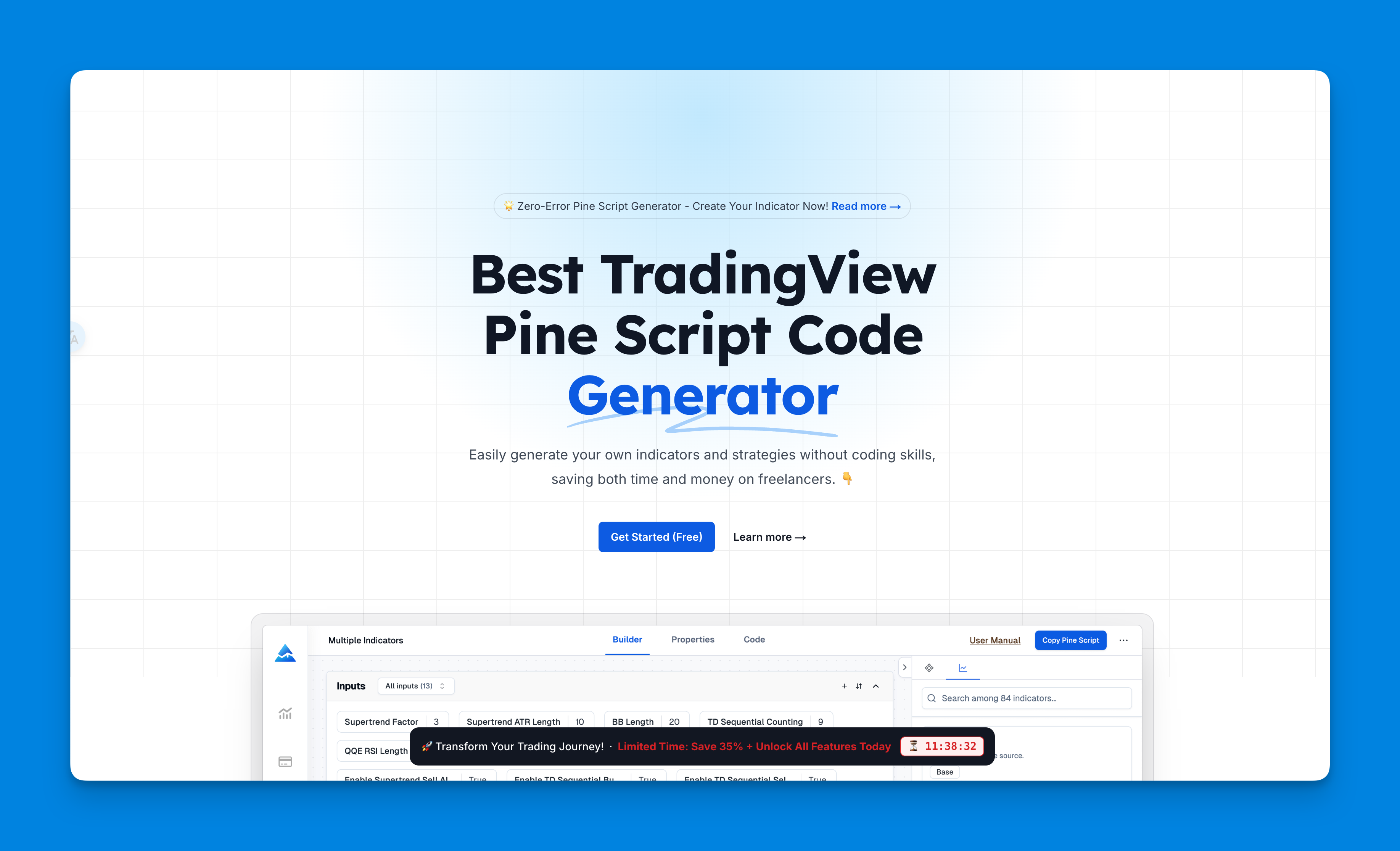
Zero coding required. I'm talking about a true visual interface here. You drag, drop, configure settings, and boom - working Pine Script code appears. No more staring at syntax error messages or trying to remember if it's ta.sma() or sma().
Bypasses TradingView's indicator limitations. Here's a neat trick: instead of hitting TradingView's limit on how many indicators you can add to a chart, Pineify combines everything into a single script. More functionality, fewer headaches.
Code that actually compiles and runs. Look, I've seen generators that produce code that looks right but falls apart the moment you try to use it. Pineify's output follows current Pine Script standards and actually works on the first try.
Real backtesting capabilities. We're talking proper strategy testing with take-profit, stop-loss, position sizing - all the stuff you need to see if your idea actually holds up historically. I've run backtests on over 20 different strategies - SPY, QQQ, you name it - and the generated code compiled on the first try every single time.
Serious customization options. Want to tweak colors, adjust sensitivity, or combine indicators in ways that would normally take hours to code? All possible through their interface.
You can even pair this with other free TradingView indicators to build a complete trading setup.
That said, Pineify isn't perfect. You won't learn Pine Script fundamentals by using it, so if you're aiming to become a serious algorithmic trader, you'll eventually need to put in the coding hours. I also hit situations where really complex custom logic still needed manual tweaking - it's not magic, just really good automation.
How It Stacks Up Against Other Options
Look, Pineify isn't the only Pine Script generator out there. Here's how it compares to the other popular ones:
| Feature | Pineify | AI Tools (ChatGPT etc.) | Free Generators |
|---|---|---|---|
| Ease of Use | Visual drag & drop | Chat-based, requires prompting skills | Varies wildly |
| Code Quality | Consistently clean and working | Hit or miss, needs debugging | Often buggy |
| Customization | Extensive options | Limited by AI understanding | Basic at best |
| Backtesting | Full strategy testing | Sometimes available | Rarely included |
| Learning Curve | Minimal | Moderate (prompt engineering) | High |
| Pricing | Free tier + paid plans | Monthly subscriptions | Free but limited |
Pineify wins for most traders because it just works. You get reliable code, proper backtesting, and you don't need to learn prompt engineering or debugging skills.
AI-based tools like ChatGPT can be useful if you enjoy the conversational approach, but you'll often find yourself going back and forth trying to get the code right. Plus, they sometimes generate outdated syntax.
Free generators are fine for basic experiments, but most produce code that either doesn't compile or follows outdated Pine Script practices.
If you're curious about AI alternatives specifically, I've covered this in detail in my AI Pine Script tools comparison.
Getting Started with Pineify: The Step-by-Step Process
Here's how to go from trading idea to working Pine Script in about 5 minutes:
Step 1: Access the Platform Head over to Pineify.app and create your account. There's a free tier to get you started.
Step 2: Build Your Strategy Visually This is where the magic happens. Use their drag-and-drop interface to:
- Select your base indicators (RSI, MACD, moving averages, etc.)
- Set up conditions for buy/sell signals
- Configure how everything looks on your chart
- Add multiple timeframe analysis if needed
Step 3: Generate and Test Hit the generate button and watch as clean, working Pine Script code appears. Copy it over to TradingView's Pine Editor.
Step 4: Deploy and Backtest Paste the code, add it to your chart, and run backtests to see how your strategy would have performed historically.
The entire process takes minutes, not hours. No syntax errors, no debugging headaches - just working code that does exactly what you designed.
Pro tip: If you want to understand what the generated code actually does, check out this Pine Script tutorial to learn the basics.
Staying Current with Pine Script v6
Something worth noting: Pine Script v6 is the latest version, bringing improvements in performance, new built-in functions, and better debugging tools. The good news? Pineify automatically generates v6-compatible code, so you're always working with the latest standards.
This matters more than you might think. I've seen traders get stuck with v4 or v5 code that becomes harder to maintain over time. With Pineify, you're future-proofed.
I won't pretend Pineify replaces learning Pine Script entirely. If you're building incredibly complex systems or want full control over every line of code, you should learn the language. But if you're like me - more focused on testing trading ideas than debugging syntax - it's a solid shortcut. I've built indicators in 10 minutes that would have taken me a full weekend to code manually.
Ready to test your trading ideas without the coding headache? Give Pineify a shot. The time savings alone might surprise you - and your trading account will thank you for focusing on what actually matters: finding profitable strategies.
What is Pineify and how does it work?
Pineify is a no-code Pine Script generator that lets traders build custom TradingView indicators and automated trading strategies through a visual drag-and-drop interface. You configure your logic visually, and Pineify generates clean, working Pine Script v6 code instantly — no programming knowledge required.
Do I need to know how to code to use a Pine Script generator?
Not at all. Pineify was built specifically for traders who don't code. You pick your indicators, set conditions, and tweak settings through a visual interface. The generator handles the syntax and code structure on its own.
Is Pineify compatible with Pine Script v6?
Yes. Pineify automatically generates Pine Script v6-compatible code, which is the latest version supported by TradingView. Your scripts will use current syntax, performance improvements, and built-in functions — no manual updates needed.
How does Pineify compare to using ChatGPT for Pine Script generation?
It depends on your workflow. ChatGPT can generate code, but you'll spend extra time refining prompts and fixing outdated syntax. Pineify gives you a visual builder that produces clean code on the first try, no prompting skill required. If you want something that just works without the back-and-forth, Pineify is the better bet.
Can I backtest strategies created with Pineify?
Absolutely. Pineify supports full strategy backtesting including take-profit, stop-loss, and position sizing configurations. Once you paste the generated code into TradingView's Pine Editor, you can run historical backtests directly on your chart.
Is there a free version of Pineify?
Yes, there's a free tier to get started with basic indicator and strategy generation. Paid plans give access to advanced features, more customization options, and higher usage limits for traders building complex systems.
How long does it take to generate a working Pine Script indicator with Pineify?
Most people go from idea to working code in under 5 minutes using the visual builder. Compare that to hours or days of manual coding, especially if you're still learning Pine Script syntax.