Mastering Pine Script Trailing Stop Loss: A Complete Guide

Trading in financial markets requires effective risk management, and trailing stop losses are a powerful tool for protecting profits while allowing trades room to grow. For TradingView users, Pine Script offers a flexible way to implement custom trailing stops. In this comprehensive guide, we’ll explore how to create and optimize trailing stop losses in Pine Script to enhance your trading strategies.
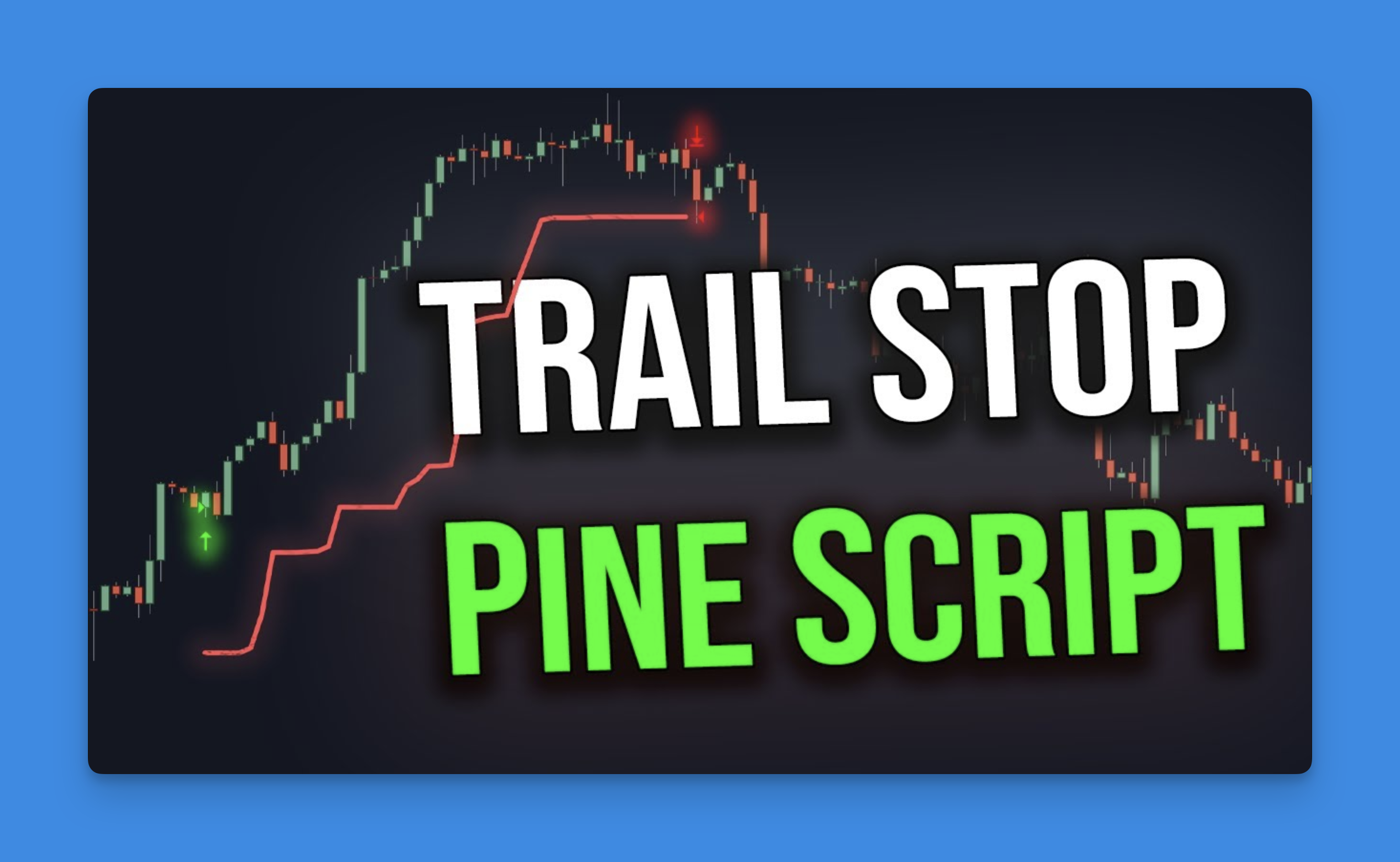
What is a Trailing Stop Loss?
A trailing stop loss is a dynamic exit mechanism that automatically adjusts as the price moves in your favor. Unlike a fixed stop loss that remains at a set price, a trailing stop “trails” behind the price at a specified distance, helping to lock in profits while still giving the trade room to develop.
The key advantage of trailing stops is their ability to protect accumulated profits while allowing for continued upside potential. When implemented correctly in Pine Script, they can significantly improve your risk management and overall trading performance.
Types of Trailing Stops in Pine Script

Pine Script offers several methods to implement trailing stops, each with unique characteristics:
ATR-Based Trailing Stops
The Average True Range (ATR) indicator measures market volatility, making it ideal for creating adaptive trailing stops that adjust to changing market conditions.
An ATR-based trailing stop will:
- Widen during volatile periods to avoid premature exits
- Tighten during calmer market conditions
- Automatically adapt to the specific instrument’s price action
Percentage-Based Trailing Stops
This method sets the trailing stop at a fixed percentage distance from the current price or a recent swing point.
For example, a 2% trailing stop on a long position would exit the trade if the price falls 2% from its highest point since entry.
Swing High/Low Trailing Stops
This approach uses recent swing points (highs for short trades, lows for long trades) as reference points for the trailing stop, often combined with an offset value.
Integrating Pineify for Effortless Trailing Stop Loss Implementation
Pineify offers traders a revolutionary way to implement advanced trailing stop loss mechanisms in Pine Script without writing code. This no-code platform enables precise risk management through its visual strategy builder, allowing traders to define dynamic exit rules that adapt to market conditions.
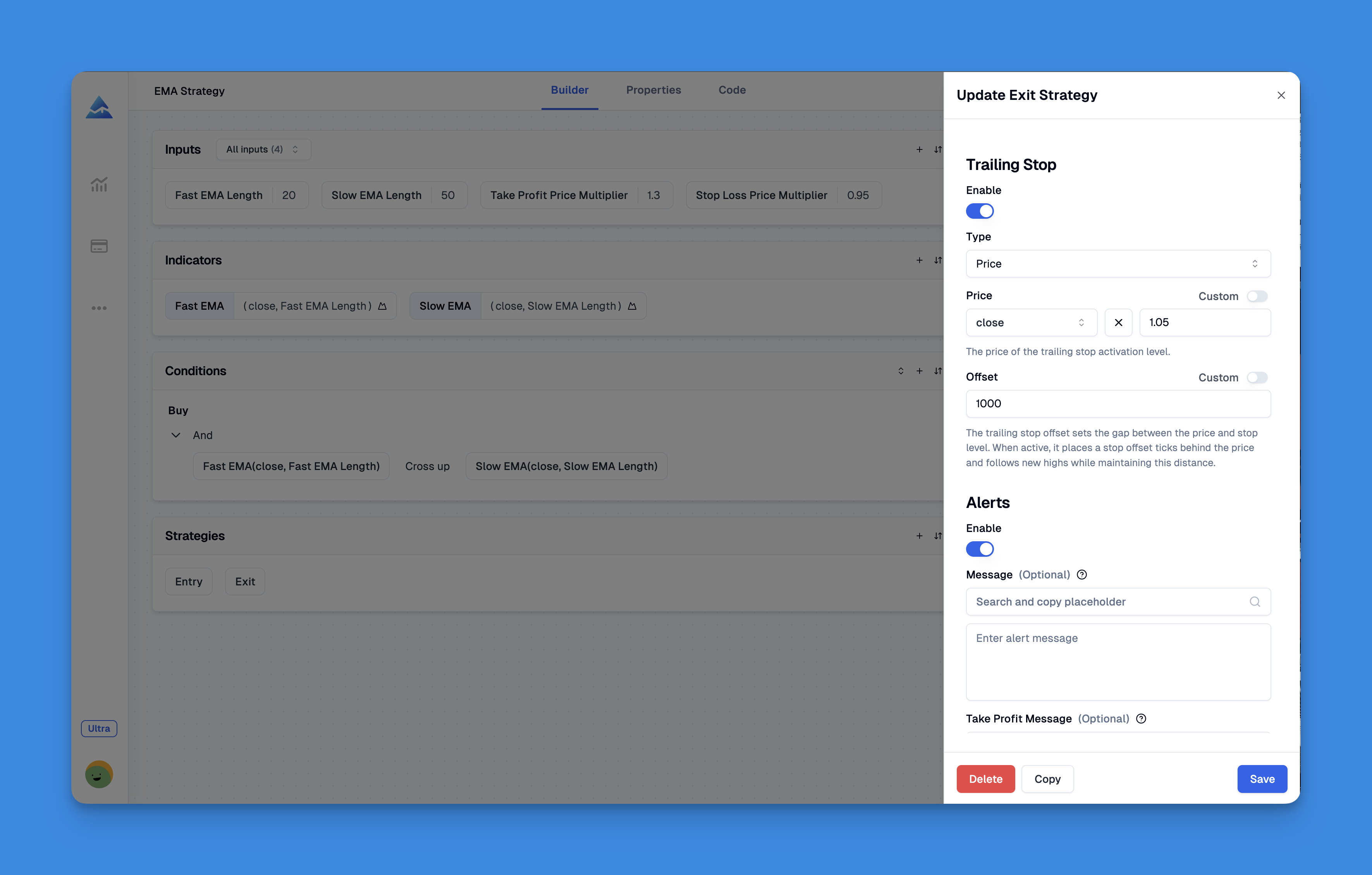
By democratizing access to sophisticated risk management tools, Pineify empowers traders to build institutional-grade trailing stop systems through an intuitive visual interface. The platform's error-checked code generation ensures reliable execution, while its multi-timeframe support enables consistent strategy application across different trading horizons.
Website: Pineify
Click here to view all the features of Pineify.Implementing a Basic Trailing Stop in Pine Script
Let’s examine the core components needed to create a trailing stop in Pine Script:
// Declare trailing price variable (stores our trail stop value)
var float trailPrice = na
float next_trailPrice = na

// Calculate ATR value for potential use
atrValue = ta.atr(14) * 1.5  // 14-period ATR multiplied by 1.5

// For a long position with ATR-based trailing stop
if strategy.position_size > 0
    // Calculate potential new trailing stop price
    next_trailPrice := low - atrValue

    // Only update trail price if it's higher than previous value or not yet set
    if na(trailPrice) or next_trailPrice > trailPrice
        trailPrice := next_trailPrice

// Exit trade if price closes below trailing stop
if strategy.position_size > 0 and close < trailPrice
    strategy.close("Long Trade")
This basic implementation demonstrates the fundamental concept: calculate a potential new stop level, update it only if it’s more favorable than the current one, and exit when the price violates the stop level.
Advanced Trailing Stop Techniques
Combining Multiple Timeframes
You can enhance your trailing stop by incorporating data from higher timeframes:
// Get higher timeframe data
higherTF_low = request.security(syminfo.ticker, "240", low)
higherTF_atr = request.security(syminfo.ticker, "240", ta.atr(14))

// Use higher timeframe data for trailing stop calculation
htf_stop = higherTF_low - higherTF_atr * 2
Conditional Trailing Stops
Different market conditions might call for different trailing stop approaches:
// Adjust trailing stop based on volatility conditions
if ta.atr(14) > ta.atr(14)[20] * 1.5  // If current volatility is 50% higher than 20 bars ago
    // Use wider trailing stop in volatile conditions
    trail_distance := atrValue * 2
else
    // Use tighter trailing stop in normal conditions
    trail_distance := atrValue
Optimizing Your Trailing Stop Parameters
The effectiveness of your trailing stop depends on proper parameter selection:
ATR Period
- Shorter periods (7-14): More responsive but potentially more whipsaw
- Longer periods (20-50): Smoother but may be slower to adapt
ATR Multiplier
- Lower values (0.5-1.5): Tighter stops, better profit protection but more likely to be triggered
- Higher values (2-3.5): More room for price fluctuation but less profit protection
Lookback Period for Swing Points
When using swing highs/lows:
- Shorter lookbacks (5-10 bars): More responsive trailing
- Longer lookbacks (15-30 bars): More stable but slower to adapt
Complete Pine Script Trailing Stop Example
Here’s a more comprehensive example that includes both ATR and percentage-based trailing stops:
// This source code is subject to the terms of the Mozilla Public License 2.0
// © YourTraderName

//@version=5
strategy("Trailing Stop Strategy", overlay=true)

// User inputs
trailMethod = input.string(title="Trail Method", defval="ATR", options=["ATR", "Percent"])
atrPeriod = input.int(title="ATR Period", defval=14)
atrMultiplier = input.float(title="ATR Multiplier", defval=1.5)
trailPercent = input.float(title="Trail Percent", defval=2.0, minval=0.1)
swingLookback = input.int(title="Swing Lookback", defval=10)

// Strategy entry conditions (simplified example)
longCondition = ta.crossover(ta.sma(close, 14), ta.sma(close, 28))
shortCondition = ta.crossunder(ta.sma(close, 14), ta.sma(close, 28))

// Entry logic
if longCondition
    strategy.entry("Long", strategy.long)
else if shortCondition
    strategy.entry("Short", strategy.short)

// Trailing stop variables
var float trailPrice = na
float next_trailPrice = na

// Calculate reference values
atrValue = ta.atr(atrPeriod) * atrMultiplier
float swingLow = ta.lowest(low, swingLookback)
float swingHigh = ta.highest(high, swingLookback)

// Calculate trailing stop based on selected method
if trailMethod == "ATR"
    if strategy.position_size > 0  // Long position
        next_trailPrice := swingLow - atrValue
    else if strategy.position_size < 0  // Short position
        next_trailPrice := swingHigh + atrValue
else  // Percentage method
    if strategy.position_size > 0  // Long position
        next_trailPrice := swingLow * (1 - trailPercent/100)
    else if strategy.position_size < 0  // Short position
        next_trailPrice := swingHigh * (1 + trailPercent/100)

// Update trailing stop price if needed
if strategy.position_size != 0
    if strategy.position_size > 0 and (na(trailPrice) or next_trailPrice > trailPrice)
        trailPrice := next_trailPrice
    else if strategy.position_size < 0 and (na(trailPrice) or next_trailPrice < trailPrice)
        trailPrice := next_trailPrice

// Plot trailing stop
plot(strategy.position_size != 0 ? trailPrice : na, color=color.red, title="Trailing Stop")

// Exit logic using trailing stop
strategy.exit("Trail Exit", stop=trailPrice)
Common Challenges and Solutions
Challenge: Stop Gets Triggered Too Easily
Solution: Increase your ATR multiplier or percentage value, or use a longer lookback period for swing points.
Challenge: Stop Doesn’t Protect Profits Effectively
Solution: Decrease your ATR multiplier or percentage value, or consider using the closing price rather than swing points as your reference.
Challenge: Code Doesn’t Update Stop Correctly
Solution: Ensure you’re using the var keyword to make your trailing stop variable persistent across bars, and verify your conditional logic for updating the stop.
Best Practices for Pine Script Trailing Stops
- Test thoroughly - Backtest your trailing stop implementation across different market conditions
- Consider volatility - ATR-based stops generally outperform fixed percentage stops in volatile markets
- Use appropriate timeframes - Match your trailing stop parameters to your trading timeframe
- Visualize your stops - Always plot your trailing stop on the chart for visual verification
- Implement proper alerts - Create alerts when your trailing stop is updated or triggered
Conclusion
A well-implemented trailing stop loss in Pine Script can significantly enhance your trading strategy by protecting profits while allowing winning trades to run. By understanding the different types of trailing stops and how to implement them effectively, you can create sophisticated risk management systems tailored to your specific trading approach.