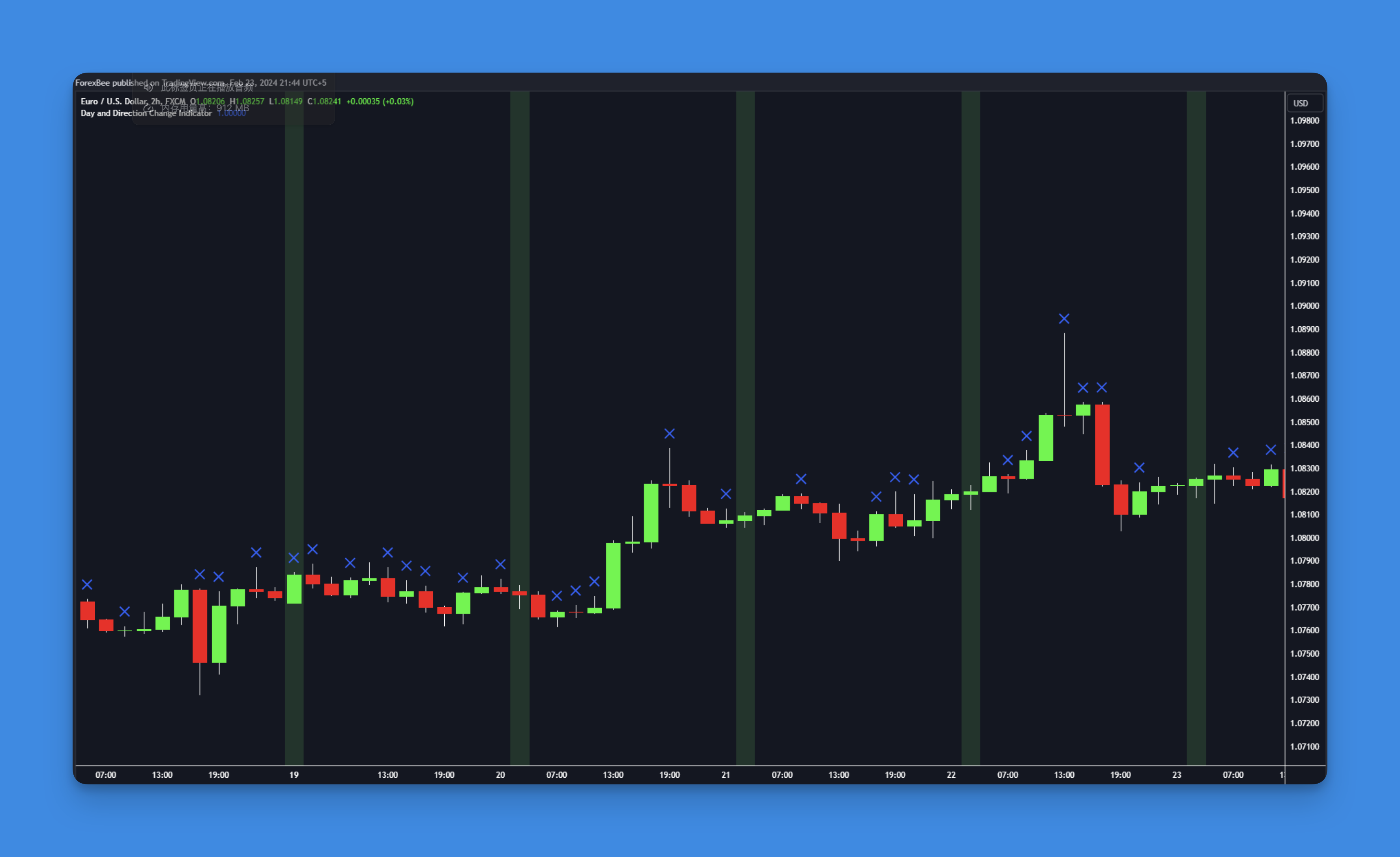
Pine Script ta.change() Function: Master Change Detection for Better Trading Signals
Ever wondered how to catch those exact moments when something changes in the market? Whether it's a new trading session, a trend reversal, or a momentum shift, Pine Script's ta.change() function is your go-to tool for spotting these critical transitions.
When I first started exploring Pine Script functions, ta.change() seemed pretty basic. But here's the thing - it's actually one of the most versatile functions you'll use. Once you understand how it works, you'll start seeing opportunities to use it everywhere in your trading strategies.
What is ta.change() and How Does It Work?
Think of ta.change() as your market detective. It's constantly asking: "What's different now compared to before?" This function calculates the difference between the current value and a previous value, helping you identify when something meaningful has shifted.
The beauty of ta.change() lies in its simplicity. It takes any data series - prices, indicator values, time periods - and tells you exactly how much they've changed. This makes it perfect for triggering alerts, marking chart events, or building conditional logic into your indicators.
Pine Script ta.change() Syntax and Parameters
Pine Script offers two main ways to use the ta.change() function:
Basic Syntax
ta.change(source)
This compares the current bar's value with the previous bar's value.
Extended Syntax
ta.change(source, length)
This lets you compare the current value with a value from length bars ago.
Parameters:
source: The data series you want to analyze (price, indicator, time, etc.)length: Optional. Number of bars to look back (default is 1)
The function returns the difference between these values. If the current value is higher, you get a positive number. If it's lower, you get a negative number. If there's no change, you get zero.
Practical Pine Script ta.change() Examples
Let me walk you through some real-world applications that I've found incredibly useful in my trading:
1. Detecting New Trading Sessions
One of my favorite uses for ta.change() is marking when new trading sessions begin. This is especially helpful for day traders who want to track session opens:
//@version=5
indicator('Session Tracker', overlay=true)
// Detect new trading day
dailyBarTime = time('1D')
isNewDay = ta.change(dailyBarTime)
// Highlight new day with background color
bgcolor(isNewDay ? color.new(color.blue, 85) : na, title="New Day")
// Mark new day with a label
if isNewDay
label.new(bar_index, high, "New Day", style=label.style_label_down, color=color.blue, textcolor=color.white)
This script creates a visual marker every time a new trading day starts, helping you track daily price action patterns.
2. Spotting Momentum Shifts
Here's a clever way to catch when market momentum changes direction:
//@version=5
indicator('Momentum Shift Detector', overlay=true)
// Determine bar direction
bullishBar = close > open
bearishBar = close < open
// Detect when bar direction changes
momentumShift = ta.change(bullishBar) != 0
// Plot signals
plotshape(momentumShift and bullishBar, 'Bullish Shift', shape.triangleup, location.belowbar, color.green, size=size.small)
plotshape(momentumShift and bearishBar, 'Bearish Shift', shape.triangledown, location.abovebar, color.red, size=size.small)
This indicator helps you spot potential turning points when the market switches from bullish to bearish candles or vice versa.
3. Advanced Price Change Analysis
For more sophisticated analysis, you can use ta.change() with different lookback periods:
//@version=5
indicator('Multi-Period Change Analysis', overlay=false)
// Calculate price changes over different periods
change1 = ta.change(close, 1) // 1-bar change
change5 = ta.change(close, 5) // 5-bar change
change20 = ta.change(close, 20) // 20-bar change
// Plot the changes
plot(change1, 'Short-term Change', color.green, linewidth=1)
plot(change5, 'Medium-term Change', color.orange, linewidth=2)
plot(change20, 'Long-term Change', color.red, linewidth=3)
// Add zero line for reference
hline(0, 'Zero Line', color.gray, linestyle=hline.style_dashed)
This gives you a multi-timeframe view of price momentum, helping you understand whether short-term moves align with longer-term trends.
Combining ta.change() with Other Indicators
The real power of ta.change() emerges when you combine it with other Pine Script functions. For instance, you can create sophisticated multi-timeframe indicators that detect changes across different time periods.
Here's an example that combines ta.change() with RSI to spot divergences:
//@version=5
indicator('RSI Change Tracker', overlay=false)
// Calculate RSI
rsiValue = ta.rsi(close, 14)
// Detect significant RSI changes
rsiChange = ta.change(rsiValue, 1)
significantChange = math.abs(rsiChange) > 5 // RSI moved more than 5 points
// Plot RSI and highlight significant changes
plot(rsiValue, 'RSI', color.blue)
bgcolor(significantChange ? color.new(color.yellow, 80) : na, title="Significant RSI Change")
// Add overbought/oversold levels
hline(70, 'Overbought', color.red, linestyle=hline.style_dashed)
hline(30, 'Oversold', color.green, linestyle=hline.style_dashed)
This script helps you spot when RSI makes significant moves, which often precede important price movements.
Common Use Cases for ta.change()
Based on my experience with Pine Script development, here are the most practical applications:
1. Session Marking: Track market opens, closes, and session transitions 2. Trend Identification: Detect when trends change direction 3. Volatility Analysis: Measure how much prices are changing period-to-period 4. Alert Conditions: Trigger notifications when specific changes occur 5. Entry/Exit Signals: Build trading signals based on change thresholds
Tips for Using ta.change() Effectively
After working with this function extensively, here are some insights that might save you time:
Start Simple: Begin with basic change detection before building complex logic Consider Context: A 1% change means different things for stocks vs. crypto Use Appropriate Timeframes: Match your change detection period to your trading style Combine with Filters: Use additional conditions to reduce false signals Test Thoroughly: Always backtest your change-based strategies before live trading
No-Code Alternative: Building Change Detection Indicators Visually
While coding ta.change() functions is straightforward, not everyone wants to write code from scratch. If you prefer a visual approach, platforms like Pineify let you build sophisticated change detection indicators without writing a single line of code.
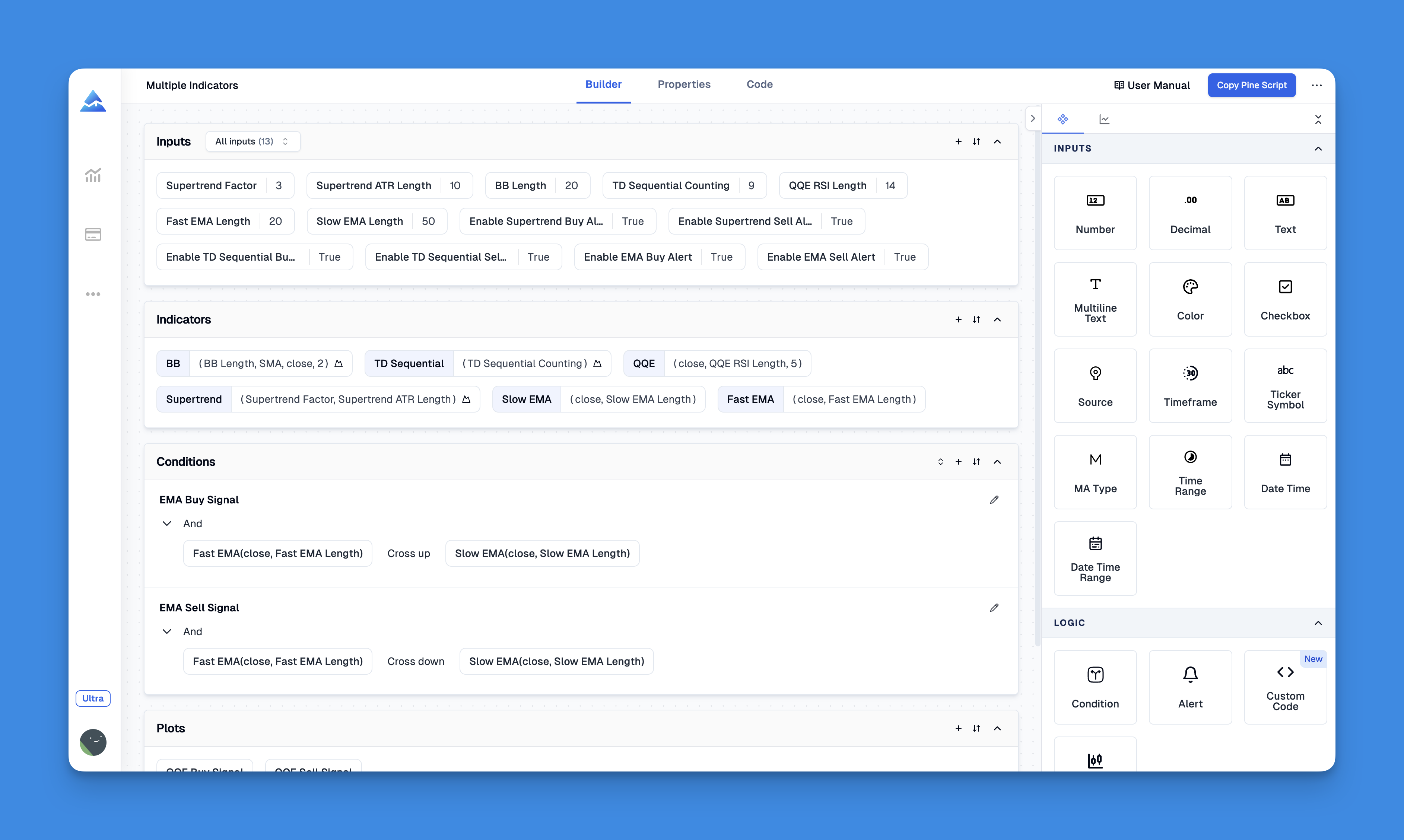
With Pineify's drag-and-drop interface, you can create the same functionality using visual building blocks. This is particularly helpful when you're prototyping ideas or need to build indicators quickly for backtesting.
You can explore all the available features to see how visual indicator building compares to traditional coding.
Advanced ta.change() Strategies
Once you're comfortable with basic change detection, you can explore more sophisticated applications:
Portfolio Correlation: Use ta.change() to compare how different assets move relative to each other
Market Regime Detection: Identify when market conditions shift from trending to ranging
Volume Confirmation: Combine price changes with volume changes for stronger signals
Multi-Asset Analysis: Track changes across multiple symbols simultaneously
For traders interested in algorithmic trading, ta.change() becomes even more valuable as part of systematic strategy development.
Troubleshooting Common ta.change() Issues
Issue 1: Unexpected Values on First Bars
The function returns na (not available) when there's insufficient historical data. Always handle this with na() checks.
Issue 2: Confusion with Negative Changes
Remember: positive values mean increases, negative values mean decreases. Use math.abs() if you only care about the magnitude of change.
Issue 3: Wrong Lookback Period Make sure your lookback period matches your analysis timeframe. A 20-bar lookback on a 1-minute chart is very different from a 20-bar lookback on a daily chart.
Conclusion: Making ta.change() Work for Your Trading
The ta.change() function might look simple, but it's one of those fundamental building blocks that can transform your trading analysis. Whether you're marking new sessions, detecting momentum shifts, or building complex multi-indicator strategies, understanding how to effectively use change detection will make your Pine Script indicators more responsive and actionable.
Start experimenting with these examples in your own charts. Try different lookback periods, combine ta.change() with your favorite indicators, and see what patterns emerge. The key is practice - the more you work with this function, the more creative applications you'll discover.
Remember, successful trading isn't just about finding the perfect indicator - it's about understanding market dynamics and having the right tools to spot opportunities when they arise. The ta.change() function is definitely one of those essential tools worth mastering.