TradingView vs Thinkorswim: Choosing the Best Trading Platform for Your Needs

In the world of trading, selecting the right platform can significantly impact your success. Two popular options, TradingView and Thinkorswim, offer unique features that cater to different types of traders. Whether you’re a beginner looking for ease of use or an advanced trader seeking complex analysis tools, understanding the differences between these platforms is crucial.
Overview of TradingView and Thinkorswim
- TradingView is a versatile platform known for its user-friendly interface and global market coverage. It supports a wide range of assets, including stocks, forex, cryptocurrencies, and commodities. TradingView is accessible across devices and offers a robust community-driven environment where traders can share ideas and strategies.
- Thinkorswim, on the other hand, is a powerful platform primarily focused on U.S. markets. It is renowned for its advanced trading tools and is exclusively available to TD Ameritrade and Charles Schwab clients. Thinkorswim is ideal for traders who require sophisticated analysis and trading capabilities.
Extending TradingView's Capabilities with Third-Party Tools: The Pineify Advantage
While comparing TradingView and Thinkorswim, it's crucial to consider how third-party tools can enhance platform functionality. TradingView users now have access to Pineify, a powerful Pine Script code generator that addresses several limitations of the base platform.

One significant advantage is Pineify's ability to bypass TradingView's restriction of only two indicators for free plan users, allowing traders to add unlimited technical indicators to their charts regardless of subscription level. This feature alone can transform the analysis capabilities available to budget-conscious traders.
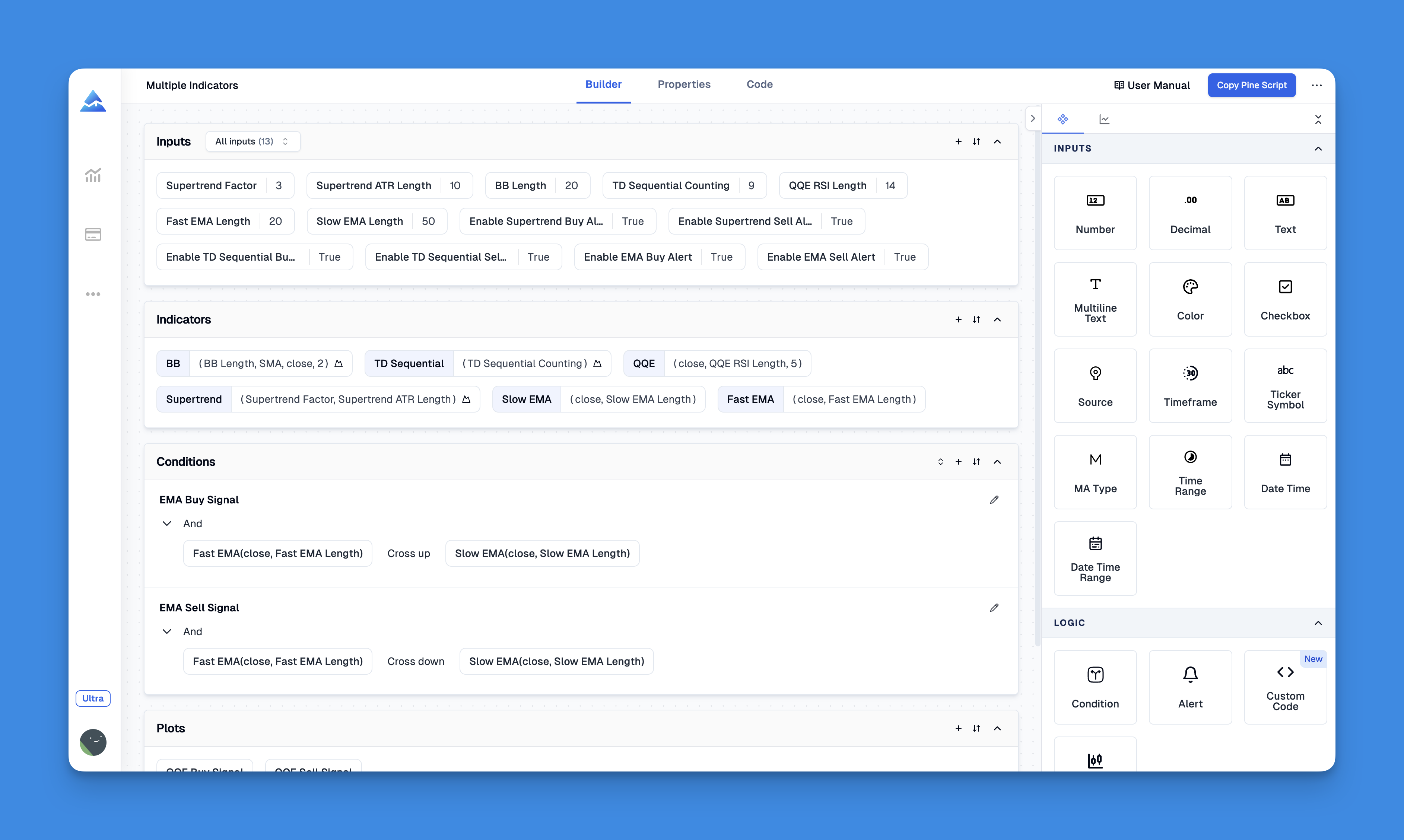
Unlike Thinkorswim, Pineify lets traders create custom indicators without coding. Its visual editor combines indicators and price data for trading rules, and supports importing existing Pine Script code for customization.
Website: Pineify
Click here to view all the features of Pineify.Key Features Comparison
Ease of Use and Accessibility
- TradingView: Offers a sleek, modern interface that is easy to navigate, making it suitable for beginners. It is cloud-based and works seamlessly across devices.
- Thinkorswim: Features a more complex interface designed for professional traders, requiring a steeper learning curve.
Charting and Technical Analysis Tools
- TradingView: Provides over 10 chart types and more than 100 built-in indicators, along with Pine Script for custom indicators. It supports up to 8 charts per tab.
- Thinkorswim: Offers over 400 technical indicators and ThinkScript for advanced customizations. It includes detailed visual tools like time and sales data.
Market Coverage
- TradingView: Covers a broad spectrum of global markets, including cryptocurrencies and forex.
- Thinkorswim: Focuses on U.S. markets with strong support for options and futures.
Social and Collaborative Features
- TradingView: Boasts a strong social community where traders can share ideas and strategies.
- Thinkorswim: Does not offer built-in social features.
Pricing and Costs
- TradingView: Offers flexible subscription plans starting at $12.95/month, with a free tier available.
- Thinkorswim: Free for TD Ameritrade and Charles Schwab account holders, with no additional subscription fees.
Which Platform is Right for You?
- Choose TradingView if you prioritize ease of use, global market access, and a collaborative community. It’s ideal for traders who value flexibility and a modern interface.
- Choose Thinkorswim if you are an advanced trader focusing on U.S. markets and require professional-grade tools. It’s perfect for those with a TD Ameritrade or Charles Schwab account.
Conclusion
Both TradingView and Thinkorswim offer unique strengths, catering to different trading styles and needs. Whether you’re looking for a user-friendly interface or advanced analysis tools, selecting the right platform can enhance your trading experience.