Pine Script Timestamps: How to Use Time Functions in TradingView

Pine Script timestamps are UNIX millisecond counters that tell you when each bar opened, closed, or where you are in real-time. Every bar on a TradingView chart carries one, and if you've built a strategy that needs to know what time it is, you've already dealt with them. I spent a whole afternoon debugging my first time filter on SPY — turned out I was comparing seconds to milliseconds.
What a Pine Script Timestamp Actually Is
Pine Script timestamps use the UNIX system: milliseconds elapsed since January 1, 1970. The same number works for every market in the world because it's timezone-independent. The time() function returns this value for whatever bar you're looking at.
The time value stays fixed once a bar forms. That's why most strategies use time() for entry conditions and timenow() for real-time alerts — the bar timestamp doesn't change, but the current moment keeps moving.
Step 1: Pick the Right Time Function
Your choice depends on what you're asking:
- Use
time()when you need the bar's open timestamp. Most entry logic uses this. - Use
time_close()when you need the exact close time. Useful for exit conditions tied to session end. - Use
timenow()for the current wall-clock time. Alerts and dashboard displays use this.
Why it matters: Picking the wrong one produces silent logic bugs. I've seen strategies that use timenow() inside a bar-level condition — the value changes every tick, so the condition flickers on and off within the same bar.
Calendar helpers like year(), month(), hour(), and minute() let you extract readable pieces from any timestamp. I skip the first 15 minutes in my AAPL intraday script by checking hour() and minute() — the opening auction creates noise my entry logic can't handle.
Step 2: Convert Timestamps to Readable Text

A number like 1641024000000 is useless when you're debugging labels or tooltips. str.format_time(timestamp, format, timezone) turns it into something you can read.
I keep the format string in a variable at the top of the script. That way I don't hunt through label calls when I want to change the display.
What can go wrong: The timezone parameter is the trap. Pass "UTC" when your exchange runs on "America/New_York" and your labels are off by hours. Cost me twenty minutes on a TSLA script.
Step 3: Build Time Conditions Without the Boilerplate
Writing if hour(time) >= 9 and hour(time) <= 15 for every script gets old. Pineify lets you build these conditions with drag-and-drop blocks — pick the function from a dropdown, set your threshold, combine it with indicators visually. I've used it to prototype time filters in minutes that would've taken half an hour to code manually.

Browsing other Pine Script guides helps spot session patterns you might not think of — holiday calendars, weekend gaps, multi-session strategies.
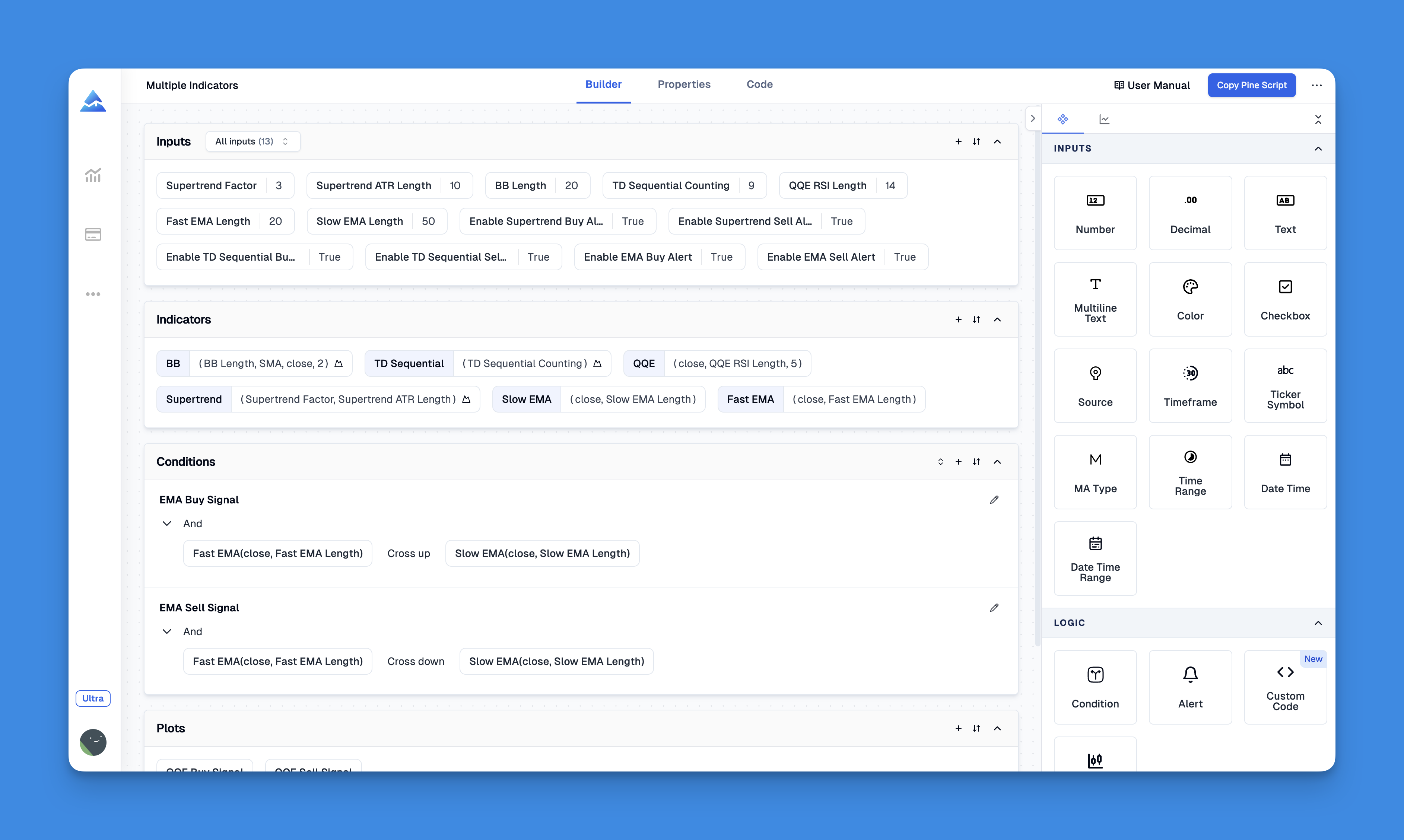
You can build simple time filters straight in Pineify without writing the repetitive if hour(time) checks by hand. The manual walkthrough covers the full condition builder.
Step 4: Apply Session-Specific Rules
Want to detect the first trading day of each month? Compare month() against month(time[1]) — when they differ, you've crossed a month boundary. Want to trade only during the London session? Filter by hour() between 8 and 16 on UTC-based symbols. I run this on GBPUSD with a 15-minute chart and it catches the open reliably.
Why this works: Session rules reduce noise by excluding bars outside your trading window. Your strategy only sees relevant price action.
I haven't tested this on every forex broker's feed, so the exact session boundaries might shift by an hour depending on DST handling. You'll want to verify in your own backtest.
Step 5: Handle Multi-Timeframe Time Checks
The request.security() function lets you pull timestamp data from a higher timeframe. You might trade 1-minute bars but check the daily chart's timestamp. I use this in my BTC swing strategy — the daily open timestamp acts as a session boundary even when I'm watching 5-minute candles.
Why it matters: Multi-timeframe alignment prevents your strategy from acting on incomplete information from the higher timeframe.
What can go wrong: Bar alignment. If the higher timeframe hasn't closed yet, time_close from that TF returns the current partial bar's open time, not the previous close. I've seen this produce phantom session breaks in backtests. Always check which bar state you're reading.
What is a UNIX timestamp in Pine Script?
It's the number of milliseconds since January 1, 1970, and you get it from the time() function for each bar. Because the count is timezone-independent, you can compare timestamps from Tokyo, London, and New York without converting anything.
How do I use the time() function in Pine Script?
Call time() to get the current bar's open timestamp. Compare it against a date number or combine it with year(), month(), and dayofmonth() to build time filters for your strategy.
What is the difference between time() and timenow() in Pine Script?
time() is the bar's open timestamp — it locks in once the bar forms and won't change. timenow() is the live clock when your script evaluates. Bar-level logic uses time(); real-time alerts and exits use timenow().
How do I filter trades to specific hours in Pine Script?
Use input.time() with confirm=true to let users pick a range directly on the chart, or write hour() and minute() checks to define your trading window in code.
How do I convert a Pine Script timestamp to a readable date?
Call str.format_time(timestamp, format, timezone) — it turns a UNIX millisecond value into text like "Jan 1, 2022." Handy for labels, tooltips, and debugging output.
Can I access timestamps from a different timeframe in Pine Script?
Yes, through request.security(). You can pull bar data including timestamps from a higher or lower timeframe, which lets you align multi-timeframe logic in a single script.