TradingView Automated Trading: Unlocking Efficiency and Precision

In the fast-paced world of trading, automated trading has emerged as a powerful tool for maximizing efficiency and minimizing emotional decision-making. TradingView, a leading platform for technical analysis and market data, offers a robust environment for creating and executing automated trading strategies. However, TradingView itself does not directly support automated trading, but it can be seamlessly integrated with third-party services to achieve this goal.
What is TradingView Automated Trading?
TradingView automated trading involves using computer programs to execute trades based on predefined rules and parameters. These programs leverage real-time market data and technical indicators to make swift and emotion-free trading decisions. While TradingView provides the analytical tools, third-party platforms like 3Commas, Cryptohopper, and WunderTrading facilitate the execution of trades.
Benefits of TradingView Automated Trading

- Emotion-Free Trading: Automated systems eliminate emotional influences, ensuring trades are executed based solely on predefined strategies.
- 24/7 Trading: Automated bots can monitor markets and execute trades around the clock, ensuring no opportunities are missed.
- Speed and Precision: Bots process market data and execute trades with lightning speed and precision, responding to market changes faster than human traders can.
- Backtesting and Optimization: Strategies can be backtested using historical data to refine and optimize performance.
- Diversification: Multiple strategies can be run simultaneously, spreading risk and potentially increasing profits.
Democratizing Strategy Creation: No-Code Solutions for TradingView
Trading automation has traditionally been reserved for those with coding knowledge, creating a significant barrier to entry for many traders. Enter Pineify, a revolutionary tool designed to democratize the creation of custom indicators and strategies on TradingView without requiring any programming skills.
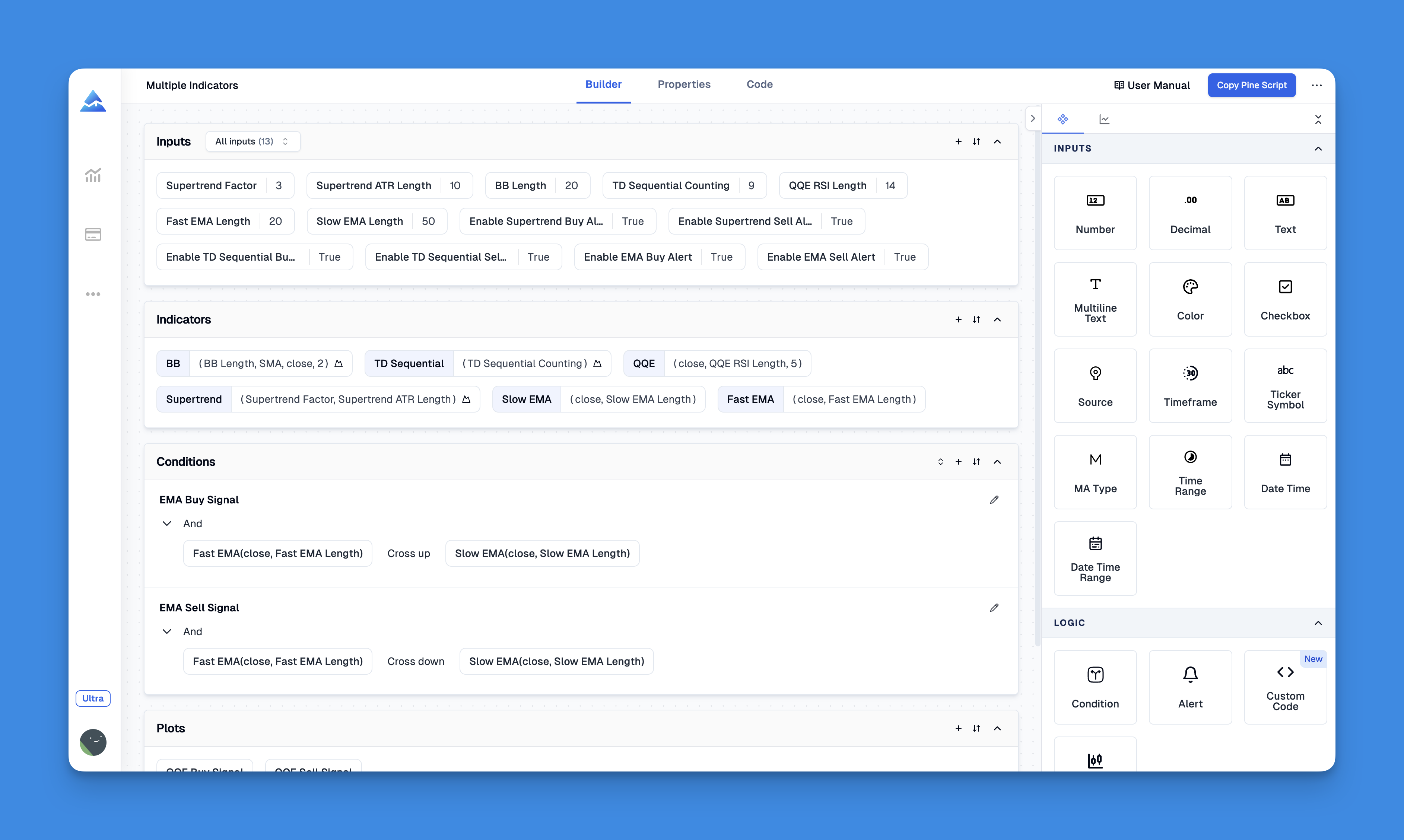
This platform enables traders to build sophisticated trading systems through an intuitive visual interface, saving both time and money compared to hiring freelance developers.
Website: Pineify
Click here to view all the features of Pineify.How to Set Up TradingView Automated Trading
To automate your trading with TradingView, follow these steps:
- Create a TradingView Account: Start by setting up an account on TradingView.
- Develop a Trading Strategy: Use PineScript to create custom indicators or strategies that define your trading conditions.
- Create Alerts: Set up alerts on your chart based on your strategy.
- Enable Webhook Notifications: In the alert settings, check the “Webhook URL” option and enter the URL provided by your third-party trading platform.
- Configure Your Third-Party Platform: Ensure the platform is set up to receive webhook notifications and execute trades accordingly.
Choosing the Right Third-Party Platform
When selecting a third-party platform for automated trading, consider the following factors:
- Compatibility: Ensure the platform integrates well with TradingView.
- Features: Look for platforms offering features like multi-API trading, multi-pair trading, and dynamic position sizing.
- Ease of Use: Opt for platforms with user-friendly interfaces and comprehensive support.
Conclusion and Call to Action
TradingView automated trading offers a powerful way to enhance your trading efficiency and precision. By leveraging third-party platforms and integrating them with TradingView, you can create a seamless automated trading experience. If you’re interested in taking your trading to the next level, consider exploring platforms like WunderTrading or 3Commas today. Sign up for a free trial and discover how automated trading can transform your trading strategy. Whether you’re a seasoned trader or just starting out, automating your trades can help you stay ahead in the market.
Keyword density and placement have been optimized to ensure natural integration and SEO compliance.
⁂