Pine Script v5 User Manual PDF Free Download

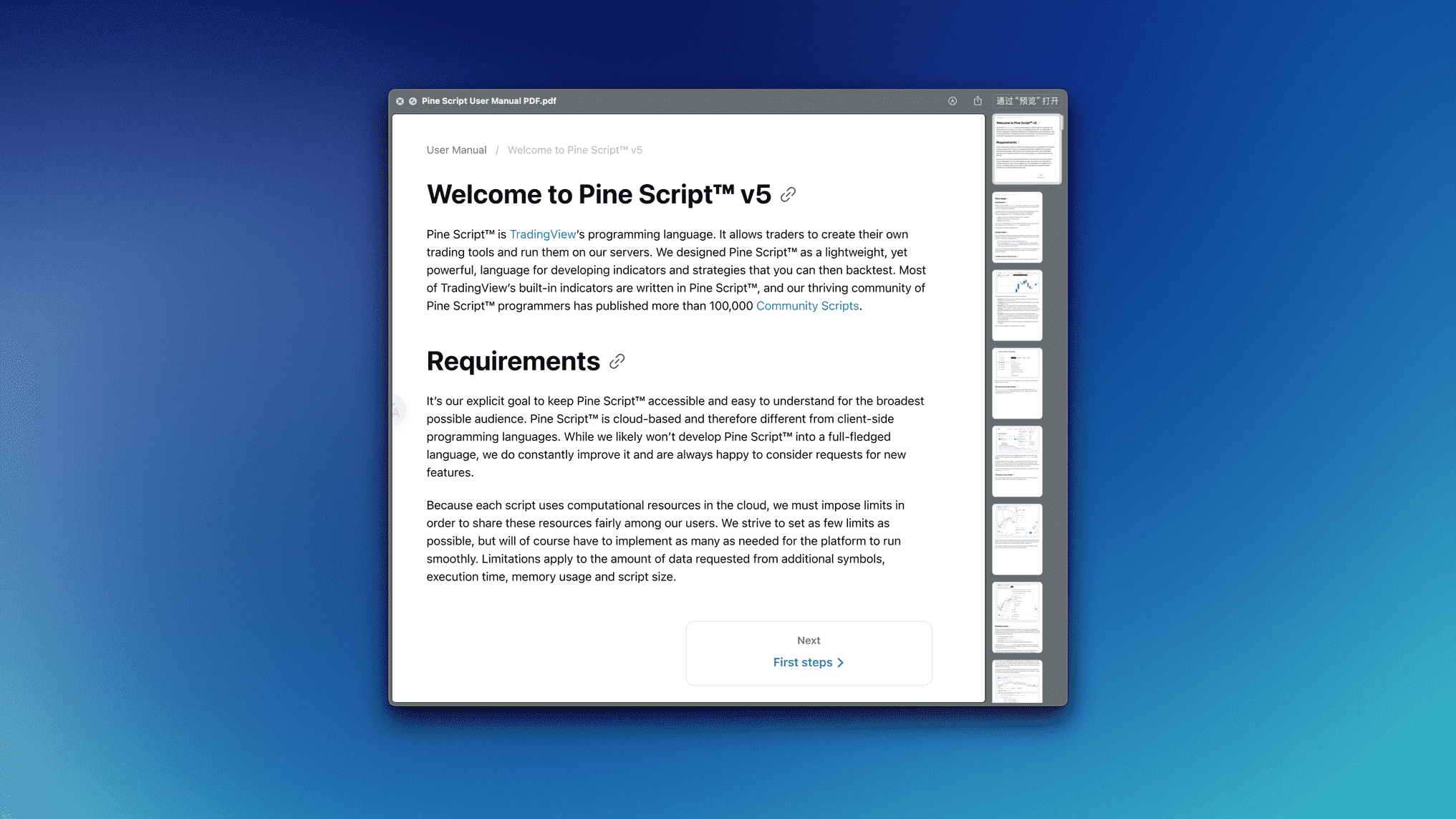
I've traded SPY options for five years, and learning Pine Script on my own cost me months of trial and error. When I found the official Pine Script v5 User Manual—all 513 pages offered at no cost—I knew it was the missing piece for anyone building custom indicators.
This is TradingView's own reference, written by the people behind the language. It covers basic syntax, indicators, strategies, and everything in between. No fluff.
Pine Script v5 is TradingView's scripting language for building custom indicators and automated trading strategies. It sits between your trading ideas and the charts you work with every day. If you've wanted an indicator that does exactly what you need, this is the tool that makes it happen.
Here's what v5 added compared to earlier versions:
- Cleaner syntax that reads naturally
- User-defined types to shape data your own way
- Error messages that point you to the actual problem
- Over 100 new built-in functions beyond what v4 had
- Better performance for heavy calculations
- Full array and matrix support for serious analysis
Even though TradingView shipped Pine Script v6, I still use v5 for most of my work. It's stable, well-documented, and the community around it means I can find answers fast when I'm stuck.
What's Inside the 513 Pages
I've gone through this manual cover to cover. Here's how it breaks down.
The Foundation (Chapters 1-5) — Variables, syntax, data types, operators, built-in functions, and script structure. I tried skipping ahead when I got impatient, but going back to the basics always saved me time.
Getting Practical (Chapters 6-10) — Indicators, strategies, alerts, user inputs, and drawings. This section is open in a tab every time I code something for AAPL or QQQ.
Advanced Stuff (Chapters 11-15) — Arrays, matrices, multi-timeframe security functions, custom types, and optimization. I spent two weeks on chapter 12 alone for a BTCUSD project I was working on.
What You'll Build
By the time you work through this manual, you'll write clean Pine Script without checking Google every few minutes. Professional-looking indicators. Strategies with proper risk management. Multi-timeframe analysis that gives you a better read on the market.
Who This Manual Works For
Beginners — I've sent three non-coder friends to this manual. Two are building their own indicators now. It starts from zero: what's a variable, how the editor works, basic syntax.
Developers — If you know Python or JavaScript, you'll fly through the first half. You're learning syntax and TradingView specifics, not programming fundamentals.
Active traders — Day traders, swing traders, portfolio managers. I built a custom RSI scanner for SPX after reading just four chapters. You don't need the whole manual—just the parts that solve your problems.
What you need: a TradingView account (free works), basic trading knowledge (moving averages, support and resistance), and patience. Programming experience is optional. I've watched non-coders pick this up faster than developers because they focus on the trading logic.
If you're wondering what language Pine Script actually is, it's purpose-built for TradingView. Easier than learning Python or JavaScript from scratch.
Why I Still Use v5 in 2025
v5 vs v4: A Real Upgrade
| What Changed | Pine Script v4 | Pine Script v5 |
|---|---|---|
| Reading code | Sometimes confusing | Makes sense at a glance |
| Custom data types | Not available | Yes, and I use them constantly |
| Error messages | Vague | Pinpoints the issue |
| Built-in functions | ~80 | Over 180 |
| Array handling | Basic and frustrating | Solid and well-thought-out |
| Speed | Acceptable | Noticeably better |
What About v6?
I tested v6 for about a week and came back to v5. Here's why:
- Battle-tested: Millions of scripts run on v5. It just works.
- Biggest community: More tutorials, forum posts, and help when you're stuck
- Gentler learning curve: v6 adds features I don't need yet
- Runs on any account: Free TradingView included
That said, read our Pine Script v6 guide if you're curious about new features. I'd start with v5, build real projects, then decide if v6 is worth the switch.
How to Download (and Why the Official Source Matters)
The Process
- Click the download link — no signup walls, no fake urgency
- Fill out a short form — name and email, no credit card
- Download the PDF — instant access, roughly 15-20 MB
- Save it where you'll find it — I keep mine in iCloud so it syncs everywhere
Why bother with the official source? I've seen third-party copies. Some have missing pages. Others are v4 manuals rebranded as v5. The official PDF is free, so there's zero reason to risk it.
👉 Download Pine Script v5 User Manual PDF (Free)
What You're Getting
- Format: PDF, readable on anything
- Pages: 513
- Size: ~15-20 MB
- Language: English
- Updated: 2024
- Requirements: Any OS, any PDF reader, ~50 MB free space
My 3-Month Learning Plan
I wish someone had given me this when I started.
Month 1: Get Comfortable (Weeks 1-2)
Don't try to read the whole manual at once. I made that mistake.
- Week 1: Chapters 1-3, set up the Pine Editor, write your first "hello world" indicator
- Week 2: Practice the examples. Modify existing indicators rather than starting from scratch.
Why this works: Small wins early keep you coming back. Momentum matters more than depth at this stage.
What can go wrong: You'll want to skip ahead. Don't. Chapter 2's syntax foundation saves hours of debugging later. Start with simple Pine Script tutorials if the manual feels heavy.
Month 2: Build Real Things (Weeks 3-6)
This is where the manual pays off.
- Weeks 3-4: Chapters 4-8. Build your first custom indicator. I started with a moving average crossover for SPY.
- Weeks 5-6: Create a basic trading strategy and run a backtest.
I prefer testing on historical data before going live. The backtesting guide on Pineify helped me avoid overfitting my early strategies.
Month 3: Push Further (Weeks 7-12)
- Weeks 7-10: Chapters 9-15. Arrays, multi-timeframe analysis, custom types.
- Weeks 11-12: Build a multi-timeframe strategy. I worked on an AAPL strategy that checks daily, 4-hour, and 15-minute charts together.
Why: Advanced features let you build things most traders can't.
Mistakes I Made
- Reading for hours without writing a single line of code
- Not testing frequently, then debugging massive blocks at once
- Ignoring error messages instead of actually reading them
- Copy-pasting complex scripts without understanding the fundamentals
The Habit That Stuck
15-30 minutes daily. Read one section, write one example, see what the community's building. Consistency beats marathon sessions every time.
After the Manual
The manual gives you a solid foundation. From there, the TradingView Pine Script Reference serves as your quick-lookup tool, and community scripts on TradingView and GitHub provide real examples to study.
I've seen traders turn these skills into freelance indicator development ($50-200/hour), strategy consulting, or fintech roles. The manual is the starting point, not the finish line.
Questions People Actually Ask
What is the Pine Script v5 User Manual PDF?
It's the official 513-page reference from TradingView, covering everything from basic syntax to advanced multi-timeframe analysis. It's the document I keep open in a tab whenever I code. Free to download.
Is the Pine Script v5 manual PDF really free?
Yes, totally free. Fill out a short form, no credit card needed, and you get the full 513-page PDF. I've downloaded it myself and there's no catch.
How do I download the Pine Script v5 PDF guide?
Use the download link complete the form, and the PDF is yours. Works on phones, tablets, laptops — anything with a PDF reader.
Can a complete beginner use the Pine Script v5 manual?
Absolutely. It starts from "what is a variable?" and builds up. No coding experience needed. I've sent beginners to this manual and they came back building their own indicators.
How does Pine Script v5 compare to Pine Script v4?
v5 added user-defined types, cleaner syntax, better error messages, and roughly doubled the built-in functions. The array improvements alone were worth the upgrade. I haven't written a single v4 script since 2023.
Should I learn Pine Script v5 or jump straight to v6?
I'd start with v5. The community support is massive, tutorials are everywhere, and the fundamentals transfer cleanly to v6 when you're ready. I haven't tested v6 extensively, but for what most traders need, v5 covers it.
How long does it take to learn Pine Script v5 using the manual?
With 15-30 minutes of daily practice, I'd say 2-4 weeks for a first working indicator, 2-3 months for a solid backtested strategy. Faster if you already know another programming language.

Pro tip: Download it now and save it somewhere you'll actually find it later. I keep mine bookmarked and open it in a separate tab when I'm coding. The search function is your best friend—you can find any function or concept in seconds.