13 Best Free TradingView Alternatives (2026)

· 24 min read

Pineify Team
Pine Script and AI trading workflow research team

Among the 13 free TradingView alternatives we reviewed, ProRealTime Web is our first pick if TradingView Basic has become too cramped for everyday chart work. Its free plan fits 10 charts on screen, 25 indicators on each and 20 live alerts. We'd choose GoCharting for a library of saved layouts, TakeProfit for crypto order flow and Vela for a trader who wants to bring their own Pine source. Someone who needs to keep years of hand-drawn levels has a different decision: none of those numbers tells you whether your drawings will come along. ProRealTime plan comparison · LuxAlgo migration guide

TradingView Free Plan Limits (2026): Indicators & Alerts

· 7 min read
Pineify Team
Pine Script and AI trading workflow research team

TradingView Basic is free. In 2026 it allows one chart per tab, one saved layout, two indicators per chart, 30 drawings per chart and three active price alerts. If you write your own Pine indicators or strategies, the Basic upgrade dialog also shows a limit of one saved script. Which limit matters depends on what you were trying to do: saving your code, adding it to a chart and creating an alert each use a different allowance.

TradingView "Save More Chart Layouts": 1-Layout Limit Fix

· 6 min read
Pineify Team
Pine Script and AI trading workflow research team

TradingView Basic allows one saved chart layout. If you see Save more chart layouts when you try to create a second one, close the popup and go to Manage layouts → Open layout to find the workspace you already have. If all you need is the same chart setup on another ticker, open that ticker in your existing layout. Your indicators and chart style carry over. TradingView's layout guide

TradingView "Save and Use More Scripts": 1-Script Limit Fix

· 6 min read
Pineify Team
Pine Script and AI trading workflow research team

TradingView's free Basic plan lets you save one custom Pine script. If you already have a saved indicator or strategy, choosing to create another can bring up Save and use more scripts before you type a line of code. If you only want to change your existing script, close the popup, open that script in Pine Editor, and save your edits there.

TradingView 1-Second Chart: Plans for Seconds Intervals

· 5 min read
Pineify Team
Pine Script and AI trading workflow research team

TradingView shows "See the markets second by second" when you select a seconds interval your plan does not include. For a 1-second chart or 5-second chart, Plus is the first plan with built-in seconds intervals. Both Basic and Essential lack seconds timeframes. On the free plan, close the popup and select 1 minute if your symbol supports intraday charts. TradingView's official plan comparison

TradingView Pine Script Takes Longer Than 0.5 Seconds (RE10110)

· 5 min read
Pineify Team
Pine Script and AI trading workflow research team

If TradingView shows RE10110 and says your script takes longer than 0.5 seconds, it stopped calculating before it could finish. Even one custom indicator can hit that limit. When you add it to a chart, Pine runs its calculations across the historical bars in the dataset. The half second in the message is your plan's allowance for that work. Timing how long the chart takes to appear in your browser measures something different.

AI Genius Trading Bot 5.0: Claims, Risks, and Due Diligence

· 10 min read
Pineify Team
Pine Script and AI trading workflow research team

In 2024, O&C Investment Alliance promoted AI Genius Trading Bot 5.0 as an AI-driven tool for market analysis and trade suggestions. Its current availability, live features, and trading performance cannot be independently verified. Before connecting any automated trading tool to a brokerage or exchange account, you need to verify who operates it, what permissions it requests, and how its rules handle risk.

This guide separates unverified marketing claims from how automated trading software actually works, then gives you a practical checklist to evaluate any AI trading bot safely.

Overview of AI Genius Trading Bot 5.0 claims and automated trading technology

How to Run Pine Script in TradingView: Step-by-Step Guide

· 8 min read
Pineify Team
Pine Script and AI trading workflow research team

To run Pine Script in TradingView, open Supercharts, open the Pine Editor, create a new indicator or strategy, paste your code, save it, and click Add to chart. A free TradingView Basic account is enough to compile and run your first custom script in a browser or the desktop app.

Pine Script is TradingView's built-in scripting language for custom indicators and backtestable trading strategies. This visual walkthrough shows each step in the editor and includes a complete Pine Script v6 MACD indicator you can test immediately.

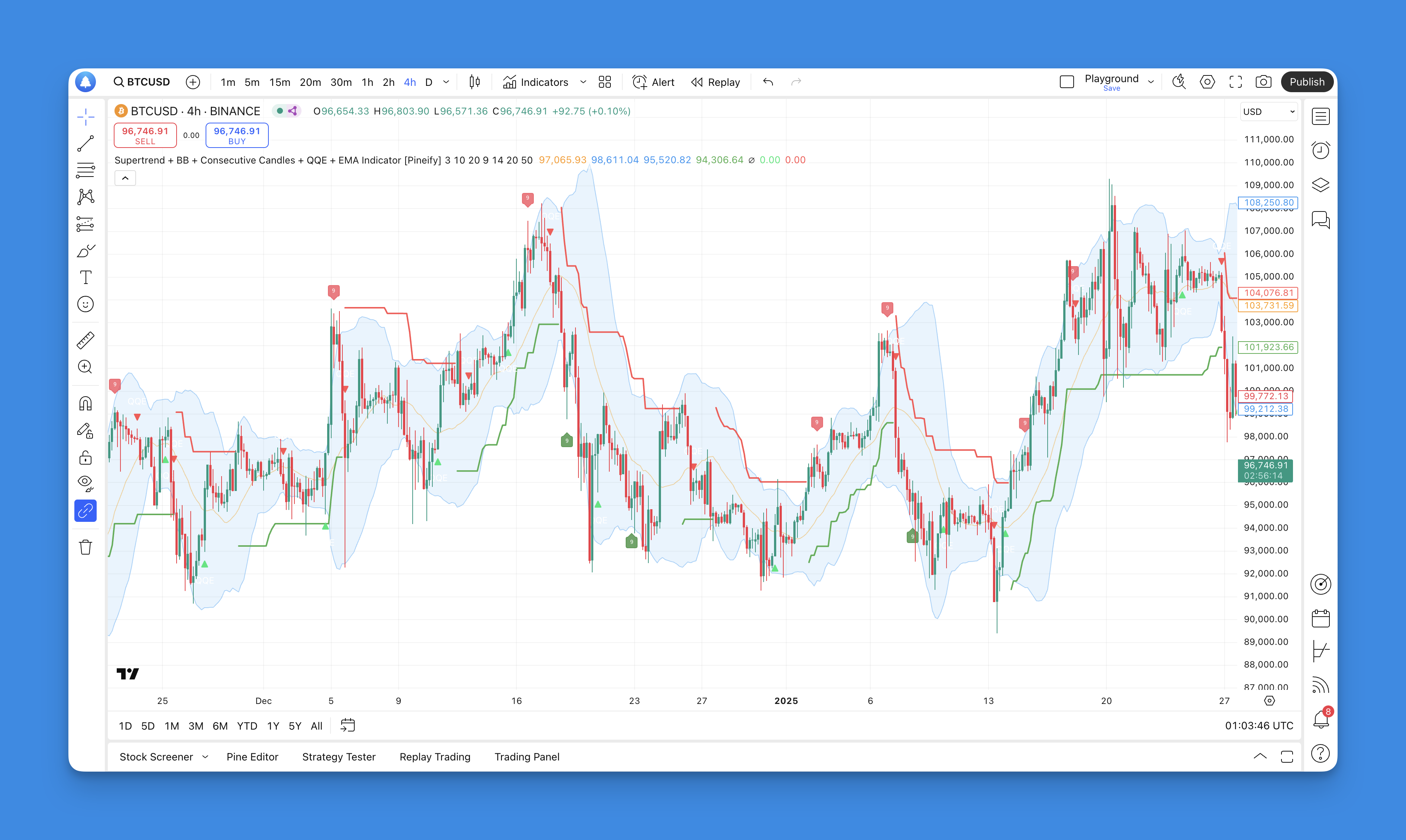
Custom Supertrend indicator running on a TradingView chart

TradingView's New 30 Drawing Limit and How to Fix It

· 4 min read
Pineify Team
Pine Script and AI trading workflow research team

TradingView's new 30 drawing limit applies to the free Basic plan. Hidden drawings and drawings on other symbols can count, so a chart that looks empty can still trigger the Add more drawings popup. To make room without upgrading, open Object Tree → Manage layout drawings and remove old objects until you have fewer than 30. TradingView plan comparison

Pineify MCP: Connect AI Agents to Financial Trading Tools

· 16 min read
Pineify Team
Pine Script and AI trading workflow research team

AI agents are only as useful as the tools they can call. An agent that can only read what you paste into a chat window has to rely on you to fetch every price, every options-flow alert, and every research snapshot by hand.

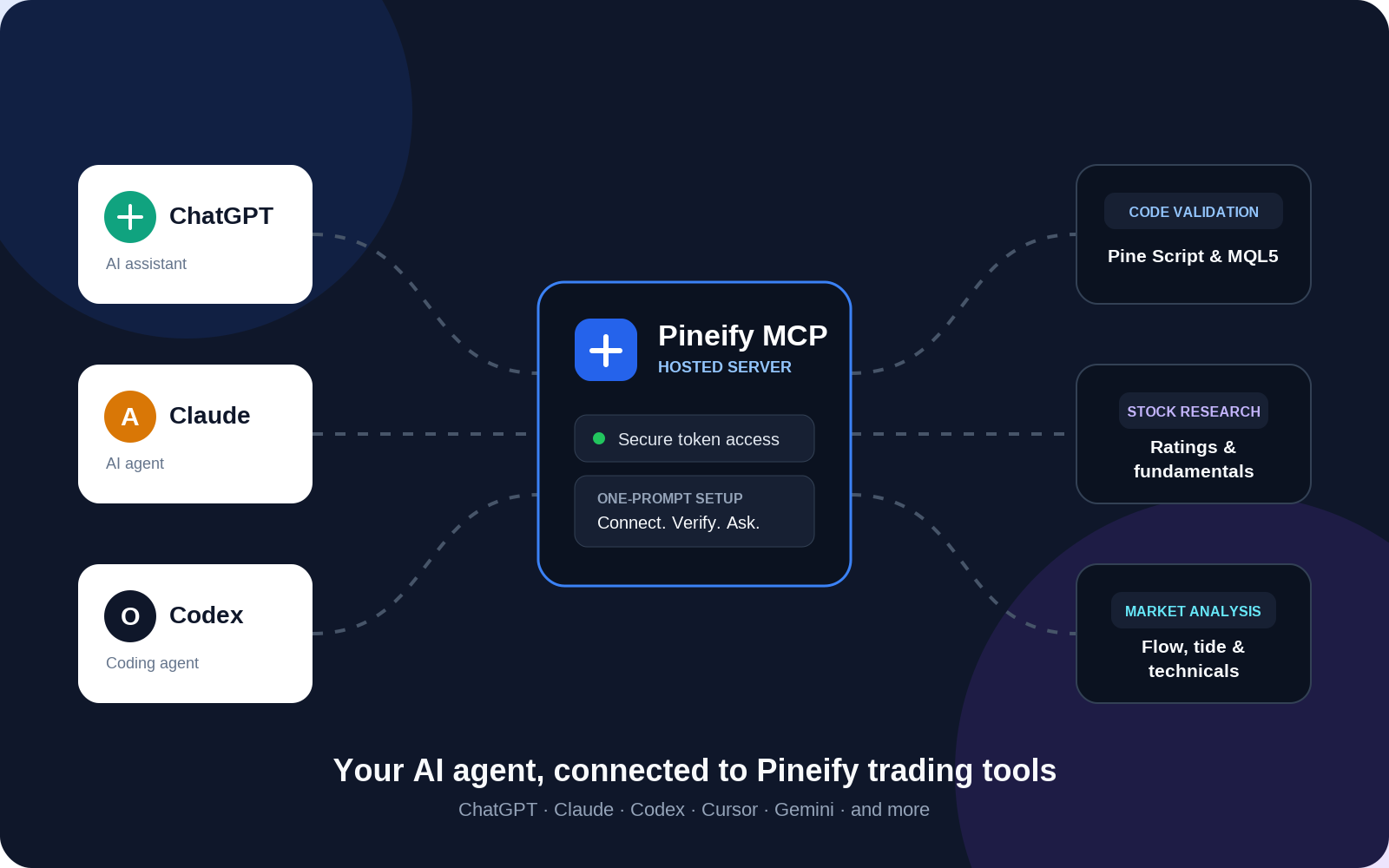
Pineify MCP removes that bottleneck. It exposes Pineify's financial data and code-validation tools through the Model Context Protocol (MCP), so a compatible client can request structured results during a conversation. The client must support the remote transport, authentication method, and tool configuration used by the server.

The server currently ships 40 tools across five categories: code validation, market research, financial analysis, bounded agent workflows, and Trading Journal.

Pineify MCP server connecting ChatGPT, Claude, Codex, Cursor, and other AI agents to trading and market research tools