Pineify - The No.1 Lux Algo Alternative Every Trader Should Consider in 2025

· 8 min read

Picture this: you're staring at your TradingView charts at 2 AM, coffee getting cold, and you can see this perfect trading setup forming. The only problem? The exact indicator you need to confirm your trade doesn't exist anywhere. You've got two choices: spend weeks learning Pine Script (good luck with that), or shell out more money for yet another premium indicator package that might not even work.

I was stuck in this exact situation for months, cycling through different Lux Algo subscriptions and premium indicator packages, always feeling like I was paying too much for tools that were almost what I needed but never quite right.

Then I discovered Pineify, and honestly, it changed everything about how I approach trading indicators.

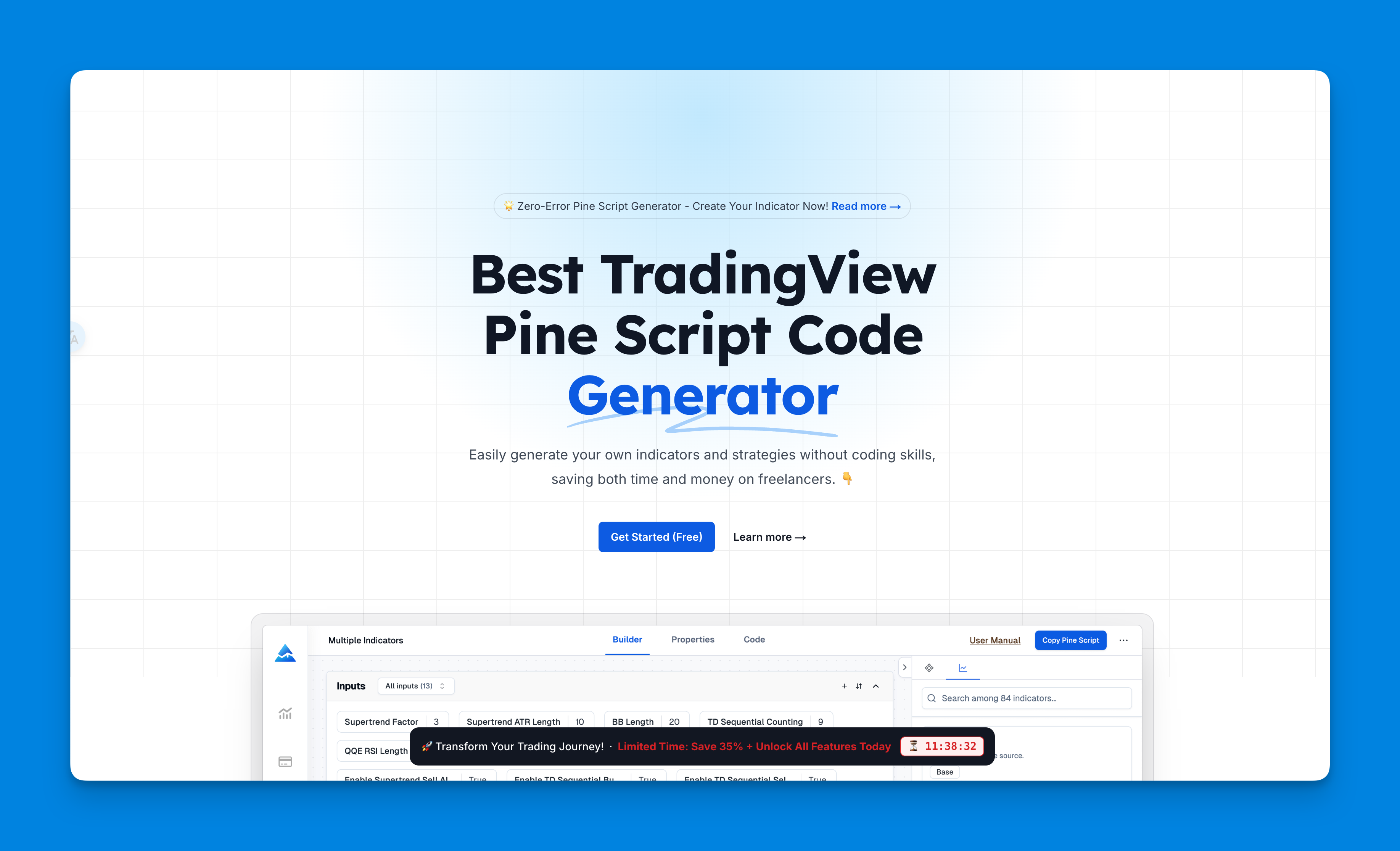
What is Pineify - Best Lux Algo Alternative

What Makes Pineify Different from Lux Algo?

Here's the thing - Pineify isn't just another indicator subscription service. It's more like having a personal Pine Script developer who never gets tired of your crazy ideas and never charges by the hour.

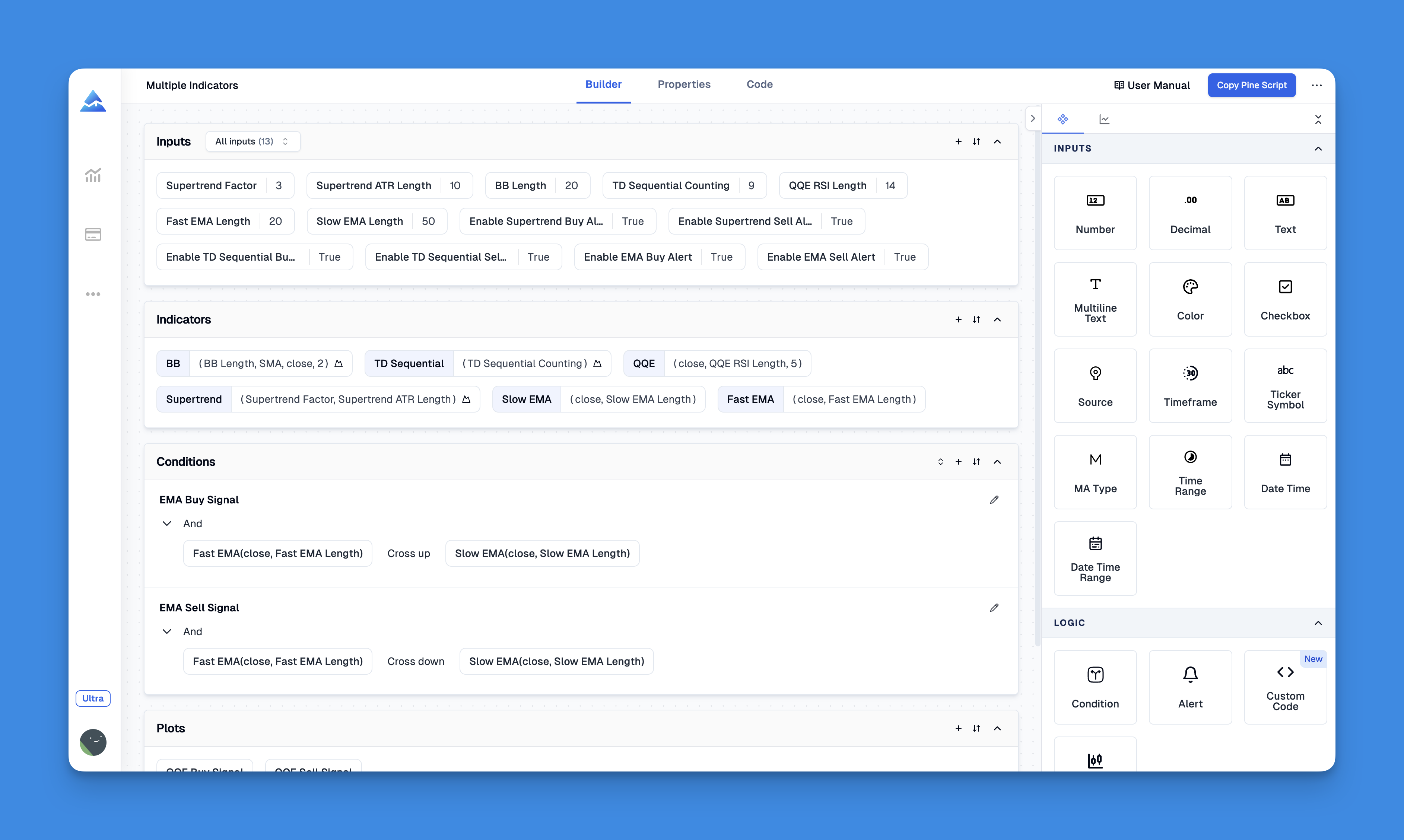
The platform lets you build custom indicators using a visual drag-and-drop interface. You literally click, drag, combine different trading elements, and boom - it spits out professional Pine Script code that you can use immediately on TradingView. No coding experience required, no hours spent debugging syntax errors.

Pineify Pine Script Generator Interface

Why I Started Looking for Lux Algo Alternatives

Don't get me wrong - Lux Algo produces some solid indicators. But after using their premium package for several months, I started noticing some issues that made me question whether I was getting my money's worth:

The Monthly Subscription Costs Add Up Fast - Between Lux Algo Premium and TradingView Pro, I was easily spending $100+ per month just on trading tools. That's $1,200+ per year, which is a significant chunk of trading capital.

Limited Customization Options - Most Lux Algo indicators come with preset parameters. Sure, you can adjust some settings, but you can't fundamentally change how they work or combine them in unique ways.

No Strategy Backtesting - This was the dealbreaker for me. How are you supposed to know if an indicator actually works without being able to backtest it properly? Lux Algo indicators are great for analysis, but converting them into testable strategies requires additional work.

Indicator Overload Without Context - Lux Algo offers dozens of indicators, but there's limited guidance on which ones work well together or in specific market conditions.

What Actually Makes Pineify Worth Considering

After spending three months really diving into Pineify, here are the features that convinced me it's a legitimate Lux Algo alternative:

1. True No-Code Development

You literally drag trading concepts around like building blocks. Want a moving average crossover combined with RSI divergence and volume confirmation? Just drag those elements together, set your parameters, and you're done.

2. Unlimited Indicator Creation

TradingView normally limits how many indicators you can run simultaneously. With Pineify, you can combine multiple indicators into single, optimized scripts that bypass these limitations entirely.

3. Built-in Strategy Testing

This is where Pineify really shines. Every indicator you create can instantly become a backtest-ready strategy. You can see exactly how your trading ideas would have performed historically, complete with win rates, profit factors, and drawdown analysis.

4. Import and Modify Existing Pine Script

Found an interesting indicator online but wish it worked slightly differently? Import the Pine Script into Pineify, modify it visually, and export the updated code. It's like having a Pine Script editor that actually makes sense.

5. Advanced Conditional Logic

Want to create indicators that only trigger when multiple conditions align? Pineify's visual interface makes it easy to build complex conditional statements without writing a single line of code.

The pricing is also refreshingly straightforward - no monthly subscriptions that eat into your trading profits. You can start with their free tier and upgrade only if you need advanced features.

Real-World Comparison: Pineify vs Lux Algo in 2025

I put together this comparison based on actual usage of both platforms:

FeaturePineifyLux Algo
Monthly CostFree tier available, one-time payments for premium$29-97/month subscription
Custom Indicator Creation✅ Unlimited via visual builder❌ Limited to provided indicators
Strategy Backtesting✅ Built-in comprehensive testing❌ Requires manual setup
Pine Script Generation✅ Automatic code generation❌ Pre-built indicators only
Indicator Limits✅ Bypass TradingView limits❌ Subject to TradingView limits
Learning CurveMinimal - visual interfaceModerate - need to understand each indicator
Code Customization✅ Full visual editing❌ Parameter adjustment only
Community SupportActive Discord communitySupport forums

How Pineify Fits Into Modern Trading Workflows

What really sold me on Pineify is how well it integrates with modern trading approaches. Whether you're into automated trading strategies or prefer manual trading with better signals, the platform adapts to your style.

For example, if you're interested in Pine Script development but don't want to spend months learning syntax, Pineify generates clean, commented code that you can study and learn from. It's like having a coding mentor that shows you best practices.

The platform also works well for traders who want to experiment with custom trading indicators based on specific market conditions or trading styles.

Is Pineify Actually Better Than Lux Algo?

Look, I'm not going to pretend one platform is perfect for everyone. Lux Algo has been around longer and has a proven track record with thousands of traders. Their indicators are well-tested and professionally designed.

But here's what I've learned after using both: Pineify gives you control that Lux Algo simply can't match.

With Lux Algo, you're limited to their indicator library and their interpretation of market signals. With Pineify, you can create indicators that match your exact trading style, risk tolerance, and market focus.

The ability to backtest everything before risking real money is huge. I can't tell you how many times I've been excited about a new indicator setup, only to discover through backtesting that it would have lost money over the past year.

Getting Started: What to Expect

If you decide to try Pineify, here's what the experience actually looks like:

  1. Start with Templates - Pineify offers pre-built templates for common trading strategies. These give you a foundation to build on rather than starting from scratch.

  2. Visual Building - The drag-and-drop interface feels intuitive once you understand the basic concepts. It took me about an hour to build my first working indicator.

  3. Testing Phase - Before deploying any new indicator, spend time backtesting it across different market conditions and timeframes.

  4. Iteration - The beauty of Pineify is how easy it is to modify and improve your indicators based on performance data.

The Bottom Line on Pineify vs Lux Algo

After several months of using both platforms, here's my honest assessment:

Choose Lux Algo if: You want professionally designed indicators with minimal setup, don't mind monthly subscriptions, and prefer to focus on trading rather than indicator development.

Choose Pineify if: You want complete control over your trading tools, prefer one-time costs over subscriptions, enjoy experimenting with new trading ideas, and value the ability to backtest everything thoroughly.

For me, Pineify won because it solved the fundamental problem I had with most premium indicator services: they never quite match your specific trading style. With Pineify, I can build indicators that work exactly how I want them to work.

The money I've saved on monthly subscriptions has already paid for my Pineify access several times over, and the trading results speak for themselves.


Ready to try building your own custom indicators? Check out Pineify and see what's possible when you're not limited by someone else's interpretation of market signals.

Want to learn more about the technical side? Here's everything you need to know about Pine Script and how tools like Pineify are making trading automation accessible to everyone.