How This No-Code Tool Changed My Trading Game (And Could Change Yours Too)
Ever stared at Pine Script code and felt like you were trying to read hieroglyphics? Yeah, me too. I spent months trying to learn TradingView's programming language, watching YouTube tutorials until my eyes bled, and getting nowhere fast.
The worst part? I had all these trading ideas floating around in my head—custom indicators that could actually help me spot better entries—but I couldn't translate them into working code. Every time I'd sit down to learn Pine Script, I'd last about two hours before giving up in frustration.

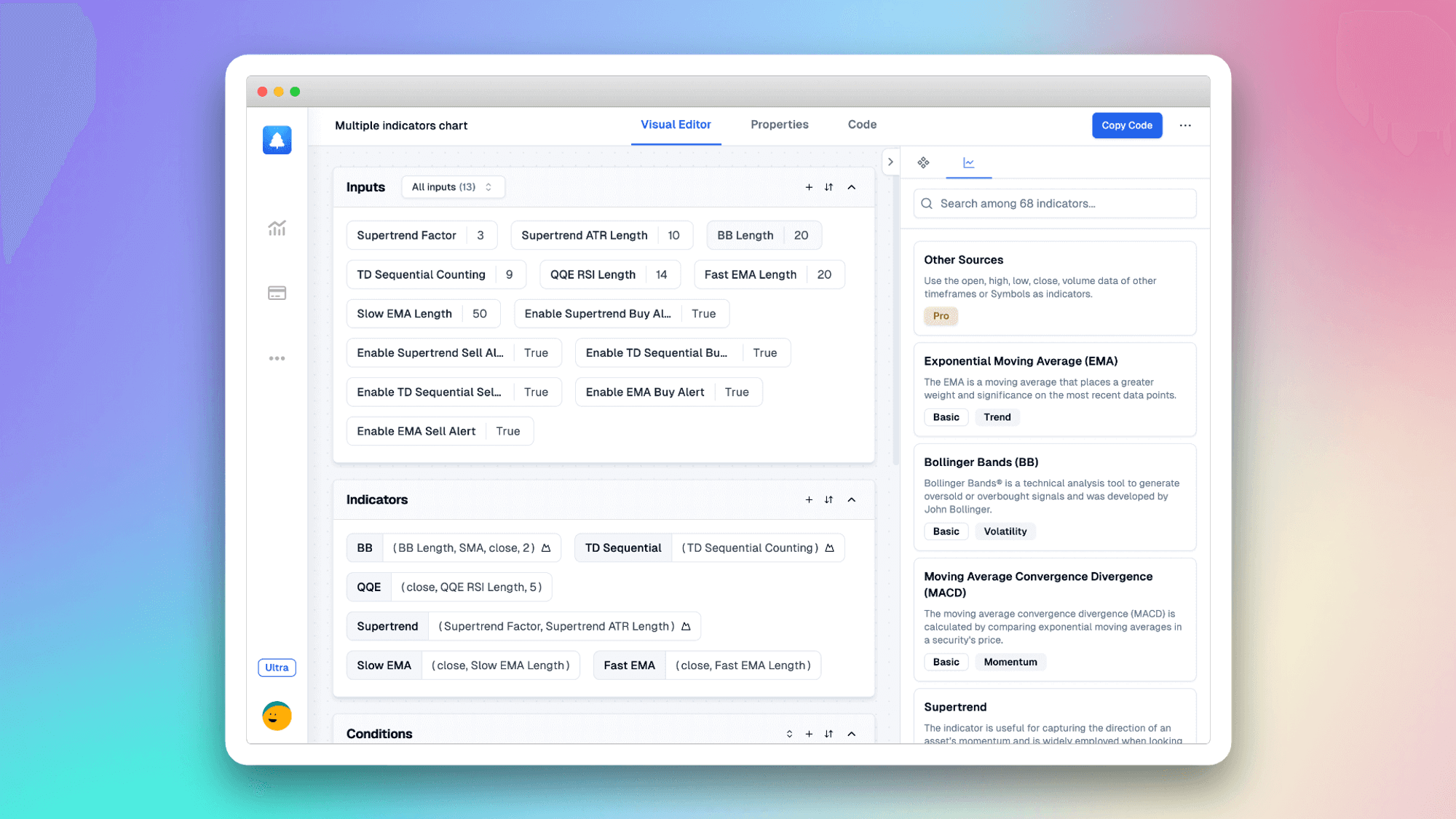
Then I stumbled across this visual indicator builder called Pineify, and honestly, it was like someone finally turned on the lights. Instead of wrestling with syntax errors and function names I couldn't remember, I could just drag, drop, and click my way to working indicators.
Why This Tool Actually Works (Unlike Everything Else I Tried)
Look, I've been around the block with trading tools. I've tried everything from expensive subscription services to sketchy "AI Pine Script generators" that churned out broken code. Here's what makes this different:
Zero coding required - And I mean actually zero. You don't need to memorize function names or worry about semicolons. It's all visual, like building with digital Lego blocks. I went from complete Pine Script noob to creating working indicators in about 20 minutes.
The code actually works - This was huge for me. I'd tried other AI Pine Script generators before, and they'd spit out code that looked impressive but wouldn't even compile. With this tool, every indicator I've built works right out of the gate.
Lightning fast development - Remember waiting weeks for freelancers to maybe understand your vision? I can now test a new trading idea in under 10 minutes. That's game-changing when you want to iterate quickly on strategies.
Actually affordable - I used to drop $200-500 per custom indicator from freelancers on Upwork. Now I pay a fraction of that and can create unlimited indicators. The math alone made this a no-brainer.
Works with any TradingView plan - Even if you're stuck on the free TradingView tier, all your custom indicators work perfectly. No premium subscription required.
Built-in strategy testing - You can backtest your strategies immediately to see if they're worth pursuing. No more flying blind with untested ideas.
What You Can Actually Build With This Thing
The variety is honestly impressive. I've created everything from simple moving average crossovers to complex multi-timeframe momentum strategies. Here's what's possible:
Custom indicator combinations - Ever wanted to combine RSI with MACD in a specific way that no existing indicator does? Easy. You can blend signals however makes sense for your trading style.
Complete automated strategies - Build full entry and exit systems with stop losses, take profits, and position sizing rules. If you're interested in automated trading strategies, this is a great starting point.
Smart alerts - Set up notifications that ping your phone only when your exact conditions are met. No more false alarms from generic indicators.
Multi-timeframe analysis tools - Pull data from different timeframes and combine them into a single, coherent view. This is especially powerful for multi-timeframe analysis strategies.
The best part? You're not limited to pre-built templates. If you can visualize a trading concept, you can probably build it.
Real Talk: Is This Actually Worth It?
I'm not going to blow sunshine and tell you this will make you rich overnight. Trading is still trading—it's hard, and most people lose money regardless of their tools.
But here's what this tool did for me: it removed the technical barrier between my ideas and implementation. Before, I'd have a great trading concept but couldn't execute it because I didn't know how to code. Now, I can test any idea quickly and move on if it doesn't work.
That's incredibly valuable for strategy development. Instead of spending weeks learning to code one indicator, I can test 10 different concepts in the same time. The faster you can iterate, the faster you can find what actually works in the markets.
The Bottom Line
If you've ever felt frustrated by the gap between your trading ideas and your ability to implement them, this tool bridges that gap beautifully. It's not magic—you still need good trading concepts—but it removes the coding headache entirely.
The learning curve is practically nonexistent. If you can use basic computer software, you can build indicators with this. And unlike learning Pine Script (which takes months), you'll be productive within your first hour.
For traders who want to create custom indicators without the coding hassle, this is probably the best solution available right now. At minimum, it's worth trying for a few minutes to see what you can build.
Your future self—the one with working custom indicators—will thank you for giving it a shot.