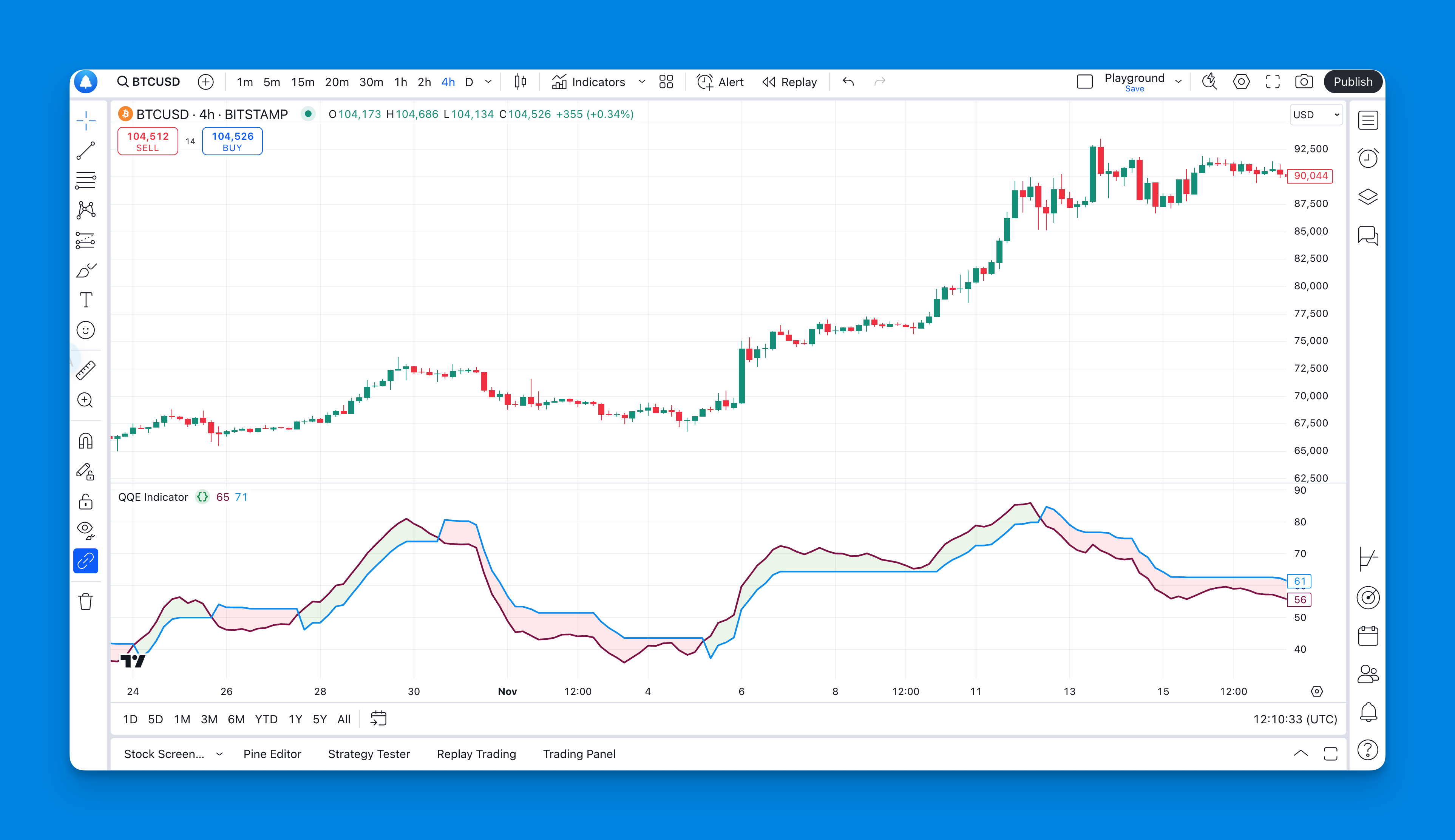
QQE, or Quantitative Qualitative Estimation, builds on RSI with smoothing and a trailing reference derived from changes in the oscillator. It can make momentum changes easier to inspect, but a smoother plot does not establish a more profitable strategy. This guide explains the basic QQE implementation available in Pineify and turns common trading ideas into rules you can evaluate.
MQL5 is the programming language used to build Expert Advisors, custom indicators, scripts, and libraries for MetaTrader 5. Its syntax resembles C++, but it is a distinct language with a trading-specific runtime. Learning the event model and trade-request lifecycle is as important as learning indicator formulas.
RSI divergence compares the direction of selected price swings with selected RSI swings. The important question for an automated detector is not just whether it draws an attractive line, but which points it compares and when that line becomes knowable. Pivot-based and regression-based detectors can give different answers on the same chart.
The most useful TradingView script is one whose calculation and output match a defined task. A trend overlay, a volume profile, and a divergence detector answer different questions. This guide provides documented examples and a way to evaluate them; popularity and a polished chart are not evidence of trading performance.
A squeeze indicator compares two volatility envelopes to identify a particular kind of compression. The condition does not specify the direction, timing, or size of a future move. On TradingView, implementations differ in smoothing, momentum calculation, colors, and alert support, so start with the exact script and version.
The best TradingView strategy for a particular task is one whose rules, execution assumptions, and risks can be evaluated. A MACD/RSI combination does not have an inherent win rate, and a timeframe does not come with a return target. Start with one testable hypothesis, then compare it with a simpler baseline under identical conditions.
TradingView's Strategy Tester reports simulated orders from a Pine Script strategy. A useful test needs explicit trading rules, appropriate data, and an execution model that matches the question you are asking. No profit-factor threshold or optimizer can establish those conditions for you.
Support and resistance tools mark reference prices or zones for further observation. Some identify confirmed swings; others follow a calculated trend or mark a large candle. This guide compares those mechanisms with manual drawings so you can choose a repeatable way to define a level, rather than treating every horizontal line as evidence of future buying or selling.
A support or resistance indicator is a rule for selecting reference prices. To compare tools, ask which data they require, when each level becomes available, and what causes it to change. Pivots, VWAP, Volume Profile, and Fibonacci retracements can disagree because they summarize different inputs rather than because one is necessarily wrong.
A take profit indicator draws a proposed exit level from rules you choose. It does not discover an optimal price, guarantee a fill, or automatically close a brokerage position. On TradingView, distinguish four separate things: a displayed level, an alert, a strategy's simulated order, and an actual broker order.