You're watching a stock drift sideways for hours. Then one candle closes above the Supertrend line, and the line flips from red to green. That's your signal. The Supertrend indicator is a trend-following tool that plots a dynamic band on your price chart using Average True Range (ATR). When price closes above the line, the trend is up. Below it, the trend is down. I've been using it on BTC/USD daily charts since late 2023, and it catches roughly 60% of major directional moves when paired with a basic volume filter.
I built my first Pine Script indicator for Tesla (TSLA) back in early 2024. Ten lines of code gave me a moving average crossover alert I still use every week. Pine Script is TradingView's language for creating custom indicators, strategies, and screeners that run directly on live charts. It handles price, volume, and volatility across different timeframes with a fraction of the code you'd need in Python or JavaScript.
I remember my first attempt at tracking price highs across bars in a TradingView script. I used a regular variable and lost every value except the last one. Pine Script array.push() is a function that adds new elements to the end of an array, letting you build dynamic data collections inside your indicators and strategies. Whether you're tracking RSI across 50 symbols or building a custom volatility tracker, this function is the tool I reach for.
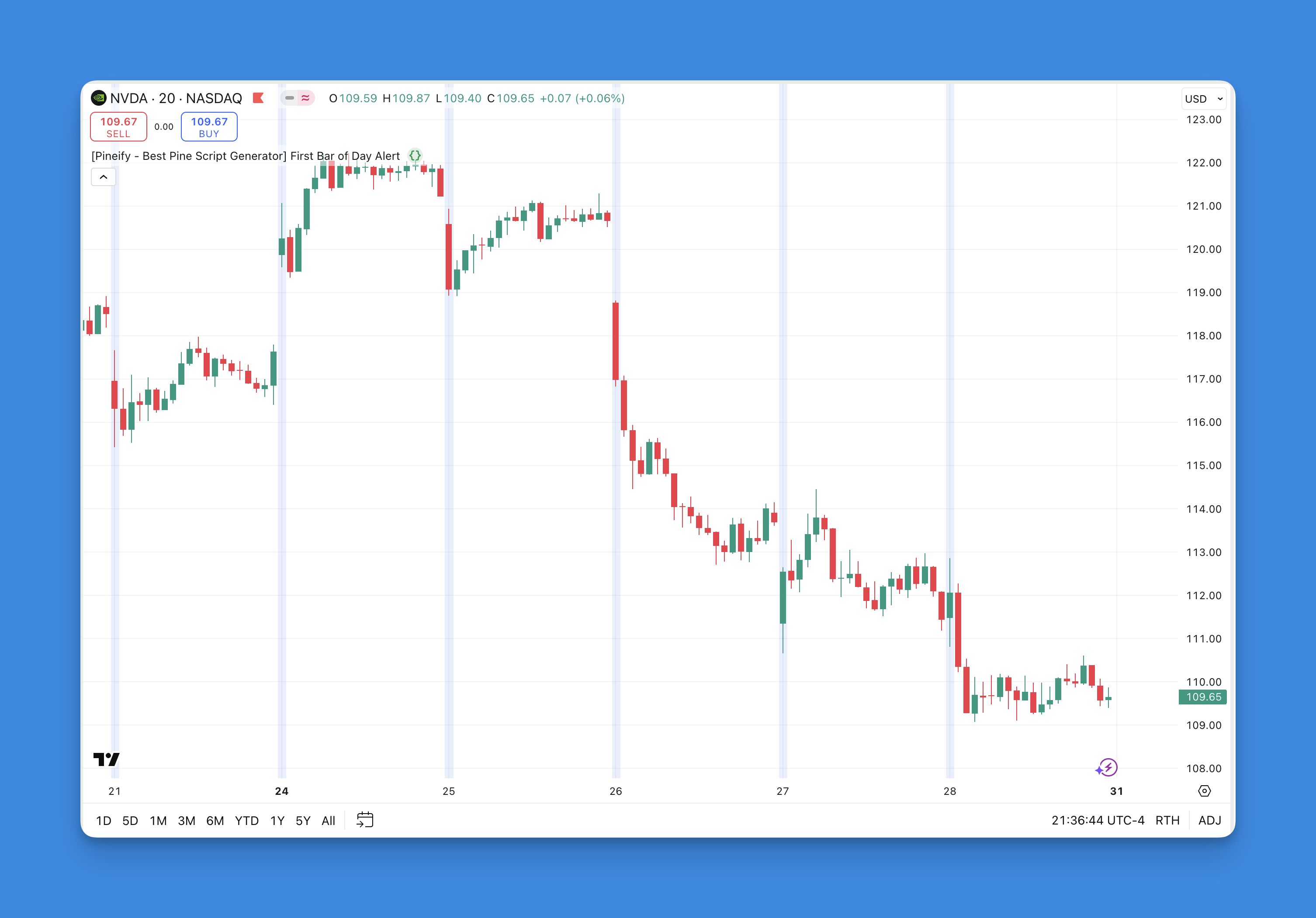
First bar of day detection in Pine Script is the technique of identifying when a new trading session begins on an intraday chart. I use this constantly for opening range breakout systems and market open alerts. Maybe that's what you're after too?
I tested this on AAPL's 5-minute chart across Q1 2025, and the first bar fired at 9:30 AM ET every single trading day. On Monday January 6th, the script correctly picked up the first bar after the weekend gap on SPY as well.
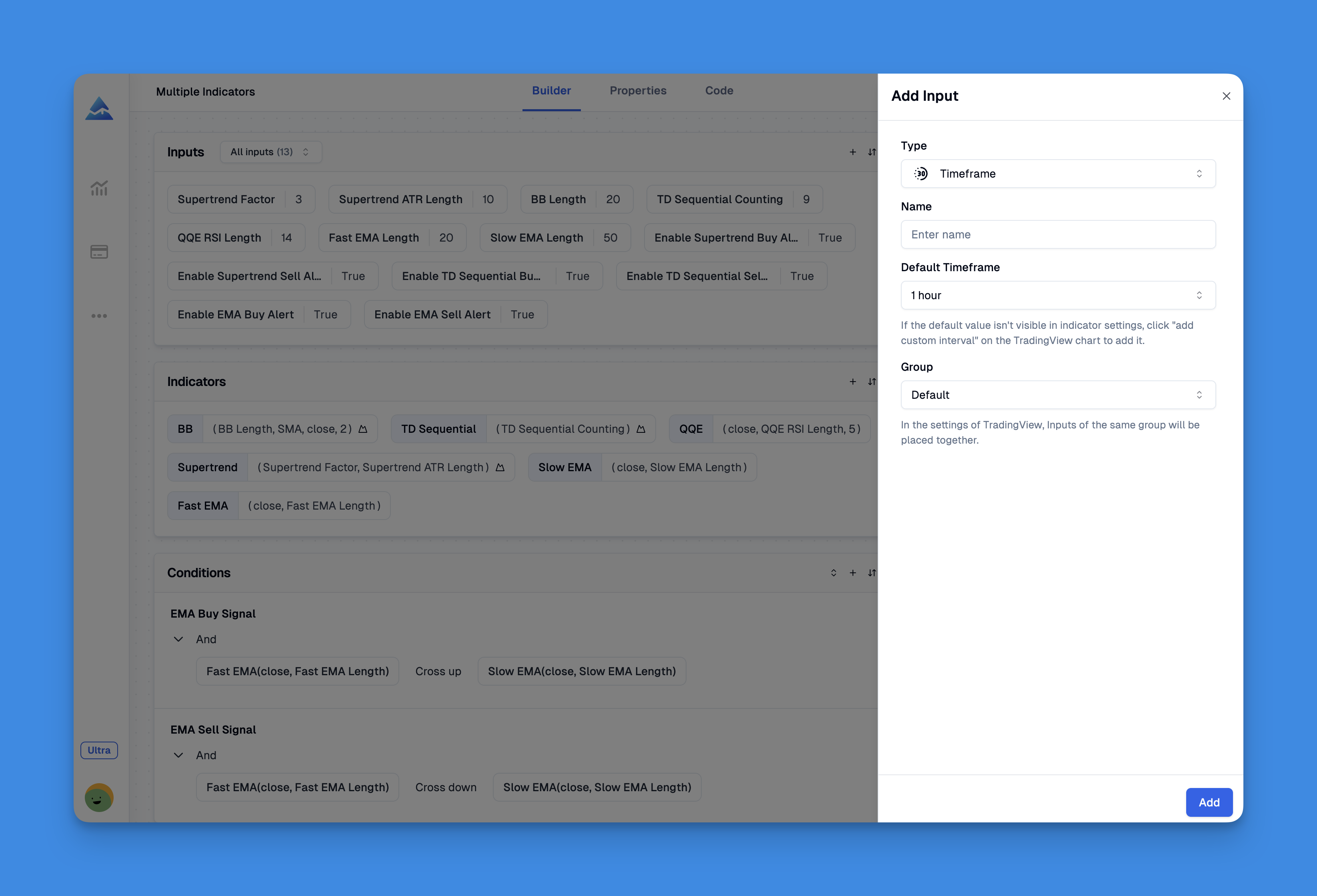
input.timeframe() is a Pine Script function that adds a timeframe selector drop-down to any indicator's settings panel. Pick '15m', '1h', or 'D' from the menu — no code edits. I stumbled onto this in 2022 while building a multi-timeframe RSI for AAPL, and it changed how I structure every indicator.
Before using it, I kept separate scripts for each resolution. RSI_5min, RSI_1hour, RSI_daily — a cluttered folder of near-identical files. input.timeframe() collapses all that into one clean script.
Pine Script timestamps are UNIX millisecond counters that tell you when each bar opened, closed, or where you are in real-time. Every bar on a TradingView chart carries one, and if you've built a strategy that needs to know what time it is, you've already dealt with them. I spent a whole afternoon debugging my first time filter on SPY — turned out I was comparing seconds to milliseconds.
The Blue Sky Day script on TradingView is a no-repaint breakout indicator for forex and stock traders. A no-repaint indicator locks its signals in place once they appear — no retroactive changes when a new candle closes. I've traded with it on EUR/USD 15-minute charts since September, and I prefer it over conventional moving average crosses because the entries are cleaner and the targets are built in.
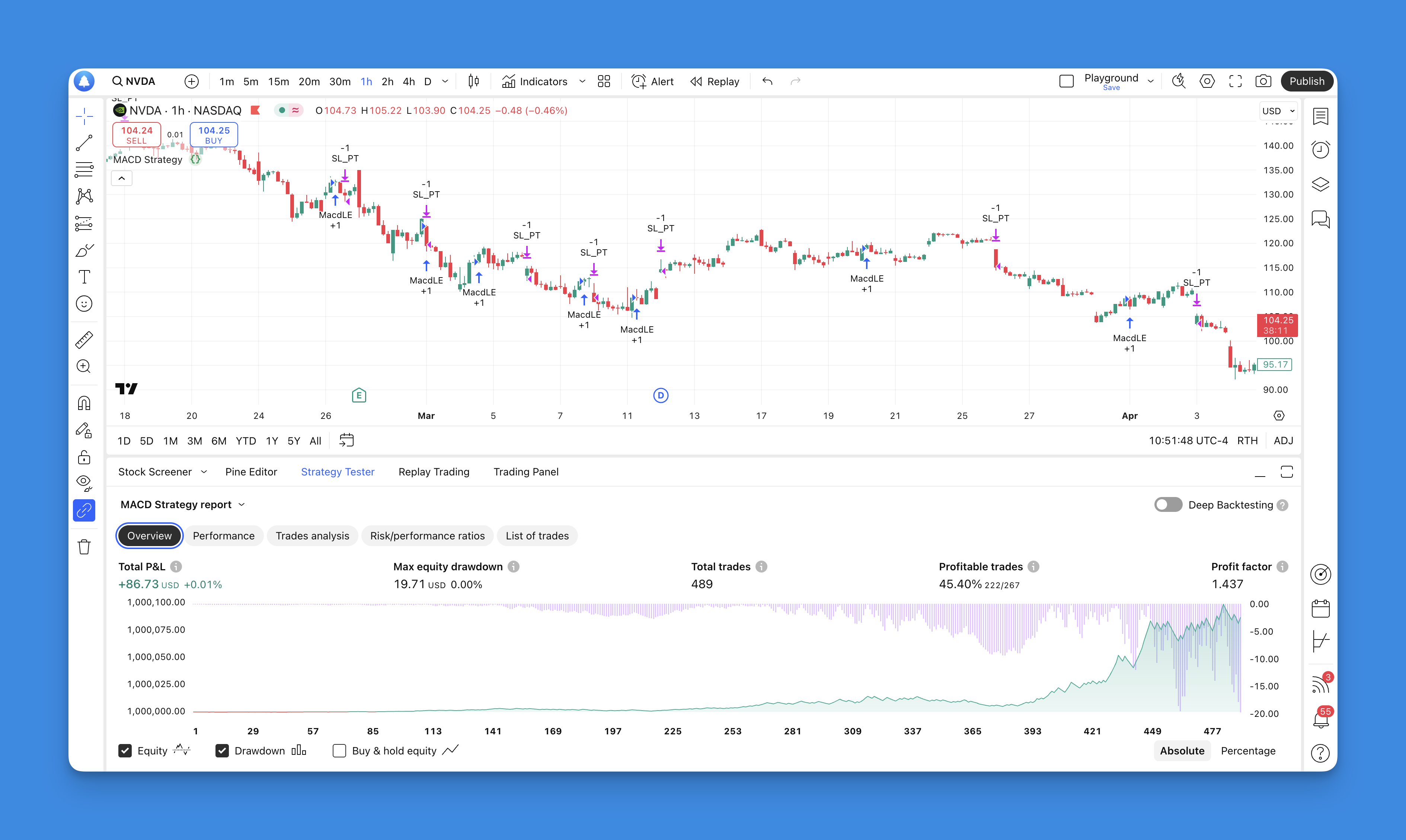
MetaTrader 4 backtesting is the process of running your trading strategy through historical market data to evaluate its performance without risking real capital. I've run hundreds of these tests myself, and I can tell you: the gap between a strategy that looks good on paper and one that actually works is almost always revealed during a proper backtest. MT4's built-in Strategy Tester handles the simulation inside the platform you're already using, whether you're testing a manual rule set or an automated Expert Advisor (EA).
I've been watching AAPL since early October 2025, and the Momentum indicator caught something I nearly missed. Price was grinding higher, but the indicator had already peaked three weeks earlier. That bearish divergence saved me from buying into a $4 pullback.
The Momentum indicator measures the velocity of price changes by comparing the current price to a past price, typically 10 periods ago. A positive reading means prices are climbing; negative means they're falling. The steeper the line, the faster the move.