Pineify AI Coding Agent: Pine Script, MQL5, cTrader & NinjaScript

Pineify has one AI Coding Agent with platform-specific modes, including TradingView, MetaTrader 5, cTrader, and NinjaTrader 8. It keeps the generated source editable, checks supported syntax and APIs, and can revise the current artifact from diagnostics. Pineify also has a separate Finance AI Agent for market research.
Each trading platform has a different language, API, compiler, and test environment. Pineify's checks support the coding loop, but they do not replace TradingView's Pine Editor, MetaEditor, cTrader compilation, NinjaScript Editor, or the native backtest tools.
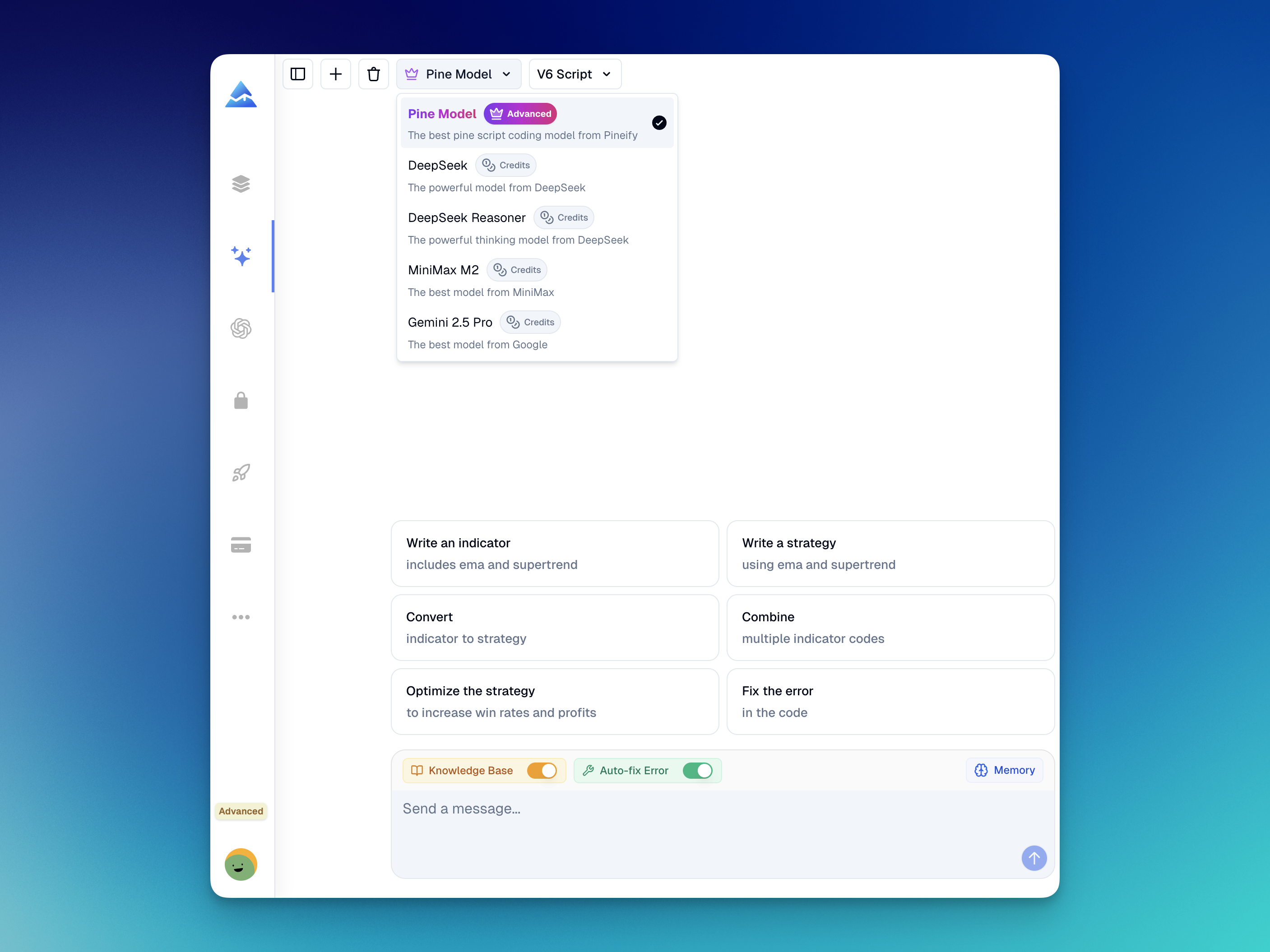
What coding platforms does Pineify support?
| Platform | Language | Generated artifacts | Native verification |
|---|---|---|---|
| TradingView | Pine Script V6 | Indicators, Strategies, and Screeners | Pine Editor and Strategy Tester |
| MetaTrader 5 | MQL5 | Expert Advisors, Indicators, scripts, and libraries | MetaEditor and Strategy Tester |
| cTrader | C# | One cBot or custom Indicator source artifact | cTrader compiler and backtesting |
| NinjaTrader 8 | NinjaScript C# | One Indicator or Strategy source file | NinjaScript Editor and Strategy Analyzer |
The selected mode supplies platform-specific instructions; generated code can still mix up APIs and needs review. Select the language before describing the artifact you want. Additional modes include MetaTrader 4 and thinkScript. The thinkScript mode does not currently have the same built-in syntax-check support, so verify its output in thinkorswim.
How the coding workflow works
Start with the runtime target and the artifact type. A useful prompt also states calculation timing, parameters, entry and exit rules, position limits, risk controls, and any data-series assumptions.
- Select Pine Script, MQL5, cTrader C#, or NinjaScript.
- Describe one artifact and its required behavior.
- Review the generated source and any assumptions.
- Run the available language-specific check.
- Use reported diagnostics to revise the same artifact.
- Compile and test the result in the target platform.
A clean syntax or API check does not prove that trading logic is correct, safe, or profitable. Review order behavior, market data assumptions, risk settings, and test results before considering live use.
MQL5 AI Coding Agent for MetaTrader 5
The MQL5 mode generates editable MetaTrader 5 source for Expert Advisors, custom Indicators, utility scripts, and libraries. It understands common structures such as OnInit, OnCalculate, indicator buffers, CopyBuffer, and CTrade.
The validation flow can report supported type, identifier, include, and API issues. The agent can revise the current MQL5 artifact from those diagnostics. Compile the result in MetaEditor and backtest it in MetaTrader 5 because Pineify's validation does not establish runtime behavior.
An MQL5 prompt should state whether decisions run on each tick or on a closed bar. Include the symbol rules, timeframe, position sizing, stop loss, take profit, spread limits, and maximum open positions when they matter.
cTrader AI Coding Agent for C# cBots and Indicators
The cTrader AI Coding Agent generates one editable cTrader C# source artifact for a cBot or custom Indicator. A cBot prompt can define execution timing, position labels, symbol scope, volume, spread filters, and protective orders. An Indicator prompt can define output series, chart objects, and timeframe relationships.
Pineify can return C# and supported cTrader API diagnostics with source locations. Compile and backtest the result in cTrader because static validation does not prove order behavior, data alignment, or performance.
The current cTrader workflow covers C# cBots and custom Indicators. It does not claim support for cTrader Python, plugins, custom NuGet or DLL dependencies, or multi-file projects.
NinjaTrader AI Coding Agent for NinjaScript
The NinjaTrader AI Coding Agent generates one NinjaTrader 8 C# source file for either an Indicator or a Strategy. It supports common parameters, plots, bar logic, managed entries and exits, protective orders, and supported multi-series patterns.
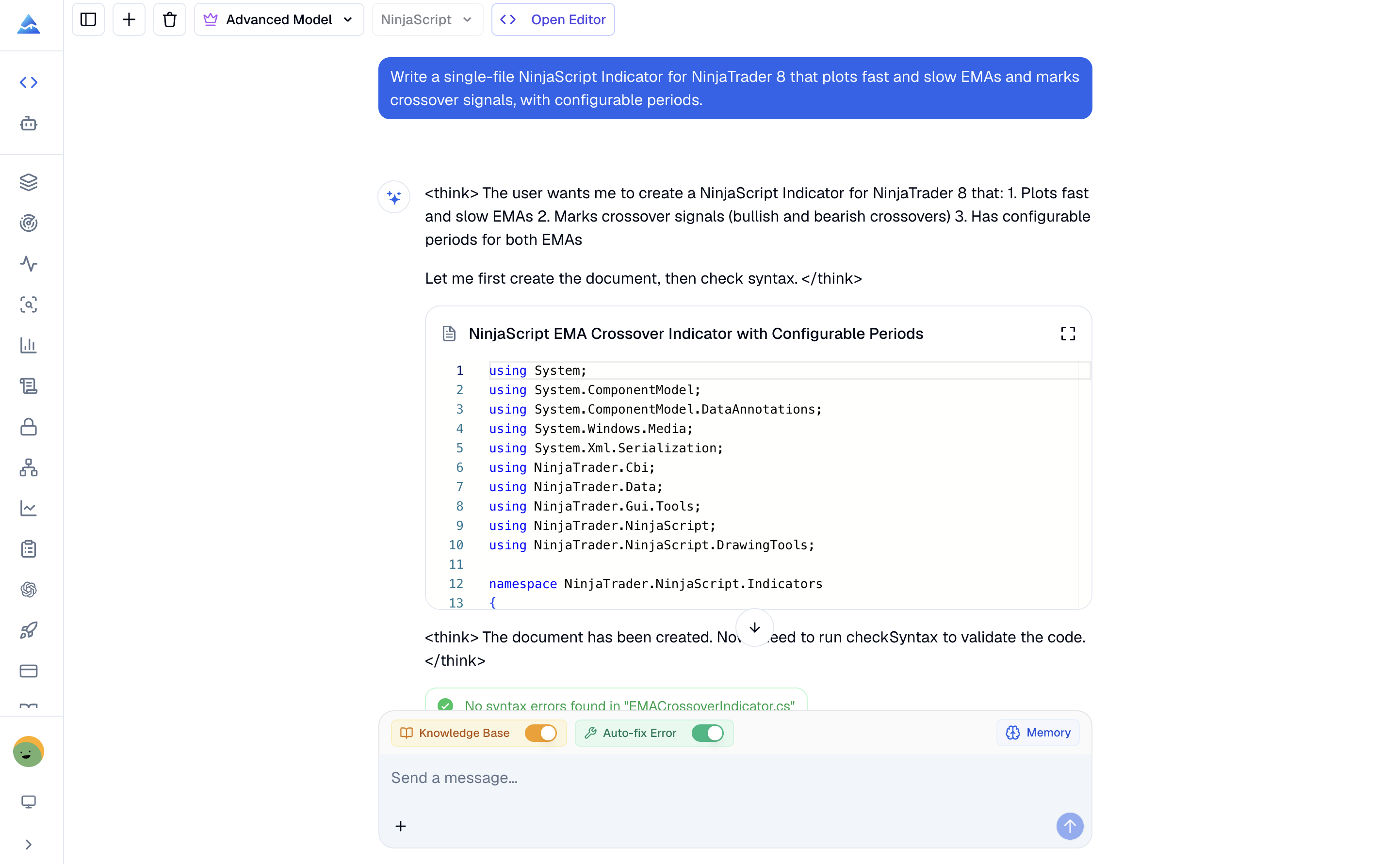
Pineify can send the current file to a single-file static syntax and supported API checker. Diagnostics include source locations that the agent can use for a focused revision. A clean check is not NinjaScript Editor compilation. It also does not validate execution, Strategy Analyzer results, backtest performance, or live behavior.
The current NinjaTrader workflow excludes AddOns, external DLL integrations, Market Analyzer components, project files, and multi-file solutions. Compile the file in NinjaScript Editor, test it in Strategy Analyzer, validate it on unseen data, and use simulation before considering live trading.
Pine Script AI Coding Agent for TradingView
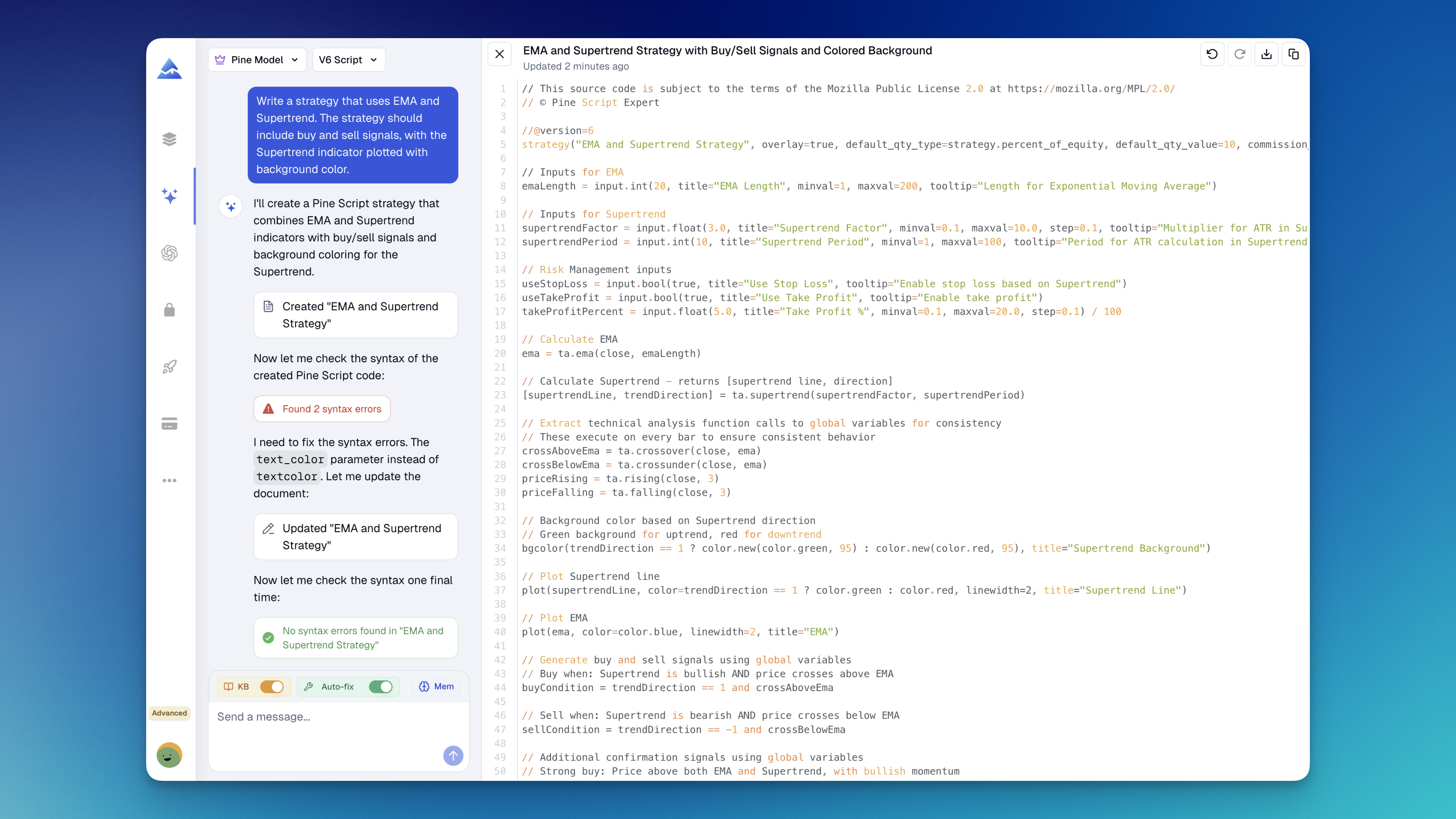
The Pine Script mode generates and revises TradingView Indicators, Strategies, and Screeners in Pine Script V6. Pine-specific validation can catch supported syntax and type issues before the code reaches TradingView.
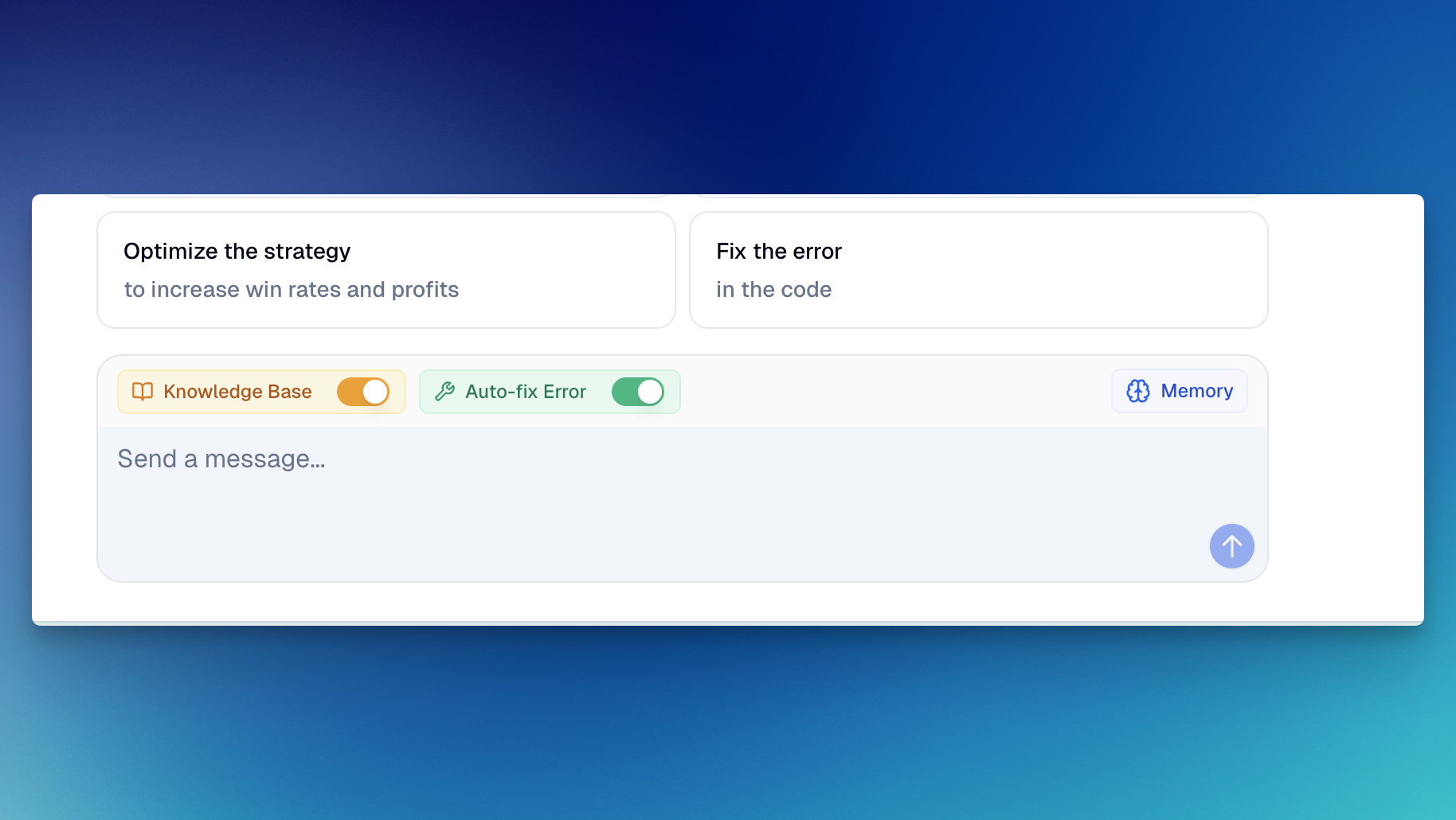
The agent can apply diagnostics to the current code artifact and check the revised version again. TradingView's Pine Editor remains the final compilation boundary. Confirm plots, alerts, orders, repainting behavior, and Strategy Tester results in TradingView.
Saved memory can hold Pine Script preferences and project conventions. Custom Skills can add reusable naming rules, code templates, or review checklists to the Coding Agent.
Finance AI Agent for market research
The Finance AI Agent is separate from code generation. It can retrieve current market data, company financials, analyst estimates, filings, and economic calendar data through connected tools.
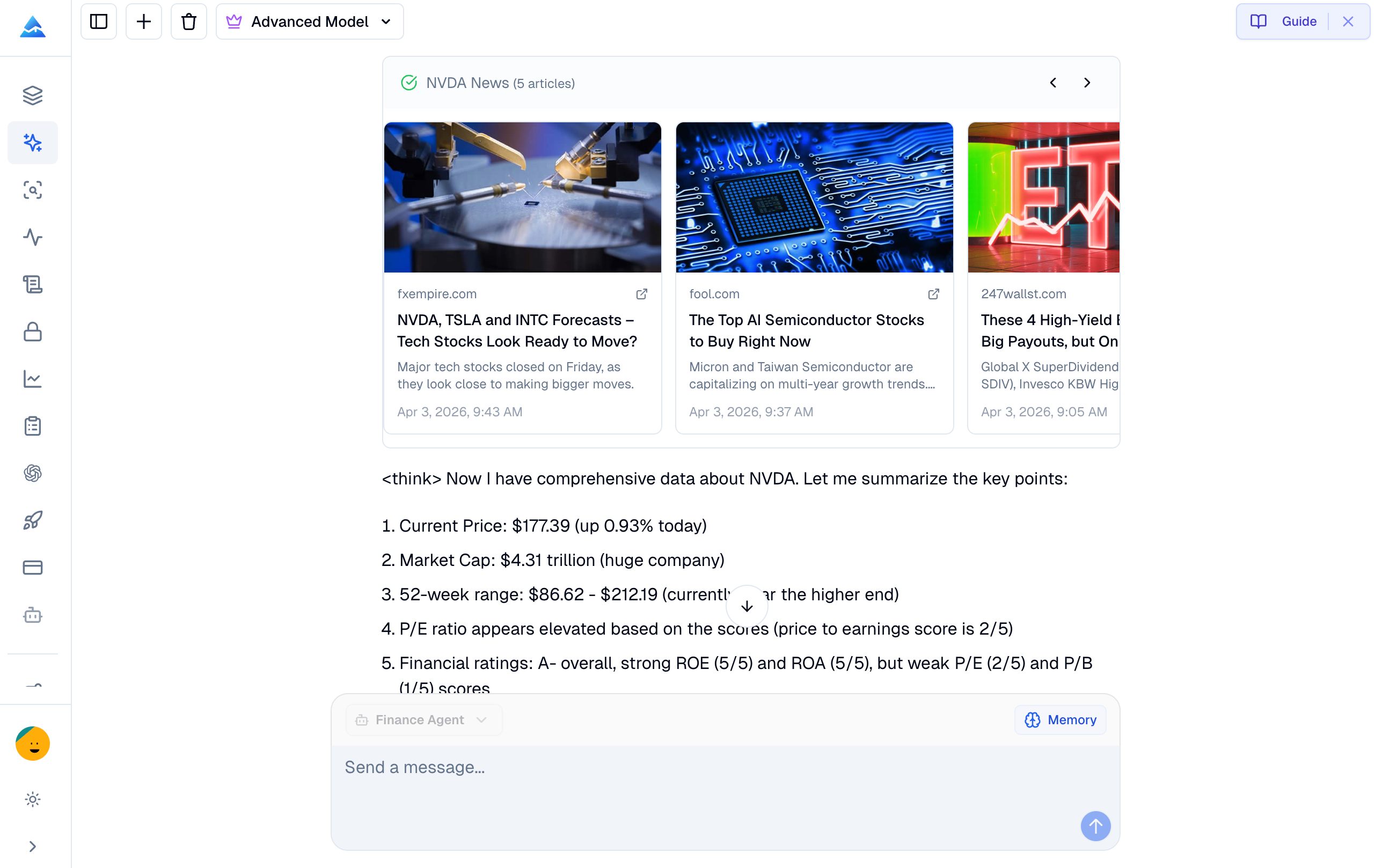
The available research workflows include:
- Quote retrieval for supported stocks, forex pairs, and crypto assets, subject to source timestamps and data delays.
- Company income statements, balance sheets, cash flow data, ratios, and analyst estimates.
- Financial news, filings, economic events, and market movers.
- Stock screening from natural-language criteria.
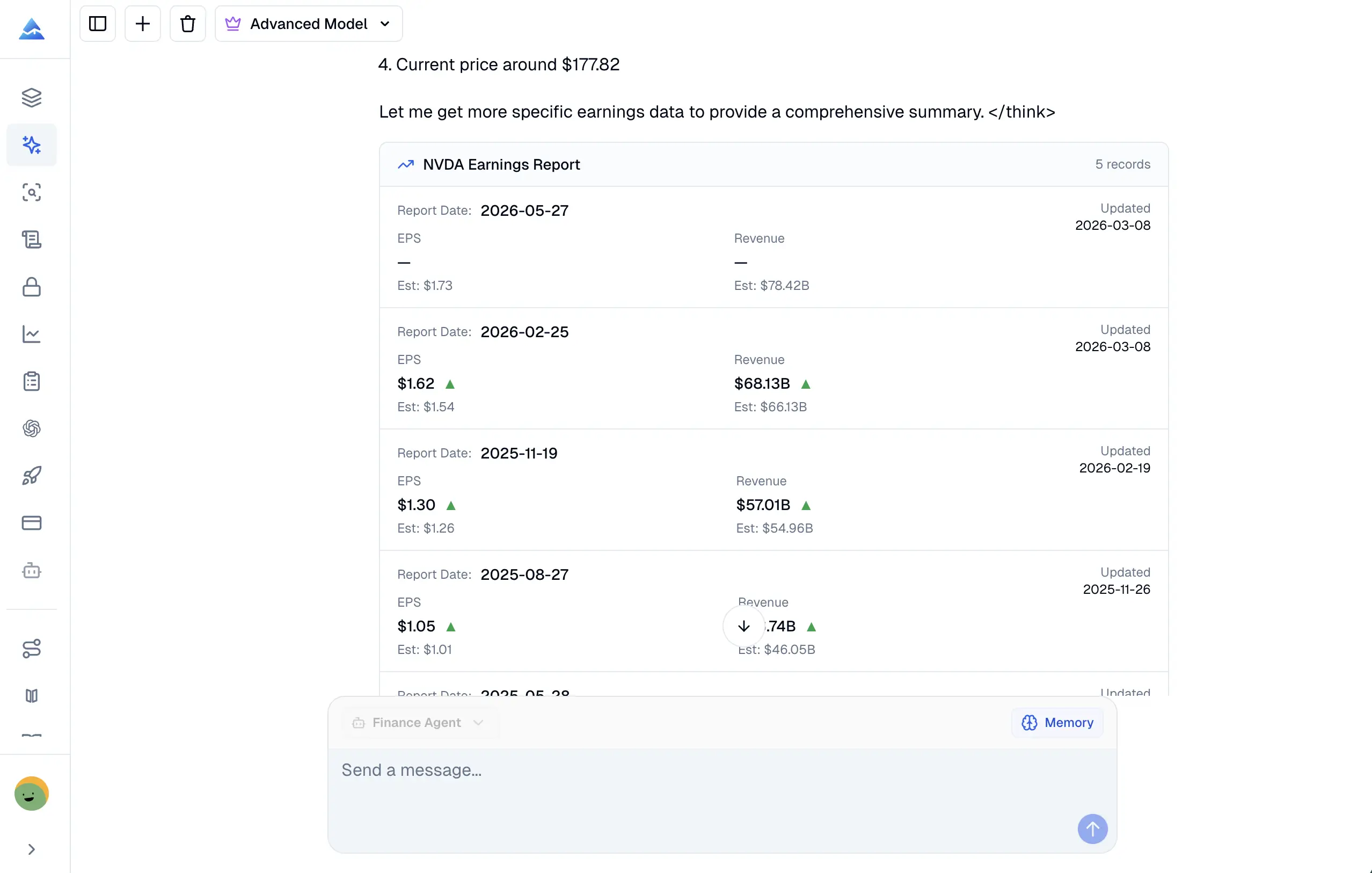
Market data and research results still require source review. Check timestamps, filing periods, units, and the original source before using a result in a trading or investment decision.
Custom Skills for repeatable workflows
A Custom Skill is a saved instruction set that you invoke with a /skill-name command. It can hold coding conventions, risk-review rules, output formats, or research frameworks. Assign a Skill to the Coding Agent, Finance Agent, or both.
Pineify includes Finance Skills for single-stock research, options analysis, market monitoring, and earnings review. You can also create your own:
- Open the Skills menu from the chat input.
- Add a name, description, and the instructions the agent should follow.
- Select the agents that can use the Skill.
- Save it and invoke it by name in a conversation.
Skills provide reusable context. They do not override compiler errors, market data sources, or the review steps required by the target platform.
Other Pineify trading workflows
The Coding Agent is one part of Pineify. The Visual Editor builds supported Pine Script projects from configured blocks, while the Strategy Optimizer runs parameter sweeps for supported TradingView inputs. The Finance AI Agent handles research rather than code generation.
Check the pricing page for current plan availability, credit limits, and feature access. These details can vary by plan and are not part of the language validation contract.
Frequently asked questions
What platforms does Pineify AI Coding Agent support?
The Coding Agent has platform-specific modes including TradingView Pine Script, MetaTrader 4 and 5, cTrader C#, NinjaTrader 8 NinjaScript, and thinkScript. Validation support differs by mode. Pineify also provides a separate Finance AI Agent for market research.
How does the MQL5 AI Coding Agent work?
Describe the strategy and target artifact, and the agent generates editable MQL5 for Expert Advisors, custom Indicators, utility scripts, or libraries. The validation flow can report supported syntax and type diagnostics. MetaEditor compilation and MetaTrader 5 testing remain required.
What can the cTrader AI Coding Agent generate?
It generates one editable cTrader C# source artifact for a cBot or custom Indicator. The current scope excludes cTrader Python, plugins, custom NuGet or DLL dependencies, and multi-file projects.
What can the NinjaTrader AI Coding Agent generate?
It generates one NinjaTrader 8 C# source file for an Indicator or Strategy. A static checker can report supported syntax and API diagnostics. NinjaScript Editor compilation, Strategy Analyzer testing, and simulation remain separate steps.
How is Pineify different from a general AI chat tool for Pine Script?
Pineify's Pine Script mode uses Pine-specific reference context and a validation and revision loop around an editable artifact. TradingView's Pine Editor remains the authoritative compilation and behavior check.
Can the Finance AI Agent fetch current market data?
Yes. Its connected tools can retrieve current quotes, financial statements, ratios, analyst estimates, filings, and economic calendar data for supported markets. Check timestamps, units, and original sources before using the result.
What are Custom Skills?
Custom Skills are reusable instruction sets invoked with a /skill-name command. You can create Skills for coding conventions, analysis frameworks, or research templates and assign them to the Coding Agent, Finance Agent, or both.
Does one validation result apply to every coding platform?
No. Each language has different syntax, APIs, compiler behavior, and native test tools. Select the matching Coding Agent mode, then compile and test the result in TradingView, MetaTrader 5, cTrader, or NinjaTrader as appropriate.