Pineify Premium Scripts: Catalog, Source Access, and Review

Pineify's Premium Scripts area lists six studies and offers a Source & tutorial link to eligible accounts. Source access can make calculations easier to inspect, but it does not by itself establish an open-source license, non-repainting behavior, or profitable signals. Evaluate the specific script version and its terms.

What the current catalog lists
The descriptions below summarize the catalog's stated focus. They are not independent performance tests of the delivered scripts.
| Script | Catalog focus | First review question |
|---|---|---|
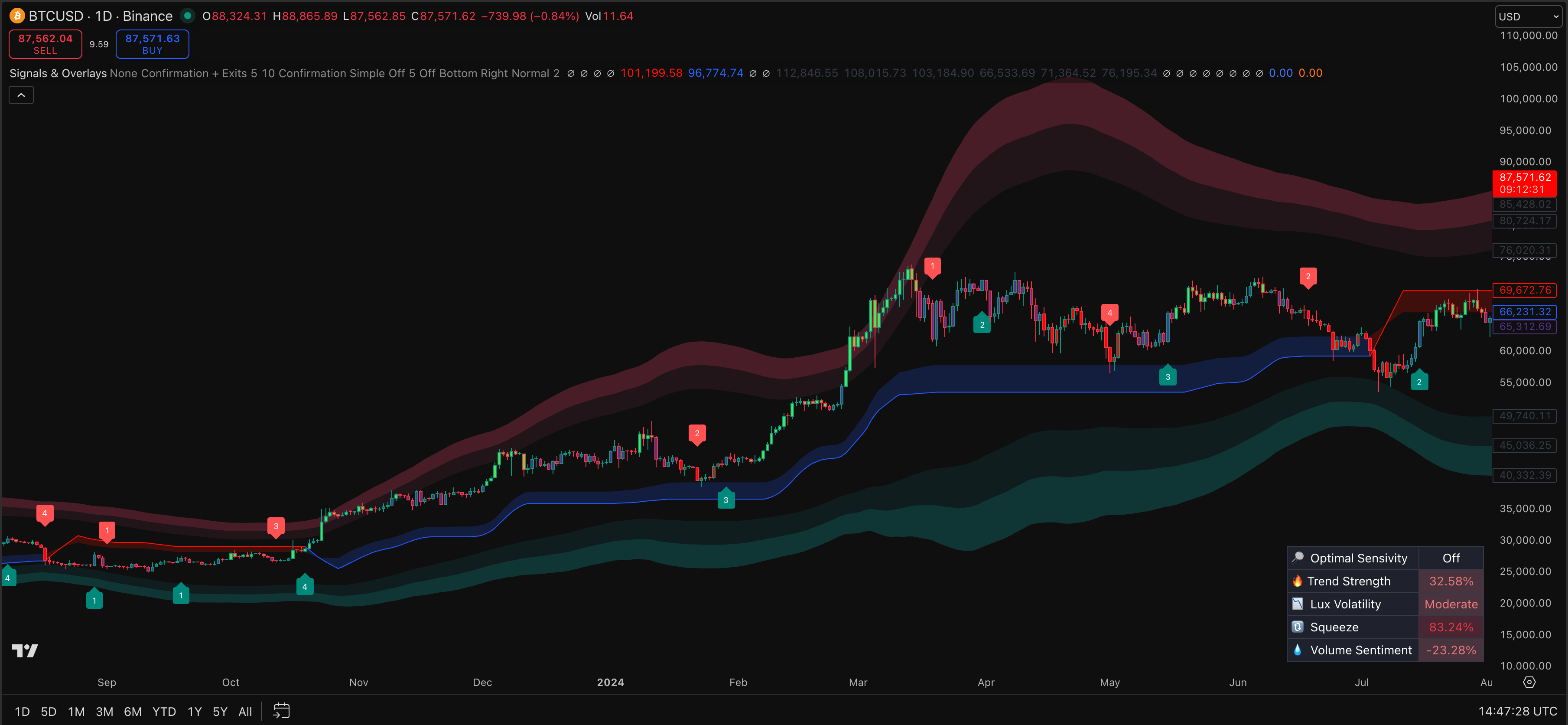
| Signals & Overlays | Trend, volatility, and multi-timeframe signals | Which values must be confirmed before a signal appears? |
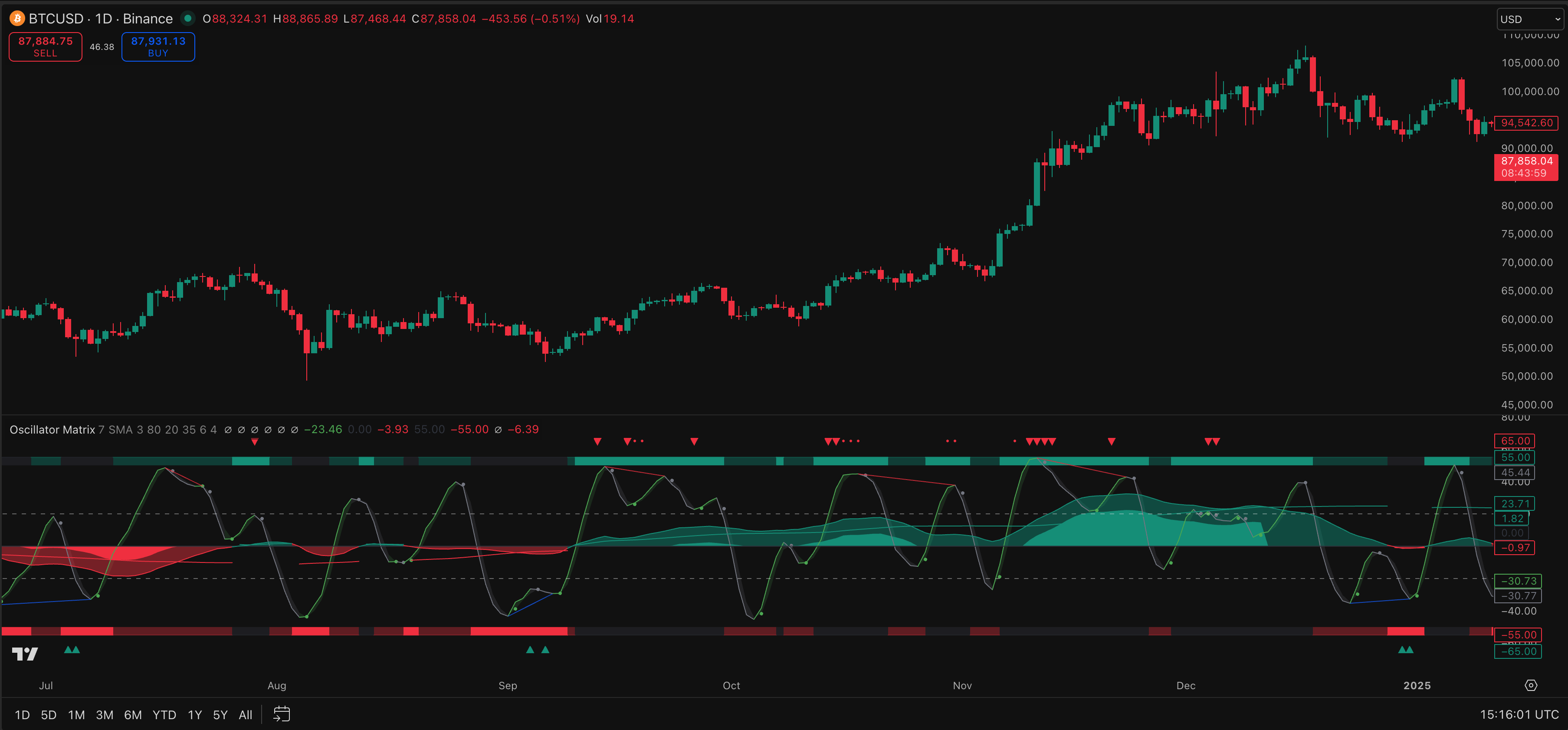
| Oscillator Matrix | Momentum, flow-style readings, and reversals | How is divergence confirmed and when is it plotted? |
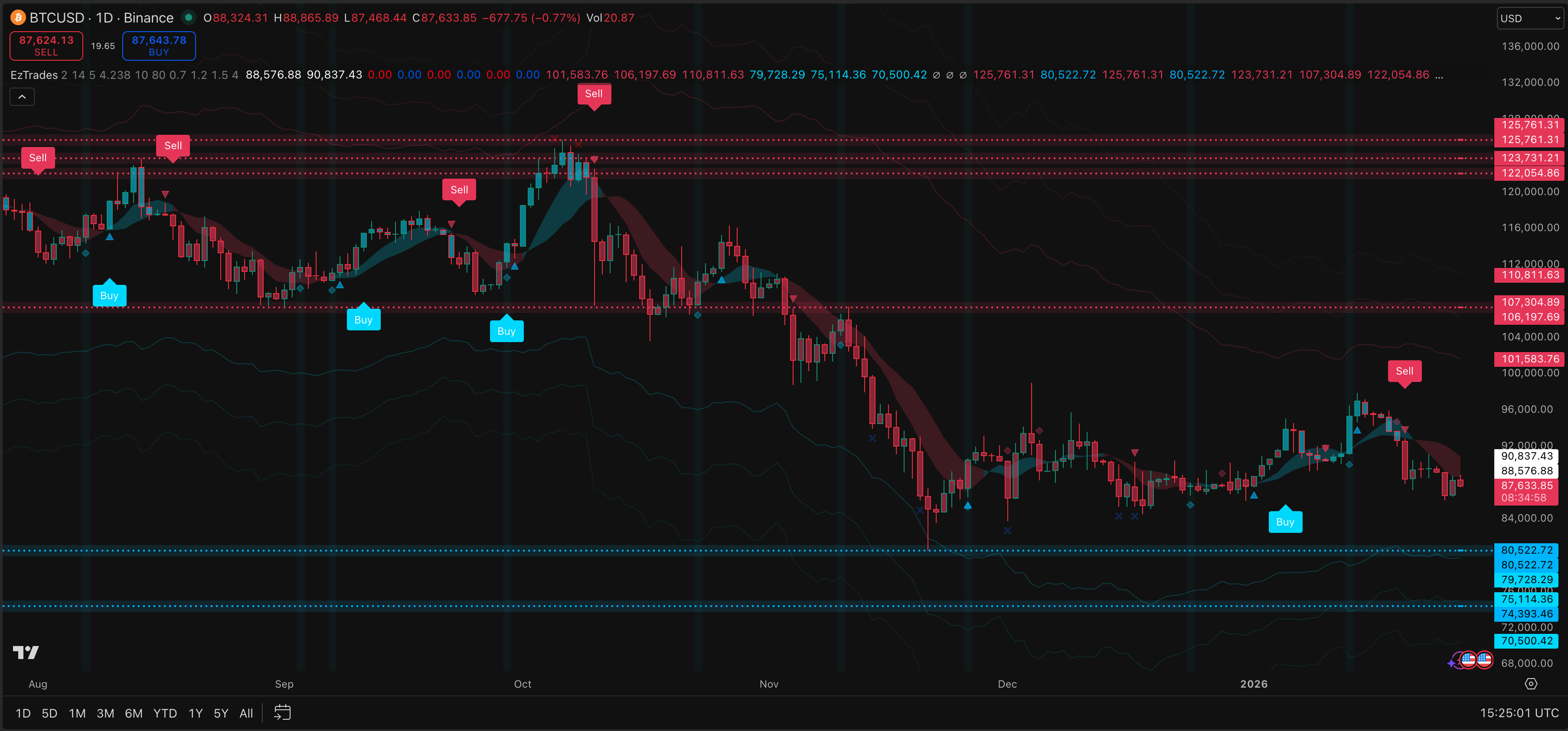
| EzAlgo | Signals, support/resistance, and trend filters | Which rule creates or invalidates a level? |
| Hyper-Spectral Neural Flow | Gaussian smoothing and trend visualization | What lag does the smoothing introduce? |
| Support-Resistance Levels | Pivot-based levels | How many later bars are needed to confirm a pivot? |
| TC 1D Trades | Daily price-volume analysis | Which session and volume fields are required? |
Terms such as neural, smart money, and high probability in a product name or description are not validation results. A claim of machine-learning optimization would need a disclosed method and evaluation to establish more than a catalog description.
Source access and license rights are different
In the current app, the access state determines whether the script card links to billing or to the shared source-and-tutorial library. The catalog is a navigation and preview interface; it does not itself expose the implementation of each script.
Before relying on source availability, open the delivered item and confirm the version, completeness, and instructions. Check whether the license permits personal modifications, redistribution, publication, or commercial use. The ability to read source does not grant every one of those rights.
The Premium Scripts page is the starting point for current access information. Check the plan and delivery terms before purchasing. This article does not promise unlimited future additions or establish the legal duration of every third-party dependency.
Review signals at the time they become available
A historical chart can place a marker at a bar that was only recognizable later. Pivot and divergence tools especially need a clear distinction between the marked bar and the confirmation bar. Multi-timeframe tools can also use a developing higher-timeframe value that later changes.
TradingView's repainting documentation distinguishes realtime updates, plotting into the past, and other causes of historical-versus-live differences. Ask specific questions rather than accepting a blanket non-repainting label:
- Does the marker appear before or after bar close?
- Can a higher-timeframe input change before its own bar closes?
- Is a confirmed pivot drawn back on an earlier bar?
- Does reloading the chart change previously observed signals?
- Does the alert use the same confirmation rule as the visible marker?
This article has not verified the source and realtime behavior of every delivered script, so it cannot certify the collection as non-repainting.
Match the study to a defined task
For a trend display, compare responsiveness and lag around a reversal. For an oscillator, inspect both a divergence that resolves favorably and one that fails. For a support/resistance tool, record when the level became known and when it was invalidated. For a daily volume study, confirm the exchange feed and session definition.
Avoid selecting a timeframe or liquidity threshold from an unsupported personal anecdote. A statement that a tool works best on NVDA, above a particular volume, or on one-hour charts needs a defined comparison. The catalog alone cannot establish those claims.
If you combine several studies, inspect whether they use similar price transformations. Multiple agreeing outputs can still reflect closely related inputs. A chart with more confirmations is not automatically a better tested decision rule.
Separate source-delivered scripts from invite-only access
A source-and-tutorial library and permission to use a protected TradingView publication are different delivery mechanisms. Confirm which one the offer supplies and which license applies.
From installation to a testable rule
Follow the delivered instructions, save the source version if provided, and add the script to a suitable TradingView chart. Check compilation, input settings, and any runtime messages. TradingView's plan and resource limits still apply.
An indicator with buy/sell labels is not automatically a strategy. Define entries, exits, costs, position size, and execution timing before evaluating performance. If you modify the source, recheck the complete final script and compare behavior with the original. A successful compile does not establish equivalent signals or future returns.
How many scripts are listed?
The current app catalog lists six: Signals & Overlays, Oscillator Matrix, EzAlgo, Hyper-Spectral Neural Flow, Support-Resistance Levels, and TC 1D Trades. Check the current library for availability and versions.
Does source access mean open source?
Not necessarily. Read the delivered license before modifying, publishing, redistributing, or selling a script.
Are all scripts non-repainting?
This article does not certify that. Review each script's source, confirmation rules, higher-timeframe inputs, and realtime behavior.
Can the scripts bypass TradingView plan limits?
No. Source access does not remove chart, alert, data, or script-resource limits imposed by TradingView.