TradingView Scalping Strategy: 96.8% Win Rate Reality Check & Setup Guide

· 21 min read

That headline about a "96.8% win rate" scalping indicator is everywhere, isn’t it? It’s the kind of claim that makes any trader stop and look. At its heart, this viral strategy mixes the Chandelier Exit indicator with some quick-moving averages on very short-term charts. It sounds almost too good to be true: massive returns with tiny risk.

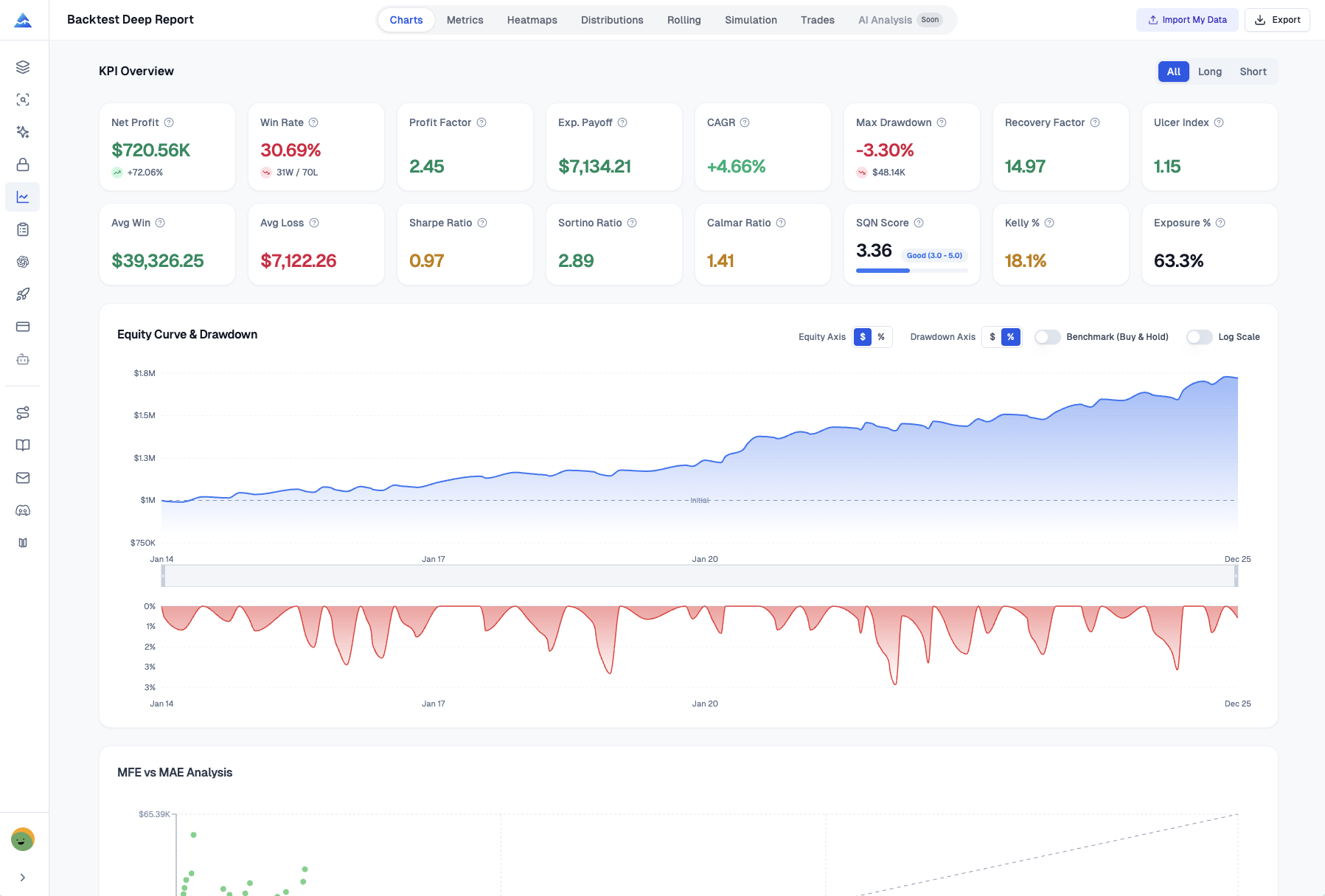
And here’s the thing—it kind of is. When you strip away the hype and actually test it, the numbers tell a different story. Rigorous backtesting shows a much more grounded, yet still solid, win rate of between 57% and 61%. That's a respectable edge, but it’s a world away from the near-perfect score being advertised.

TradingView Scalping Strategy: 96.8% Win Rate Reality Check & Setup Guide

Master the Ichimoku Cloud Trading Strategy: Your Complete Guide to This Powerful Indicator

· 21 min read

If you've ever felt overwhelmed by the clutter of indicators on a trading chart, you might find a friend in the Ichimoku Cloud. It’s a strategy that helps simplify the noise into a clearer picture of what the market is doing. Think of it as an all-in-one toolkit for spotting trends, momentum, and key price levels, all visualized together on your chart. For instance, understanding tools like the Chaikin Oscillator: Master This Volume-Based Trading Signal (Complete Guide 2025) can complement your Ichimoku analysis by adding a layer of volume confirmation.

Developed in Japan in the 1960s, the Ichimoku Cloud has stood the test of time because it gives traders a way to quickly gauge the market’s story—where it’s been, where it is now, and where it might be headed next.

Master the Ichimoku Cloud Trading Strategy: Your Complete Guide to This Powerful Indicator

Master the Keltner Channels Trading Strategy for Volatility Band Success

· 21 min read

If you're looking for a straightforward way to gauge market momentum and spot potential trades, the Keltner Channels strategy is a fantastic tool to have in your toolkit. It’s a volatility-based indicator that helps you see the current trend, understand how strong the market is moving, and identify cleaner entry and exit points. At its heart, it uses a moving average and market volatility to draw dynamic bands around the price, which adjust themselves as the market gets calmer or more chaotic. This adaptability makes it a popular choice for traders of all styles, from day trading to holding positions for weeks.

Master the Keltner Channels Trading Strategy for Volatility Band Success

Pivot Points Trading Strategy: Complete Guide to Support & Resistance Levels

· 18 min read

If you're day trading or making short-term moves in the markets, you've probably heard traders talk about "pivot points." The Standard Pivot Points strategy is a favorite for a good reason. It's a straightforward way to spot where the price might find a floor or hit a ceiling, helping you see potential support and resistance before the action even starts.

Think of it as a map drawn from yesterday's battle. By using the previous session's high, low, and closing prices, this method plots out key levels where the price is more likely to stall, reverse, or make a big move. It’s a core tool in many traders' toolkits because it takes the guesswork out of finding those crucial zones.

Pivot Points Trading Strategy: Complete Guide to Support & Resistance Levels

On-Balance Volume Trading Strategy: Complete Guide to Volume Flow Analysis

· 16 min read

The On-Balance Volume (OBV) is like a trusted old tool in a trader's kit. It helps you see the hidden story behind price moves by paying attention to trading volume. The core idea is simple but powerful: big moves in volume often happen before big moves in price. By watching this relationship, you can get clues about where the market might be headed next. To effectively implement this on your charts, a solid understanding of your platform's features, such as Mastering TradingView Chart Settings: Your Ultimate Guide, is essential.

Think of it as a way to spot when the "smart money"—institutional investors or major funds—might be quietly starting to buy or sell before the rest of the market catches on.

On-Balance Volume Trading Strategy: Complete Guide to Volume Flow Analysis

Aroon Oscillator: Master This Powerful Trend Indicator for Trading Success

· 19 min read

The Aroon Oscillator is like a single dial that tells you whether the bulls or the bears are in control. It cuts through the noise by measuring the difference between upward and downward momentum, giving you a clearer picture of the market's current direction. Think of it as a simplified version of the two-line Aroon indicator, packed into one line that moves between -100 and +100. For any trader—whether you're in and out of trades in a day or holding for weeks—getting a handle on this oscillator can help you spot trend strength and possible turning points more easily.

Aroon Oscillator: Master This Powerful Trend Indicator for Trading Success

GKYZ-Filtered Non-Linear Regression MA: A Volatility-Adaptive Trend Indicator That Cuts Through Noise

· 12 min read

I've tested dozens of moving averages over the years, and here's what always bothered me about traditional regression-based smoothers: they respond to every little price wiggle, even the ones that don't matter. In choppy markets, that means constant color changes, endless whipsaws, and a lot of frustration trying to figure out which signals are real.

The GKYZ-Filtered Non-Linear Regression MA (GKYZFNLRMA) tackles this problem by adding a volatility-based filter to a quadratic regression calculation. Instead of reacting to every price movement, it uses the Garman-Klass-Yang-Zhang volatility estimator to filter out changes that are smaller than the current volatility threshold. The result is a smoother trend line that still catches real moves while ignoring the noise that trips up simpler indicators.

After testing this on various markets and timeframes, I've found it particularly useful in situations where standard moving averages generate too many false signals—volatile crypto pairs, choppy consolidation phases, and ranging markets where trend followers usually get eaten alive.

GKYZ-Filtered Non-Linear Regression MA Indicator

CFD Trading Explained: Your Complete Guide to Contracts for Difference

· 17 min read

Understanding CFD Trading: A Straightforward Guide

Let’s talk about CFD trading. You might have heard the term and wondered what it actually involves. In simple terms, a CFD—or Contract for Difference—is a way to speculate on whether the price of something like a stock, currency, or commodity will go up or down, without ever needing to buy the asset itself.

Think of it as a financial agreement between you and a broker. You're essentially making a bet on the price change. You agree to exchange the difference in the asset's value from when you open the trade to when you close it.

CFD Trading Explained: Your Complete Guide to Contracts for Difference

Trading Journal Book: Essential Tool for Profitable Trading Success

· 27 min read

If you're serious about trading, keeping a journal is one of the smartest moves you can make. Think of it as your personal trading diary. It's where you log every single trade—not just the price you bought and sold at, but the why behind it, how you were feeling, and what was happening in the market. This simple habit of writing things down is what separates disciplined traders from the rest. It helps you spot your winning habits, see your repeated mistakes clearly, and finally turn raw experience into real skill.

Trading Journal Book: Essential Tool for Profitable Trading Success

Alpaca Backtrader Guide: Master Automated Trading and Backtesting Strategies

· 16 min read

If you're into algorithmic trading, pairing Alpaca with Backtrader is a game-changer. It’s a Python setup that lets you smoothly go from testing your trading ideas on historical data to running them live in the market, without jumping between different tools.

Think of it as your all-in-one workshop for building automated strategies. You get to use Backtrader's powerful backtesting engine to see how your logic would have performed in the past. Then, when you're ready, the same code can connect directly to Alpaca's brokerage platform to trade real stocks and ETFs, commission-free.

Alpaca Backtrader Guide: Master Automated Trading and Backtesting Strategies