Pineify vs Market Chameleon: Comparing Options Research Workflows

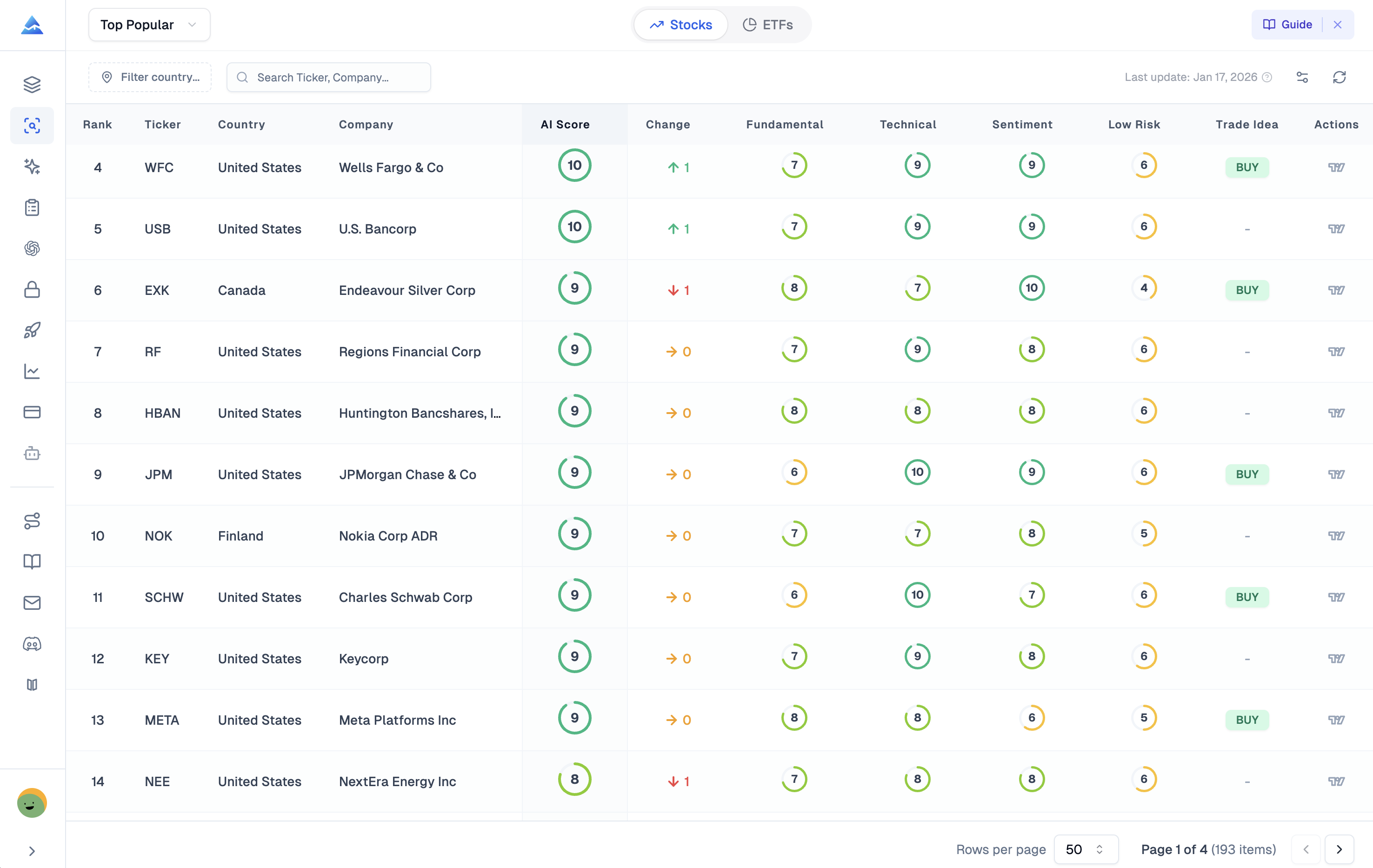
Pineify's Stock Picker combines ranked stock lists with symbol research and options views. Market Chameleon publishes specialized options and earnings research tools, including historical strategy results. The right comparison depends on whether you need a current snapshot, historical event analysis, or a reproducible options backtest.
This article is published by Pineify. It does not claim hands-on performance results, superior trade selection, or a universal winner.
A snapshot and a historical test answer different questions
A snapshot shows available contracts and observations at a point in time. An earnings study examines how prices or strategies behaved around past announcements. A backtest needs a defined entry, exit, contract-selection rule, historical prices, and execution assumptions.
Market Chameleon's Earnings Trade Opportunities explicitly includes historical strategy backtest results. Its Premium overview describes earnings and historical data tools. A comparison that says Market Chameleon has no backtesting is therefore inaccurate. Inspect the specific strategy methodology and account entitlement rather than treating every historical result as interchangeable.
Pineify's Stock Picker has options-chain, options-insights, expected-move, financial, analysis, and event views. Pine Script development and TradingView strategy testing are separate workflows; they do not establish a historical multi-leg options backtester inside the Stock Picker.
Compare the specific research job
| Required job | Pineify evidence and boundary | What to verify in Market Chameleon |
|---|---|---|
| Shortlist stocks | Ranked lists from the Danelfin integration with update dates | Screening criteria, coverage, and ranking methodology |
| Inspect a contract | Available option snapshot fields and Greeks | Matching contract, observation time, and data entitlement |
| Review unusual activity | Options Insights ranks available contracts by volume/open-interest ratio | Exact unusual-volume definition, filters, and comparison history |
| Examine earnings behavior | Event and earnings views where data is available | Historical earnings studies and strategy-result assumptions |
| Estimate a range | Separate IV-based Expected Move view and an Insights straddle approximation | Formula, horizon, quote basis, and missing-input treatment |
| Test a strategy | Establish the required historical options workflow separately | Entry/exit rules, costs, fills, and sample construction |
No score or unusual-volume flag establishes the identity or full intent of a trader. Large activity can represent hedging, a spread leg, or closing an existing position.
Pineify's options summaries have a coverage boundary
Options Insights operates on a bounded returned contract set. Put/call ratios and the max-pain display can include multiple expirations from that set. They should not be presented as a complete single-expiration analysis without checking coverage.
Max pain is a calculation based on assumed expiration payouts and open interest, not simply the strike where the largest number of contracts expires worthless. It does not prove that the underlying price will move toward that level.
The separate Expected Move view uses an approximation based on underlying price, annualized implied volatility, and the square root of time to expiration. The Options Insights card uses 85% of available near-the-money call and put daily closes. These methods can disagree. Neither provides a guaranteed range or evidence that an iron condor will be profitable.
See the Stock Picker workflow and calculation notes for more detail.
Evaluate historical results before following them
For any historical options study, ask which contracts existed at the time, when the trade was assumed to execute, whether the price was executable, and how commissions, bid/ask spreads, assignment, and corporate actions were handled. Confirm whether event dates and announcement timing were known at the entry date.
A hypothetical exercise is to compare one specified earnings strategy over a fixed list of past events. Save every event included, not only the profitable examples. Then reserve later observations for a separate evaluation. This is a proposed test procedure, not a claim that either platform passed it or generated a profitable strategy.
A chart embed also does not mean option data is installed inside TradingView or that the user receives every TradingView feature. Pineify's symbol drawer includes TradingView widgets and an external chart link; review the exact handoff you need.
Price the workflow you actually require
Use Pineify's current pricing and Market Chameleon's subscription page. Verify access to the particular reports, usage allowances, renewals, trial terms, and additional data costs. Historical plan prices do not establish today's offer or a guaranteed long-term saving.
Pineify may fit a workflow that starts with a ranked list and proceeds through company and options snapshots. Market Chameleon belongs on the shortlist when its documented earnings and historical options tools match your requirements. Compare actual task results before choosing.
Does Market Chameleon offer options backtesting?
Its official earnings tools include historical strategy backtest results. Check the supported strategies, data, assumptions, and plan access for the specific test you need.
Does Pineify's Stock Picker execute a trade?
The views discussed here are research and analysis. Inspect the actual contract, order, costs, and execution controls in the brokerage workflow before placing a trade.
Does this comparison prove better returns from one product?
No. It compares documented workflows and identifies data and methodology checks. It contains no verified trading-performance comparison.