How to Hide Indicators in TradingView

· 18 min read

TradingView is an incredibly powerful tool for anyone looking at the markets, packed with every indicator you could imagine to help you make smarter decisions. But let's be honest, sometimes you add a few too many, and your chart starts to look like a tangled mess. It gets hard to even see the actual price movement. That's why knowing how to tidy up and hide indicators in TradingView is such a game-changer for keeping your workspace clean and your focus sharp.

This walkthrough will show you exactly how to hide indicators, from the simplest click to more advanced setups. You'll learn how to clear the noise without losing any of the powerful data, making your TradingView experience smoother and more effective, whether you're just starting out or have been trading for years.

How to Hide Indicators in TradingView

How to See Pre Market on TradingView: Complete Guide

· 21 min read

Seeing those pre-market moves on TradingView is a game-changer, but you have to know where to flip the switch first. It's simpler than you might think. This guide will walk you through turning on Extended Trading Hours on the web, desktop, and mobile apps. We'll also cover how to use the stock screener during this time and what to do if those early candles just won't show up.

Whether you're a day trader looking for gap-ups, keeping an eye on overnight news, or just want the full picture before the opening bell, getting pre-market data on TradingView only takes a few clicks and works across all your devices.

How to See Pre Market on TradingView: Complete Guide

TradingView Premium Code Generator: Pineify - Your Complete Guide to AI-Powered Indicator Creation

· 18 min read

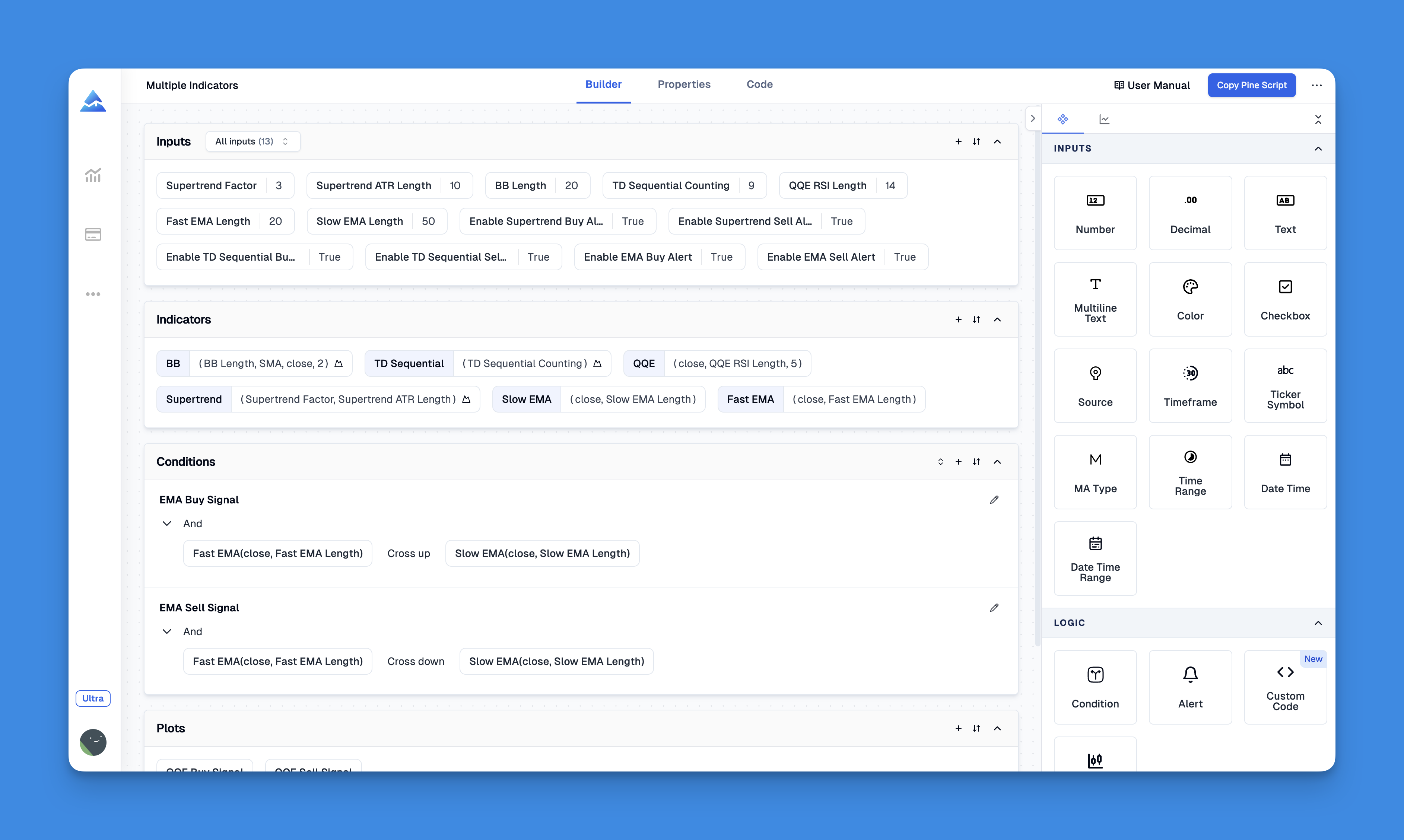
Pineify is like having a helpful friend who writes TradingView code for you. It's an AI-powered tool that creates custom indicators, strategies, and screeners using Pine Script, all without you needing to know how to code.

It's especially handy if you find the free version of TradingView a bit limiting, or if you want to avoid the cost and wait of hiring a developer. So far, it's helped over 32,000 traders create more than 90,000 custom tools.

TradingView Premium Code Generator: Pineify - Your Complete Guide to AI-Powered Indicator Creation

TradingView Close Position Hotkey: The Complete Guide to Fast Trade Exits

· 16 min read

Exiting trades quickly can be the difference between locking in a profit and watching it disappear, especially when the market moves fast. While TradingView is packed with great charting tools, figuring out the fastest way to close a trade using just your keyboard can be a puzzle. Getting to know the specific hotkeys for closing positions is a game-changer if you want to speed up your execution and stop fumbling for your mouse at the most critical moments.

TradingView Close Position Hotkey: The Complete Guide to Fast Trade Exits

Binance TradingView Integration: The Complete Guide to Connect, Trade, and Automate

· 18 min read

The Binance and TradingView integration brings your trading charts and your trading account together in one place. It lets you place orders on Binance directly from your TradingView charts, and it also gives Binance users access to TradingView's powerful charting tools right inside the Binance website or app.

This creates a smooth, unified workflow where you can analyze the markets, place trades, and even set up automated strategies without constantly switching between tabs or platforms. This guide will walk you through how it all works—from connecting your accounts and understanding what's supported for spot versus futures trading, to using alerts and webhooks for automation. We'll also cover some best practices to help you trade more efficiently and securely.

Binance TradingView Integration: The Complete Guide to Connect, Trade, and Automate

TradingView Tradovate Trade Copier: Complete Guide to Automated Trade Replication

· 20 min read

A TradingView to Tradovate trade copier is like having a helpful assistant that automatically copies your trades. Imagine placing a trade on your TradingView chart and having it instantly appear in one or more Tradovate accounts—without you lifting a finger. This saves you from manual errors and frees up a ton of time, which is perfect if you're managing multiple accounts, trading with a prop firm, or just looking to grow your trading efficiently.

TradingView Tradovate Trade Copier: Complete Guide to Automated Trade Replication

TradersPost TradingView: Complete Guide to Automated Trading Integration

· 17 min read

TradersPost's TradingView integration lets you put your trading on autopilot. Imagine your TradingView alerts automatically turning into real trades at your broker, without you having to lift a finger. This connection takes the manual work and potential for mistakes out of the equation, making it easier for anyone, whether you're just starting out or have been trading for years, to automatically trade stocks, options, futures, and crypto based on your strategies.

TradersPost TradingView: Complete Guide to Automated Trading Integration

Prop Firms That Use TradingView: Expert Guide for Fast, Clear Execution and Charting

· 20 min read

It's no secret that more and more prop firms are embracing TradingView. The reason is simple: traders love it. They want those top-tier charts, the ability to jump from their laptop to their phone without missing a beat, and faster trade execution through an interface they already know inside and out.

Because of this demand, a growing list of firms now let you connect your funded account directly to TradingView or have built TradingView's charts right into their own platforms. When traders are looking for a challenge or a funded program, a big question on their mind is often, "Can I still use TradingView?" There's a real community preference for its powerful charts, customizable alerts, and overall ease of use.

Prop Firms That Use TradingView: Expert Guide for Fast, Clear Execution and Charting

Best Consolidation Indicator TradingView: Complete Guide to Identifying Price Compression Zones

· 17 min read

Finding the quiet moments in the market can be just as important as catching the big swings. Those times when the price seems to take a breather, coiling up in a tight range, are called consolidation periods. Spotting these phases can give you a huge edge, as they often lead to powerful breakout moves. This guide will walk you through some of the most effective tools on TradingView to help you identify these setups for yourself.

Best Consolidation Indicator TradingView: Complete Guide to Identifying Price Compression Zones