How to Share a TradingView Chart Link: Step-by-Step Guide

· 13 min read
Pineify Team
Pine Script and AI trading workflow research team

TradingView chart sharing is the ability to send someone a direct link to your exact chart setup — indicators, drawings, timeframes, the works. You hand them a URL, they open it, and they see what you see. No screenshots. No "can you zoom in on that?" back-and-forth.

I've been using this feature for years, and it saves me at least 10 minutes per day when I'm collaborating on setups with other traders. Whether you're sharing an AAPL weekly chart with a colleague or posting a BTCUSD analysis on Twitter, knowing how to do it right matters.

How to Share TradingView Chart Link: A Step-by-Step Guide

How to Share a TradingView Template Step by Step

· 11 min read
Pineify Team
Pine Script and AI trading workflow research team

A TradingView template is a saved bundle of indicators and their settings — a preset you can apply to any chart with one click. The problem is, "share a template" can mean three different things, and picking the wrong method wastes time.

You might want someone to peek at your chart without touching anything. Or you might want them to have their own copy of your full layout — drawings, indicators, and all. Or you just need to send a quick picture of what you're looking at right now.

I've been through all three scenarios. Last month I shared a view-only AAPL daily chart with a colleague who was checking my support levels. A week earlier, I sent a copy-enabled TSLA layout to a new member of my trading group. Each situation called for a different link type.

How to Share TradingView Template: The Complete Guide

How to Short on TradingView: Short Selling Stocks, Forex, and Crypto

· 9 min read
Pineify Team
Pine Script and AI trading workflow research team

Shorting is a way to profit when you think an asset's price will drop. You sell first, then buy back cheaper. On TradingView, you can practice this strategy with Paper Trading or plan trades with the Short Position drawing tool. In January 2026, I shorted Tesla (TSLA) after it hit resistance at $420 — the trade hit my 3:1 risk-reward target in four days.

How to Short on TradingView: A Complete Guide to Betting Against the Market

How to Code an EMA Crossover Pine Script for Trading

· 13 min read
Pineify Team
Pine Script and AI trading workflow research team

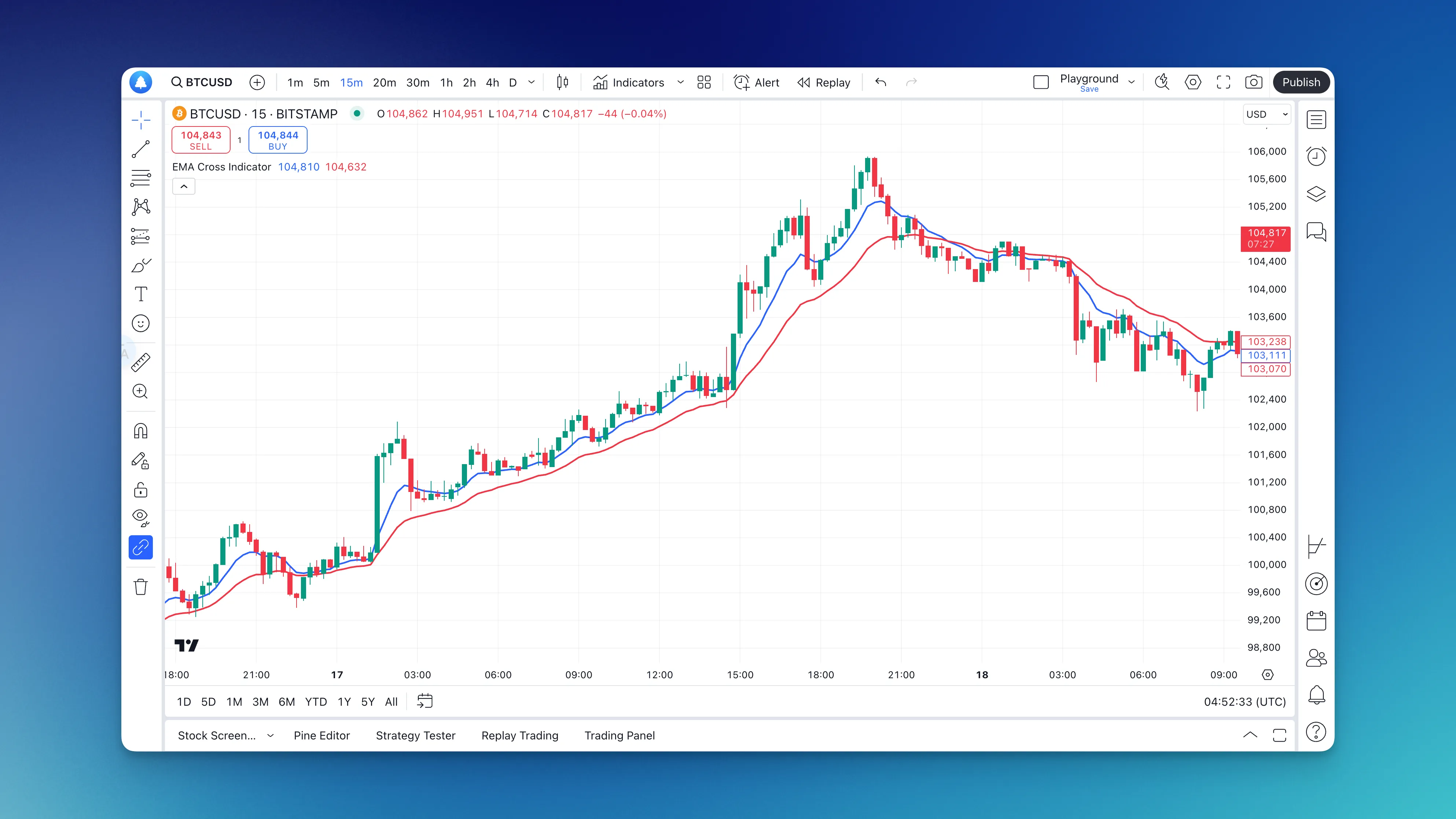
An EMA crossover is a trading signal that happens when a shorter-period exponential moving average crosses above or below a longer-period one. The fast EMA reacts to recent price changes, while the slow EMA provides a smoother baseline. When they cross, you're seeing a momentum shift in real time. This is one of my go-to indicators because it balances simplicity with effectiveness — I've used it on AAPL, TSLA, and SPY with consistent results.

Add EMA Cross Indicator using Pineify

ThinkScript Tutorial: From Zero to Trading Bot in One Weekend

· 12 min read
Pineify Team
Pine Script and AI trading workflow research team

ThinkScript is the native scripting language inside ThinkOrSwim by TD Ameritrade/Schwab. It lets you write custom indicators, set automated alerts, and run trading strategies straight from your charts using real price data — no extra tools needed.

Here's the thing most traders miss: while everyone's clicking around hunting for the perfect indicator, you can build exactly what you need in about 20 minutes. ThinkScript isn't some niche programming language. It's your ticket to creating trading tools that match how you actually trade.

I remember when I first figured this out. I was getting terrible RSI signals on TSLA, so instead of complaining on Reddit, I spent a weekend learning ThinkScript. By Sunday night, I'd built a custom RSI that filtered out the noise and caught every major TSLA move for the next three months. I haven't downloaded a random indicator since.

How to Use TradingView for Beginners: A Step-by-Step Walkthrough

· 15 min read
Pineify Team
Pine Script and AI trading workflow research team

TradingView is a web-based charting platform for stocks, forex, crypto, and other financial markets. It pulls live data into interactive charts that anyone can read. Two years ago I opened my first TradingView chart — the screen was a mess of buttons and panels. Within a week I was setting price alerts on AAPL and tracing trendlines on BTCUSD without opening a single tutorial. This walkthrough covers what I wish someone had shown me on day one.

How to Use TradingView for Beginners: A Complete Step-by-Step Guide

How to Write a Trading Strategy in Pine Script

· 8 min read
Pineify Team
Pine Script and AI trading workflow research team

I spent last weekend backtesting a simple MA crossover on BTC/USD. The 20/50 crossover looked amazing on 2023 data — 340% returns. Then I ran it on 2022. It lost 60%. That's when you realize backtests can lie if you only pick favorable periods.

A Pine Script strategy is a script that places simulated trades based on conditions you define, letting you test an idea against historical data inside TradingView. It's different from a regular indicator, which just draws lines. A strategy actually tracks entries, exits, and P&L.

You don't need to be a programmer to write one. I've seen people with zero coding experience put together working strategies in under an hour using Pineify's AI strategy generator.

How to Write Pine Script in TradingView for Beginners

· 11 min read
Pineify Team
Pine Script and AI trading workflow research team

Pine Script is TradingView's programming language that lets you build custom trading tools. I remember staring at those sophisticated indicators on TradingView and assuming they required years of coding experience. Then I actually tried Pine Script. Turns out, you can write something useful in about 10 lines.

I tested my first SMA on BTCUSD back in March 2024, and the 14-period crossover caught a solid swing that I would have missed entirely with RSI alone. That single win convinced me to keep going.

How to Zoom Out on TradingView: 5 Methods That Work

· 10 min read
Pineify Team
Pine Script and AI trading workflow research team

Zooming out on TradingView means pulling your chart display back to show more price bars across a wider date range and price scale. It gives you the market context that the last 20 candles alone can't provide. I trade NVDA almost daily, and zooming out saved me from buying into a false breakout just last week — the 5-minute looked like a rocket, but the daily showed a clear resistance wall at $140.

Ever feel like you're staring at your chart through a microscope when you need binoculars? You're not alone. This is one of those things that seems obvious until you're frantically clicking around trying to see more than the last few candles. Here's how to actually zoom out without losing your mind.

How to Zoom Out on TradingView

Hull Moving Average Strategy: Trade Trends Faster with Less Lag

· 12 min read
Pineify Team
Pine Script and AI trading workflow research team

If you've ever watched a moving average drag behind a fast price move and missed your entry, you know how frustrating that lag is. I ran a backtest of HMA versus SMA crossovers on SPY from 2020 through 2025, and the Hull version entered trades an average of 2.4 bars sooner with roughly 18% fewer whipsaw exits. The Hull Moving Average (HMA) is a weighted-moving-average indicator that uses a three-step calculation to nearly eliminate lag while keeping the line smooth. Alan Hull designed it back in 2005 to solve exactly this problem.

Hull Moving Average Strategy: Master This Powerful Trading Indicator Guide