

TradingView Premium Scripts
Explore TradingView premium scripts with source code, premium Pine Script indicators, tutorials, and checks for repainting and backtest behavior.
TradingView premium scripts with source code are Pine Script indicators and strategies that you can inspect, configure, and add to a TradingView chart. Pineify's collection contains six named scripts, each with source code and a tutorial. Verify repainting and backtest results for your own market and settings.
What are TradingView premium scripts with source code?
TradingView premium scripts with source code give you the complete Pine Script artifact instead of only a protected display. You can read calculations, review inputs, copy the code into TradingView's Pine Editor, and adapt the script when its terms allow it. Source access improves inspectability; it does not prove accuracy, non-repainting behavior, or profitability.
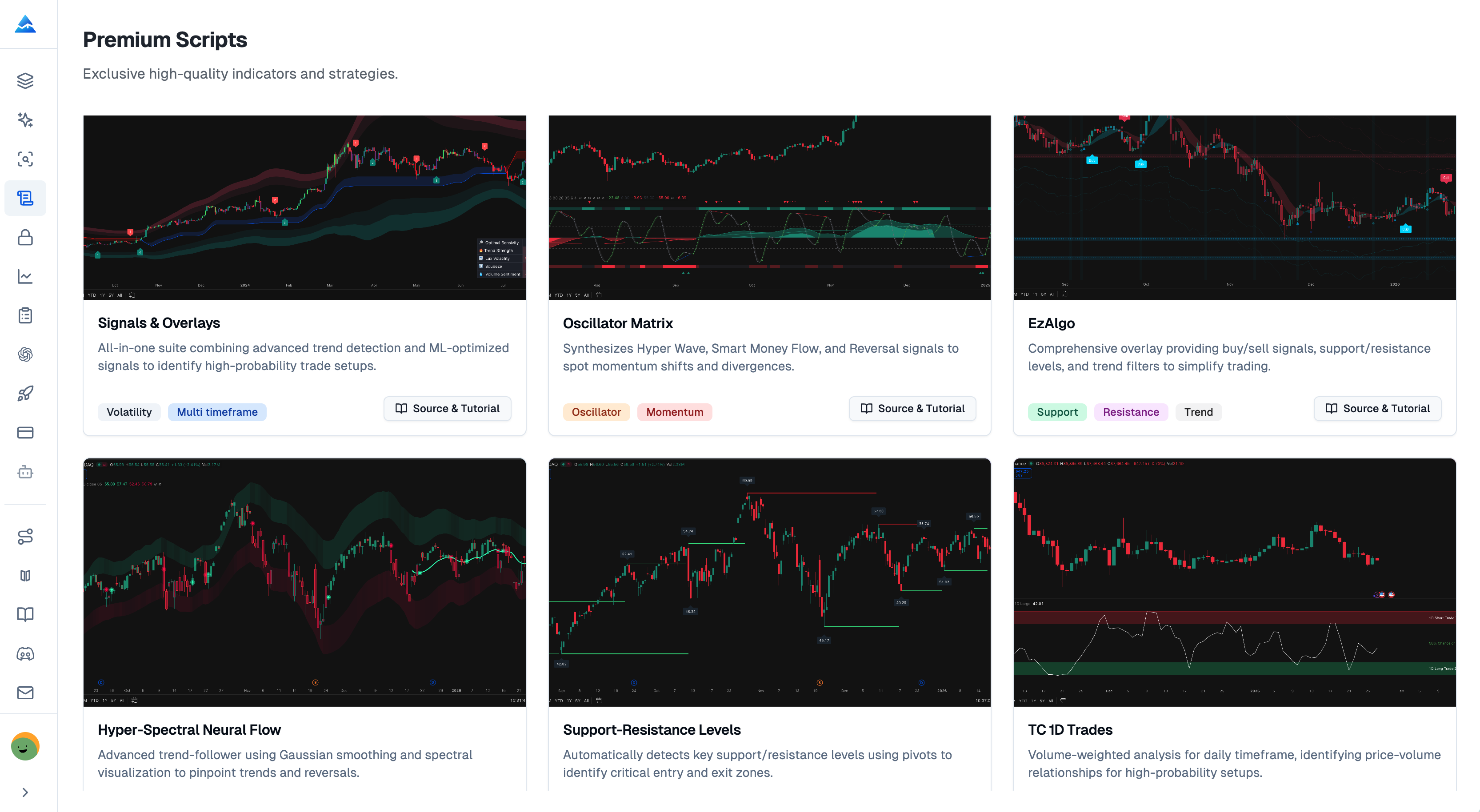
Pineify currently lists six scripts. Use the table to choose a starting point, then open that script's tutorial for configuration details and the documented repainting behavior.
Which premium Pine Script indicators are included?
The collection covers trend signals, oscillators, support and resistance, spectral analysis, and daily volume-price analysis. These labels describe focus, not performance or a trade recommendation.
| Script | Primary focus | Useful starting question |
|---|---|---|
| Signals & Overlays | Trend detection and buy or sell signals across multiple timeframes | Which timeframe and confirmation rules should I test? |
| Oscillator Matrix | A dashboard combining Hyper Wave, money flow, and reversal signals | Which oscillator components agree with my setup? |
| EzAlgo | Buy or sell signals with support, resistance, and trend filtering | How do the plotted levels change my entry review? |
| Hyper-Spectral Neural Flow | Gaussian smoothing and spectral analysis for trend structure and momentum | Does the smoothing delay or change my signal timing? |
| Support-Resistance Levels | Pivot-based support and resistance zones | Which pivots remain relevant on my chosen timeframe? |
| TC 1D Trades | Daily volume-price analysis for position-trading research | Does daily candle and volume behavior fit my holding period? |
Signals & Overlays
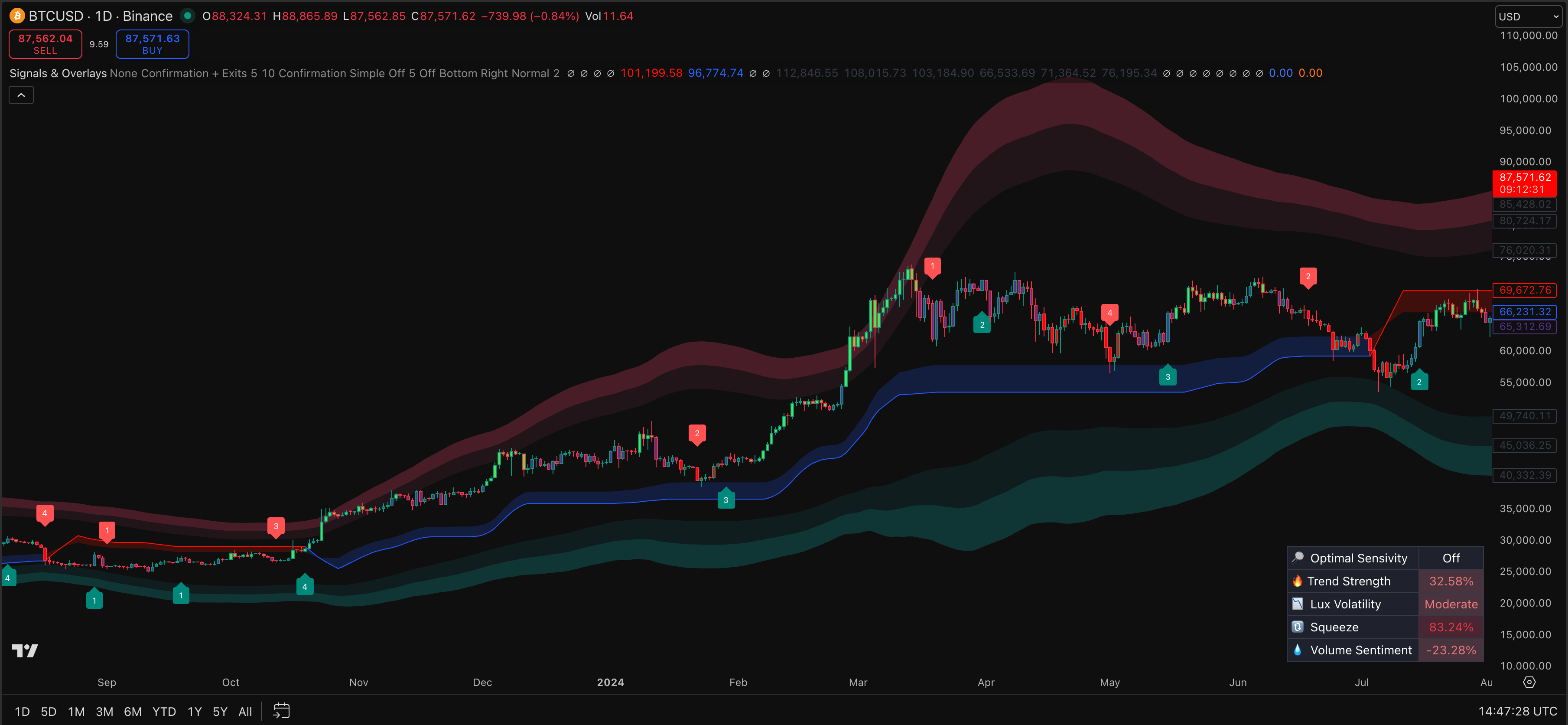
Signals & Overlays combines trend context with buy and sell signals across timeframes. Use it to structure chart analysis, then confirm timeframe, bar-close rules, and multi-timeframe data in the source.
Oscillator Matrix
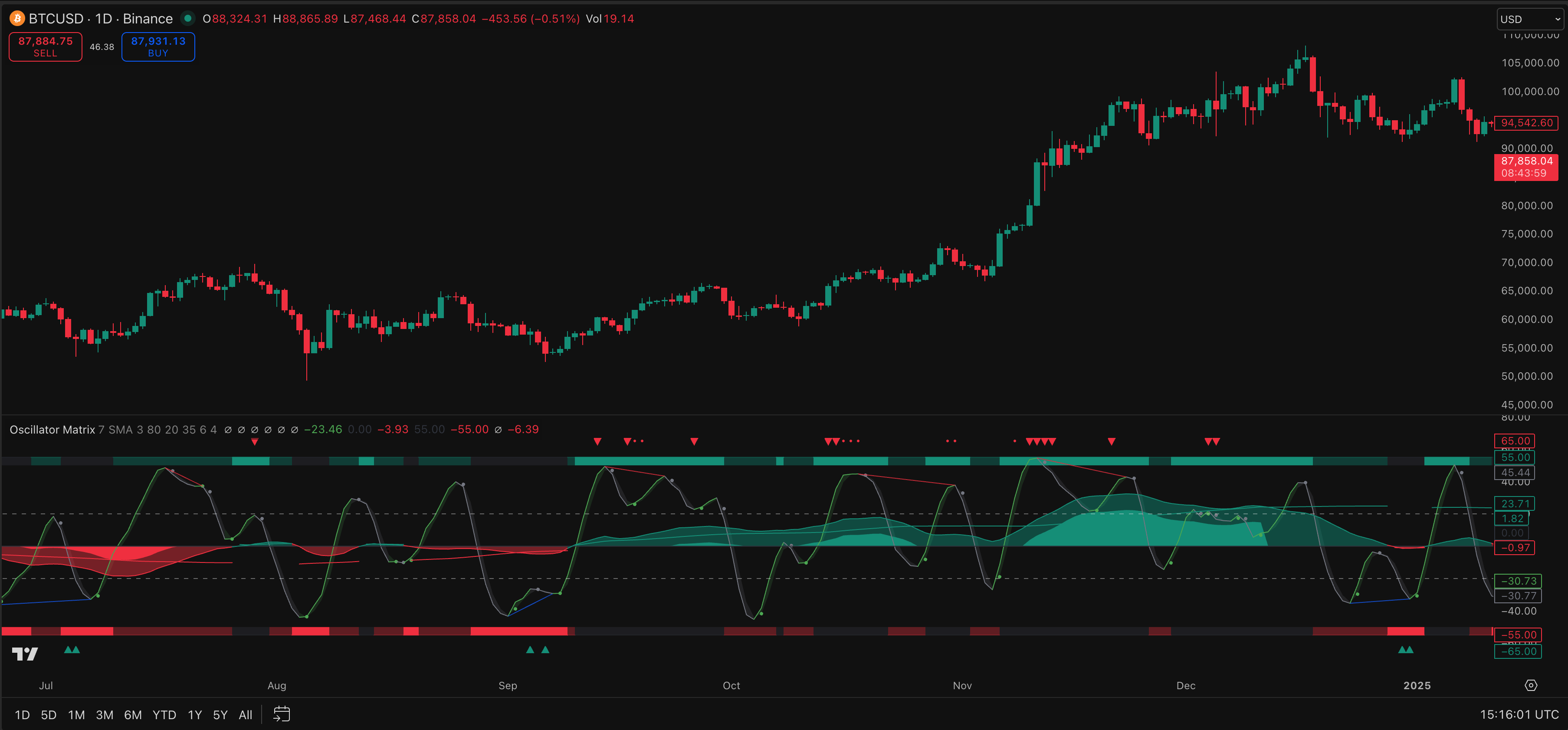
Oscillator Matrix brings Hyper Wave, money flow, and reversal readings into one dashboard for oscillator and momentum analysis. Check each component's calculation and whether the display changes during an open bar.
EzAlgo
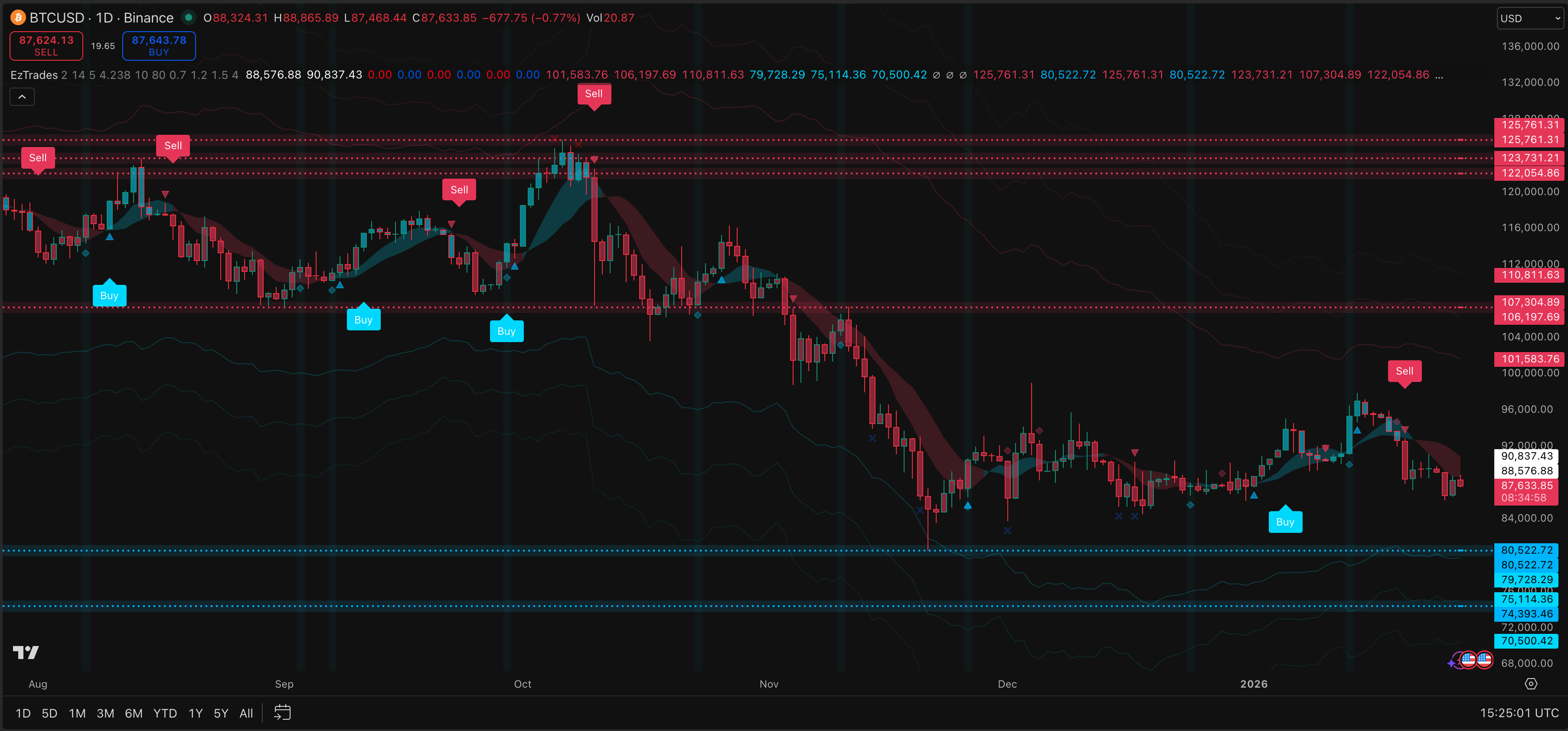
EzAlgo presents buy and sell signals with support, resistance, and trend filtering. Use the source and tutorial to identify conditions, visual guides, and filtering inputs. A clear chart is not evidence of a higher win rate.
Hyper-Spectral Neural Flow
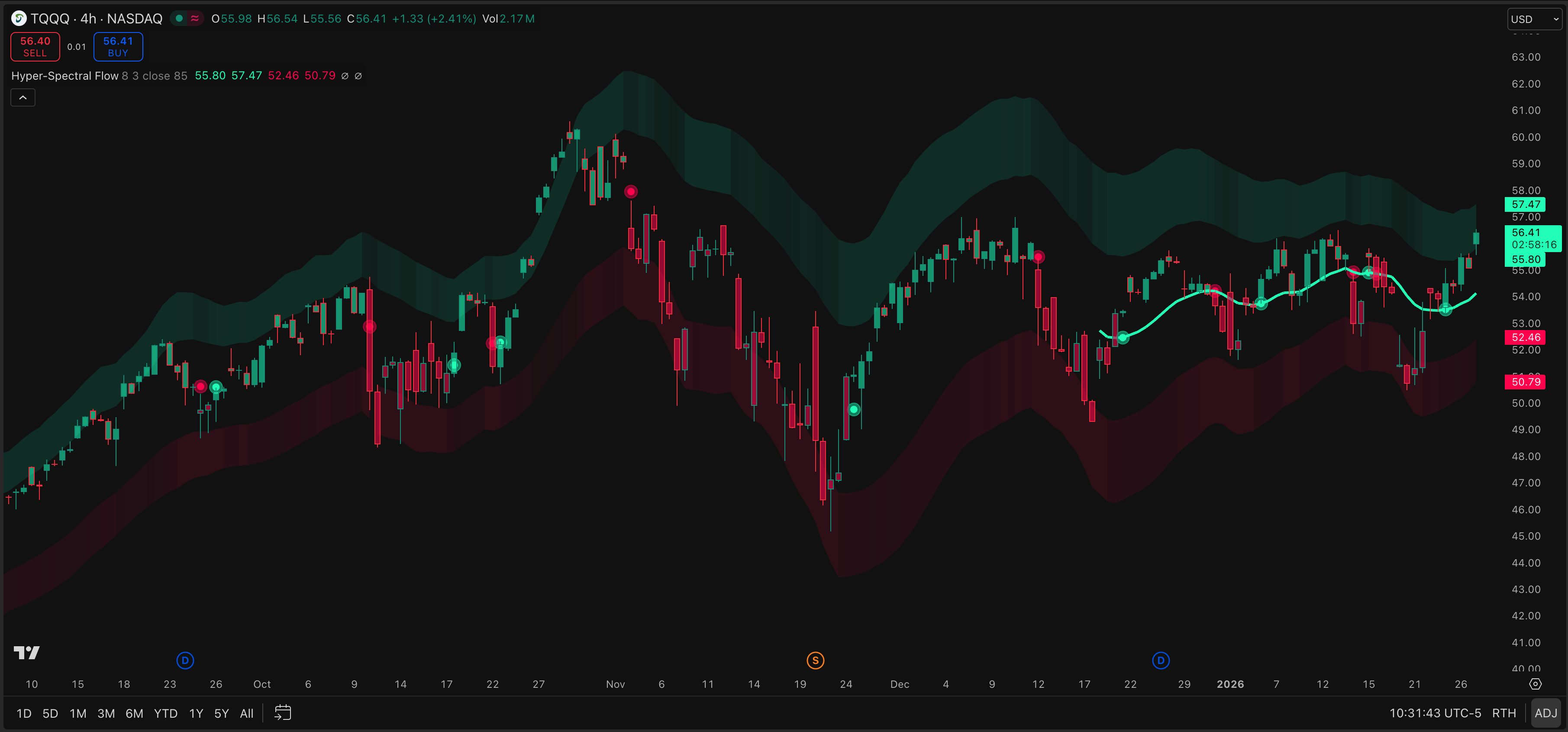
Hyper-Spectral Neural Flow uses Gaussian smoothing and spectral analysis to visualize trend direction and momentum. Compare confirmed-bar behavior with historical and forward data because smoothing can affect timing. Historical plots may change in real time.
Support-Resistance Levels
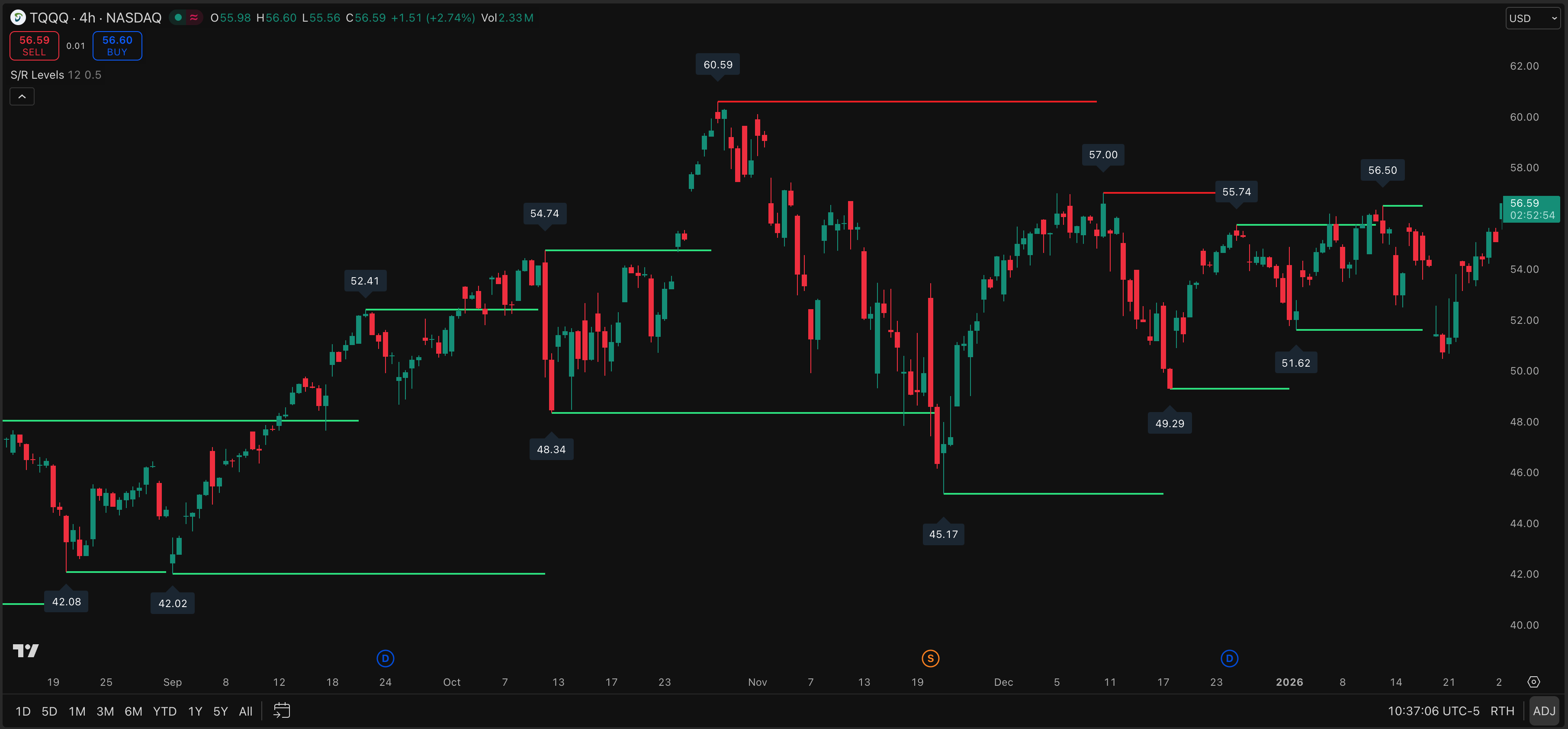
Support-Resistance Levels plots key zones from pivot-based detection. Review the pivot definition, confirmation delay, and timeframe before using a level. A level can organize a chart without being a complete entry or exit rule.
TC 1D Trades
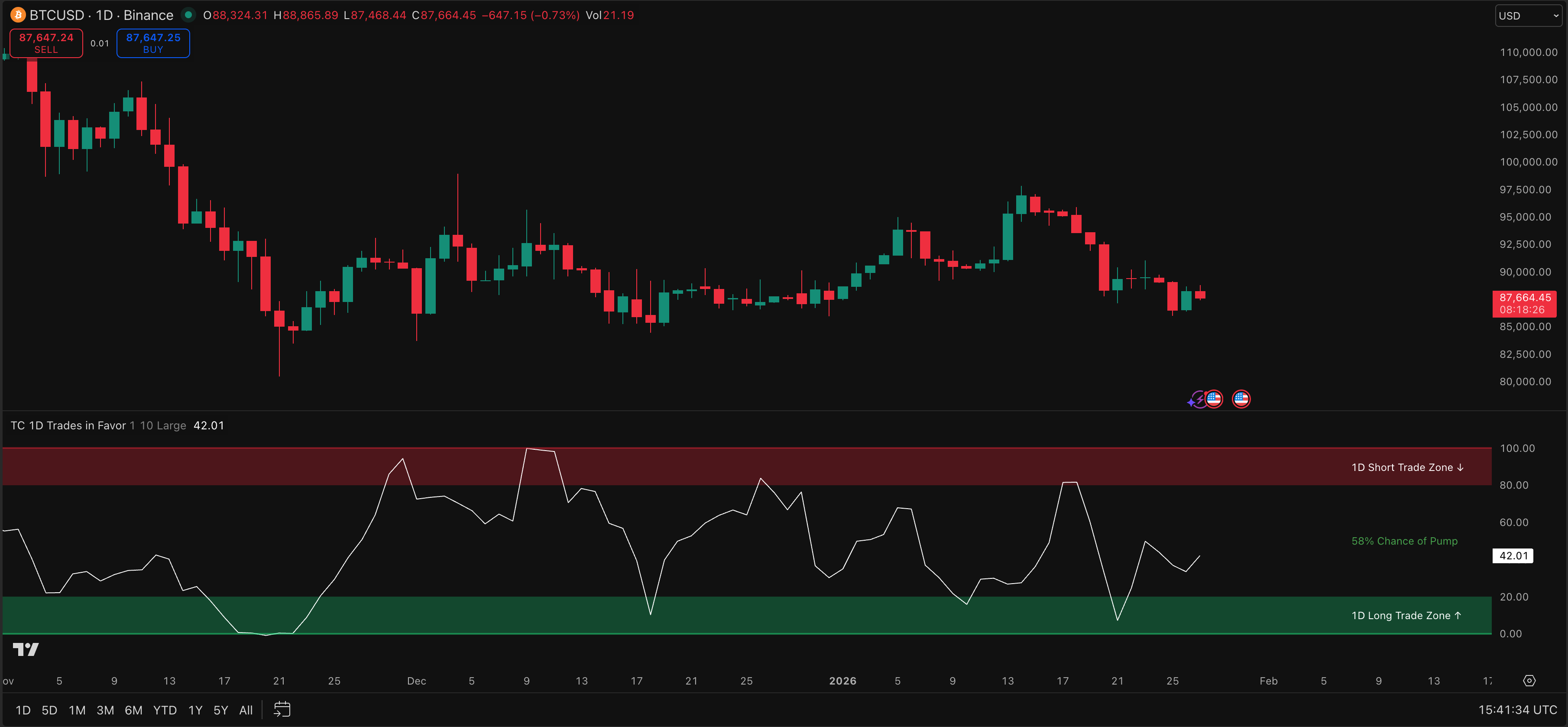
TC 1D Trades focuses on daily candle and volume patterns for position-trading research. Test it on your instruments and holding periods. Daily signals do not automatically translate to intraday execution or another market regime.
How do you set up a Premium Script?
Use this repeatable setup when you want to inspect a TradingView indicator's source code before testing it:
- Open Premium Scripts and select a script.
- Read the script tutorial, including inputs, intended timeframe, and the documented repainting behavior.
- Open the source code and identify signal conditions, pivots, higher-timeframe requests, alerts, and any use of unconfirmed bars.
- Copy the code into TradingView's Pine Editor, save it, and add it to a test chart.
- Change one input at a time and record what changes on historical bars and on a live bar.
- If the script is a strategy, run a TradingView backtest with realistic commission, slippage, capital, and date settings.
For generated or modified code, the Pine Script AI coding agent can explain or revise Pine code. Use the Strategy Optimizer for parameter comparisons, then validate settings on separate data. The Backtest Report organizes imported results but cannot correct an invalid test design.
What should you verify before relying on a signal?
Review three questions: does the source implement your rule, does the plot stay stable after a bar closes, and do backtest assumptions match your execution? Check pivots, higher-timeframe data, intrabar calculations, fees, slippage, liquidity, sessions, and position sizing.
The correct repainting check depends on your symbol, timeframe, and data feed. Reproduce the test, compare historical and forward behavior, and keep notes. No Premium Script guarantees future results.
Who can access Premium Scripts?
Premium Scripts are currently available to the Plus plan or higher. The in-app access message and pricing page are authoritative for current entitlements and terms. Validate every script before making a trading decision.
Premium Scripts FAQ
Do Premium Scripts include TradingView indicator source code?
Yes. Each of the six entries includes Pine Script source code and a tutorial. Confirm the terms shown in your account before copying or modifying it.
Are these non-repainting indicators?
Do not assume every script is non-repainting. Read its guide, inspect pivots and higher-timeframe logic, and test confirmed-bar and live-bar behavior.
Can I backtest the premium Pine Script indicators?
You can test a strategy in TradingView when its code exposes strategy rules. An indicator-only script may need a carefully specified wrapper. Results depend on data, fees, slippage, lookahead, and parameter selection.
Do I need a Plus plan to use the collection?
Current access requires Plus or higher. Check the in-app entitlement message and the pricing page because plan availability and purchase terms can change.
Can I edit the source code?
The source is provided for inspection and supported customization. Follow the script's displayed terms, keep an original copy, and re-test any change because a small edit can alter signal timing or repainting behavior.
TradingView Strategy Optimizer
Learn how Pineify's TradingView strategy optimizer runs parameter sweeps in Chrome, compares backtest results, and exports CSV for careful validation.
Trading Journal
Use Pineify's trading journal to record trades, review performance, compare strategies, and organize diary notes, sessions, statistics, and reports.