

Pine Script AI Coding Agent
Use Pineify's Pine Script AI coding agent to generate, validate, explain, and revise Pine Script V6 for TradingView, then compile and test every result.
Pineify's Pine Script AI coding agent turns a plain-language trading specification into editable Pine Script V6 for TradingView. It can explain existing code, revise an artifact, and run a validation flow before you compile and test the result in TradingView. It is a coding workflow, not a guarantee that a strategy is correct or profitable.
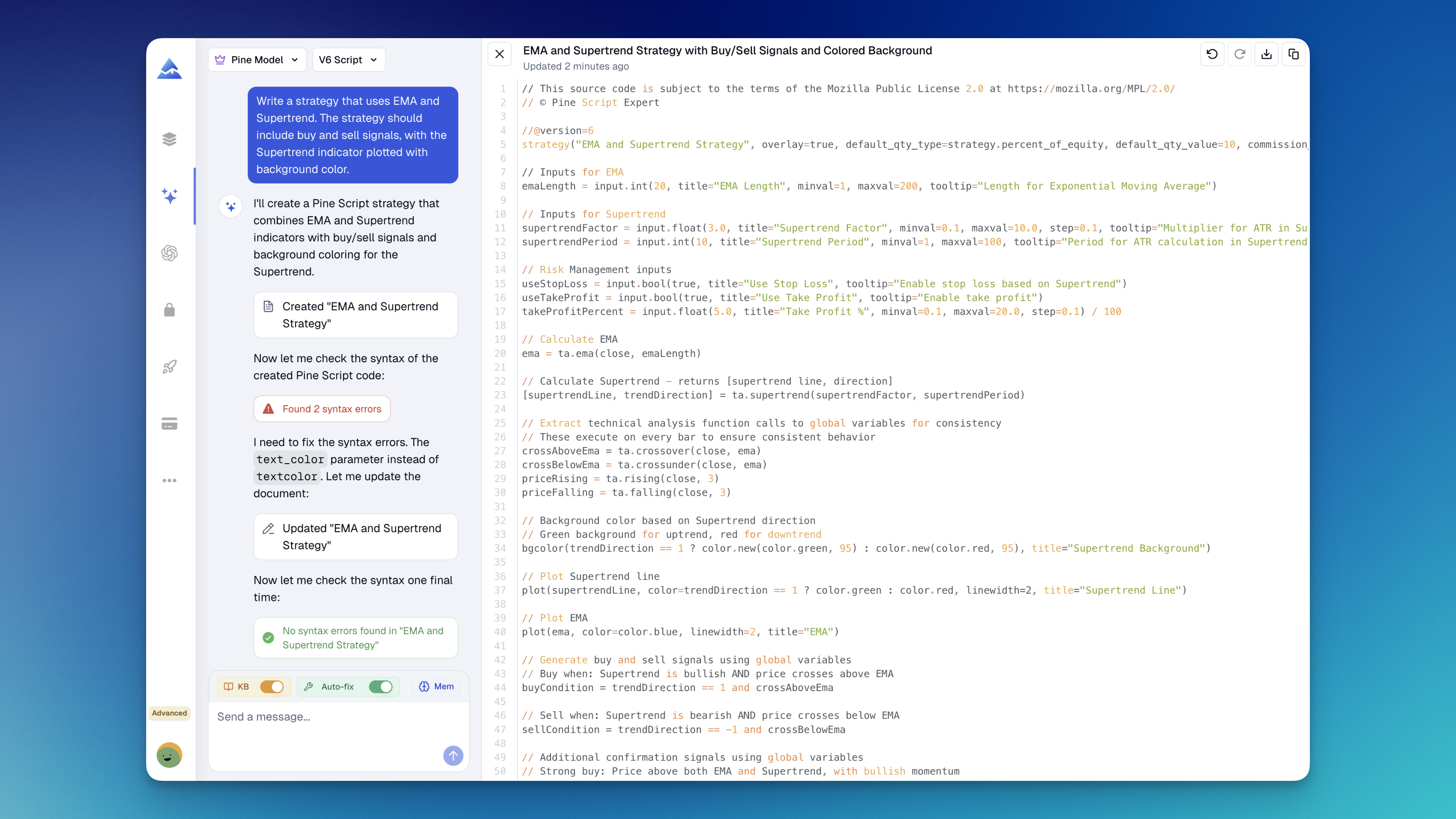
What is the Pine Script AI coding agent?
The agent is Pineify's TradingView AI coding workflow for creating, reviewing, and iterating on Pine Script. It supports indicators, strategies, screeners, alerts, and libraries while keeping generated code editable. Pine Script V6 is the target, so the final script still needs to be checked in TradingView's Pine Editor.
If you want a no-code workflow instead, the Visual Pine Script Editor builds indicators, strategies, and screeners through visual controls. If you need to compare parameter combinations after a strategy is ready, use the Strategy Optimizer.
How do you use the Pine Script AI coding agent?
The reliable workflow is to describe the rules, inspect assumptions, and verify the script in TradingView. Treat each result as a draft that needs a compiler and behavior check.
- Open Pineify's Chat section and choose the coding workflow.
- Describe the output type, rules, timeframe, inputs, alerts, and risk constraints. State whether signals require bar-close confirmation and how multi-timeframe data should behave.
- Review the artifact and ask about any assumption or section you cannot verify.
- Run the validation flow and request a revision for reported syntax issues.
- Paste the code into TradingView's Pine Editor, compile it, and test representative data before relying on it.
Example prompt:
Build a Pine Script V6 strategy for TradingView that enters long when a 20 EMA crosses above a 50 EMA on bar close. Add configurable periods, a session filter, stop loss, take profit, and alerts. Explain missing higher-timeframe values.
What can it generate and revise?
The Pine Script generator supports several TradingView script types. Ask for one output at a time and specify the inputs and execution assumptions that matter.
| Script type | Typical output |
|---|---|
| Indicator | Moving averages, oscillators, volume tools, and custom overlays |
| Strategy | Entry and exit logic, position sizing, and multi-timeframe rules |
| Screener | Custom conditions for a TradingView screener workflow |
| Alert | alertcondition() rules and configurable messages |
| Library | Reusable Pine Script functions and shared logic |
You can paste existing Pine Script and ask the agent to explain a section, migrate a V5 pattern to V6, add inputs, change plots, or refactor repeated logic. Include the current code and desired behavior instead of a broad request such as "make an RSI."
How does validation work?
The agent runs generated Pine Script through its available validation flow before presenting the result. When it detects an issue, the agent can revise the current code artifact and show the updated version.
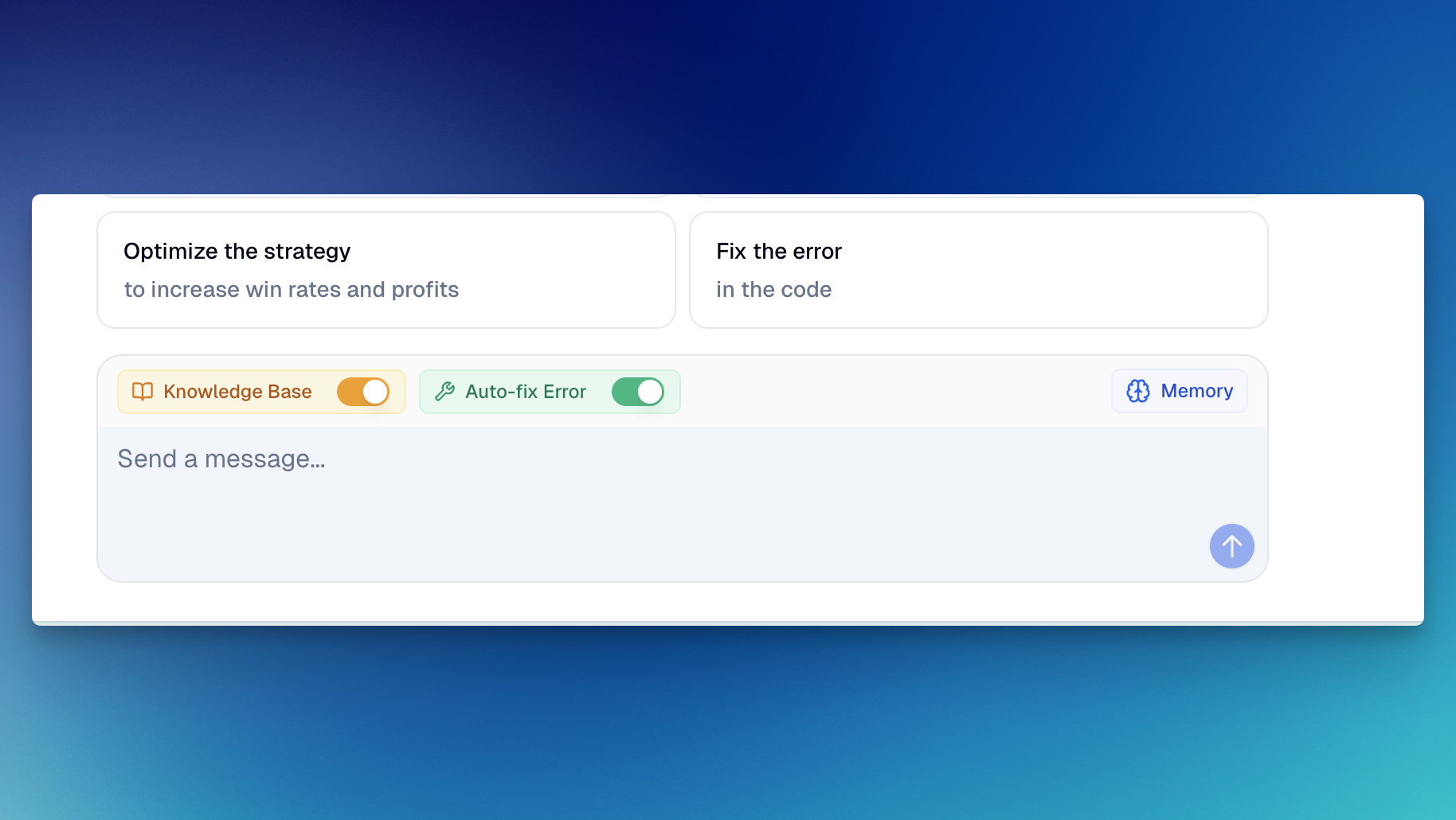
When a validation issue is detected, the workflow can enter a correction loop:
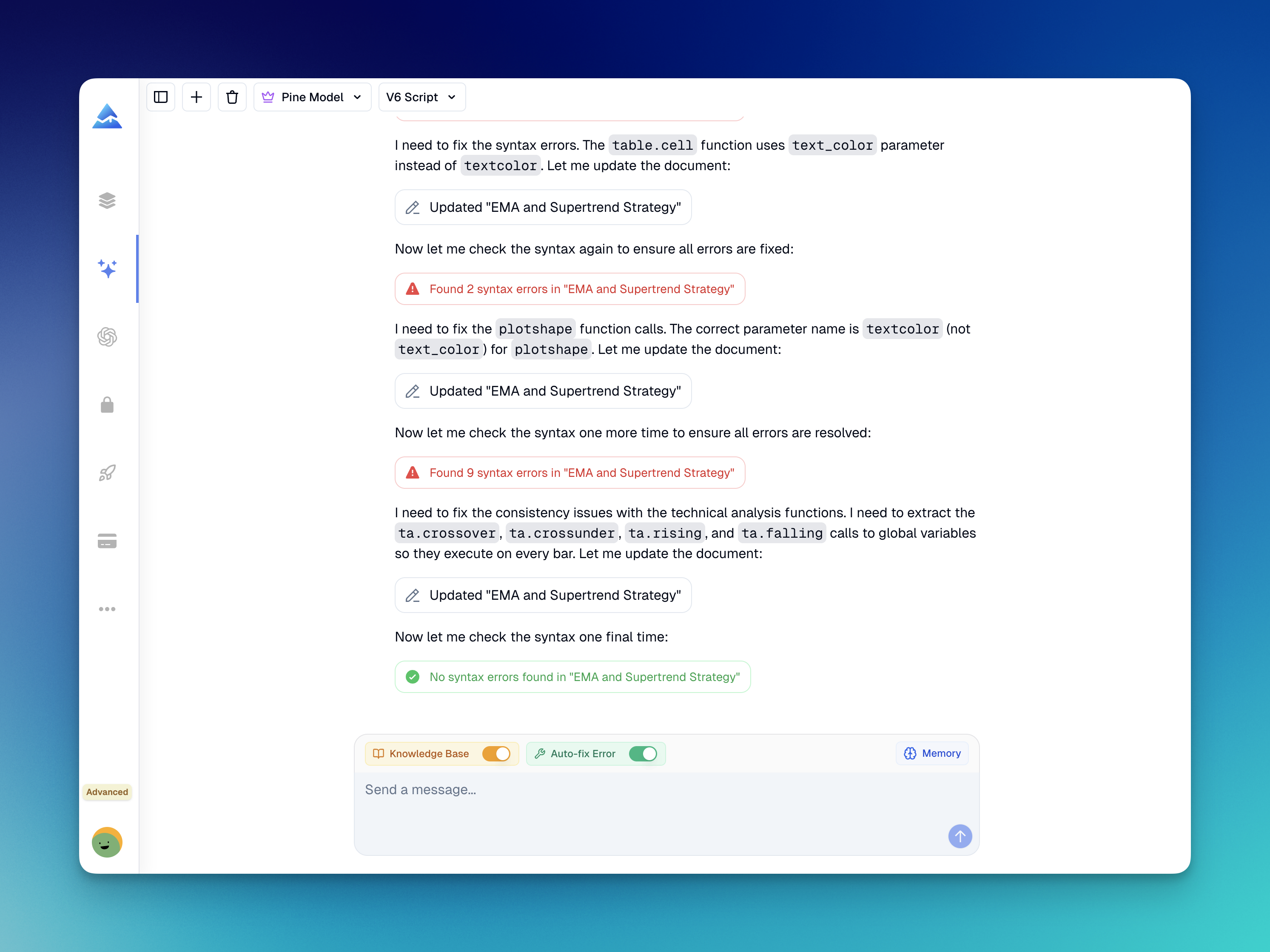
- Syntax validation: Checks the artifact against the Pine Script V6 validation flow available to the agent.
- Revision: Uses the reported issue as context for a new code version.
- TradingView check: TradingView is still the final authority for compilation, chart behavior, alerts, and runtime details in your account.
Validation improves the handoff, but it does not prove that the logic matches your intent, avoids repainting, handles every edge case, or produces useful trading results.
Which context and models are available?
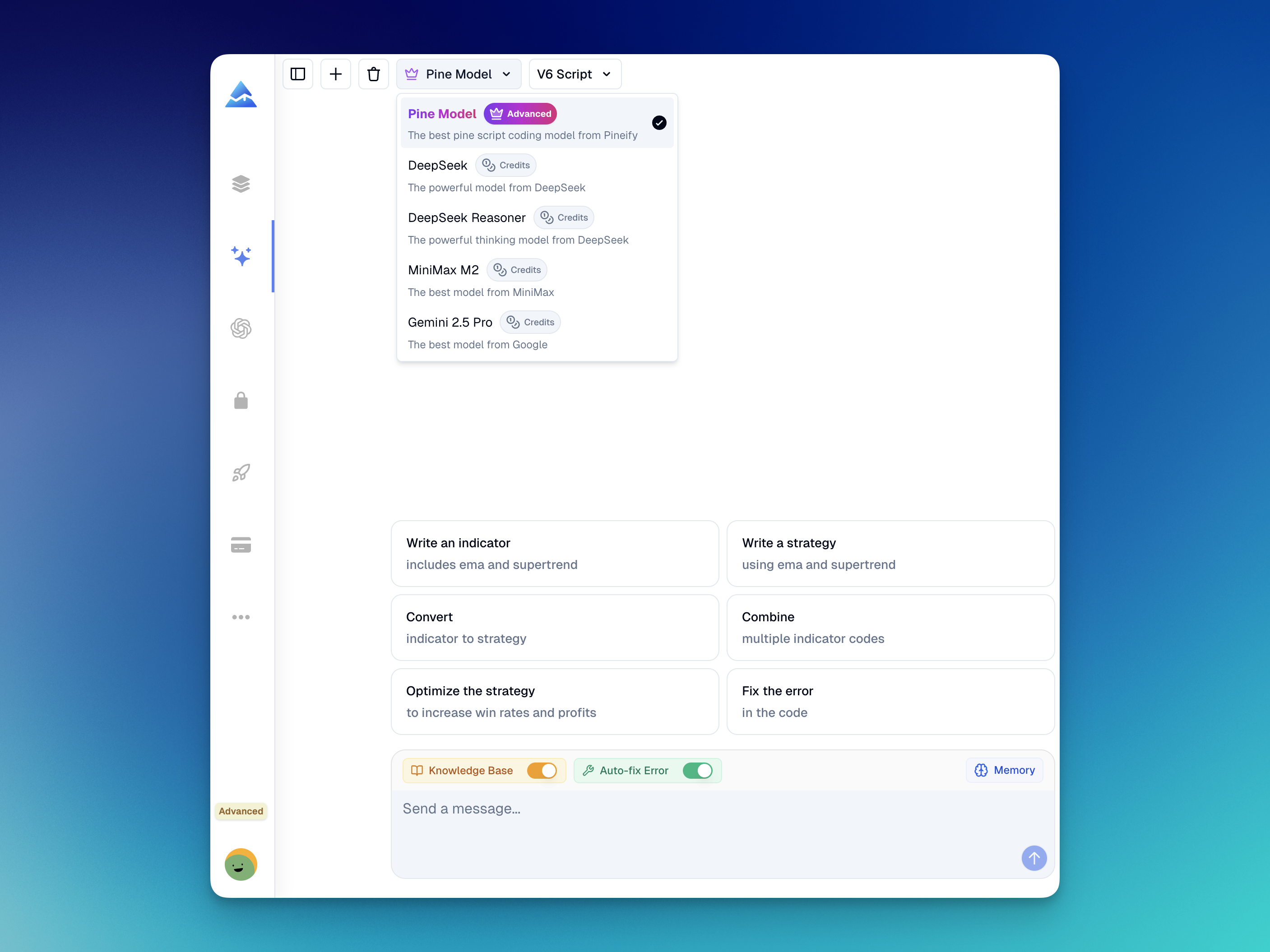
Pineify provides an Advanced Model for Pine Script-specific work and supports other selectable models. Availability depends on the current plan and product configuration, so confirm the options shown in the app.
The agent uses a curated knowledge base for Pine Script V5 and V6 references, function signatures, parameter details, and common indicator, strategy, alert, and drawing patterns. This can reduce unsupported suggestions, but it does not replace current TradingView documentation.
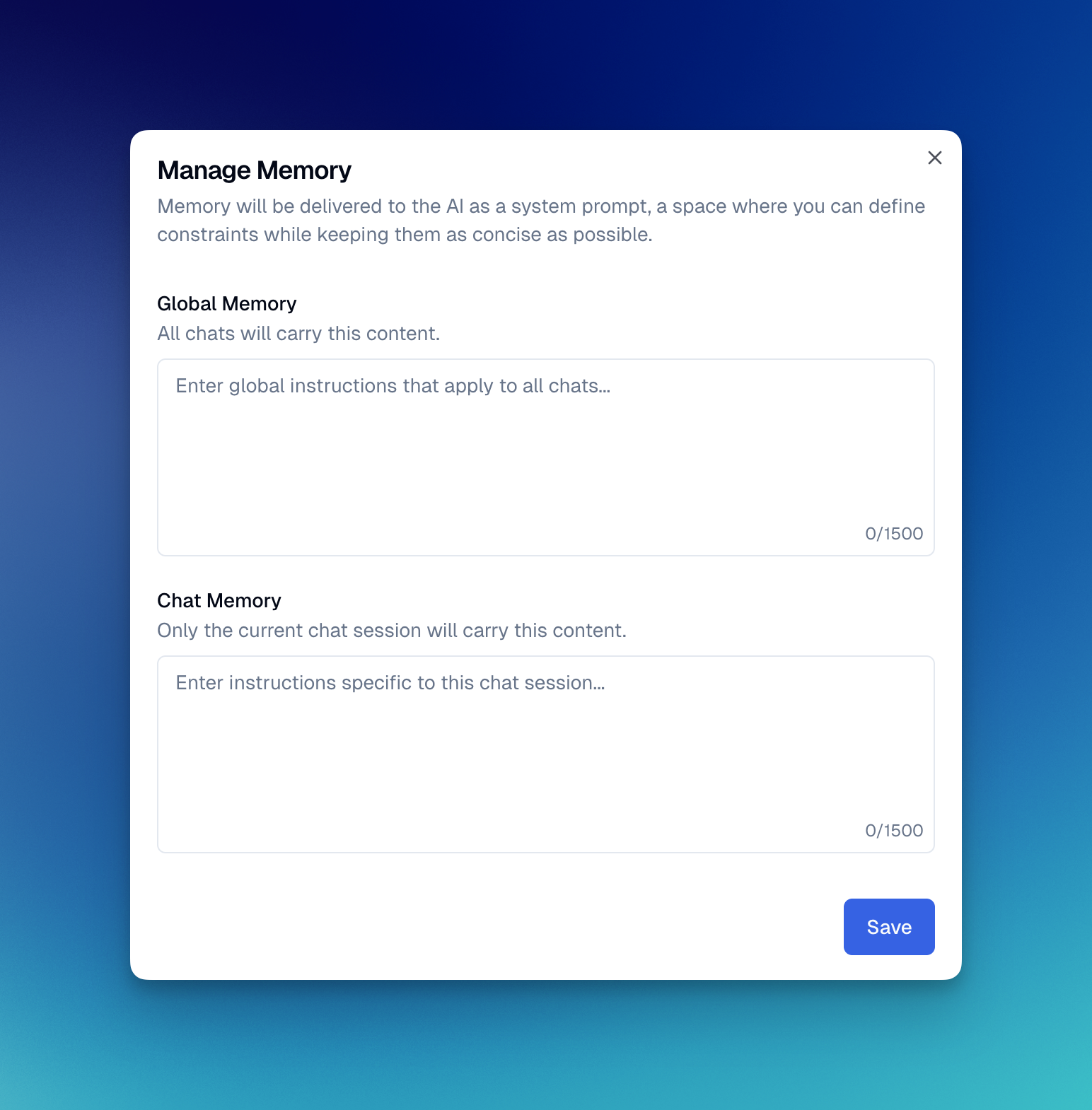
Pin coding preferences to the agent's memory, such as targeting Pine Script V6, preferring ta.sma(), or exposing configurable inputs. Save longer conventions as Custom Skills for reuse.
What makes a prompt easier to verify?
Specific prompts produce clearer review points because they name the assumptions the code must encode. Include relevant market context, signal timing, timeframe behavior, order rules, inputs, alerts, and repainting constraints.
- Start with the output: "Create a Pine Script V6 indicator," "strategy," or "screener."
- Define the trigger: cross, close, intrabar event, session, or confirmed bar.
- Ask about lookahead,
request.security(),nahandling, and order execution when relevant. - Iterate in small changes and keep a known-good version before a large refactor.
Pine Script AI coding agent FAQ
Does it generate Pine Script V6?
Yes. Pine Script V6 is the documented target. Compile the output in TradingView and confirm that functions and behavior match current platform rules.
Is this a Pine Script generator or a code editor?
It is both a natural-language Pine Script generator and an iterative coding workspace. Generate an artifact, paste existing code, ask for an explanation, and request revisions in the same workflow.
Does validation mean the strategy is profitable?
No. Validation targets code and syntax issues the available flow can detect. Review the logic, test repainting and edge cases, and backtest in TradingView; no result promises profit.
Can it replace TradingView's Pine Editor?
No. Pineify drafts and revises code, but TradingView remains the final environment for compilation, chart behavior, alerts, and strategy testing.
Can I save coding rules for later prompts?
Yes. Pin recurring preferences to memory or package a convention as a Custom Skill. Use the in-app message for current model and plan access details.
Review boundary before publishing a script
Before publishing or using a generated script, compile it in TradingView, inspect order and signal logic, and test representative and unseen periods. Check bar confirmation, multi-timeframe requests, missing values, position sizing, alerts, and repainting. A compiling Pine Script V6 artifact is not evidence that the trading idea is sound.
Release Notes
Discover Pineify's latest release notes, featuring new indicators, enhanced functionalities, and updated pricing plans to elevate your trading experience.
MQL5 AI Coding Agent
Use Pineify's MQL5 AI Coding Agent to generate, validate, and revise MetaTrader 5 Expert Advisors, MT5 indicators, scripts, and libraries with a clear workflow.