Pineify vs TradingView Pine Script Editor: Pick Your No-Code Tool

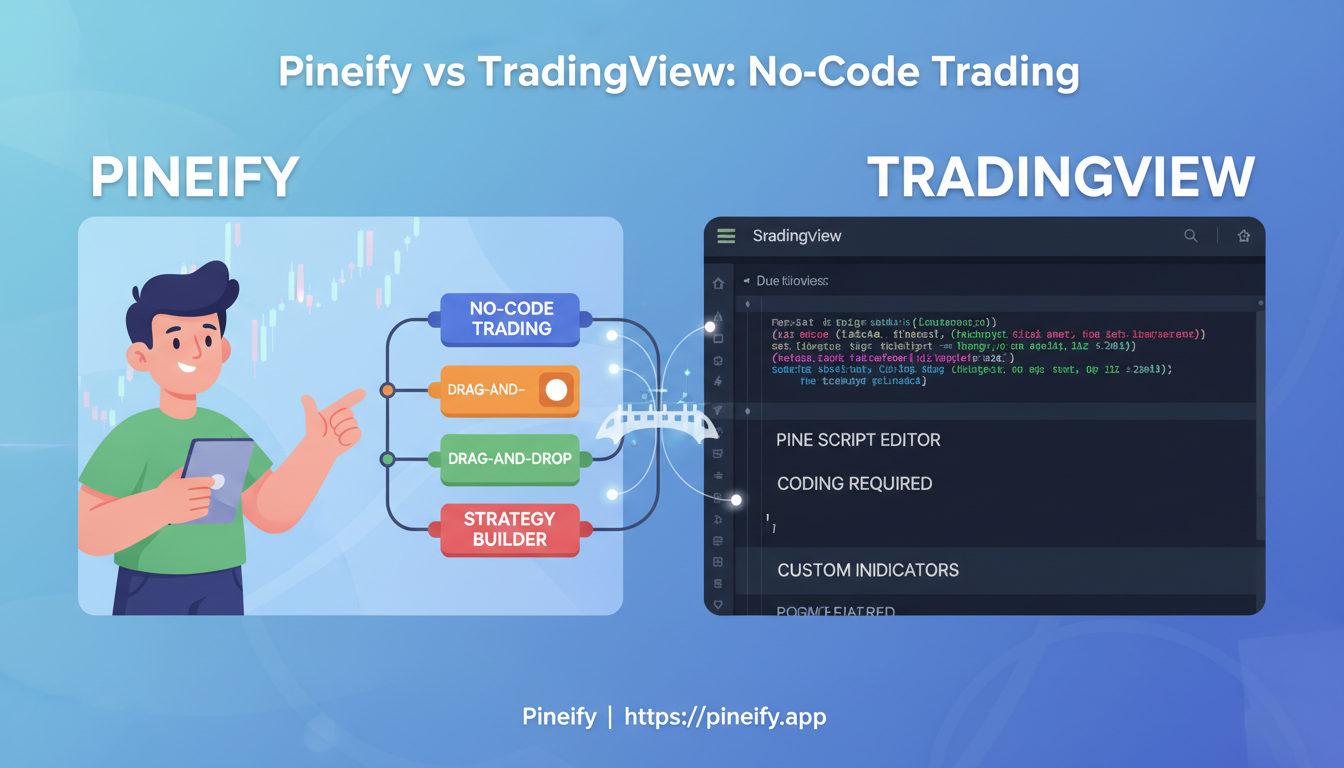
I've been building TradingView indicators for about two years, and I've used both TradingView's Pine Script Editor and Pineify across dozens of strategies. Here's my verdict up front: if you already write Pine Script, stick with the built-in editor — it's free, fast, and deeply integrated. If you don't code, or you want to build indicators faster without syntax errors, Pineify is the better pick. TradingView's Pine Script Editor is the platform's native coding environment where you write indicators and strategies using Pine Script. Pineify is a browser-based visual tool that generates clean Pine Script v5 and v6 code from drag-and-drop blocks. I used the Pine Editor almost exclusively for my first six months, and I can tell you the learning curve is steeper than most tutorials admit. Last month I built a multi-timeframe RSI screener for AAPL and TSLA in Pineify in about 15 minutes — doing that in raw Pine Script would have eaten my whole afternoon.
How TradingView's Pine Editor Works
The Pine Script Editor is built right into TradingView. You open it by clicking the "Pine Editor" tab at the bottom of your chart window. From there, you write, save, and test custom indicators and strategies using Pine Script, TradingView's own language.
The editor runs on the same engine (Monaco) that powers editors like Visual Studio Code. That means you get color-coded syntax, autocomplete suggestions with Ctrl+Space, and instant error alerts with red or orange underlines. The biggest advantage is the all-in-one workflow: write code, click "Add to Chart," and see your indicator appear — all inside TradingView. For a single-indicator example, the Anchored VWAP Indicator uses the same logic flow.
The catch? You actually need to know Pine Script. That means variables, functions, if/else logic, and the language's execution model — how it runs bar by bar on historical data. If you've never programmed before, that first wall feels pretty tall.
How Pineify's Visual Editor Works
Pineify is a browser-based tool that lets you build TradingView indicators by dragging, dropping, and connecting blocks — like assembling LEGO bricks. You design your trading logic visually, and Pineify writes the Pine Script (version 5 or 6) for you in the background. When you're done, you copy the generated code and paste it into TradingView.
It's for traders who understand the markets and have strategy ideas but don't want to wrestle with code syntax and debugging. I prefer Pineify for new indicator ideas because I can iterate faster visually than I can by typing and debugging.
Here's what it offers:
- Over 235 built-in pieces, including common technical indicators and candlestick pattern recognizers.
- Multi-timeframe and multi-symbol analysis to build strategies that look at the bigger picture.
- Custom inputs with sliders so you or others can tweak settings without touching code.
- A visual screener builder to scan multiple stocks or cryptos at once.
- Import existing Pine Script — Pineify breaks it down into visual blocks you can modify.
- An AI assistant that can explain blocks, fix errors, or suggest tuning. I haven't tested it with super complex strategy logic, but for basic indicator tweaks it works well.
I do have one limitation to mention: I still prefer the Pine Editor for quick modifications. When I need to adjust a moving average length from 20 to 50, typing ta.sma(close, 50) is faster than opening Pineify, finding the SMA block, and dragging a new value in.
Comparison: Pine Editor vs. Pineify
| Feature | TradingView Pine Editor | Pineify Visual Editor |
|---|---|---|
| Coding required | Yes — you need to know Pine Script. | No — fully visual, point and click. |
| Error handling | Real-time red/orange underlines for syntax errors. | Errors are avoided since code is generated for you. |
| Indicator library | Only TradingView's built-in indicators. | Over 235 indicators, including popular community ones. |
| AI assistance | None built in. | Includes an AI Coding Agent for fixes, explanations, and optimization. |
| Workflow | All-in-one inside TradingView. | Build in Pineify, then copy-paste into TradingView. |
| Screener support | Possible but requires manual coding. | Dedicated visual screener builder. |
| Multi-timeframe | You code the logic yourself. | Built-in visual support. |
| Pricing | Free with your TradingView account. | Free tier plus lifetime plans starting at $99. |
| Code output quality | Depends on your skill. | Clean, optimized Pine Script v5/v6 every time. |
Think of the Pine Editor as a professional workshop — it's powerful if you know how to use it. Pineify is like having that workshop pre-assembled with the best tools and instructions. Both get the job done, just through different workflows.
When TradingView's Built-in Editor Is the Right Choice
If you're comfortable writing Pine Script, there's a strong case for staying with TradingView's editor:
- Everything in one place. Write, test, and publish without switching tabs or apps.
- Complete control. Tweak every bit of logic and handle edge cases exactly how you want.
- Monaco-powered autocomplete. Smart suggestions speed things up once you know the language.
- Instant backtesting. Make a change, run another test, iterate on the spot.
When I need to debug a specific condition or test a small modification, this is where I go. The instant feedback loop — change code, see result on chart — is hard to beat.
When Pineify's Visual Editor Is the Right Choice
If you're a trader who doesn't code, or you'd rather not deal with syntax, Pineify changes the equation:
- No more syntax errors. You're not typing code, so missing commas or typos can't break your script.
- Test ideas in minutes. Turn a trading concept into a working indicator without searching for code examples and fixing errors.
- Mix visual blocks with existing code. Import a Pine Script you already have and extend it visually.
- AI assistant on demand. The Coding Agent can explain blocks, suggest settings, and fix imported code issues.
- More building blocks. Access over 235 indicators, including advanced tools like the ADX Trend Filter Indicator TradingView Pine Script for refining entries.

Why Tutorials Fall Short
Even though there's plenty of Pine Script tutorial content out there, actually getting your scripts to work can still be a struggle. The real problem isn't finding information — it's piecing it together while wrestling with Pine Script's quirks.
The language has its own execution model. You need to understand how it runs bar-by-bar on historical data, the rules for variable declaration, and how functions like ta.sma(), strategy.entry(), and plot() fit together. Tutorials tend to gloss over these details, leaving you with a script that looks right but behaves wrong. For something like an All Chart Pattern Indicator, getting the logic right by hand requires precise understanding of Pine Script's quirks.
If you're actively trading — watching charts, managing positions, reacting to market moves — spending weeks learning a scripting language doesn't make sense. That's the bottleneck Pineify solves: skip the learning process and go straight to building tools that work.
Cost Comparison: Free Editor vs. Paid Tool
TradingView's Pine Editor is free. It comes with every TradingView account, even the basic one. If you already use TradingView for charts, you already have the editor at zero cost.
Pineify adds to what the Pine Editor can do:
- Free tier to test things out and see how it works.
- Premium plans for unlimited code builds, advanced AI helpers, and 18+ premium scripts.
- Lifetime option starting at $99 as a one-time payment.
For context, similar coding or trading tools charge $30 to $40 per month. If you plan to use it regularly, the lifetime deal pays for itself.
How to Decide
Stick with the Pine Editor if you're already comfortable with Pine Script and want everything — chart, data, code — in one tab. It's also the right call for quick tweaks to strategies you've already built.
Try Pineify if coding feels like a barrier, or if you think visually and want an AI assistant to help you build as you go. It's also great for creating new indicators from scratch when you don't have existing code to modify.
Many traders use both tools. Build your strategy in Pineify, generate the code, then paste it into the Pine Editor for live testing and minor adjustments.
| Use Case | Best Tool |
|---|---|
| Experienced Pine Script coder | Pine Editor |
| Non-coder or visual thinker | Pineify |
| Quick tweaks to existing scripts | Pine Editor |
| Building new indicators from scratch | Pineify |
| Learning how Pine Script works | Both (Pineify to see generated code) |
There's no single right answer. It depends on whether you prefer to write instructions or design them visually.
Questions About Pineify
Do I need to know how to code to use Pineify?
Nope, not at all. Pineify is built for people who don't code. You put everything together using simple visual blocks, and it automatically writes the proper Pine Script code for you behind the scenes.
What version of Pine Script does Pineify create?
It generates clean, ready-to-use code for both Pine Script v5 and the newer v6. Copy the code it makes and paste it directly into TradingView — it will work straight away.
Do I still need TradingView if I have Pineify?
Yes, you do. Think of Pineify as your workshop where you build the tool. TradingView is where you actually use it. You create your indicator in Pineify, then take the code over to TradingView for your live charts, backtesting, and setting up alerts.
Is the TradingView Pine Editor good for beginners?
It's possible to start there if you're dedicated to learning Pine Script from the ground up, but it's a steep climb. Pineify is really the simpler path if you'd rather focus on your trading ideas and skip the programming part entirely.
Can I bring my old Pine Script code into Pineify?
Absolutely. Use the 'Import Custom Code' feature. Pineify will read your existing script and pull the important signals and variables into the visual builder, so you can work with them without touching the code.
How does Pineify handle multi-timeframe analysis without coding?
Pineify has built-in visual support for multi-timeframe analysis. You simply select the timeframe you want to reference using a dropdown block, and the tool generates all the necessary Pine Script logic automatically — no manual coding required.
What is the difference in workflow between Pineify and the native Pine Editor?
With the native Pine Editor, everything happens inside TradingView — you write, test, and publish without switching tabs. With Pineify, you build your indicator visually in a separate browser tool, then copy the generated code into TradingView. Many traders use both: Pineify for building new indicators and the Pine Editor for quick tweaks.
Getting Started
You can start building the TradingView indicators your strategy needs without writing a single line of code. The Pineify Visual Editor lets you drag, drop, and connect logic to build indicators visually. Try it for free at pineify.app — most people have their first working indicator in a few minutes.
- Bookmark the Pineify Visual Editor for your next strategy session.
- Join the Pineify Discord community to see how others build indicators visually.
- Try both tools side-by-side. The Pine Editor is perfect for quick tweaks. Pineify is faster for building new indicators from scratch.
The right tool is the one that gets your trading logic onto the chart quickly and accurately. For traders who want to skip the coding, Pineify makes that straightforward.