TradingView vs TrendSpider: Which Platform Fits Your Trading Style?

TradingView vs TrendSpider is a comparison between two leading technical analysis platforms: TradingView, a social charting powerhouse, and TrendSpider, an AI-driven automated analysis tool. I've spent time on both, and here's my verdict: pick TradingView if you want community-driven charting and broker integration; pick TrendSpider if automated pattern scanning across thousands of assets matters more. Neither is objectively better — they serve different workflows.
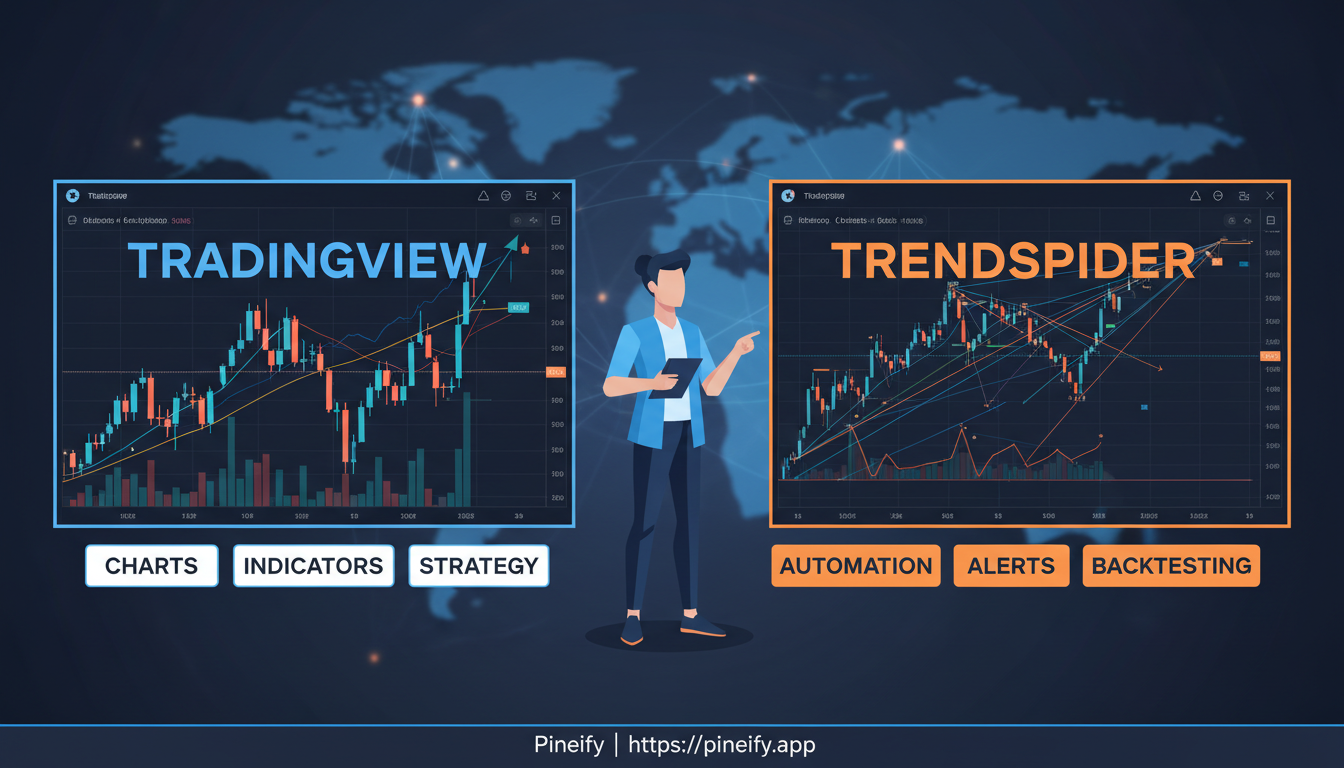
The real question is what kind of trader you are. TradingView feels like a busy global trading desk. You share charts, discuss ideas, and build custom indicators with Pine Script. Over 100 million users publish their analysis there daily. TrendSpider is more like a personal analyst that runs scans while you sleep. It draws trendlines automatically, spots candlestick patterns, and checks multiple timeframes at once without you clicking a thing.
Platform Philosophy and Core Strengths
TradingView: The Social Charting Powerhouse
TradingView is basically the social network for traders. Its key advantage is scale — over 100 million users publishing ideas, commenting on each other's charts, and building reputation. You can customize charts with 400+ indicators and write your own scripts using Pine Script. I've published a few indicators there myself, and the feedback loop is surprisingly useful when you're trying to validate an idea.
TrendSpider: Your Automated Analysis Partner
TrendSpider goes the opposite direction. It removes manual chart work by running AI algorithms that draw trendlines, detect Fibonacci levels, and find chart patterns automatically. I haven't tested the full multi-timeframe scanning on, say, a 50-stock watchlist, but the single-asset pattern detection is impressively fast. It scans across different timeframes simultaneously so you don't miss a signal you'd otherwise spend hours hunting for.
| Feature | TradingView | TrendSpider |
|---|---|---|
| Primary Focus | Social trading & community-driven ideas | Automated analysis & pattern recognition |
| Best For | Traders who enjoy collaboration and customizing their own tools | Systematic traders who value speed, data-driven insights, and automation |
| Key Strength | Vast library of indicators and a massive, active community | AI-powered automation that scans charts for you |
Charting and Technical Analysis Capabilities
Both platforms handle charting well, but the experience differs like a manual versus an automatic transmission. You'll get where you need to go either way, but the feel is totally different.
TradingView reminds me of a professional art studio. You control every line, indicator, and timeframe. The interface stays smooth across mobile, desktop, and web. On the premium plans you can even slice down to second-based intervals. I use TradingView for my daily forex charts on EUR/USD, and I've never felt limited by the customization options.
TrendSpider is a smart assistant in comparison. It prioritizes automation, so you spend less time configuring and more time reviewing what the system found. Its standout features include Raindrop Charts and Price Action Heatmaps — tools I haven't seen on any other platform. The automatic trendline detection alone saves me roughly 20 minutes per session when scanning for support and resistance on SPY.
| Feature | TradingView | TrendSpider |
|---|---|---|
| Core Approach | Manual, hands-on customization | Automated analysis and detection |
| Chart Flexibility | Extremely high; you build the analysis | Platform does heavy lifting |
| Unique Features | Responsive interface, second-based intervals | Auto pattern recognition, Raindrop Charts, Price Action Heatmaps |
| Best For | Traders who love to tinker and build their own setups | Traders who want to save time with automated insights |
Spotting Trading Patterns with AI
Pattern recognition is where the platforms diverge most sharply.
TrendSpider uses AI to scan every chart you give it, drawing thousands of potential trendlines across multiple timeframes. It then backtests which lines have held historically. I ran this on TSLA last month and found the automated multi-timeframe scanning picked up a descending triangle I'd completely missed on my manual review. The system is fast — genuinely faster than any human flipping through charts one by one.
TradingView has a built-in candlestick pattern recognition tool and a library of thousands of community indicators that can help with pattern detection. The catch is you're typically looking at one chart at a time. You won't scan 500 stocks for an ascending wedge pattern in one click like you can on TrendSpider.
| Feature | TrendSpider | TradingView |
|---|---|---|
| Pattern Recognition | AI-powered, multi-timeframe analysis | User-friendly tool & candlestick recognition |
| Indicator Library | Core, proprietary indicators | Thousands of community-developed scripts |
| Scanning Scope | Thousands of assets simultaneously | One chart at a time |
| Integration | Patterns feed directly into screening alerts | Manual analysis and watchlist addition |
For traders who build strategies around chart patterns, TrendSpider's market-wide scan is a clear time-saver.
Backtesting and Strategy Development
The backtesting tools expose a fundamental difference in philosophy.
TradingView uses Bar Replay — you rewind the chart and play it forward bar by bar, making decisions as if you were trading live. It's realistic and teaches you discipline, but it's manual. I've spent entire Sundays running replay on NDX setups, and while I learned a lot, it was slow.
TrendSpider offers a visual strategy builder where you drag, drop, and click to define rules without writing code. You get access to over 50 years of historical data. I prefer this approach when I'm testing a new pattern-based idea because I can get results in minutes instead of hours. The downside? The visual builder has limits. I haven't been able to recreate some of my more complex Pine Script strategies in it — you lose flexibility compared to coding directly.
| Feature | TradingView | TrendSpider |
|---|---|---|
| Backtesting Method | Manual (Bar Replay) | Automated & Visual |
| Coding Required | Not for basic replay, but needed for Pine Script strategies | Low-code to no-code |
| Best For | Hands-on, step-by-step simulation | Quick, data-driven validation of ideas, especially patterns |
Scanning and Screening Tools
Scanning tools are where TrendSpider pulls ahead for systematic traders. It offers 160+ technical and fundamental criteria and 700+ automated smart watchlists running in the background. You can set dynamic alerts with multiple conditions across different timeframes — "alert me when RSI is oversold on the daily AND bullish divergence forms on the hourly."
TradingView's screener covers the essentials with fully customizable criteria, but the alert limits depend on your subscription level. The free plan gives you 3 price alerts. The top-tier Ultimate plan goes up to 1,000. That jump is significant if you actively monitor many assets.
| Plan | Number of Alerts |
|---|---|
| Free | 3 price alerts |
| Highest-Tier (Ultimate) | 1,000 alerts |
I find TrendSpider's multi-condition alert setup more practical for the way I trade options on AAPL and AMD. Being able to stack conditions from different timeframes without hitting alert caps is a real advantage.
Broker Integration and Trade Execution
This is a make-or-break difference for many traders.
TradingView connects directly with 50+ brokers including OANDA, FXCM, and Interactive Brokers. You spot a trade on the chart and execute it in a few clicks without leaving the platform. I use this daily for my forex positions — the convenience of analyzing and acting in one window saves me from context-switching between apps.
TrendSpider does not support direct broker execution. It's built as a dedicated analysis environment. You can set up automated bot trading within the platform, but you can't click a chart to place an order. I've found this frustrating when I spot a high-conviction setup and need to act quickly, but some traders I know prefer the separation — they say it keeps emotions out of their analysis.
| Feature | TradingView | TrendSpider |
|---|---|---|
| Direct Trade Execution | Yes, with 50+ integrated brokers | No |
| Primary Strength | All-in-one workflow | Unbiased, deep analytical environment |
| Automation | Through integrated brokers & Pine Script | Automated bot trading for systematic strategies |
Comparing Costs
The pricing structures are dramatically different.
TradingView starts free (with ads). Most traders I know land on the Essential or Plus plans, which run $33.95/month for the mid-tier. Paying annually saves about 16%. Watch for their occasional sales — I snagged a discount on the Plus plan last year.
TrendSpider starts at $82/month for the entry level and goes up to $183/month for the high tier. That's a bigger upfront investment. But you're paying for AI-driven automation that can cut hours of manual chart review per day. For a serious trader running scans on hundreds of stocks weekly, the time savings justify the cost. I haven't personally paid for the top TrendSpider tier — the mid-tier has covered my needs so far.
| Plan Tier | TradingView | TrendSpider |
|---|---|---|
| Entry-Level | Free (with ads) | $82 / month |
| Mid-Tier | $33.95 / month | $137 / month |
| High-Tier | $239.95 / month | $183 / month |
Both platforms offer annual discounts, and TrendSpider sometimes has promotional pricing for new users.
Social Features and Community
The community difference is night and day.
TradingView is a global town square for traders. You publish ideas, follow analysts you respect, and get real-time feedback on your charts. I've learned more about price action from reading comments on others' TradingView posts than from any course. The social layer makes it sticky — you keep coming back because the community adds context to the charts.
TrendSpider is a quiet research lab. No social feed, no comments, no follower counts. The focus is on clean, automated data without noise. If you prefer to analyze numbers without other people's opinions filtering in, this is the environment for you. I've gone back and forth on this — sometimes I want the quiet, sometimes I want the chatter.
Who Each Platform Is For
TradingView works best if you're starting out or you learn from shared knowledge. The free plan gets you real charting tools, and the community provides a constant stream of educational content. Multi-asset traders benefit from the broad broker integration — you can trade stocks, forex, and crypto from the same workspace.
TrendSpider suits systematic traders who value precision and automation. If you have a defined set of pattern rules, it can scan hundreds of charts in seconds and highlight only what matches. Quant-style traders benefit from the low-code strategy builder and deep historical data. It also helps if you're transitioning from manual drawing to automated, rules-based analysis.
| Platform | Best For | Key Strengths |
|---|---|---|
| TradingView | Beginners, community learners, multi-asset traders | Intuitive interface, strong community, broker integration, generous free plan |
| TrendSpider | Systematic traders, pattern scanners, quant analysts | Automated technical analysis, dynamic backtesting, multi-timeframe alerts |
Finding Your Fit
Start by being honest about your workflow. Do you want to click a chart and place a trade immediately? TradingView's broker integration is hard to beat. Do you want to scan every stock for a specific pattern before the market opens? TrendSpider's automation wins.
Both platforms let you test the waters. TradingView's free plan gives you immediate access to charts and community features. TrendSpider offers a demo — I'd recommend requesting it and running it on 10-20 stocks you follow closely. Focus on one thing: does the platform help you make faster decisions? Ignore the shiny features and check whether the core workflow matches how you actually trade.
And don't skip real user feedback. Jump into TradingView's public chats, find TrendSpider user forums, and read the complaints. The honest gripes tell you more than the marketing pages ever will.
Frequently Asked Questions
Is TrendSpider too complex for a beginner?
It's packed with advanced features, but the interface is intuitive enough to grow into. The automation actually helps beginners — it draws trendlines and spots patterns for you, so you can watch and learn. The bigger hurdle is the price. At $82/month entry level, it's a lot to pay if you're just starting with small capital.
Is TradingView's free plan good enough for casual traders?
For occasional chart checking, yes. You get core tools and basic broker connections. The trade-offs: ads, 3 price alerts max, and only 2 indicators per chart. If you check your portfolio a few times a week, it'll work fine. Once you want more alerts or deeper analysis, you'll need to upgrade.
Which platform has a better mobile app for trading on the go?
TradingView's mobile apps — both iOS and Android — feel like a natural extension of the desktop version. They're responsive and polished. TrendSpider gives you mobile access to charts and alerts, but the interface is not as refined. I'd give the edge to TradingView for mobile.
Can you use TrendSpider and TradingView together?
Yes, and it's a common setup. Use TradingView for community ideas, broker integration, and general charting. Then use TrendSpider specifically for automated scanning and backtesting. Each platform has strengths the other lacks, so combining them covers more ground.
How do TradingView and TrendSpider compare for cryptocurrency trading?
Both work well for crypto and cover the major exchanges. TradingView has a larger community of crypto traders and more direct broker links. TrendSpider's pattern recognition works the same on Bitcoin as it does on stocks — the automation is asset-agnostic. I've used both for ETH/USD analysis and the main difference is community versus automation.
What is TrendSpider's automated chart analysis and how does it work?
TrendSpider's automated chart analysis uses AI to scan price data across multiple timeframes at once. It draws thousands of potential trendlines, finds candlestick patterns, detects Fibonacci levels, and marks support and resistance zones — all without manual input. It saves hours of review time and helps systematic traders spot setups they'd otherwise miss.
Does TradingView support direct broker integration for trade execution?
Yes, with 50+ brokers including OANDA, FXCM, and Interactive Brokers. You spot a trade on your chart and place it in a few clicks without leaving TradingView. TrendSpider does not support direct execution — it stays focused on analysis, with automated bot trading as the alternative for systematic strategies.