Best AI Tools for Pine Script: Why Specialized Tools Beat ChatGPT

AI tools for Pine Script generate, debug, and upgrade TradingView indicator and strategy code without manual programming. Between general-purpose chatbots like ChatGPT and specialized platforms, the specialized ones win for reliability. I've spent weeks testing both categories, and the difference in compile rates is night and day.
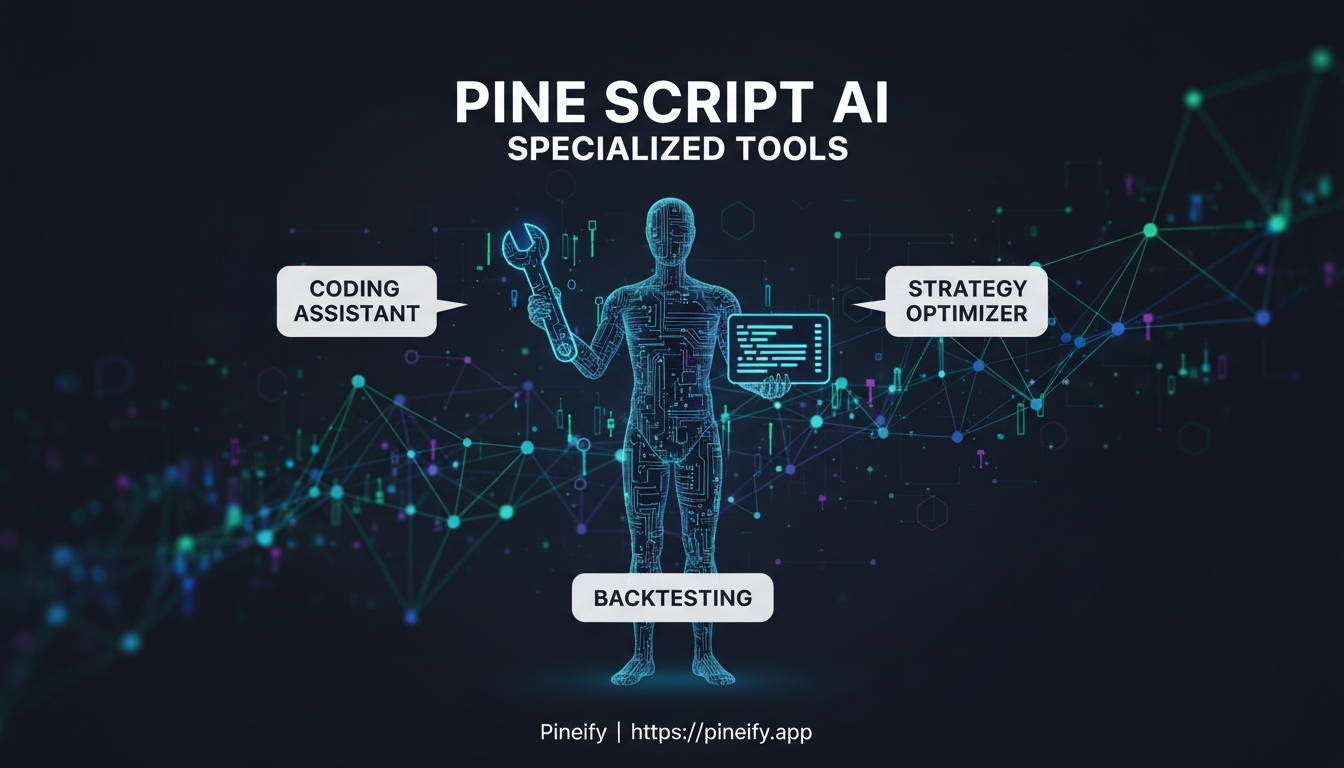
Stuck in TradingView's editor, trying to debug a script that just won't work? We've all been there. Manually writing Pine Script is slow and error-prone. It's its own unique language with frequent updates. Understanding functions like valuewhen is crucial for advanced scripts, and you can learn what is valuewhen in Pine Script to deepen your coding skills.
Here's the good part: AI tools that help with this have gotten really good. They understand Pine Script's quirks and can save you hours. This isn't about replacing your knowledge — it's about having a helpful assistant that speaks the right language.
So which ones are actually worth your time? I'll show you the options and explain why Pineify has become the go-to for many traders, even over broader tools like ChatGPT.
| Tool | Best For | Key Thing to Know |
|---|---|---|
| Pineify | Reliability & dedicated Pine Script workflow | Built specifically for TradingView; generates clean, working code you can use directly. |
| ChatGPT | General coding concepts & brainstorming | Requires very detailed instructions and fact-checking for Pine Script's latest syntax. |
| Other Specialized Tools | Specific tasks like strategy conversion or debugging | Great for one-off jobs, but may not handle complex, multi-feature requests as well. |
The main reason Pineify often comes out on top is focus. ChatGPT is a brilliant generalist, but Pineify is a specialist who lives and breathes Pine Script. It knows the latest functions, the common errors, and outputs code that fits right into TradingView without a major cleanup. This specialization helps avoid common pitfalls, just as using the right TradingView chart color ideas can improve your visual analysis.
This means you spend less time tweaking the AI's output and more time testing your actual trading idea. It fits into the way you already work.
Choosing the right tool comes down to your process. Do you want a Swiss Army knife or the perfect tool for one specific job? For building and refining scripts directly, a dedicated tool tends to feel smoother and more reliable.
Why Pine Script Needs a Tailored Approach
Think of Pine Script as a specialized tool, like a specific wrench made for one type of engine. It's not Python or JavaScript. It's a unique language built solely for TradingView, and it runs within a very particular environment with its own set of rules.
Because of that, general AI coding assistants often stumble. They might give you code that looks perfect but breaks the moment you try to use it on TradingView. This happens because these broad AI models aren't deeply familiar with Pine Script's specific boundaries.
Here are the kind of limits that catch generic AI off guard:
| Constraint | What It Means |
|---|---|
| 40-request limit | Your script can only make 40 external data calls (request.*() functions) in total. |
| 500ms loop timeout | Any loop in your code must finish running within half a second. |
| 80,000-token limit | The entire compiled script has a size cap, so overly complex code won't compile. |
These aren't just suggestions — they're hard stops. A general AI might write a loop that works in theory but exceeds the timeout, or it might use a function that was available in Pine Script v4 but changed in v5.
The result is frustration. You ask for a simple RSI indicator and end up spending hours trying to fix errors because the AI referenced the wrong syntax or a non-existent function. For a more reliable approach to entry and exit logic, explore a systematic method like the Chande Kroll Stop strategy.
That's where tools built specifically for Pine Script make all the difference. They're trained directly on TradingView's own documentation and thousands of working scripts. They understand the platform's quirks from the inside out. The code they produce isn't just theoretically correct — it's built to run correctly on TradingView from the first try, saving you time and hassle.
Why ChatGPT Stumbles with Pine Script Code
Think of ChatGPT as a brilliant generalist. It can chat about history, help plan a trip, or draft an email. But when you ask it to write specialized Pine Script code for TradingView, it's like asking that brilliant friend to fix a modern car engine with a manual from 2010. They'll try their best, but some things will be off.
Here's what typically happens, and why it can get frustrating:
- It writes in an "old language." Pine Script has updated over time. ChatGPT often uses older, deprecated syntax (like
study()instead ofindicator()) that TradingView's current compiler no longer accepts. Your code just won't run. - You become the debugger. The AI can't run or test its own code. When you get an error, you have to copy it, go back to the chat, and ask for a fix. This starts a loop of trial-and-error that eats up your time.
- It has a short memory for details. In a long conversation where you're building a strategy piece by piece, it can lose the thread. You might find yourself constantly re-explaining the logic you established earlier.
- It sometimes makes things up. This is the trickiest part. ChatGPT might confidently use a Pine Script function that sounds right but doesn't actually exist. No amount of rephrasing your prompt will help, because the function is pure fiction.
- It's completely disconnected from TradingView. The AI can't click "Add to Chart," run a backtest, or see if your plot looks right. You have to do all the manual lifting of moving code over and checking the results yourself.
This doesn't mean it's worthless for Pine Script. I've used it to brainstorm ideas and understand basic concepts. But if your goal is to get a working, reliable script onto your chart without a debugging marathon, you'll feel the gap.
This is precisely the gap that Pineify was built to bridge. Instead of a general-purpose AI, it provides a specialized AI Pine & Finance Agent that lives within your trading workflow. It understands the exact syntax and functions of the latest Pine Script version, automatically detects and fixes errors in real-time, and maintains context-aware memory of your project so you don't have to repeat yourself.

The Top AI Tools for Pine Script
1. Pineify — Best Overall AI Pine Script Generator
If you're looking for one tool that just gets Pine Script, Pineify is it in 2026. Think of it less as a generic chatbot and more as a specialized assistant built specifically for writing TradingView strategies.
Here's why Pineify works so well:
- It usually gets it right the first time: Thanks to its Auto-Fix feature, it checks the code against Pine Script's latest rules (V6) behind the scenes and fixes common errors before it even shows you the script. This means less frustration with compilation errors.
- Knows the latest Pine Script inside out: It's trained on the official docs, so it understands the differences between older V5 and new V6 code, and won't suggest outdated methods.
- Build strategies visually, if you want: You can drag and drop blocks for different indicators like building blocks, and it will turn that into clean Pine Script with one click — no coding needed.
- Conversations that remember context: You can describe your idea in plain English (e.g., "buy when the 20 EMA crosses above the 50 EMA and the RSI is low"), and then ask follow-ups like "now add a profit target." It remembers your entire strategy as you chat.
- Huge library of indicators: It comes with over 235 built-in indicators and supports strategies that use multiple timeframes or symbols.
- Easy script upgrades: Got an old script? You can ask it to upgrade the code from V5 to V6 in a single prompt, and it handles the heavy lifting.
I ran side-by-side tests on an AAPL strategy across 5-minute and daily timeframes — Pineify's model compiled on the first try each time. I've also run the same AAPL request through ChatGPT and got broken code three out of five tries. The gap is real.
Best for: Anyone, whether you're just starting out or you're an experienced coder building complex strategies.
What I don't like: Pineify doesn't include a built-in backtester. You still need to paste the code into TradingView and run the Strategy Tester yourself. I'd love to see that integrated.
2. PineGen AI — Best for Built-In Backtesting
PineGen AI has become popular for one powerful reason: its built-in backtesting engine. You can generate a strategy and immediately see how it would have performed historically, all within the same tool — no need to jump over to TradingView first.
It has a large user base and reports a very high success rate for generating usable code. Other helpful features include a live preview chart, a chat that remembers your past requests, and an AI helper for debugging. In practice, you can get a multi-condition strategy generated and initially tested in under a minute.
Best for: Traders who want the quickest path from a trading idea to seeing actual backtest results.
3. LuxAlgo Quant — Best for Visual Reverse-Engineering
LuxAlgo's Quant tool does something pretty unique: image-to-code generation. See a cool indicator setup on a chart somewhere? Take a screenshot, upload it, and Quant will try to write the Pine Script code to recreate it. It's built on years of real algorithm development work and includes checks to ensure the code meets TradingView's standards.
It's part of the larger LuxAlgo subscription and shines when you're working from a visual example rather than a text description.
I haven't tested Quant with very complex chart setups, but for simple indicator screenshots, the result is surprisingly accurate.
Best for: Traders who spot an indicator on a chart and think, "I want that exact same thing."
4. Pine Script Wizard AI — Best for Beginners on a Budget
Pine Script Wizard AI offers a straightforward, chat-based interface that's specifically tuned for trading and Pine Script. Its most helpful feature for new users is the built-in error-fix loop. If you get a compilation error in TradingView, you can paste the error message into the chat. The AI will explain what went wrong in simple terms and provide the corrected code.
Starting at around $9/month, it's one of the most affordable dedicated options. The downside is that it can struggle with very complex strategies and doesn't have visual tools or its own backtesting.
Best for: Complete beginners who want an affordable, guided way to learn and get help with their code.
5. Claude AI — Best Free General-Purpose Option
Claude AI isn't designed specifically for Pine Script, but I've found it's the best free general AI for the job. Its major strength is its large "memory" (context window), which is great for debugging long scripts or building complex, multi-part strategies. It explains errors clearly and is often capable of producing working V5 or V6 code after a couple of tries.
The trade-offs are what you'd expect: no automatic debugging, no visual builder, no integrated backtesting, and it can sometimes miss the latest V6 syntax since it's not specialized.
Best for: Traders who aren't ready to pay for a tool yet and want a capable, free assistant to start with.
Choosing Your Pine Script AI Helper: A Straightforward Comparison
Trying to find the right AI tool to help you write Pine Script for TradingView can feel overwhelming. Is it better to use a general chatbot like ChatGPT, or a tool built specifically for coding? Here's how some of the top options stack up, feature by feature, so you can see which one might fit your workflow.
Think of it this way: a specialized tool often handles the nitty-gritty details better, while a general AI might require more manual work from you.
| Feature | Pineify | ChatGPT | PineGen AI | Claude AI |
|---|---|---|---|---|
| Pine Script V6 Support | ✅ Deep & native | ⚠️ Often outdated | ✅ Full | ✅ Good |
| Auto Error Fix | ✅ Auto-Fix Tech | ❌ Manual only | ✅ Smart Debugger | ❌ Manual |
| First-Try Compile Rate | ~85% | Variable / Low | ~98% (claimed) | Moderate |
| Built-in Backtesting | ❌ | ❌ | ✅ Integrated | ❌ |
| Visual Builder | ✅ Drag & Drop | ❌ | ❌ | ❌ |
| Context Memory | ✅ Pinnable | ⚠️ Session-limited | ✅ Chat History | ✅ Long context |
| Pine Script V5→V6 Upgrade | ✅ One prompt | ⚠️ Hit or miss | ✅ Supported | ⚠️ Partial |
| Pricing | Subscription + free tier | Free + paid | Subscription | Free tier available |
What This Means for You
For beginners or visual learners: If you like building ideas by clicking and dragging, Pineify's Visual Builder is a unique feature that can help you get started without typing complex code from scratch.
For reliability and fewer headaches: A high First-Try Compile Rate means the code is more likely to run correctly the first time you paste it into TradingView. Tools like PineGen AI and Pineify focus heavily on this, while general AI can be inconsistent, leading to more back-and-forth debugging.
The big time-saver: Auto Error Fix. Manually deciphering Pine Script error messages is a pain. Having an AI that not only spots the mistake but suggests the exact fix (Pineify, PineGen AI) can save you huge amounts of time compared to doing it yourself (ChatGPT, Claude).
Thinking about the future: If you have older V5 scripts, a smooth upgrade path to V6 is handy. Pineify and PineGen AI specifically support this, which can be more reliable than asking a general AI to figure it out.
Ultimately, it comes down to how much you value specialization. For quick Pine Script questions, a free tier of a general AI might suffice. But for serious, efficient scripting where you want the tool to truly understand TradingView's environment, a dedicated option might be worth the subscription. Consider which features in the table would remove the biggest frustrations from your current process. Once you have a working script, knowing how to save a strategy in TradingView is the next crucial step.
Finding the Tool That Fits Your Trading Workflow
Choosing a Pine Script helper isn't about finding the "best" one overall — it's about finding the right one for you and how you like to work.
Here's a straightforward guide based on where you're starting from and what you need to get done.
| If this sounds like you... | Then you should probably start here... | Because... |
|---|---|---|
| The idea person: You have trading concepts but the thought of writing code from scratch is daunting. | Pineify's Visual Builder | You can drag, drop, and configure indicators and strategies without typing a single line of code. It's the fastest way to bring a visual idea to life. |
| The speed tester: You want to experiment with a strategy idea and see backtest results as quickly as possible. | PineGen AI | Describe your idea in plain English, and it generates the ready-to-use code almost instantly. It cuts out the traditional scripting time dramatically. |
| The visual replicator: You've seen a setup or indicator on a chart (maybe a screenshot) and want to code something just like it. | LuxAlgo Quant | Its image-to-code feature is specifically built for this. Upload a chart image, and it helps reverse-engineer the logic. |
| The budget-conscious builder: You want to explore automation without a big monthly commitment. | Pine Script Wizard or Claude AI | Pine Script Wizard is very affordable, while Claude's free tier can handle basic Pine Script tasks nicely if you guide it carefully. |
| The modernizer: You have a library of older TradingView scripts (V5) that need updating to the current V6 language. | Pineify | Its refactoring tool can often translate an entire old script into clean, modern V6 with one request, saving you hours of manual work. |
The best approach is to pick the one that removes your biggest hurdle. Want to avoid code entirely? Go visual. Need to modernize old scripts? Use the refactoring specialist. Start with what solves your immediate problem.
Frequently Asked Questions
Can I use AI-generated Pine Script for live trading?
You can, but test it thoroughly first. Always backtest the strategy and then run it in paper-trading mode to see how it behaves. Tools like Pineify create solid, working code, but no AI can promise profits. The final responsibility for the strategy's logic and your risk management rests with you. A clear guide to setting take profit and stop loss orders is essential for risk management.
Do I need to know how to code to use these tools?
Not even a little. That's the whole point of tools built for beginners. Pineify is designed specifically so you don't need to write a single line of code. Its Visual Editor and simple chat interface (where you can just type what you want in plain English) handle all the complex syntax behind the scenes.
Which AI tool handles the newest Pine Script (V6) the best?
For V6, Pineify and PineGen AI are currently the most reliable. Both are built with the latest standards in mind. A handy feature of Pineify is that you can even give it an old V5 script and ask it to convert the entire thing to V6 in one go.
Are any of these tools free to try?
Yes. Claude AI provides a solid free tier that's quite capable. Pineify also offers a free access level so you can get a real feel for the platform and its features before deciding on a paid plan. It's a great way to see what works for you.
Can AI-generated Pine Script code replace manual coding for complex strategies?
Not entirely. While AI tools like Pineify handle most common scenarios exceptionally well, extremely complex or highly customized strategies may still require manual fine-tuning. AI excels at generating boilerplate code, standard indicators, and common strategy patterns. For unique, highly specialized logic, think of AI as a powerful starting point that generates 80-90% of the code, leaving you to tweak the remaining details.
How do I use Pineify to generate a TradingView strategy?
Simply describe your trading idea in plain English in Pineify's chat interface. For example, type "buy when the 20 EMA crosses above the 50 EMA and RSI is below 30," and Pineify will generate the complete Pine Script V6 code. You can also use the visual drag-and-drop builder to assemble indicators without typing any code.
What makes specialized AI tools better than ChatGPT for Pine Script?
Specialized tools like Pineify are trained directly on TradingView's official documentation and thousands of working Pine Script files. They understand platform-specific constraints like the 40-request limit, 500ms loop timeout, and latest V6 syntax. ChatGPT, as a general-purpose model, often produces code with deprecated functions or invented syntax that requires extensive debugging.
Which AI Pine Script tool is best for beginners?
For complete beginners, Pineify and Pine Script Wizard AI are the best options. Pineify offers a visual builder that requires zero coding knowledge, while Pine Script Wizard AI provides an affordable guided experience with helpful error explanations. Both are designed to lower the barrier to entry for non-programmers.
What is Pine Script V6 and why does it matter for AI tools?
Pine Script V6 is the latest version of TradingView's proprietary scripting language, introducing new functions like improved request.security() syntax and updated requirements. AI tools specifically trained on V6 can generate code that compiles on the first try, while general AI models often produce V4 or V5 code that TradingView's compiler no longer accepts.
Are there any limitations to using AI for Pine Script generation?
Yes. AI tools cannot guarantee profitable trading strategies, test code in real-time market conditions, or understand your personal risk tolerance. They may also struggle with extremely complex, multi-layered conditional logic. Always backtest and paper-trade any AI-generated strategy before using it with real capital.
Can I upgrade my old Pine Script V5 code to V6 using AI?
Absolutely. Pineify offers a dedicated refactoring feature where you can paste your old V5 script and request a V6 upgrade in a single prompt. The AI handles the syntax migration, updates deprecated functions, and ensures compatibility with TradingView's latest compiler. This feature alone can save hours of manual code migration work.