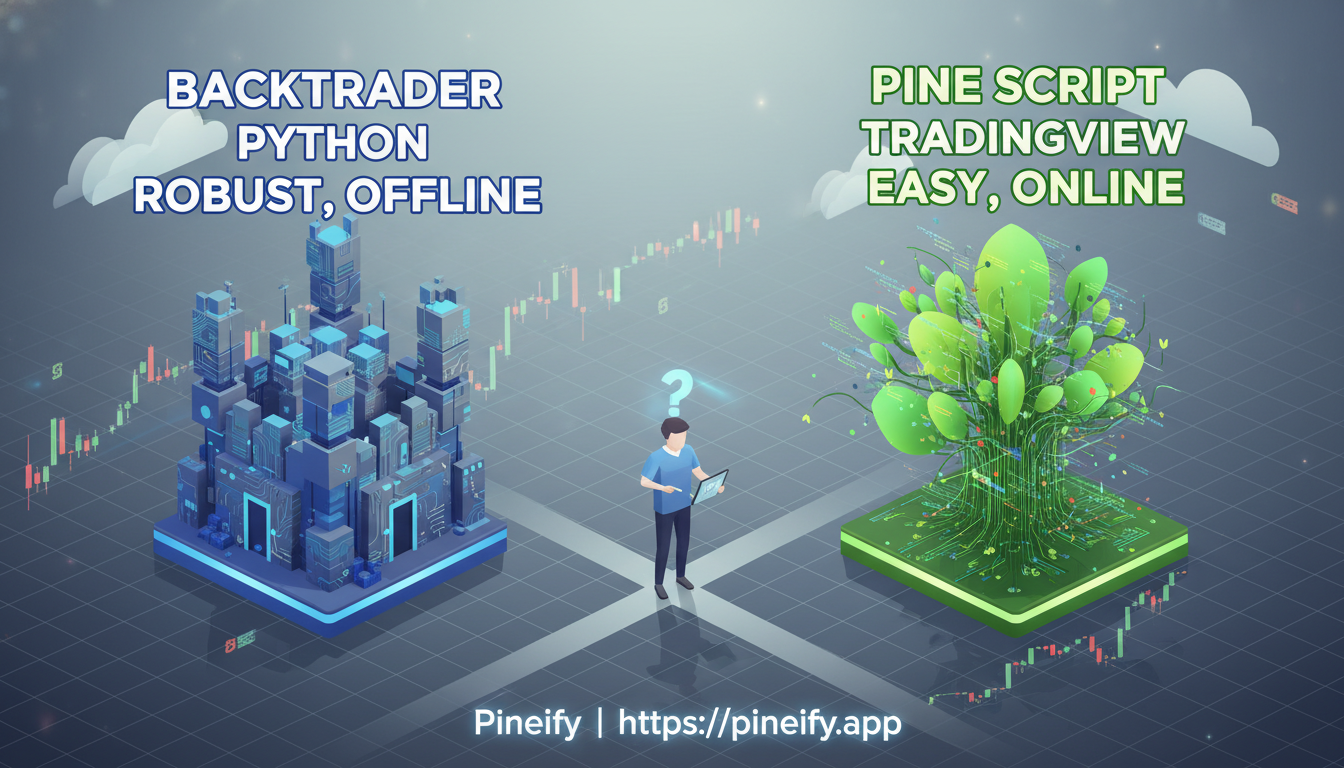
Backtrader vs Pine Script: Choosing the Best Algorithmic Trading Platform
Ever feel stuck choosing where to build and test your trading ideas? The platform you pick is more than just a tool—it shapes your entire workflow, from first concept to live execution. For many traders, the decision often comes down to two major players: Backtrader, the flexible Python framework, and Pine Script, the language built into TradingView.
They serve the same core purpose but in very different ways, fitting different skill sets and goals. Let’s break them down, starting with Backtrader, to help you figure out which one feels right for you.
Getting to Know Backtrader: Your Python Backtesting Workshop
Think of Backtrader as a customizable workshop for your trading strategies. It’s an open-source Python library built for backtesting and live trading. At its heart is the Cerebro engine (from the Spanish word for "brain")—you feed it your data and strategy logic, and it runs the show, handling the complex simulation behind the scenes.
Here’s what makes it a powerful choice:
- You Speak Python: If you're comfortable with Python, you're at home. This connects your strategy directly to Python’s massive world of data analysis (Pandas, NumPy), machine learning libraries, and automation tools.
- Data Flexibility: You can pull in data from almost anywhere—CSV files, a Pandas DataFrame, or directly from sources like Yahoo Finance. You’re not locked into a single provider.
- Build What You Imagine: It comes packed with common indicators, but its real strength is letting you code unique, custom indicators and logic that fit your specific market view. For those looking to expand their logical toolbox within a more accessible environment, mastering concepts like 'And' Logical Operators in Pine Script: Combine Multiple Trading Conditions for Better Results can be incredibly valuable.
- From Test to Real Trading: Once you’re happy with your backtest results, you can often connect the same strategy code to brokers like Interactive Brokers or Oanda to run it live, bridging the gap between research and execution.
In short, Backtrader is for the trader who wants deep control and loves to tinker, using the full power of programming to bring a unique strategic edge to life.
Getting to Know Pine Script: TradingView's Built-In Trading Language
If you've ever wished you could build your own custom indicators or test trading ideas without needing to be a full-time programmer, you'll love Pine Script. It's TradingView's own language, made specifically for their platform. Think of it as a handy toolkit that lets you create the analysis tools and automated strategies you've been imagining, right on the chart you already use.
The beauty of Pine Script is how it simplifies things. It's built with trading in mind, so it automatically understands concepts like different timeframes (1-hour, daily, etc.), whether a price bar is still forming or is closed, and how to plot indicators. This means you spend less time wrestling with data and more time focusing on your strategy logic. You can quickly implement classic systems like a How to Build a MACD Crossover Strategy in Pine Script to test momentum-based ideas.
Here’s what makes it so practical:
- See Your Ideas Instantly: The built-in editor shows your script's results on the chart in real-time. Change a parameter and immediately see how it would have played out.
- Start Simple: TradingView offers tons of templates and great documentation. You can start with something basic, like a moving average crossover, and gradually build more complex systems.
- Realistic Backtesting: Its backtesting engine handles the gritty details for you—like order fills, commissions, and slippage—giving you a more honest picture of how a strategy might perform, without you having to code all those mechanics yourself.
In short, Pine Script is the fastest way to go from a trading idea in your head to a tested, visual strategy on your chart, all within the TradingView environment you're already familiar with.
Ready to build your own indicators but want to skip the coding? Tools like Pineify are designed to bridge that gap. It provides a Visual Editor and an AI Coding Agent that understands Pine Script's nuances, allowing you to generate error-free, custom indicators and strategies in minutes—directly from your trading ideas. It's like having the simplicity described above, but accelerated.
Whether you're starting with a simple concept or a complex multi-indicator system, the goal remains the same: to transform your insight into a working tool on your chart as efficiently as possible.
Setting Up Your Strategy: Backtrader vs. Pine Script
Think of it like setting up a new workspace. Your choice between Backtrader and Pine Script really comes down to whether you prefer building a custom desk from scratch or using a well-designed, ready-made one.
Here’s a quick breakdown of what getting started looks like for each:
| Aspect | Backtrader | Pine Script |
|---|---|---|
| Programming Language | Python | Pine Script (proprietary) |
| Setup Complexity | Requires Python installation and library management | Built into TradingView platform |
| Learning Curve | Steeper for non-programmers; requires Python knowledge | Gentler; designed for traders with basic coding skills |
| Development Speed | Slower initial setup; faster with reusable codebase | Rapid prototyping and quick strategy development |
| Community Resources | Active Python trading community | Extensive TradingView community and documentation |
With Backtrader, you begin on your own computer. You’ll need to install Python and the necessary libraries. It feels a bit more technical at the start, especially if you're new to coding. The learning curve is steeper, but it’s like learning a powerful, universal language (Python) that you can use for countless other projects. Once you're set up, you can build and reuse code very efficiently.
Pine Script flips this on its head. There's essentially no setup—you just log into TradingView and start writing in their built-in editor. It’s designed to be approachable, so you can test ideas in minutes. The trade-off is that you’re working within TradingView's ecosystem. It’s incredibly fast for prototyping, but you're using a specialized tool made just for that platform. If you want to get the most out of the platform, understanding the TradingView Lifetime Membership: Everything You Need to Know can be a crucial financial decision.
Your choice here sets the tone. Do you want the control and long-term flexibility of a full programming environment, or the immediate convenience and speed of an integrated tool?
Working with Your Data: Flexibility Compared
When you're building trading strategies, how you get your data and what you can do with it is a huge deal. Different platforms handle this in very different ways. Let's break down the approach of Backtrader versus Pine Script on TradingView.
Backtrader is like having a blank canvas and access to every paint store in the city. Its biggest strength is flexibility. You can pull in data from almost anywhere—CSV files, direct feeds from brokers, live databases, even custom datasets like economic reports or satellite imagery. This is a game-changer if you're working on complex models that need more than just price and volume.
You can also run strategies that look at multiple stocks or assets across different timeframes (like daily and hourly charts) all at once, and it's carefully designed to avoid accidentally "peeking" at future data. If your idea involves blending unconventional data sources, Backtrader is built for that.
Pine Script on TradingView, on the other hand, is more like a supremely well-stocked, curated art supply shop. You have to work with the data provided directly by TradingView. The good news is that coverage is fantastic—stocks, forex, crypto, and futures are all right there, reliable and ready to use. For most classic charting and technical analysis, it’s perfectly sufficient and incredibly convenient.
The limitations come when you want to step outside that box. Bringing in your own external data or custom feeds isn't really an option. There's also a built-in limit: each script can only make 40 requests for data. If you're designing a strategy that needs to check many different indicators or timeframes simultaneously, you can bump up against this ceiling, which might require some creative workarounds.
| Feature | Backtrader | Pine Script (TradingView) |
|---|---|---|
| Data Sources | Highly flexible. Supports CSV, live feeds, databases, and custom fundamental/alternative data. | Limited to TradingView's integrated data feeds. External data sources are not supported. |
| Multi-Asset & Timeframe Analysis | Native support for running strategies across multiple symbols and timeframes simultaneously. | Possible, but constrained by a 40-data-request limit per script, which can complicate multi-timeframe strategies. |
| Look-Ahead Bias Prevention | Designed to eliminate look-ahead bias by default with its data feeding model. | The structure of Pine Script inherently avoids look-ahead bias when using standard [close] series. |
| Best For... | Quantitative research, complex multi-factor models, and strategies relying on alternative data. | Traditional technical analysis, rapid prototyping, and strategies based on TradingView's built-in data. |
In short, choose Backtrader if you need ultimate control and the ability to integrate unique datasets. Choose Pine Script if you prioritize ease of use, excellent built-in data, and a streamlined environment for testing ideas quickly.
Which Backtesting Tool Is Right for You? Pine Script vs. Backtrader
Choosing a backtesting tool is a bit like picking a car. Do you want the convenient, ready-to-drive model, or the customizable project car you can tune for every scenario? Let's break down two popular options.
Pine Script: The Integrated, Ready-to-Go Choice
If you're already using TradingView for your charts and ideas, Pine Script is built right in. It's incredibly convenient.
- How it Works: You write your strategy, and TradingView's "Strategy Tester" runs it. You get a full report instantly—things like net profit, number of trades, and your biggest drawdown.
- The Big Plus: It’s seamless. You test your idea on the same chart where you developed it, with no fussing with data feeds or separate software.
- The Catch: You're playing by TradingView's rules. The platform decides how the backtest is run. If you want to try advanced techniques—like testing how your strategy holds up through random market conditions (Monte Carlo simulations) or validating it across different time periods (walk-forward analysis)—you can't. The engine is a powerful but fixed tool.
Backtrader: The Flexible, Do-It-Yourself Workshop
Backtrader is for when you need to go deeper. It’s an open-source Python framework, which means you have much more control under the hood.
- How it Works: You bring your own data (from multiple sources and timeframes, even down to tick data) and build your testing environment. You can dictate exactly how the backtest executes.
- The Big Plus: Total flexibility. You're not limited to a single testing method.
- You can implement walk-forward analysis to see if your strategy stays robust over time.
- You can add custom performance metrics beyond the standard ones.
- Its analyzer feature lets you drill into detailed stats, like the Sharpe Ratio, especially during optimization runs.
- The Catch: It requires more setup and Python knowledge. You’re responsible for the data and the process, which means more work for greater control.
So, Which One Should You Use?
It really comes down to your needs:
- Use Pine Script if: You want a fast, integrated way to check if a trading idea has basic merit directly on TradingView. It's perfect for quick validation and prototyping.
- Use Backtrader if: You are seriously developing a strategy for live funds and need rigorous, professional-grade validation. It's essential if you require custom testing methods or must blend data from several brokers or feeds.
Think of Pine Script as your reliable daily driver for testing ideas. Backtrader is the full garage where you can tear the engine apart, tweak it, and stress-test it for the toughest races. Your choice depends on how deep down the rabbit hole you need to go.
From Testing to Real Trading: How Backtrader & Pine Script Handle Live Markets
If you've built a strategy that crushes it in backtesting, the natural next question is: "How do I let this thing trade with real money?" The path to live trading is where Backtrader and Pine Script take very different roads. Let's break down how each one works, in plain terms.
Backtrader: Direct Broker Connections
Think of Backtrader as giving you the keys to the trading terminal. Its biggest strength is its ability to connect directly to your broker's API. This means your Python code talks straight to the broker's server to place and manage orders.
- Broker Support: It works natively with brokers like Interactive Brokers, Oanda, and VisualChart. Because it's open-source, the community has also built connectors for others, including Binance for crypto.
- The Big Win: The shift from backtest to live trade is famously smooth. Often, it's literally just changing one line of code—telling Backtrader to use your live broker feed instead of a historical data file. This keeps your strategy logic perfectly intact.
- Power & Control: You can run multiple strategies or connect to several brokers (like IB and Binance) at the same time. You have full control over every detail of the order execution logic, which is crucial for complex or nuanced strategies.
Pine Script: The Alert & Webhook Path
Pine Script operates inside TradingView, which isn't a broker. So, it can't send orders directly. Its path to live trading is clever but involves a middleman.
- How It Works: You build your strategy in Pine Script and use its
alertcondition()function. When your strategy conditions are met (e.g., "BUY now"), TradingView triggers an alert. - The Middleman: This alert doesn't go to your broker. Instead, it's sent to a third-party service like TradersPost, Wisebitcoin, or a custom webhook. That service receives the alert signal and is responsible for forwarding the correct order instructions to your broker's API.
- The Trade-off: This setup is fantastic for simplicity and lets you stay within the TradingView ecosystem. However, that extra step (TradingView -> Alert Service -> Broker) adds a tiny delay and means you're not managing the execution directly. For most swing trades, this is fine. For very fast trades or strategies where execution timing is critical, this layer can be a drawback.
Side-by-Side Comparison
| Feature | Backtrader | Pine Script |
|---|---|---|
| Core Method | Direct API connection to broker | Alert triggers → 3rd party service → Broker |
| Primary Control | Full control within your Python code | Dependent on TradingView & the alert service |
| Setup Complexity | Higher initial setup (code, broker API) | Simpler initial setup (configure alerts) |
| Best For | Complex execution logic, multi-broker setups, high-frequency strategies | Traders who want to stay on TradingView, simpler strategies where slight delay is acceptable |
In a nutshell: Choose Backtrader if you want direct control and are comfortable with Python. Choose Pine Script's alert system if you prefer TradingView's interface and your strategy doesn't require split-second, micro-managed execution.
Getting Your Code to Run Smoothly: Pine Script vs. Backtrader
Let's talk about keeping your trading strategies fast and efficient. This is where Pine Script and Backtrader differ quite a bit, and choosing the right one depends heavily on what you're trying to build.
Working Within Pine Script's Limits
Think of Pine Script as running on a powerful, but shared, server. There's only so much memory and computing power allocated to each script. You're working with:
- 2 MB to 128 MB of memory, depending on your TradingView plan.
- Support for large data collections (up to 100,000 elements), but pushing these limits can really slow things down.
The key here is writing lean code. You'll want to:
- Design any loops carefully to avoid unnecessary calculations.
- Minimize the number of data requests your script makes.
- Be mindful of how you use variables to stay within memory limits.
This ensures your indicators or strategies run smoothly and update quickly on your charts.
Leveraging Backtrader's Flexibility
Backtrader, on the other hand, runs on your own machine (or server). This taps into the full power of Python, which is a game-changer for complex strategies. It's built for heavier lifting.
With Backtrader, you can:
- Implement sophisticated optimization techniques to fine-tune your parameters.
- Integrate machine learning libraries directly into your strategy development.
- Run advanced analytics and quantitative research that would be impossible within Pine Script's server environment.
If your goal involves complex portfolio management across many assets, deep historical analysis, or cutting-edge quantitative models, Backtrader’s scalability becomes not just useful, but essential.
Quick Comparison: Performance & Scalability
| Feature | Pine Script | Backtrader |
|---|---|---|
| Execution Environment | Server-side (TradingView) | Local (Your Computer/Server) |
| Memory Constraints | Yes (2 MB - 128 MB) | Limited by your local hardware |
| Handling Complex Logic | Limited, must be optimized | High, supports advanced Python libraries |
| Ideal Use Case | Efficient, chart-focused indicators & strategies | Research-heavy, multi-asset, & computationally intensive systems |
When you're choosing a tool for your trading strategies, one of the first questions is often, "What's this going to cost me?" Let's break down the costs for Pine Script and Backtrader so there are no surprises.
Pine Script: Free to Start, Premium to Expand
Pine Script is built right into TradingView, and everyone with a free account can use it to write scripts, run basic backtests, and develop strategies. It's a fantastic way to start with zero investment.
If you get serious, a TradingView Premium plan (like Pro, Pro+, or Premium) unlocks more power. You'll get things like higher memory limits for complex scripts, the ability to add more indicators to a single chart, and access to more historical data for your backtests. The cost here is a straightforward monthly or annual subscription to TradingView. Always ensure you're using the official platform, as using a TradingView Mod APK: Risks, Alternatives, and Safe Upgrades can compromise your security and data.
Backtrader: The Free and Open-Source Framework
Backtrader is completely free. Since it's an open-source Python library, there’s no charge to download, use, or modify it. This is its biggest financial advantage.
However, "free" doesn't mean there are no costs involved. Using Backtrader effectively comes with other potential expenses you need to budget for:
- Market Data: You'll need to source your own historical and real-time data, which often involves a subscription fee from a data provider.
- Broker Commissions: When you move from backtesting to live trading, your broker's fees and commissions apply.
- Computing Power: Running intensive backtests or hosting a live strategy might require a robust computer or a cloud server (like AWS or Google Cloud), which incur costs.
Cost Comparison at a Glance
Here’s a simple side-by-side look:
| Cost Factor | Pine Script (on TradingView) | Backtrader |
|---|---|---|
| Software Access | Free with account; advanced features require paid TradingView plan. | Completely free and open-source. |
| Main Associated Costs | TradingView subscription fee. | Data subscriptions, broker fees, and computing/server costs. |
The Bottom Line
Pine Script offers a simpler, more all-inclusive cost structure. You're essentially paying for the TradingView platform, which bundles the tools, data, and charting. With Backtrader, the software itself is free, but you pay for the ecosystem around it—data, execution, and infrastructure. The total cost of using Backtrader can be very low or become more significant, depending on the data sources and infrastructure you choose.
Which Platform Should You Choose for Your Trading Strategy?
Picking the right tool depends entirely on what you're trying to build and how you like to work. Think of it like this:
Go with Backtrader if: You're the type who needs to get under the hood and build something highly custom. It's perfect for complex, research-heavy strategies where you need full control over every detail—like testing unique portfolio logic or connecting directly to different brokers. It's a powerful toolkit, but you'll need to be comfortable writing Python code. This is the go-to for quant researchers, institutional setups, and serious individual traders building sophisticated, multi-layered systems.
Choose Pine Script when: You live inside TradingView and want to test ideas quickly. It's fantastic for prototyping strategies based on technical analysis, and the learning curve is much gentler. If you love TradingView's charts, use its built-in indicators, and don't need to plug in external data, Pine Script fits like a glove. It’s built for visual traders who want to build, share, and iterate on ideas within that one ecosystem.
Questions & Answers
Q: Can I use machine learning with Pine Script strategies? A: Think of Pine Script more like a very smart calculator. It's great for setting up rules and testing basic ideas, but it's not built for heavy-duty machine learning. If your strategy needs complex algorithms or deep optimization, you'll have a much easier time using a Python framework like backtrader, which is designed for that kind of work.
Q: Is it possible to backtest multiple timeframes simultaneously in both platforms? A: Yes, both can handle multiple timeframes, but they do it differently.
- Backtrader lets you feed in as many different data streams as you want, keeping them perfectly separated to avoid any accidental "cheating" (look-ahead bias).
- Pine Script also supports this, but it has a practical limit: you can only make 40 requests for different data points (like a different chart period) within a single script.
Q: Which platform is better for beginners? A: For someone just starting out, Pine Script is generally easier for most folks to pick up. It's built right into TradingView, so you see your code and the chart side-by-side, and the language itself is simpler. Backtrader requires you to already be comfortable with Python, which is a bigger first step.
Q: Can I transition strategies from Pine Script to backtrader?
Q: How far back can I test strategies on each platform? A: This one depends entirely on your data.
- On TradingView (Pine Script), how much history you get depends on your subscription plan and what you're trading. Sometimes, data on very short timeframes can be limited.
- With Backtrader, there's no built-in limit from the platform. You can test as far back as the historical data you can find and feed into it. If you have 50 years of data, you can test 50 years.
So, What's Next?
Now that you've seen how backtrader and Pine Script differ, you're probably wondering, "Which one is right for me, and how do I get started?" Don't just read about it—let’s take a couple of practical steps to move forward.
First, be honest with yourself about your starting point. Are you just getting your feet wet with coding and trading? Pine Script on TradingView is a fantastic place to begin. The platform is built for it, there’s a huge library of examples to learn from, and you can go from an idea to a backtest without a complicated setup.
If you're already comfortable with Python and want total control—over your data, your indicators, and how everything connects—then diving into backtrader makes sense. Start by installing it and running through a simple tutorial to understand its core components. You'll find a helpful community online where you can ask questions and share ideas.
No matter which path you pick, start with a classic. Build something simple, like a moving average crossover strategy. This lets you focus on learning the platform without getting lost in complex logic. Once it’s working, you can slowly add layers of sophistication.
Here’s the most important part: never skip the testing phase. A strategy that looks great in a backtest can behave differently with real money. Use paper trading accounts (fake money, real market data) to see how your logic holds up in live conditions. And always, always use risk management—this isn't just a good idea, it's essential for staying in the game.
Finally, treat this as an ongoing process. Review your strategy's performance regularly, figure out why it wins or loses, and make small adjustments. The best traders are the ones who keep learning and adapting. Your first strategy might not be your last, and that's perfectly okay.
Ready to pick one and begin?