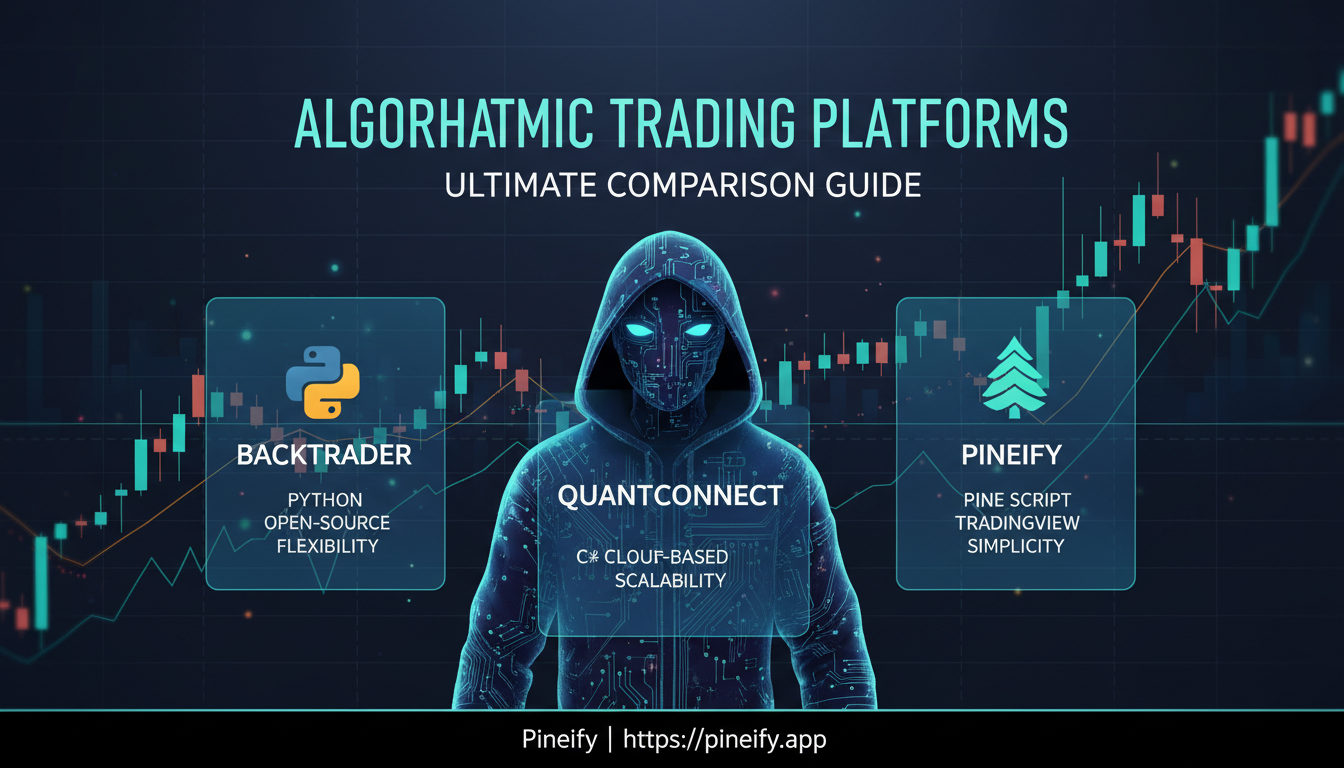
Backtrader vs QuantConnect vs Pineify: Ultimate Comparison Guide for Algorithmic Trading Platforms
Picking the right tool for algorithmic trading isn't just about features; it's about finding what fits your skills, time, and goals. The wrong choice can leave you frustrated, while the right one lets you focus on your strategy.
Let's break down three popular options: Backtrader, QuantConnect, and Pineify. They serve very different types of traders, from hardcore coders to those who’d rather not write a single line of code. For those focused on TradingView, mastering tools like the TradingView Trailing Stop Script: The Complete Guide to Automated Risk Management can be a logical next step after building your strategy.
Here’s a quick look at how they stack up:
| Feature | Backtrader | QuantConnect | Pineify |
|---|---|---|---|
| Core Approach | Open-source Python library | Cloud-based platform & open-source engine (LEAN) | No-code visual builder for TradingView |
| Best For | Python developers who want full control | Quantitative developers & institutional-grade testing | Traders who want custom tools without learning to code |
| Coding Needed | Yes (Python) | Yes (Python or C#) | No (visual editor or AI assistant) |
| Primary Use | Backtesting & strategy development | Research, backtesting, & live trading across multiple assets | Creating custom TradingView indicators & strategies |
| Data & Assets | Feed your own data (CSV, Pandas, online sources) | Vast built-in database (stocks, crypto, forex, futures, more) | Works directly with TradingView's data & asset universe |
| Learning Curve | Steeper (requires programming knowledge) | Very Steep (complex platform, powerful features) | Gentle (drag-and-drop interface) |
A Closer Look at Each Platform
Backtrader: The Programmer's Playground
Think of Backtrader as a powerful toolbox for Python developers. It's free, open-source software you run on your own computer. You write code to define your trading logic, and it runs through historical data, showing you how your strategy would have performed.
It’s incredibly flexible—you can build custom indicators from scratch, model complex order types, and dig deep into the results with built-in analytics. The catch? You need to be comfortable with Python programming and handling data sources yourself. It’s perfect for tinkerers and developers who want complete ownership over their backtesting environment.
QuantConnect: The Professional's Powerhouse
QuantConnect is like a research lab and trading desk in the cloud. It’s built around its open-source LEAN engine, which is powerful enough for institutions. The platform handles massive amounts of data and can run years of backtesting in seconds.
It supports a huge range of markets (stocks, crypto, options, etc.) and lets you code in Python or C#. What sets it apart is the focus on realistic simulation—it factors in things like trading fees, slippage, and margin requirements to give you a true picture of performance. It’s a robust choice for serious quants and developers looking to test and deploy sophisticated, multi-asset strategies.
Pineify: Your Shortcut to Custom TradingView Tools
Pineify takes a completely different path. What if you want a unique indicator or strategy on TradingView but don’t know how to code in Pine Script? That’s where Pineify comes in.
Founded in 2024, it’s a no-code platform with a simple visual editor. You drag, drop, and connect logic blocks to build your tool. It also has an AI assistant trained specifically on Pine Script that can write the code for you. It’s designed for active traders who have great strategy ideas but need a faster, simpler way to bring them to life on the charts they already use.
So, you're ready to start backtesting your trading strategies, but you're stuck on one of the first big decisions: which platform do you even use? It's a common hurdle. The right tool can make your life easier, while the wrong one can lead to endless frustration.
To help you cut through the noise, let’s break down three popular options in a straightforward way. Think of this as a quick chat about their key differences, so you can see which one might fit your style. Understanding the core functions of your tools is key; for instance, knowing how to use the Pine Script ta.change() Function: Master Change Detection for Better Trading Signals can be crucial for strategy logic.
Here’s a clear side-by-side look:
| Feature | Backtrader | QuantConnect | Pineify |
|---|---|---|---|
| Programming Language | Python | Python, C# | No coding required (Pine Script output) |
| Data Coverage | You find and provide your own data | Huge built-in library across stocks, forex, crypto, and more | Directly uses the data from your TradingView charts |
| Testing Speed | Runs on your computer's power (Python speed) | Very fast, cloud-powered (e.g., ~33 seconds for a 10-year test) | Runs right in your web browser |
| Execution Modeling | You can customize it to be as simple or complex as you want | Advanced, with realistic fees, slippage, and order routing | Focuses on the core strategy logic (basic backtesting) |
| Community Size | Active group of dedicated developers | Massive, with over 275,000 members | Taps into the large TradingView community of 100,000+ traders |
| Technical Indicators | Solid built-in library, and you can code any custom one | Extremely comprehensive built-in library | Direct access to TradingView's suite of 235+ indicators |
| Live Trading | Possible by connecting to your broker's API | Fully supported, using the same realistic models as backtesting | Executed by connecting your TradingView alerts to a broker |
What does this mean for you?
- Choose Backtrader if you love Python, want complete control over every detail, and don't mind sourcing your own data. It's like building with a custom toolkit.
- Lean toward QuantConnect if you want a powerful, all-in-one professional environment with massive data and a huge community, and you're okay with a steeper learning curve.
- Pineify is your go-to if you live on TradingView, don't want to code, and want to turn your chart ideas into a backtested script in minutes. It’s about speed and simplicity.
There's no single "best" choice—it all depends on whether you value control, data breadth, or a no-code workflow the most. Hopefully, this comparison helps you figure out which path feels right for your next strategy.
Understanding Costs and Getting Started
Let's talk about what it actually costs to get started with these platforms. Pricing can be a big deciding factor, and each one has a very different approach.
Breaking Down Backtrader's Cost (It's Free)
Here’s the best part about Backtrader: it’s completely free and open-source. If you have Python installed on your computer, you can start building and testing strategies right now. There’s no hidden fee or premium tier to unlock.
This makes it a fantastic, zero-risk option for beginners learning the ropes or for anyone watching their budget. Just remember, because it's a framework you run yourself, you ’ll need to source your own market data and handle your own setup.
How QuantConnect's Pricing Works
QuantConnect is great because you can start using its powerful core features for free. Their model is based on "processing" – you use your free monthly quota to run backtests and research.
If you start doing more complex, resource-heavy work or move to live trading, you can choose a paid plan for extra capacity. Many traders note that the live trading infrastructure is notably stable and fast, which is a big plus when you're ready to go live with real money.
Pineify's Straightforward Lifetime Access
Pineify takes a different route. Instead of a monthly subscription, it offers a one-time payment starting at $99 for lifetime access. This is a budget-friendly model if you prefer to pay once and avoid recurring fees.
This purchase includes both the visual, no-code editor and the AI coding assistant. A huge benefit is that you can create and use unlimited custom indicators even on TradingView’s free plan.
Quick Comparison
| Platform | Pricing Model | Best For |
|---|---|---|
| Backtrader | Free & Open-Source | Python developers, hobbyists, and those on a tight budget. |
| QuantConnect | Freemium (Free tier + paid processing) | Traders who want a hosted platform and can scale resources as needed. |
| Pineify | One-Time Payment (Lifetime access) | TradingView users who want unlimited custom indicators without a subscription. |
Where Each Tool Shines (and Where It Doesn’t)
Choosing a platform often comes down to your specific needs and skills. Here’s a straightforward look at what each one does best, and the trade-offs you might have to make.
Backtrader: For the Hands-On Python Developer
Great for you if: You love having total control and are comfortable writing code in Python.
- Complete Control: You call the shots. You have full authority over every part of your trading strategy and can model transactions exactly how you want.
- Completely Free: There’s no cost to use it, which makes it a fantastic tool to start learning with.
- Plays Well with Python: It integrates seamlessly with popular libraries like Pandas and NumPy, making data analysis smooth.
- Supported by a Community: An active group of users constantly improves it and adds new features.
- Connect to Live Brokers: You can link it to various brokers to take your strategies live.
Things to keep in mind:
- You Need to Know Python: It has a learning curve and requires solid programming knowledge.
- You Provide the Power: You’re responsible for your own data, computer, and processing power for backtests.
- Optimization is Manual: There’s no built-in cloud to speed up testing many strategy variations; it runs on your machine.
QuantConnect: The Professional's Powerhouse
Great for you if: You need institutional-grade speed, data, and reliability, and you don't mind a more complex system.
- Built for Serious Work: Offers professional-grade tools with sophisticated models for costs and market impact.
- Code in Your Language: Write your strategies in either Python or C#, whichever you prefer.
- Extremely Fast: Runs in the cloud, so backtests that would take hours locally finish in minutes or seconds.
- Huge Data Library: Get easy access to a vast range of asset classes (stocks, crypto, forex) and even alternative data.
- Highly Reliable: The platform is rigorously tested with thousands of automated checks to ensure stability.
- From Idea to Live, Easily: The workflow is designed so you can often move a strategy from backtesting to live trading with very few code changes.
Things to keep in mind:
- Can Feel Complex: The sheer number of features and options can be overwhelming when you're just starting out.
- Costs for Heavy Lifting: While there's a generous free tier, running very frequent strategies (high-frequency) can get expensive due to cloud computing costs.
- Charting Isn't Automatic: You’ll need to set up and configure charts yourself; they aren’t generated by default.
Pineify: The Fast Track to TradingView
Great for you if: You want to build strategies for TradingView but don’t want to learn to code Pine Script from scratch.
- No Coding Needed: Use a visual editor to create your logic—perfect if you’re not a programmer.
- Saves a Ton of Time: Build a strategy in minutes that could take days to code manually.
- Pay Once, Use Forever: A single purchase gives you lifetime access without any monthly fees.
- Generates Reliable Code: It’s built to produce accurate, working Pine Script, avoiding the "made-up" code issues some AI tools have.
- Built for TradingView: It’s designed specifically to work within TradingView’s massive ecosystem of charts, data, and community.
- Specialized AI Helper: Uses an AI model that’s been specially trained for generating Pine Script, so it understands the platform's quirks.
Things to keep in mind:
- Locks You into TradingView: You can only create strategies for TradingView using Pine Script.
- Backtesting is Simpler: The execution modeling in backtests isn’t as detailed or sophisticated as on QuantConnect.
- One Language Only: It outputs Pine Script code. You can’t use it to generate strategies for Backtrader (Python) or QuantConnect (C#). For those looking to convert code between languages, exploring a Pine Script Converter: Complete Guide to Converting Pine Script Code might be useful.
| Aspect | Backtrader | QuantConnect | Pineify |
|---|---|---|---|
| Best For | Python developers who want full control | Professional, high-speed, multi-asset backtesting | Non-coders building strategies for TradingView |
| Core Strength | Total customization and cost (free) | Institutional infrastructure and cloud speed | Visual, no-code Pine Script generation |
| Main Consideration | Self-managed, requires programming skill | Steeper complexity and potential cloud costs | Limited to the TradingView/Pine Script ecosystem |
Which Trading Platform Is Right For You?
Picking the right backtesting tool feels a bit like choosing the right vehicle for a journey. Do you want to build the engine yourself, rent a high-performance race car, or get an easy-to-drive model with GPS? Here’s a straightforward look at who each platform suits best.
You’ll Love Backtrader If:
- You’re a developer at heart. You’re comfortable writing Python code and the idea of having complete, granular control over your trading system is exciting, not intimidating.
- You’re budget-focused. You prefer a powerful, open-source tool where you pay with your time and skill, not with a monthly subscription. Once it's set up, it's yours.
- You love to tinker and customize. You want to be able to modify every little piece of the backtesting process, from how data is fed in to how results are analyzed.
- You work with unique data. Your strategy relies on specific or unconventional data sources that need a custom integration to work properly.
QuantConnect is Your Match If:
- You're running serious, complex strategies. You're a quant researcher, a professional algo trader, or your strategies involve sophisticated logic and portfolio management.
- Speed is non-negotiable. You're exploring high-frequency trading (HFT) ideas and need an infrastructure built for lightning-fast execution.
- You trade across many markets. Your approach involves stocks, futures, forex, or crypto, all within a single, unified system.
- You need to deploy ideas quickly. You're at a fund, a startup, or are a researcher who needs to test ideas on massive datasets without managing your own servers.
- You see value in a professional setup. You're okay with a pay-for-what-you-process model to access institutional-grade tools and data.
Go with Pineify If:
- You don’t know how to code (and don’t want to learn). You're a trader who wants to build custom indicators and strategies, but the thought of programming is a deal-breaker. Pineify's Visual Editor lets you create error-free Pine Script with no coding required, using a simple drag-and-drop interface.
- You live on TradingView. You're already using TradingView for your charting and analysis and just want a way to create custom Pine Script tools to enhance your workflow there. Pineify is built specifically for TradingView, generating scripts you can use directly on your charts.
- You prefer a simple, one-time cost. A single payment for lifetime access fits your style better than ongoing subscriptions or usage fees. Pineify offers lifetime plans that unlock all its professional tools forever.
- You value speed and simplicity. Your main goal is to get a working strategy idea coded and tested quickly, rather than building immensely complex algorithmic engines. With the Pineify Coding Agent, you can describe your idea in plain English and get ready-to-use Pine Script in minutes, making the process 10x faster.
- You want an AI assistant for your ideas. The idea of describing a trading concept in plain English and having the Pine Script code generated for you sounds like a superpower. Beyond just coding, Pineify's AI Stock Picker can analyze the market daily to surface potential winning stocks with predictive scores. Similarly, the broader topic of TradingView Artificial Intelligence: The Complete Guide to AI on TradingView explores how AI is transforming the platform.
If your trading journey is centered on TradingView and you want to move from idea to execution without the coding hurdle, Pineify provides the fastest path. It combines the simplicity of a visual builder with the power of an AI coding agent, all tailored for the TradingView ecosystem.
Your Questions Answered: Backtrader, QuantConnect & Pineify
Got questions about these algorithmic trading platforms? You're not alone. Here are straightforward answers to some of the most common ones.
Q: Can I use Backtrader for real-time trading, or is it just for testing ideas? Absolutely. Think of Backtrader as a full-cycle tool. You can develop and test your strategy using past market data (backtesting) on your own computer. Once you're confident, you can connect it to a live broker account to trade in real-time. It’s designed to make that switch from testing to live execution pretty smooth.
Q: Do I need to be a pro coder to use QuantConnect? QuantConnect is incredibly powerful and deep, which means its full potential is unlocked with coding knowledge. It’s built for folks comfortable with Python or C#. That said, they have fantastic guides and a supportive community. If you're willing to learn, you can start at your own pace, but experienced developers will feel right at home.
Q: Is Pineify a good fit for a full-time professional trader? Pineify (which uses TradingView's Pine Script) is brilliant for its core purpose: creating indicators and strategies quickly, without traditional coding. For a professional focused on high-frequency strategies, complex trade execution, or managing a big, diversified portfolio, you might eventually hit its limits. In those cases, platforms like Backtrader or QuantConnect offer more firepower and flexibility.
Q: Which platform runs backtests the fastest? Hands down, QuantConnect wins on raw speed for large-scale testing. It runs on powerful cloud servers. For example, it can crunch through ten years of stock data in about half a minute. Backtrader’s speed depends on your own computer's specs. Pineify’s speed is tied to your web browser since it runs within TradingView.
Q: What if I start with one platform and want to switch later? You can definitely move, but some paths are easier than others. Because both Backtrader and QuantConnect use Python, you can often adapt your strategy's core logic between them. If you start in Pineify, your trading ideas are still valuable, but you’ll need to translate the Pine Script logic into a language like Python, which is a bigger lift.
Q: Which one has the most helpful community? All three have great, active people behind them.
- QuantConnect has a massive network of over 275,000 quants and developers.
- TradingView (where Pineify lives) has a gigantic user base of tens of millions, great for crowd-sourced ideas.
- Backtrader has a dedicated core community of developers who constantly improve and support the open-source project.
Have more questions? These communities are the perfect place to ask.
Your Next Move: Choosing Your Algorithmic Trading Path
Now that you've seen how Backtrader, QuantConnect, and Pineify stack up, the real question is: what do you do next? The good news is, you can start moving today. Here’s a straightforward plan to get you going.
Your First Steps (This Week):
- Nail down what you actually need. Grab a notepad and jot down your answers to these questions: How comfortable are you with coding? What's your budget for tools? Are you focusing on stocks, crypto, or forex? Do you plan to eventually trade live with real money, or just test ideas?
- Take the free test drive. Don't spend a dime upfront. Sign up for QuantConnect's free tier or download Backtrader and run their examples. Get a feel for the interface and the process before any money changes hands.
- Lurk in the communities. Hop into the forums or Discord servers for these platforms. Read the questions, see the answers, and observe how people solve problems. It’s the fastest way to learn the unwritten rules.
- Build something stupidly simple. Your first strategy shouldn't be clever. Try a basic "when the 50-day average crosses above the 200-day average, buy" script. The goal isn't to make money; it's to learn the steps from idea to backtest in your chosen platform.
- Do a quick comparison. If you have a little extra time, try coding that same simple strategy on two different platforms. You’ll feel the differences in workflow and clarity immediately, which is worth more than any feature list.
Growing Your Skills (The Next Few Months):
- If you go with Backtrader or QuantConnect, dedicate time to learning Python. You don't need to be an expert, but getting comfortable with the basics will unlock everything these powerful tools can do.
- If Pineify is your choice, spend time with TradingView’s own Pine Script guide. Understanding the code it generates will help you tweak and improve your strategies far beyond the basics.
- Start simple, then slowly add one new idea to your strategy. Maybe add a volume filter or a simple risk rule. Avoid the temptation to build a complex system right away.
- Don't learn in a vacuum. Find someone a few steps ahead of you—whether in a course, a community, or a local meetup. Seeing how others work through issues can save you months of frustration.
How to Make the Final Choice:
- If keeping costs at zero and having total control matters most to you, start with Backtrader.
- If you need professional-grade tools and can handle stocks, forex, and crypto all in one place, lean toward QuantConnect.
- If you want to go from an idea to a backtest in minutes without writing a single line of code, Pineify is your best bet.
There's no single "best" platform. The right tool is the one that fits your current skills, your budget, and your ambitions. Thousands of people have found success with each of these options. Your job is to pick the one that gets you started today while not boxing you in as you learn and grow tomorrow.