Pineify Finance Agent vs ChatGPT: Compare Research Workflows

Pineify Finance Agent and ChatGPT can both assist financial research. Their usefulness depends on the tools available in the session, the data retrieved, and whether the answer preserves sources and dates. This comparison does not establish a measured accuracy or speed winner.
Current information is available through tools
ChatGPT can search the web and provide source links; it is incorrect to describe every answer as limited to a static training cutoff. OpenAI's ChatGPT search announcement documents that capability. Search access does not imply an entitled streaming exchange feed or guarantee every quoted figure is current.
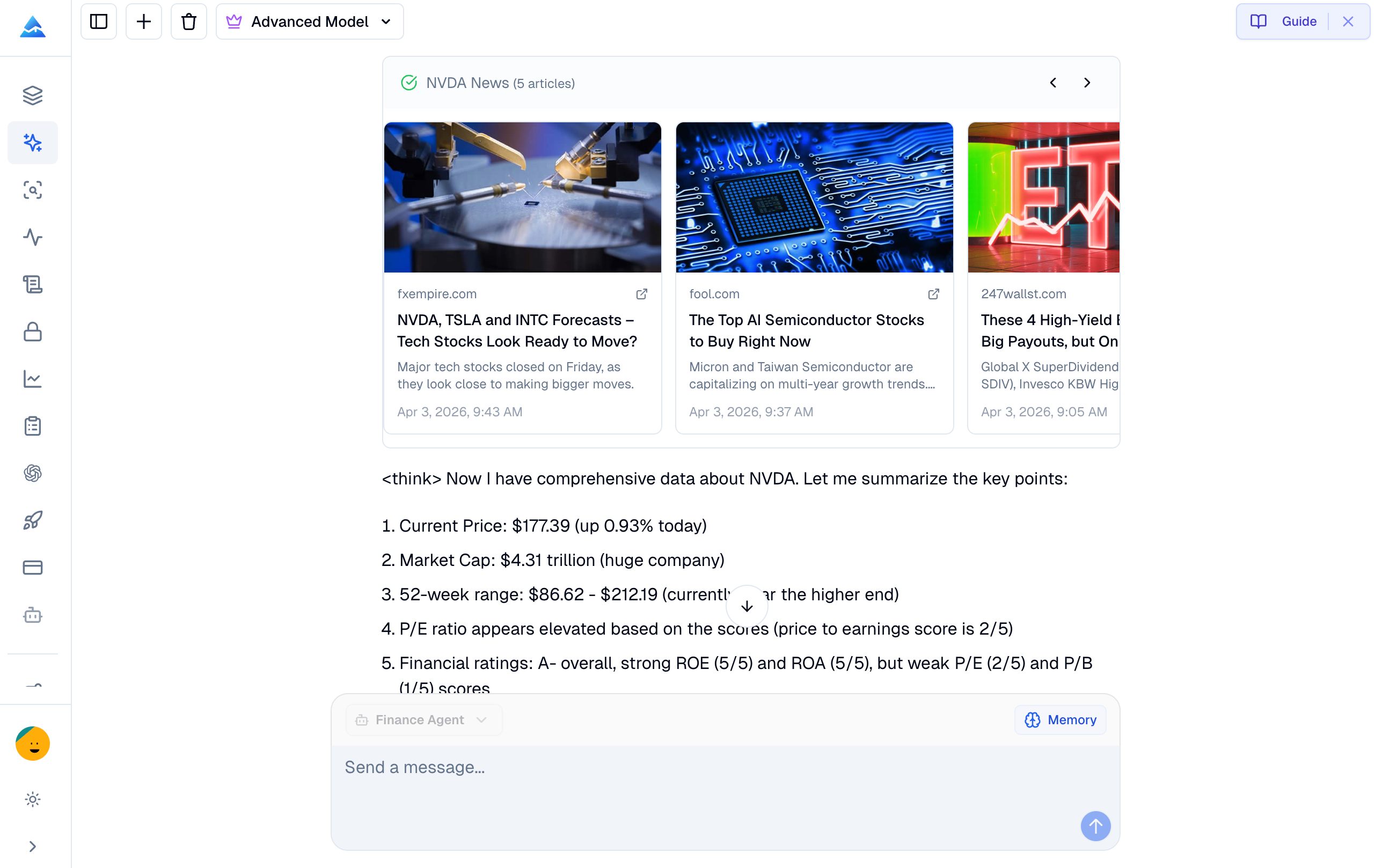
Pineify's Finance Agent has structured financial-data tools. Its implemented workflows include an income-statement request with reporting-period fields and a stock screener with supported query parameters. These tools fetch data when invoked; the existence of a tool does not prove that all providers are queried on every question or that all responses are error-free.
Compare the workflow you need
| Research task | What to evaluate in either tool |
|---|---|
| Latest company results | Does the answer identify the fiscal period, filing date, currency, and primary filing? |
| Valuation comparison | Are prices timestamped and earnings consistently trailing or forward? |
| Stock screen | Which fields and universe were actually queried, and were results truncated? |
| Options analysis | What contract, expiry, quote time, liquidity, and model assumptions are shown? |
| News research | Does each conclusion link to an accessible source with a publication date? |
Pineify's conversational interface can be useful when your task matches its supported data tools. ChatGPT's search and general analysis can also support source-based research. Availability, plans, and connected tools can change, so compare the workflow you can actually access.
Run a reproducible comparison
Choose one company and a fixed question, such as comparing its two latest annual revenue figures. Ask each assistant for the fiscal dates, reported currency, raw figures, calculation, and source. Save the responses and retrieval times, then verify the numbers against the filings.
Next test a screen with explicit constraints. Confirm which filters were enforced directly and which required follow-up calculations. An assistant should state when a requested field is unsupported or missing rather than silently substitute another metric.
For a quote, distinguish the retrieval time from the market observation time. For financial statements, distinguish the fiscal period end from publication or acceptance date. A response generated now can still contain delayed or old data.
Product and pricing boundaries
Use the Finance Agent product page and current pricing to check access, credits, and plan conditions. This page does not promise a free trial, a fixed discount, unrestricted lifetime usage, complete global coverage, or terminal-equivalent data.
The previous AAPL comparison, claimed hour saved, arbitrary company metrics, and “always real-time” table were not backed by a reproducible test. They have been replaced with the evaluation procedure above.
Neither retrieving an API result nor citing a webpage turns an assistant into a licensed adviser or validates an investment recommendation. Treat missing values, stale observations, and conflicting sources as unresolved research questions.