Pineify: Visual Backtesting Software for TradingView

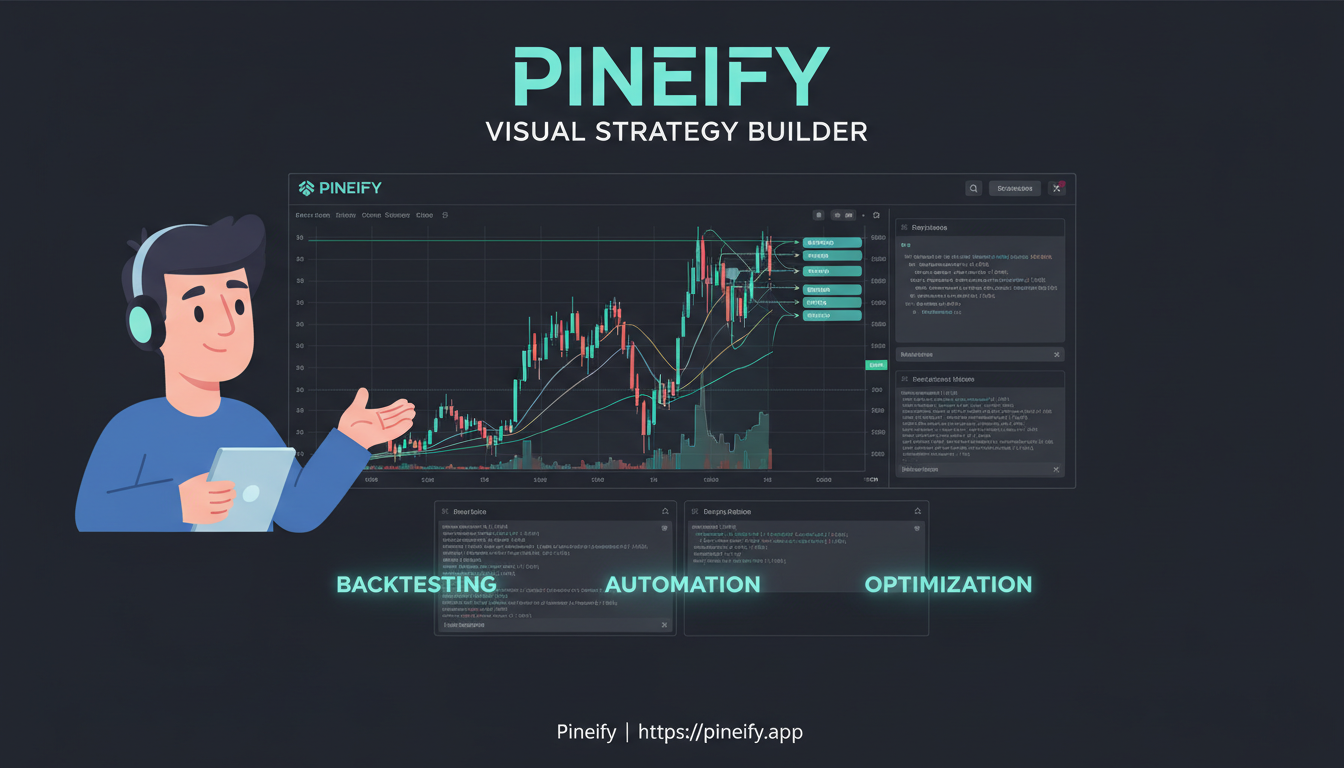
Backtesting software is a tool that simulates your trading strategy against historical market data before you risk real capital. Pineify brings together a visual strategy builder, deep backtest reports, and an AI coding assistant inside TradingView—no Pine Script required. Over 100,000 traders have used it to validate their ideas, and the platform already hosts more than 120,000 indicators and 80,000 strategies you can learn from.
Why You Can't Skip Backtesting
Think of backtesting as a safety check for your trading ideas. Before you commit real money, it lets you see how your strategy would have performed using years of past market data. It's the difference between having a plan and just hoping for the best. Skipping this step is like building a boat without ever checking if it floats—you only find out the hard way.
A solid backtesting tool doesn't just show you hypothetical profits. It helps you look for the right things. When you're comparing options, make sure yours can handle these essentials:
- Deep, accurate historical data for the assets you trade.
- Real-world trade simulation that accounts for fees, spreads, and slippage.
- Meaningful performance stats that go beyond just total profit.
- Guards against over-optimization, so your strategy works in the future, not just the past.
- Flexibility to test across different market environments and timeframes.
Pine Script: Your Go-To Tool for Testing Trading Ideas
If you spend time on TradingView, you've probably seen indicators and strategies with those "Add to Chart" buttons. Almost all of them are built with Pine Script. It's the special language TradingView created so people can build their own tools right on the platform.
Think of it as the native tongue of TradingView. For backtesting—which is just simulating how a set of trading rules would have worked in the past—this is a huge advantage. Why? Because Pine Script talks directly to TradingView's entire history of price data. With a few lines of code, you can test an idea on years of stock, forex, or crypto data without ever downloading a spreadsheet.
The magic for backtesting starts when you use strategy() instead of the usual indicator(). This tells the system, "Hey, I'm not just drawing lines; I want to simulate real trades." You then lay out your rules: "Buy when this condition happens, sell when that happens, and always use this stop-loss." Hit "Add to Chart," and in seconds, you see a performance report with all the wins, losses, and key stats.
Here's a glimpse of what that starting point looks like:
//@version=6
strategy("My Simple Test Strategy", overlay=true)

// Define a basic condition (e.g., price crosses above a moving average)
longCondition = ta.crossover(close, ta.sma(close, 14))

// Enter a trade when the condition is true
if (longCondition)
    strategy.entry("Buy", strategy.long)

// Exit after 10 bars
strategy.close("Buy", qty_percent=100, comment="Time Exit")
The latest version, Pine Script v6, makes this even smoother with a cleaner way of writing things and more helpful built-in tools. It's all about getting from your trading hunch to a tested result as quickly and clearly as possible.
What Makes Pineify the Best Backtesting Software
Pine Script is incredibly powerful, but let's be honest—learning it can feel like climbing a steep hill. Pineify flattens that hill. It takes everything Pine Script can do and wraps it up in a visual, intuitive environment that feels natural to use, with a little AI help along the way. This opens up professional-level backtesting to everyone, whether you're just starting out or you're a seasoned trader. Think of it as the largest collection of ready-to-go trading tools built without code, with over 120,000 indicators and 80,000 strategies already on the platform for you to use or learn from.
Build Strategies Visually, Without Code
The biggest hurdle for most people is the coding itself. Pineify's Visual Editor removes that completely. It's a drag-and-drop canvas where you build your strategy like putting together blocks. You don't need to write any code.
Here's what you can do with it:
- Pick from 235+ built-in technical indicators—all the classics like RSI, MACD, and Bollinger Bands are there.
- Mix and match multiple indicators into one combined script.
- Visually set your rules for entering and exiting trades, using market orders, take-profit levels, stop-losses, and trailing stops.
- Turn any simple indicator into a complete, backtest-ready strategy in just a few minutes.
You can also implement more advanced concepts like Fibonacci retracements with our Pine Script Fibonacci guide.
The best part? It still generates clean, proper Pine Script code in the background. So you get a strategy that runs perfectly on TradingView, without ever having to debug a line of code yourself.
Your AI Partner for Pine Script
Maybe you want to work directly with the code, but you'd love some expert help. That's where Pineify's AI Coding Agent comes in. It's built specifically for Pine Script, which makes a huge difference.
Think of it as having a Pine Script expert on call. Instead of wrestling with a general AI that might get the syntax wrong, this agent truly understands the language. It's trained on the official documentation, so it knows the rules inside out. For example, it knows how to use specific functions, like the plotshape function in Pine Script, to mark your chart with buy and sell signals.
What does that mean for you?
- You can describe your idea in simple English. For example: "Go long when the RSI crosses above 30 and the price is above the 200-day moving average, with a 2% stop loss."
- You'll get accurate, ready-to-backtest Pine Script code back in seconds.
- It catches and fixes its own syntax errors automatically.
- It even remembers your past conversations and preferences, so the help it gives becomes more tailored to your style over time.
It's designed to get you from an idea to working code faster and with more confidence than trying to figure it all out on your own. I prefer relying on the AI agent for Pine Script syntax rather than switching between browser tabs and docs—it shaved about two hours off my first strategy build.
Backtest Deep Report v2.0: A Look Under the Hood
If you've ever wondered what really sets Pineify apart from the basic backtesting you're used to, it's the Backtest Deep Report v2.0. Think of it as taking the simple results from TradingView and turning them into the kind of deep-dive analysis that professional trading teams rely on.
It answers the questions most basic tests leave you with: Was my profit just luck? How would this strategy hold up in a bad stretch? Is it reliably good, or just good on paper?
Here's a quick look at how it stacks up against what TradingView gives you by default:
| Feature | Standard TradingView Tester | Pineify Deep Report v2.0 |
|---|---|---|
| Basic Metrics (Net Profit, Drawdown) | ✅ | ✅ |
| Sharpe / Sortino / SQN Ratios | ❌ | ✅ |
| Rolling Window Analysis | ❌ | ✅ |
| Monte Carlo Stress Testing | ❌ | ✅ |
| Returns Distribution | ❌ | ✅ |
| MFE/MAE Trade Analysis | ❌ | ✅ |
| Monthly/Weekly Heatmaps | ❌ | ✅ |
| One-Click Excel Export (8+ sheets) | ❌ | ✅ |
With over 16 key metrics, the goal is to help you understand not just if a strategy made money, but the quality of those returns. For example, the Rolling Window Analysis shows you how the strategy performed in every single chunk of time within your backtest. It's a fantastic way to spot if a strategy only worked during one specific market phase—helping you guard against overfitting your idea to past data.
I ran a Deep Report on an EMA crossover strategy for NVDA between January 2023 and December 2024—the Monte Carlo simulation showed a 23% chance of a 15% drawdown I would not have caught with TradingView's default tester.
The one-click export to Excel is a huge time-saver, putting all this data into organized sheets so you can dig through it at your own pace. If you want a broader comparison of testing approaches, check out Amibroker vs Pineify for a deeper analysis on report quality.
Strategy Optimizer: Find Your Best Settings, Automatically
One of the most powerful tools here is the Strategy Optimizer. You know how tweaking a strategy can feel like guessing? This feature takes the guesswork out. It automatically runs your strategy through every possible combination of settings you want to test.
Let's say you're working with a moving average crossover. Instead of manually trying a 10/20 period, then a 12/26, then a 50/200, the optimizer does it all at once. You just tell it the range to check (like testing all moving averages from 10 to 50 periods), and it handles the rest.
Here's what it does in plain terms:
- Runs Every Combination: It tests your strategy with each possible mix of your parameters (like RSI levels, stop-loss distances, or indicator lengths) against historical data.
- Works with All Input Types: Whether your setting is a number, a true/false checkbox, a dropdown menu, or even a timeframe, the optimizer can test it.
- Shows You the Winners: It lists all the results in a sortable table, highlighting the combinations that made the most profit or had the best risk/reward ratio. You can quickly filter to see what you care about most.
- Lets You Dive Deeper: You can export the entire result table to a CSV file. This is great for saving your research, sharing it, or analyzing it further in a spreadsheet.
| Feature | What It Means for You |
|---|---|
| Multi-Parameter Grid Search | Tests all your "What if?" scenarios simultaneously, not one at a time. |
| Sortable & Filterable Results | Instantly rank results by net profit, win rate, or any other metric to find the top performers. |
| CSV Export | Take the full dataset out of TradingView for record-keeping, reporting, or deeper analysis. |
Think of it like having a dedicated assistant who backtests thousands of setting variations for you overnight. It brings a systematic, data-driven approach to strategy tuning—right inside TradingView, without needing to code in another program or manage external data. The Pineify Strategy Optimizer guide covers this feature in more detail with step-by-step walkthroughs.
How to Avoid the Most Common Backtesting Traps
It's easy to think of backtesting as a safety net—run the numbers, see a positive result, and you're good to go. But the truth is, even the most powerful software can't fix a flawed approach. The real value isn't just in the tool, but in how you use it. This is why the depth and quality of your backtesting platform matter immensely. A platform like Pineify is built to support this thoughtful process by providing institutional-grade analysis tools that help you avoid these very pitfalls.
Here are the most common backtesting mistakes traders make, and how a thoughtful process (with the right features) helps you steer clear of them.
-
Curve-fitting (Over-Optimizing): This is when a strategy is tweaked so perfectly to past data that it becomes useless for the future. It's like tailoring a suit to fit a mannequin perfectly—it won't fit a real person. The key is to see how a strategy performs across a range of settings, not just the one "magic" number. Tools that highlight performance broadly help you avoid this trap by showing you what's stable across different parameters, not just what's perfect in hindsight. Pineify's Strategy Optimizer extension and Professional Backtest Deep Report are designed for this, turning a simple backtest into a multi-parameter stress test with Monte Carlo simulations to validate stability.
-
Ignoring Real Trading Costs: It's tempting to look at gross returns and feel excited. But in the real world, every trade has a cost—commissions and the slight difference between your order price and the fill price (slippage). A strategy that looks profitable before costs might actually lose money. Always run your tests with realistic cost inputs to see your true net return.
-
Testing on Too Little Data: Markets have good years, bad years, and sideways years. If you only test your strategy on a strong bull market, you have no idea how it will hold up during a downturn. Using extended historical data gives you a chance to see how your strategy behaves across different market environments.
-
Falling for Survivorship Bias: This is a sneaky one. If you only test strategies on today's successful companies (like the current S&P 500), you're ignoring all the companies that failed and dropped out. Your backtest results will look better than reality. Testing your idea across a wide, unbiased universe of symbols, including those that have delisted, gives a much more accurate picture.
-
Skipping Out-of-Sample Validation: This is the ultimate reality check. It means setting aside a chunk of historical data that you do not optimize on. After you build your strategy using earlier data, you test it on this fresh, unseen period. If it falls apart, you know it was probably overfitted. A true validation checks if the strategy learns the market's general patterns, not just memorizes past price movements. This rigorous approach is what separates amateur backtesting from professional-grade analysis.

The right tools don't just run a backtest; they help you interrogate it. Whether you're using Pineify's Visual Editor to build your strategy without code, the AI Coding Agent to generate it from a simple idea, or the Deep Report Analysis to dissect the results, the goal is the same: to move from a hopeful guess to a statistically validated edge. It transforms your workflow from simply looking for a green profit number to understanding the quality and durability of that profit.
I haven't tested Pineify on very short timeframes like 1-minute scalping setups, so I can't vouch for how it handles high-frequency strategies. But for swing trades on daily and 4-hour charts, I've been consistently satisfied.
| Common Pitfall | Why It's a Problem | How to Mitigate It |
|---|---|---|
| Curve-fitting | Creates a strategy that's perfect for the past but fails on new data. | Use tools that show performance across broad parameter ranges, not just single optimized values. |
| Ignoring Costs | Gross profits mask net losses, giving false confidence. | Always input realistic commission and slippage settings in your backtest. |
| Short Testing Window | Fails to capture how a strategy performs in different market cycles. | Use extended historical data (like Deep Backtesting) to stress-test across years. |
| Survivorship Bias | Makes a strategy look stronger by only including instruments that "survived." | Test across a broad, multi-symbol universe that isn't filtered by today's success. |
| No Out-of-Sample Check | There's no proof the strategy works beyond the data it was built on. | Reserve a period of historical data for final validation after all optimization is done. |
Pineify Pricing: Pay Once, Use Forever
If you're tired of subscription fees adding up every month, Pineify works differently. You make a single payment and get access for life. It's like buying a tool outright instead of endlessly renting it.
Here's a simple breakdown of what each plan includes:
| Plan | One-Time Price | What You Get |
|---|---|---|
| Plus | $99 | Unlimited indicators & strategies, 235+ built-in indicators, the AI Coding Agent, and 500 AI credits per month. |
| Advanced | $149 | Everything in Plus, plus the Strategy Optimizer, Backtest Deep Reports, a Trading Journal, and 1,000 AI credits per month. |
| Expert | $259 | Everything in Advanced, plus the AI Stock Picker and 2,500 AI credits per month. |
Every plan comes with all future updates at no extra cost. And you can use it all with a free TradingView account—no need for an expensive TradingView subscription.
I prefer the Advanced plan personally—the Deep Report alone was worth the extra $50 for my work on SPY options strategies. That said, if you're mainly building indicators rather than full strategies, the Plus plan probably covers everything you need.
Your Pineify Questions, Answered
Thinking about trying Pineify for your TradingView strategy backtesting, but have a few questions first? You're not alone. Here are answers to the most common ones.
Q: Do I need to know Pine Script to use Pineify? Not at all. Think of Pineify's Visual Editor like building with blocks. You visually set your trading rules (like "buy when the RSI is under 30"), and Pineify automatically writes the clean, correct Pine Script code in the background. You get a working strategy without ever touching a line of code.
Q: Can I import my existing Pine Script strategies into Pineify? Absolutely. If you already have a script—maybe an indicator or a half-finished strategy—you can paste it right into Pineify. The Visual Editor will read it in, letting you tweak the logic, add risk management rules, or fix errors visually. It's a great way to breathe new life into old code.
Q: Is Pineify better than coding Pine Script manually? "Better" depends on your goal. If you're a seasoned coder who loves writing everything from scratch, you might prefer direct control. For most people, especially if you're not a programmer, Pineify is dramatically faster. You can test ideas in minutes instead of hours. Plus, its built-in assistant is specifically trained on Pine Script, so it's more accurate for coding help than general AI tools and can even fix errors for you.
Q: Does Pineify support crypto, forex, and stock backtesting? Yes, it supports them all. Because Pineify creates native Pine Script code that runs directly in TradingView, it works with any market TradingView supports. This includes cryptocurrencies, forex pairs, stocks, indices, and commodities.
Q: What makes the Backtest Deep Report better than TradingView's built-in results? TradingView's Strategy Tester gives you the basics: net profit, win rate, etc. It's a good start. Pineify's Deep Report is designed for the next level. It answers tougher questions like:
- "Is my strategy's performance stable over time, or was it just lucky in one bull market?" (Rolling Window Analysis)
- "How risky are my returns?" (Sharpe and Sortino Ratios)
- "What's the range of possible outcomes if I run this strategy again?" (Monte Carlo Simulation)
- "Which specific conditions are most profitable?" (Performance Heatmaps)
These are the kinds of metrics professional traders use to evaluate stability, giving you a much deeper understanding than basic profit/loss.
Q: Is the one-time payment model really lifetime access? Yes, it is. You pay once for your chosen plan, and that's it. You own access to all the core features in that plan forever. This includes free updates to Pineify itself and monthly refreshes of credits for using the AI features. There are no hidden subscription fees.
Ready to start backtesting?
If you're looking to see whether your trading idea actually holds up, here's a straightforward path:
- Head over to pineify.app and sign up for a free account. You can poke around the Visual Editor right away.
- Try creating your first trading strategy using the drag-and-drop builder. It comes with over 235 built-in indicators, so you can experiment without writing a single line of code.
- Run your initial backtest on TradingView. Pineify generates the Pine Script code for you; just pop it into TradingView's Strategy Tester to see how your idea performed in the past.
- If you like what you see, upgrade to Advanced. This adds the Backtest Deep Report and the Strategy Optimizer, which are tools that help you analyze your strategy on a much deeper level.
- You'll be in good company. You're joining a community of over 100,000 traders who use Pineify to build, test, and refine their strategies more efficiently.
No matter where you're starting from—just learning about moving averages or developing complex, multi-layered strategies—Pineify gives you a full set of tools to backtest with Pine Script. Get started today at pineify.app.
What is backtesting software and why do traders use it?
Backtesting software lets you simulate a trading strategy against historical market data before risking real money. It reveals how your rules would have performed in past conditions, helping you identify weaknesses, measure risk-adjusted returns, and build confidence before going live.
How does Pineify's visual strategy builder work?
Pineify's Visual Editor is a drag-and-drop canvas. You choose from 235+ built-in indicators, set entry and exit conditions using point-and-click controls, and Pineify automatically generates valid Pine Script code in the background. No coding required at any step.
What metrics does the Backtest Deep Report include?
The Deep Report v2.0 includes over 16 metrics beyond basic profit and loss: Sharpe ratio, Sortino ratio, SQN, rolling window analysis, Monte Carlo stress testing, returns distribution, MFE/MAE trade analysis, monthly and weekly performance heatmaps, and one-click Excel export across 8+ sheets.
How does the Strategy Optimizer prevent curve-fitting?
The Strategy Optimizer runs a multi-parameter grid search across all the ranges you define — for example, every RSI length from 10 to 50 — and displays all results in a sortable table. By reviewing performance across many parameter combinations rather than a single optimized value, you can identify which settings are genuinely stable versus only good in hindsight.
Can the AI Coding Agent write accurate Pine Script from plain English?
Yes. The AI Coding Agent is trained specifically on Pine Script documentation and syntax rules. You describe your idea in plain English — such as going long when RSI crosses above 30 with the price above the 200-day moving average — and it returns working, ready-to-backtest Pine Script code. It also detects and auto-corrects syntax errors.
Does Pineify work for backtesting crypto, forex, and stocks?
Yes. Because Pineify generates native Pine Script that runs inside TradingView, it supports every market TradingView covers: cryptocurrencies, forex pairs, equities, indices, and commodities. No additional data subscriptions are required for the instruments TradingView already provides.
What is the difference between the Plus, Advanced, and Expert plans?
Plus ($99 one-time) gives unlimited indicators and strategies plus the AI Coding Agent. Advanced ($149) adds the Strategy Optimizer, Backtest Deep Reports, and a Trading Journal. Expert ($259) adds the AI Stock Picker and 2,500 monthly AI credits. All plans include lifetime access and free future updates.