Linear Regression Candles: TradingView Settings and Testable Rules

Linear Regression Candles replace the displayed open, high, low, and close with values fitted over a rolling window. The resulting candles can help you inspect changes in a fitted price series, but they are calculated values rather than prices available for execution. A trading rule must distinguish the transformed chart from the actual market prices used for orders.
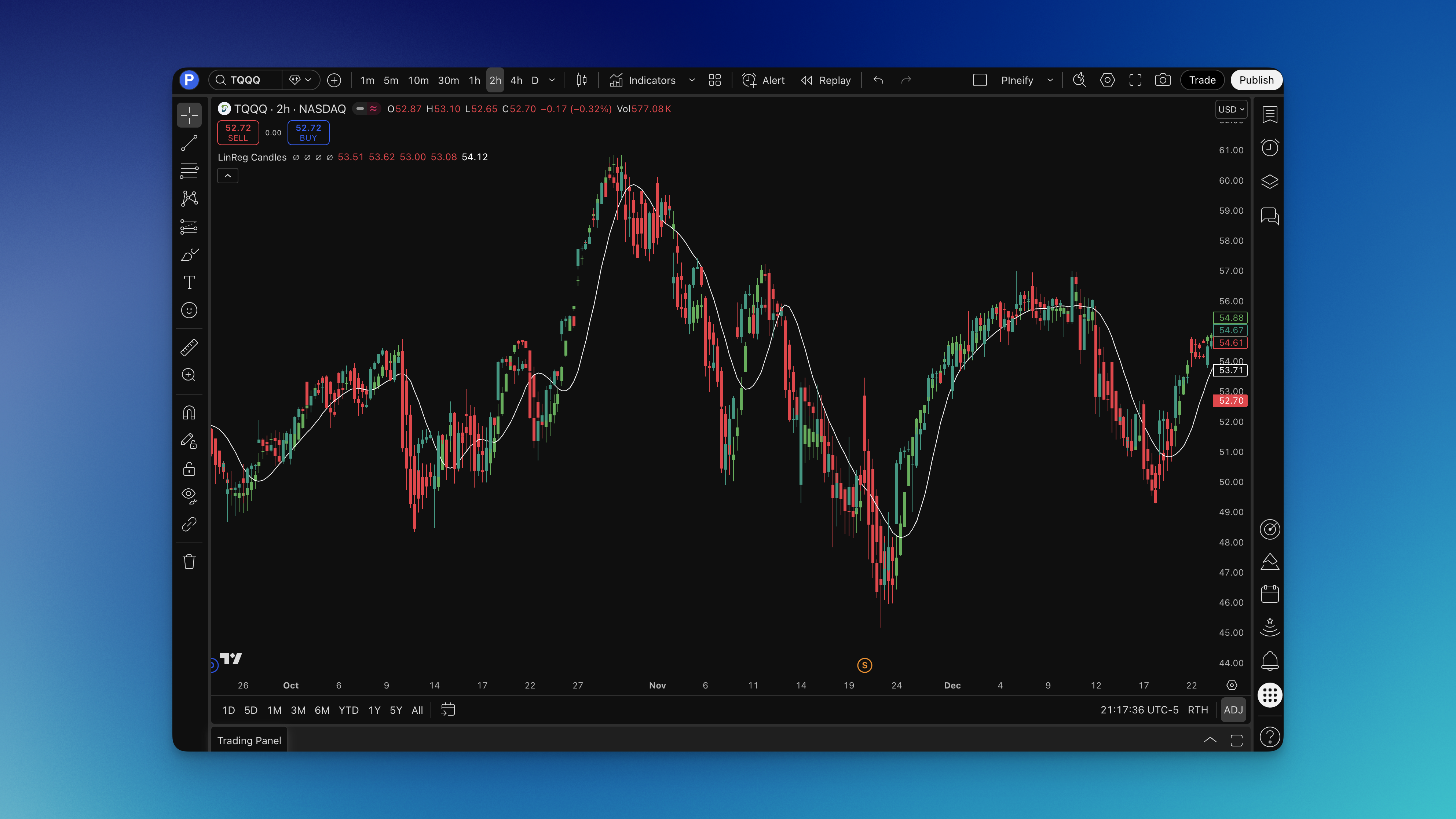
What Is the Linear Regression Candles Indicator?
Pineify's implementation applies TradingView's linear regression calculation separately to open, high, low, and close, using the selected length and an offset of zero. Each output represents the fitted line's endpoint for its own recent series. It does not project a future candle or guarantee that price will continue in the fitted direction.
The component also calculates a signal line from the transformed close. You can choose an SMA or EMA for that line. Its internal candle-direction condition is bullish when the transformed open is below the transformed close. This is a different question from whether the actual close rose compared with the previous bar.
| Element | Pineify calculation | How to interpret it |
|---|---|---|
| Regression candles | Separate rolling fits of OHLC | A derived view of recent price behavior |
| Internal bullish candle state | Transformed open below transformed close | Candle body direction, not a buy order |
| Signal line | SMA or EMA of transformed close | A reference for that derived close |
| Linear regression disabled | Original OHLC used instead | A useful comparison configuration |
TradingView's bar-plotting documentation explains how scripts can draw custom candles. A drawn candle is a visualization of the supplied series. Its presence on a chart does not make those values executable market prices.
How to Add Linear Regression Candles to TradingView
- Find Linear Regression Candles in Pineify's indicator selection workflow.
- Set the regression and signal lengths, select SMA or EMA, and record whether linear regression is enabled.
- Generate the indicator script and open it in TradingView's Pine Editor.
- Check compilation and add it to a standard price chart. Keep the underlying market candles available for comparison.
- Inspect a few bars: compare raw OHLC, transformed candle direction, and the signal-line relationship before defining conditions.
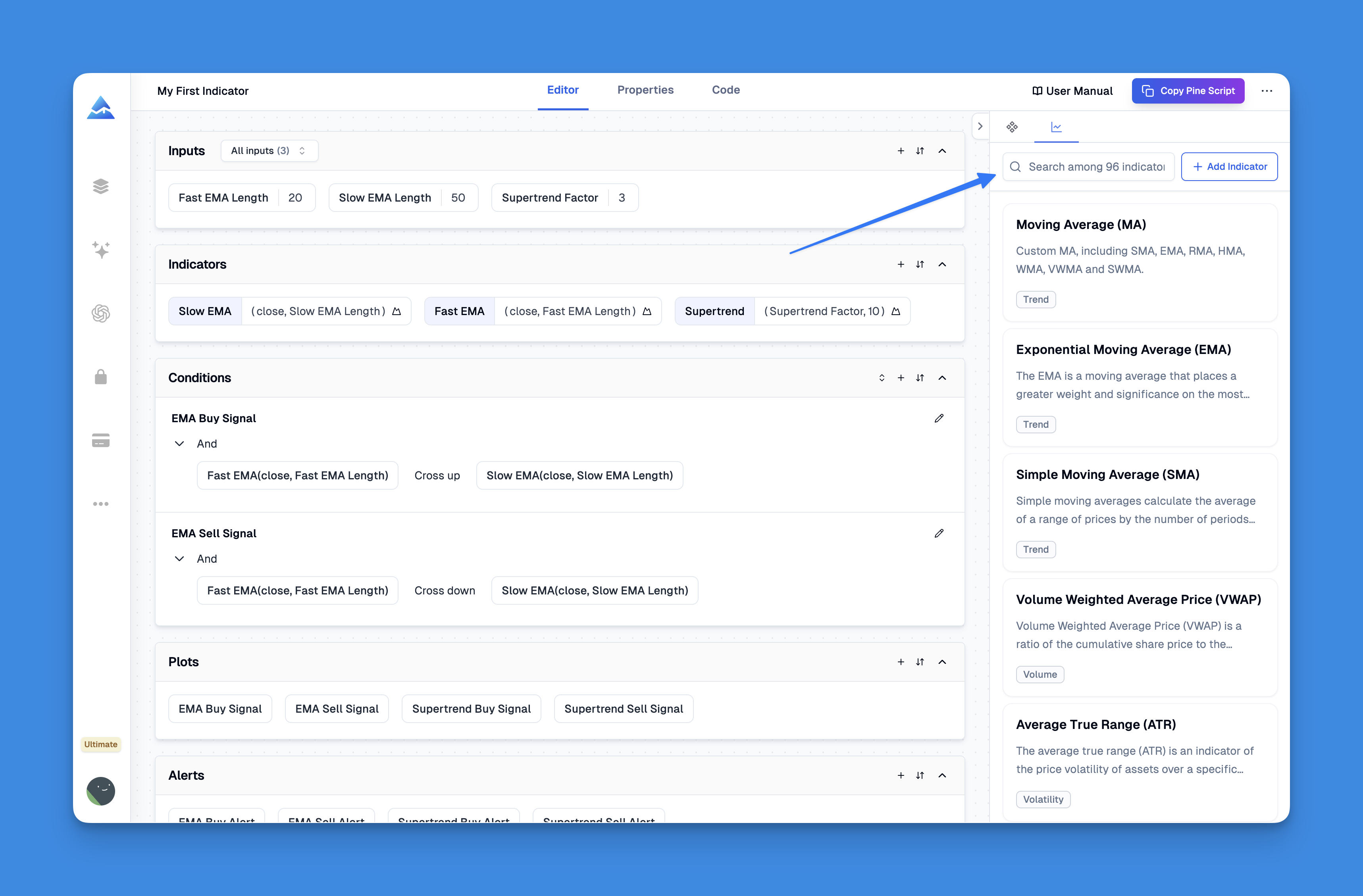
Pineify exposes separate bullish and bearish OHLC series plus the signal line. The inactive side contains na; the internal bullish Boolean is not exposed as a separate output. A rule using one continuous transformed-close series needs to combine the two close outputs explicitly. Check that the rule you want is expressible with the available controls or implement it in editable source. Adding the indicator does not automatically create a tested trading strategy.

How to Use Linear Regression Candles
These four ideas are research specifications. They have no reported success rate here. Keep sizing, transaction costs, and exit assumptions consistent when comparing them, and use actual prices for modeled fills.
Strategy 1: Signal Line Crossover Trades
For a long-only baseline, require the transformed close to cross above the signal line on a completed bar. Enter at the next bar's modeled open and exit following a completed crossing below. Allow one position at a time.
Specify a protective stop separately if the test uses one. Count only crossing events rather than entering repeatedly while the close remains above the signal. Review sideways periods, when alternating crossings can generate frequent trades and costs.
Strategy 2: Trend Continuation Pullbacks
Define the trend using an actual-price reference, such as close above a 200-period EMA. Define a pullback as at least one completed transformed close at or below its signal line. A subsequent crossing above the signal becomes the candidate entry event while the trend condition still holds.
Compare this filtered variant with the crossover baseline using identical exits. The chosen EMA length is an experiment parameter. It does not establish that the filter improves returns, and it may exclude profitable reversals as well as losing trades.
Strategy 3: Color Flip Momentum
Define the event as the internal bullish condition changing from false to true. In custom source, derive this from transformed open and close; the current component does not expose a standalone Boolean output. This captures a transformed candle-body change; it is not the same as a signal-line crossing. Require a completed bar and specify whether a later false state exits the position.
The internal implementation uses a strict comparison between transformed open and close. An equal open and close does not satisfy the bullish condition. Record this boundary when translating a visual interpretation into a test.
Strategy 4: Divergence with Raw Price
A potential divergence compares actual-price pivots with the transformed close at those same bars. Define the pivots first—for example, two completed bars on each side of a candidate low—and look for a lower actual-price low with a higher transformed-close reading.
Such a pivot becomes known only after its right-side confirmation bars. Choose a later entry trigger and an expiry time. Because the transformed series comes from the same price history, this disagreement is not independent evidence of a reversal. Do not backdate entries to a pivot merely because its marker is drawn there.
Linear Regression Candles Settings
The Pineify defaults are regression length 11, signal length 11, SMA signal enabled, and linear regression enabled. Defaults provide a reproducible baseline; they are not a recommendation for every market.
| Research question | Controlled comparison | Keep fixed |
|---|---|---|
| Effect of regression length | Compare 7, 11, and 20 | Signal length 11 and signal type |
| Effect of signal smoothing | Compare signal lengths 5, 11, and 20 | Regression length 11 |
| Effect of signal type | SMA versus EMA at the same length | Entry and exit rules |
| Effect of transformed candles | Regression on versus off | All other assumptions |
These values are illustrative candidates, not optimized settings. Larger windows change both responsiveness and the observations included in each fit. A regression estimate need not move like a moving average or remain within the current bar's actual price range.
Scalping: 1–5 Minute Charts
Study spread, commission, and fill assumptions before selecting a shorter lookback. A small price target can be consumed by costs. Check session boundaries and whether the data resolution can support the intended stop and entry behavior.
Day Trading: 15–60 Minute Charts
Specify eligible trading hours and whether positions close at the session end. A length measured in bars covers different clock time across these intervals. Compare parameter candidates within the same timeframe before attributing a result to smoothing.
Swing Trading: 4-Hour and Daily Charts
Model gaps and overnight exposure. A stop based on actual prices may fill beyond its trigger after a gap. Avoid choosing a long lookback solely because it makes historical candles look cleaner.
Position Trading: Weekly Charts
Check how many completed trades remain after warm-up. Long windows and weekly data can leave too few independent observations for a useful comparison. Show the trade count and evaluation dates rather than presenting a percentage without its sample size.
Advanced Linear Regression Candles Techniques
Multi-Timeframe Confirmation
Define exactly which higher-timeframe value is allowed at the lower-timeframe decision point. An unfinished higher-timeframe candle can change. TradingView's repainting documentation describes the historical/realtime differences that must be addressed when requesting other-timeframe data.
A separate higher-timeframe chart is useful for inspection, but a strategy needs an explicit data-request and confirmation rule to reproduce that observation. Do not assume visual agreement proves that a historical implementation used available information.
Combining with Volume Analysis
Use an exact condition, such as actual bar volume above its previous 20-bar average, and verify what the symbol's volume field represents. Compare results with and without that filter while preserving the same exits. Some instruments provide tick volume or no useful volume series.
Using with Support and Resistance
Define levels from actual price data and record when they become known. A transformed low is not an executable stop or evidence that the market traded at that value. If a price level determines invalidation, use its actual-price definition consistently in sizing and orders.
Comparison Mode
Disable linear regression while holding the signal settings constant. The component then uses raw OHLC and a signal calculated from raw close. This isolates one part of the transformation. It does not prove that either display is universally better; compare the resulting signals and trades under the same rules.
How to Backtest Linear Regression Candles
Write down the indicator settings, signal predicate, confirmation time, entry timing, exits, position sizing, and costs before testing. Use standard chart prices for fills and retain the transformed series only where the signal specification calls for it.
TradingView's strategy documentation explains broker-emulator assumptions and order timing. An indicator drawing candles does not itself produce a Strategy Tester result. A strategy must implement orders and its report must be checked against the intended sequence.
Inspect trades around crossings, gaps, and same-bar stop/target touches. Save the rule version and report net return, maximum drawdown, trade count, average win and loss, and exposure. Reserve later data for evaluation before selecting parameters. These steps make a claim auditable; no win rate or return is established by the illustrations here.
FAQs
Do Linear Regression Candles predict the next candle?
No. Pineify calculates fitted endpoints from recent OHLC series with an offset of zero. They are derived current-bar values, not a forecast of future market prices.
What are the default settings?
Regression length and signal length are both 11. Linear regression and an SMA signal are enabled by default. These defaults are a baseline, not proven optimal settings.
Can I place a stop at a regression candle's low?
You can define a numerical rule, but the transformed low is not necessarily a price traded by the market. Explain the rule explicitly and model execution using actual prices, gaps, and available order behavior.
Does the indicator repaint?
Current-bar inputs can change before the bar closes. The regression calculation does not by itself establish that an entire strategy or a higher-timeframe filter is free of repainting. Verify the exact script and confirmation rules.
Is it better than ordinary candles?
It provides a different representation of price history. Evaluate a defined trading rule against a raw-price baseline with the same costs and exits; visual smoothness is not a performance result.