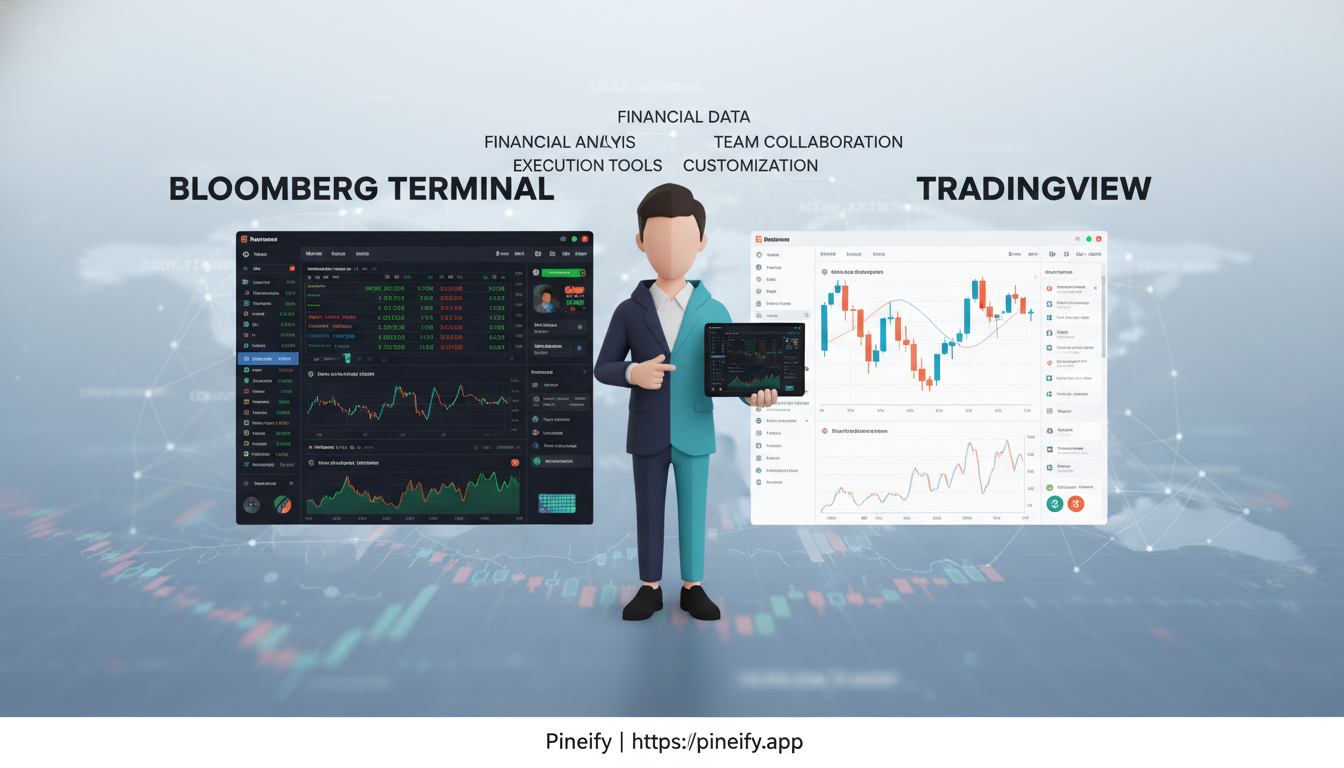
Bloomberg Terminal vs TradingView: 2025 Comparison for Traders, Analysts, and Teams
Deciding between Bloomberg Terminal and TradingView is a bit like choosing between a professional racing car and a high-performance, customizable sports car. It really comes down to what you need for your specific journey in the markets.
One is built for the high-stakes, fast-paced world of institutional finance, while the other is designed for the modern, independent trader who values flexibility and community.
Bloomberg Terminal is the undisputed champion on professional trading desks. It's your all-in-one portal to the global financial ecosystem, offering an unmatched breadth of real-time data, deep analytics, and breaking news across every asset class you can think of. This power and depth come with a steep price tag and a learning curve, making it a tool for institutions and serious professionals.
TradingView, on the other hand, has revolutionized charting for everyone else. It's beloved by retail traders, those learning quantitative analysis, and agile teams that need powerful, intuitive tools without a massive budget. It excels with its highly customizable charts, a massive library of community-built indicators and strategies, and smart screeners and alerts, all accessible through a free plan.
Here's a quick side-by-side look to help you visualize the core differences:
| Feature | Bloomberg Terminal | TradingView |
|---|---|---|
| Primary Audience | Institutional professionals, large funds, corporations | Retail traders, quant learners, agile teams |
| Cost | Premium (annual subscription can exceed $20,000 per user) | Accessible (Free to $60/month for Pro+ plan) |
| Strengths | Unmatched real-time data, analytics, news, and integrated execution | Modern, flexible charting, community scripts, and collaboration tools |
| Best For | Breaking news, institutional-grade analytics, deep market depth | Strategy development, technical analysis, and visual backtesting |
In short, if your day revolves around digesting every piece of market-moving information and you need institutional-level tools, Bloomberg is the industry standard. But if your focus is on crafting and testing trading strategies with excellent charts and community insights, TradingView offers incredible power at a fraction of the cost.
Who should choose which
It really comes down to what kind of work you do every day and how you prefer to get it done.
If your job involves managing large institutional portfolios, deep financial analysis, or executing trades for clients, you'll probably find that Bloomberg fits your world. It's built for people who need elite news feeds, comprehensive economic data, deep market liquidity views, and powerful analytics all in one place. Think of it as a centralized command center for critical financial decisions. Everything you need is integrated, which is a huge advantage when you can't afford to waste time jumping between different tools.
On the other hand, if you're an individual retail trader, a swing trader, or someone who lives and breathes charting for markets like crypto and forex, TradingView is likely your natural home. It's beloved for its incredibly flexible and customizable layouts, a massive library of over 400 built-in indicators, and a community-driven repository of more than 100,000 scripts and strategies. The ability to effortlessly share chart setups, ideas, and custom templates with a community or a team is a game-changer for collaborative analysis and learning.
| If you are... | You'll likely prefer... | Because it excels at... |
|---|---|---|
| Institutional Portfolio Managers, Analysts, Sales Traders | Bloomberg | Centralizing elite news, economic data, market depth, and integrated analytics into one powerful, decision-support platform. |
| Retail Traders, Swing Traders, Crypto/FX Chartists, Collaborative Teams | TradingView | Offering flexible layouts, a massive library of indicators & scripts, and frictionless sharing of ideas and templates within a community. |
Pricing and Value: A Look at the Investment
When it comes to cost, it's helpful to think of these two platforms as serving completely different needs and budgets.
The Bloomberg Terminal is a premium professional tool. Its pricing reflects the immense depth of data, news, and analytical power it provides to large institutions like investment banks and hedge funds. We're talking about a cost that runs into the tens of thousands of dollars per year per user, which is standard for this level of professional finance software.
TradingView, on the other hand, is built to be accessible. It offers a free plan to get you started, and its paid plans are structured on a monthly or annual subscription that is much more manageable for individual traders and small teams. This makes it incredibly easy to test drive the platform and only scale up your costs as your needs grow.
In short: One is a comprehensive system for institutional budgets; the other is an affordable, scalable toolkit for everyone else.
Data Coverage and News: Choosing the Right Tool for the Job
When you're looking at data platforms, it really comes down to what kind of work you do and the markets you need to watch. Here's how Bloomberg and TradingView stack up in terms of the data and news they provide.
Think of Bloomberg as the central hub for the world's biggest financial institutions. It's built to cover practically everything a professional desk trader might need:
- Markets: Fixed income, foreign exchange (FX), equities, commodities, and derivatives.
- Key Features: Real-time news flows directly alongside the data, paired with deep analytical tools.
It's the kind of system that a bond trader at a major bank or a portfolio manager at a large fund relies on every single minute the market is open. The depth is incredible, but it's designed for that high-stakes, institutional environment.
On the other hand, TradingView has become a favorite for a huge range of individual traders. Its coverage is strong in the areas that matter most to retail strategies:
- Markets: Equities, ETFs, forex, and a significant focus on cryptocurrency.
- Key Features: Powerful, real-time screeners to find opportunities, combined with a massive community where users share ideas and analysis.
For many people building their own discretionary or systematic trading strategies, the data and tools on TradingView are more than sufficient. It gives you what you need without the overwhelming complexity (and cost) of a professional terminal.
| Platform | Ideal For | Core Market Coverage | Key Differentiators |
|---|---|---|---|
| Bloomberg | Institutional Desks, Professional Fund Managers | Fixed Income, FX, Equities, Commodities, Derivatives | Integrated real-time news & analytics for institutional-grade decision making. |
| TradingView | Retail Traders, Individual Investors | Equities, ETFs, Forex, Cryptocurrency | Robust screeners and community-powered insights in an accessible platform. |
Charting and Analytics: Finding the Right Tool for You
When it comes to analyzing the markets, the tools you use can make a big difference. It's less about one platform being "better" and more about which one fits your specific style and needs. Let's break down the approaches of TradingView and Bloomberg.
Think of TradingView as your incredibly versatile, all-access pass to technical analysis. It's built for deep exploration. You can have up to 16 charts open and synchronized in a single layout, which is fantastic for comparing different assets or timeframes at a glance. For traders who want to maximize TradingView's potential without coding, tools like Pineify make it incredibly easy to create custom indicators and strategies through a visual editor or AI assistance.

Here's a quick look at what it offers:
| Feature | Description |
|---|---|
| Indicators | Access to over 400 built-in indicators and a massive library of 100,000+ community-created scripts. |
| Drawing Tools | More than 110 tools to map out trends, patterns, and key levels on your charts. |
| Automation | Set server-side alerts that won't disappear if you close your browser, with webhook support to connect to other apps and automate your workflows. |
On the other hand, Bloomberg provides a different kind of power. Its strength isn't just in charting but in weaving together deep analytics, portfolio management, and decision-support functions into a single, integrated workflow. This is the kind of institutional-grade toolkit used by professional fund managers and analysts who need to see the whole picture across all asset classes, from bonds and equities to derivatives.
In short, if your primary focus is on technical analysis, charting flexibility, and a vibrant community of ideas, one platform is incredibly compelling. If your needs extend into holistic portfolio analysis, deep fundamental data, and enterprise-level workflow integration, then Bloomberg's comprehensive environment is designed for that world.
Order Routing and Execution: Finding the Right Fit
When it comes to actually placing trades, the tools you use can be as different as a scalpel and a Swiss Army knife—both are useful, but for very different jobs.
Think of it this way:
-
Bloomberg Terminal is built for the professional trading floors of big institutions. It's designed to slot directly into the complex, established systems that large funds and banks already use for managing and executing huge orders. It's the integrated, professional-grade toolkit for the "big leagues."
-
TradingView, on the other hand, is crafted for the individual trader. It excels at giving you powerful tools right at your fingertips, like advanced order types to fine-tune your entry and exit points, and smart routing to help get you the best possible price. Features like paper trading (practicing with fake money) and backtesting (seeing how a strategy would have worked in the past) make it a fantastic all-in-one platform for learning and executing your own strategies. If you're looking to streamline your trading experience with broker integration, TradingView offers comprehensive solutions that connect directly with popular platforms.
Here's a quick breakdown to make it clear:
| Feature | Bloomberg | TradingView |
|---|---|---|
| Primary Audience | Institutional & Professional Traders | Retail to Semi-Pro Traders |
| Workflow Integration | Deep integration with professional order management systems | Self-contained platform with a focus on charting and analysis |
| Key Strengths | Professional workflows, institutional tooling | Advanced order types, smart routing, paper trading, backtesting |
Ultimately, your choice depends entirely on your needs. Are you operating within a large firm's strict workflow? Or are you building and executing your own strategies from a single, powerful platform?
Usability and learning curve
When people talk about using Bloomberg, the speed and the sheer amount of data are always the first things that come up. It's incredibly powerful. But, there's a common theme that follows: it has a steep learning curve. The way things are laid out and how you navigate can feel a bit dated, especially if you're used to the clean, intuitive design of modern websites and apps. Getting the most out of it takes a real investment of time and patience.
This is where TradingView really stands out. People love how easy it is to pick up and start using. The interface is clean and uncluttered, which makes diving into sophisticated charting and analysis feel surprisingly straightforward. It also has great community and sharing features, letting you see what others are tracking. Essentially, it makes powerful technical analysis and comparing different assets much more accessible to everyone.
Community, collaboration, and learning
What really makes TradingView stand out isn't just the charts—it's the people. The shared ideas, custom scripts, active forums, and educational content create a space where you can discover new strategies, get feedback, and see how other traders think.
It's like having a constant, open conversation with peers who are figuring things out just like you. This collaborative environment is a powerful way to learn and improve your skills much faster than going it alone.
In fact, this sense of community is a big reason why so many traders—from individuals to professional analysts—make TradingView their go-to platform, even if they have access to other, more "professional" tools at work. It's where the real conversation happens.
Which Platform is Right for You? A Straightforward Comparison
Trying to decide between a Bloomberg Terminal and TradingView is a bit like comparing a full-scale industrial kitchen to a top-of-the-line home chef's setup. Both are incredibly powerful, but they're designed for completely different users and purposes.
Here's a simple breakdown to help you see the core differences at a glance.
| Category | Bloomberg Terminal | TradingView |
|---|---|---|
| Pricing | Enterprise-grade pricing aligned with institutional desks | Starts at $13.99/month when billed yearly, with trials and a free entry point |
| Data coverage | Broad asset coverage with real-time market data and analytics across fixed income, FX, equities, commodities, and derivatives | Multi-asset coverage with equity, ETF, forex, and crypto screeners, plus community insights |
| News | Premium, integrated real-time news and market-moving intelligence for professionals | Social and community signals with platform-driven updates, but not a professional newswire |
| Charting | Professional analytics and charting within a broader terminal workflow | Up to 16 charts per layout, 400+ indicators, 110+ tools, and 100,000+ scripts |
| Alerts | Professional alerting tied into terminal workflows | Server-side alerts with 13 conditions, drawing-tool triggers, and webhook integrations |
| Screeners | Institutional tools and monitors tailored to pro workflows | Equity, ETF, forex, and crypto screeners with auto-refresh and export options |
| Execution | Institutional trading workflows and integrations | Advanced order types, smart/direct routing categories, paper trading, and backtesting |
| Ease of use | Powerful but with a steep learning curve and older UI paradigms | Modern, browser-based UI with social features and easy onboarding |
So, what does this mean for you?
If you're working at a bank, a major hedge fund, or another large institution where you need every possible piece of data and news integrated into a single, powerful workflow, the Bloomberg Terminal is the industry standard. The cost reflects that, and it's built for that environment.
On the other hand, if you're an individual trader, a passionate market enthusiast, or just getting started, TradingView is almost certainly the better fit. It gives you a massive amount of power and flexibility in a clean, modern interface you can use from any web browser—all at a price that makes sense for a person, not a giant corporation.
When Bloomberg wins
So, when does Bloomberg really become the go-to platform? It's not for everyone, but in a few key situations, it's pretty much unbeatable.
For large, fast-moving trading teams: Imagine a busy trading desk where every second counts. They don't have time to switch between a dozen different apps and data sources. They choose Bloomberg because it bundles everything they need—deep research, real-time data, powerful analytics, and trade execution—into one incredibly reliable system. It's built for scale, so when you have a large team that all needs access to the same tools simultaneously, Bloomberg just works.
For analysts and portfolio managers making time-sensitive calls: If your job depends on getting premium news and complex economic data the instant it's available, Bloomberg's breadth and speed are a huge advantage. Whether you're making an intraday trade or a long-term macro decision, you can trust that the information you're seeing is comprehensive and delivered fast enough to act on it.
| User Profile | Primary Need | How Bloomberg Meets It |
|---|---|---|
| Trading Desks | A single, unified system for data, research, and execution. | Provides an integrated, high-availability platform that scales across large teams. |
| Analysts & Portfolio Managers | Real-time, high-quality news and data to inform critical decisions. | Delivers unmatched breadth of premium content and speed of delivery. |
Why TradingView Might Be Your Perfect Fit
TradingView really shines when it comes to empowering individual traders and learners. If you're building your skills or managing your own portfolio, it feels like it was built just for you.
For the Independent Trader & Learner:
Imagine having a workspace that bends to your will. You can set up charts exactly how you think, test a huge library of indicators to see what clicks for you, and set incredibly specific alerts that watch the markets so you don't have to. All of this sits at a price point that doesn't make your wallet wince. It's a genuinely productive space to find your edge.
For Teams That Thrive on Collaboration:
If you work with others, TradingView turns into your team's digital command center. It's not just about looking at charts in isolation. You can quickly share ideas, discuss strategies right on the chart, and build on each other's work using scripts and overlays. This shared environment cuts down on confusion and speeds up your entire process from a question to an insight.
Workflow tips for teams
A common setup we see is teams using one platform for their official, institutional data and news, and then using TradingView for pretty much everything else. It's like having a powerful research library and a lightning-fast, collaborative workspace all in one.
This combination becomes especially powerful for teams that aren't all in the same office. When you're spread across different cities or time zones, TradingView's speed for charting and its easy idea-sharing features keep everyone on the same page. You can quickly mark up a chart, leave a note, and your colleague on the other side of the world can pick it up when their day starts.
Even in the most formal institutional environments, teams are finding clever uses for TradingView's automation tools. For instance, the server-side alerts are a game-changer. Unlike an alert that only goes off if your laptop is on, these run directly on TradingView's servers. You can pair them with webhook integrations to quietly monitor for specific conditions or manage risk, creating a simple but effective safety net alongside your other, more complex systems. It's a way to add a little automation without a big, complicated IT project. For those looking to take automation further, exploring Pine Script webhook automation can unlock powerful automated trading workflows.
Which Platform is the Right Fit for You?
Choosing between these two powerful platforms really comes down to your specific situation. It's less about which one is "better" and more about which one is better for you. Here's a simple way to think about it.
Getting Your Money's Worth
Let's be real, budget matters. Bloomberg is built for large institutions with deep pockets. TradingView, on the other hand, is designed to be accessible, offering incredible charting power for individual traders and small teams without the eye-watering price tag.
What Do You Actually Trade?
Your focus is everything.
- If your world revolves around fixed income, complex forex, or derivatives and you need institutional-grade data depth, Bloomberg is the industry standard. It's in a league of its own here.
- If you're primarily trading stocks, crypto, futures, or CFDs, TradingView's coverage is more than enough for most traders and is presented in a much clearer, more intuitive way.
How Steep is the Learning Curve?
Think about how quickly you need to get up and running. TradingView is famously user-friendly. You can start analyzing charts effectively almost immediately. The huge library of community-built indicators and scripts, plus built-in educational resources, means you're never starting from scratch. Bloomberg is a powerhouse, but mastering its vast system takes significant time and training.
Setting Up Your Alerts and Automations
For keeping an eye on the markets without being glued to your screen, TradingView simplifies the process. Its server-side alerts and webhook integrations mean you can monitor your strategies and connect to other apps automatically. This is a game-changer for solo traders or small teams who need to stay efficient. While Bloomberg is incredibly powerful, setting up similar automations often requires a more technical, institutional approach.
| Consideration | Why It Matters |
|---|---|
| Your Budget | Bloomberg is for institutional budgets; TradingView is built for individuals and small teams. |
| Your Assets | Bloomberg dominates fixed income, FX, and derivatives. TradingView excels in stocks, crypto, and futures. |
| Ease of Use | TradingView's intuitive design and community tools help you get proficient fast. |
| Automation | TradingView's server-side alerts and webhooks are built for lean, automated workflows. |
Which platform fits your trading style?
Choosing between Bloomberg and TradingView isn't about finding the "best" one, but the right one for your specific needs. The tool that makes sense for a professional at a large bank can be overkill for someone managing their own portfolio.
Here's a breakdown of how they fit into different real-world trading situations.
| Trading Scenario | Recommended Setup | Why This Combo Works |
|---|---|---|
| Enterprise / Institutional Desk | Bloomberg as the primary terminal for data, news, and analytics, optionally supplemented by TradingView for fast visual overlays and public script ideas. | On a professional trading desk, speed and reliability of data are non-negotiable. Bloomberg is the industry standard here. However, a trader might have TradingView open on a second screen for a quick, visual gut-check or to browse community-generated trading ideas. |
| Proprietary or Active Retail Trading | TradingView for multi-timeframe charting, screeners, and alerts, with paper trading and backtesting to iterate strategies before going live. | This style requires rapid iteration and testing. TradingView's strength is in its all-in-one toolkit for developing a strategy—you can chart, backtest it against historical data, and practice with a paper account, all without switching between multiple expensive subscriptions. |
| Trading Multiple Asset Classes | TradingView for equities, ETFs, FX, and crypto screenings plus server-side alerts, especially if you want to automate signals via webhooks. | If you're tracking stocks, currencies, and crypto all at once, you need a unified platform. TradingView lets you set up watchlists and screeners across all these markets from one place. Its server-side alerts are crucial because they'll notify you even when your computer is off, and the webhook feature can trigger actions in other apps you use. |
The Final Take
So, which one is right for you? Let's break it down.
Think of the Bloomberg Terminal as the central nervous system for the world's biggest financial institutions. It's the undisputed leader when it comes to the sheer breadth of data, deep-dive analysis, and integrated workflow tools. You get everything in one place, including its legendary professional news. The catch? It comes with a hefty price tag and a steep learning curve, making it a tool primarily for large organizations where cost is less of a concern than total capability.
On the other hand, TradingView is like the incredibly powerful, community-driven toolkit for the rest of us. It shines with its best-in-class charting, intuitive screeners, and a constant stream of new features influenced by its active user base. It delivers a massive amount of value for a much lower cost, which is why it's the go-to choice for most individual traders and even many smaller, agile professional teams who prioritize excellent charting and real-time data without the institutional overhead.
In a nutshell: If your work demands the absolute deepest, most integrated institutional toolkit and budget is secondary, Bloomberg is the standard. For virtually everyone else—from active retail traders to pros who want top-tier charts and a collaborative environment—TradingView presents a powerfully pragmatic and effective solution.
FAQs
Is the Bloomberg Terminal a good fit for a retail trader? For most people trading on their own, the high cost and the time it takes to learn the platform are hard to justify. You can get the charting, screeners, and alerts you need from a platform like TradingView, which has much more accessible pricing and even a solid free plan to start with.
Can TradingView fully replace a professional terminal like Bloomberg? For charting and setting up alerts, TradingView absolutely holds its own and can be a complete replacement for many traders. However, it doesn't match the sheer breadth of institutional-level data, premium news feeds, or the deeply integrated tools that connect an entire professional trading desk, which is Bloomberg's specialty.
Which platform is stronger for options or derivatives analysis? This really depends on your needs. Bloomberg is built for professional derivatives desks, with analytics tied to deep institutional data sets. TradingView, on the other hand, offers solid options and futures data, along with backtesting and alert features that are more than enough for many retail and semi-pro traders.
How difficult is it to learn how to use Bloomberg? It's widely known for having a steep learning curve. The interface feels dated compared to modern platforms, even though it's incredibly powerful and fast once you know your way around. This is a big reason why it's mostly found in institutions that can provide formal training and support.
What's the big deal with TradingView's alert system? Their alerts are a standout feature because they run on their servers, not just in your browser. This means you can set alerts based on 13 different conditions, even trigger them from your drawing tools, and connect them to other apps via webhooks. The best part? They'll work perfectly even when you've closed your chart or turned off your computer.
Is there a way to test these platforms before committing? Yes, with TradingView. They offer free trials for their paid plans and always maintain a free tier so you can get a real feel for the core features. Bloomberg, however, does not offer a free trial in the same way for individual retail users.
Who is the Bloomberg Terminal truly meant for? If your job depends on having integrated news, deep economic calendars, cross-asset analytics, and direct connections to institutional trading systems, then the Bloomberg ecosystem is built for you. It's the definitive tool for professionals in that environment.
Your Action Plan: Finding the Right Fit
Figuring out your next move doesn't have to be overwhelming. Here's a straightforward way to think about it and find the platform that just clicks with how you work.
-
Get Clear on Your Must-Haves: Before diving in, grab a notepad and jot down what you absolutely need. Think about the types of assets you trade, how you depend on news, your go-to charting tools, whether you need to backtest strategies, and how important automated alerts are for you. Seeing it all written down makes it much easier to see which platform naturally fits your style.
-
Take TradingView for a Test Drive: The best way to know if something works for you is to try it. Start with TradingView's free plan or a trial to get a real feel for it. Play around with the layout, test out the indicators and screeners, and see how their server-side alerts (the ones that run on their servers, so you don't have to keep a tab open) fit into your actual routine. Get comfortable with it before you consider moving up to a paid plan. If you're looking to optimize your workflow, learning TradingView keyboard shortcuts can dramatically speed up your analysis.
-
Ask for an Enterprise Demo: If you're part of a team that needs deep institutional data, specialized news feeds, and workflows that plug directly into your desk's operations, it's time to talk to Bloomberg. Reach out to them for a formal evaluation and demo. This lets you see the platform in action and get pricing that's tailored to your team's specific needs.
-
Think About a Combined Approach: You don't always have to choose just one. Plenty of traders find that using both platforms together gives them the best of both worlds. They might use Bloomberg for its unparalleled institutional depth and news, and then use TradingView for its speed, collaborative features, and easy automation through webhooks. It's like having a specialized tool for every job.