Pine Script Volume Footprints: Build Order Flow Analysis Tools

Volume footprints are a chart type that breaks down each candle into individual price levels and shows you exactly how much volume traded at each one. Instead of one volume bar per candle, you get a grid: buy volume on one side, sell volume on the other, at every tick where a trade happened. It changes how you read a chart. I started using this data after the Pine Script v6 update in March 2026, and it's changed which setups I trust.
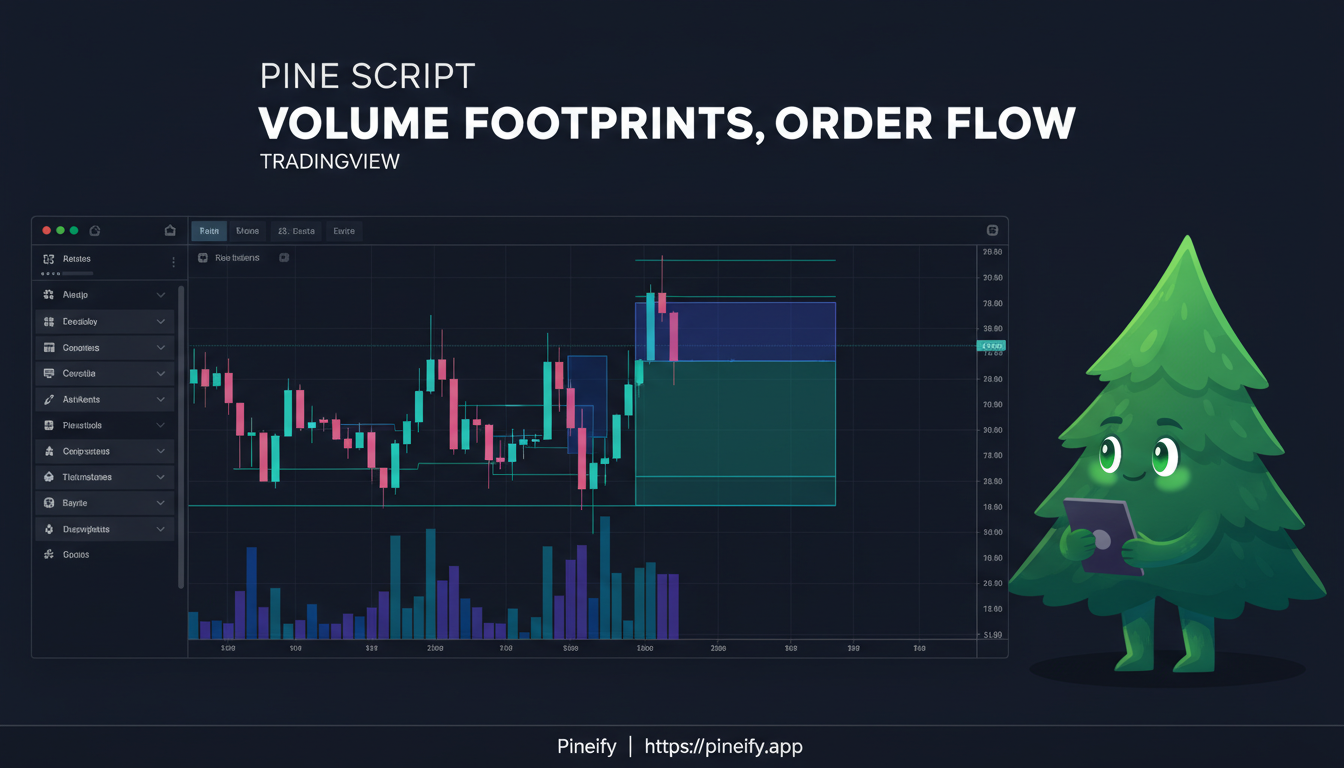
What Are Volume Footprints?
A volume footprint chart shows where the volume actually happened inside a candle. Rather than one volume bar at the bottom, it splits each candle into price rows. Each row shows how much came from buyers (ask side) and how much from sellers (bid side).
It's the difference between knowing a store had 100 customers today and knowing exactly what each customer bought at every price point. This reveals the market's real auction process, trade by trade.
Here's how it differs from standard volume:
| Standard Volume | Volume Footprint |
|---|---|
| Shows total shares or contracts traded per bar. | Shows volume at each price level within the bar. |
| One number or bar per candle. | Breaks volume down into bid (selling) vs. ask (buying). |
| Tells you if there was activity. | Tells you where and what kind of activity happened. |
Two numbers drive most of the analysis:
- Delta: net pressure. Ask volume minus bid volume at a price level. Positive delta means aggressive buying; negative delta means aggressive selling.
- Point of Control (POC): the price level inside the candle with the most total volume. It's the fairest price buyers and sellers agreed on during that period.
Volume footprints bring a level of market detail to TradingView that used to require expensive pro platforms. You see the structure of the market, not just the outcome. For another way to measure buying and selling pressure, check out the Up Down Volume Ratio.
How request.footprint() Changes Pine Script Coding
On March 1, 2026, TradingView added native volume footprint support to Pine Script. The new request.footprint() function lets your scripts access the buy/sell pressure inside each candle directly.
Before this, developers had to approximate intra-bar activity using request.security_lower_tf(). It was slow, imprecise, and a headache to debug. The new function returns clean, accurate data in one call.
One catch: because this uses tick-by-tick data, it only works on TradingView's Premium and Ultimate plans. I haven't tested it on lower tiers myself, but TradingView's docs are clear about this requirement.
What You Can Now See with request.footprint()
The function returns four categories of data:
| Data Type | Description | Trading Application |
|---|---|---|
| Granular Volume Splits | Exact buy (ask) and sell (bid) totals for the bar and at each price level | Identify who controls the bar |
| Volume Delta | The precise difference between buying and selling pressure | Detect absorption and aggression |
| Auction Levels | POC, Value Area High (VAH), Value Area Low (VAL) | Map key support and resistance zones |
| Imbalances | Buying or selling imbalances at specific price rows | Spot explosive potential energy |
You can pull this for any bar and use it in your own indicators or strategies. I've found the delta data most useful on 5-minute BTCUSD charts — it catches exhaustion before the candle even closes.
Key Ideas: POC, Value Area, Delta, and What They Tell You
Point of Control (POC)
The POC is the single price level where the most shares changed hands inside a bar. Because so much volume traded there, the market tends to remember it. Price often swings back to test old POC levels — they become natural support or resistance. On daily ES futures, I've watched price stall at a POC from three sessions ago more times than I can count. The POC concept shares similarities with how the Anchored VWAP indicator identifies fair value anchors — both help you spot where institutional interest clusters.
Value Area High and Low (VAH / VAL)
The Value Area captures roughly 70% of the bar's total volume. VAH is the top of that zone, VAL is the bottom. When price moves outside this zone, it usually means one of two things: a breakout to find new value, or a rejection that pulls price back inside. With request.footprint(), your script can calculate these levels automatically on any bar.
Volume Delta
Delta = Ask Volume minus Bid Volume. It shows who was more aggressive:
- Positive delta: buyers pushed through at the ask price.
- Negative delta: sellers hit the bid price.
Watch for divergences. If price rises but delta drops, it's a bearish divergence — buying pressure is fading even as price climbs. I've caught more false breakouts this way than with any RSI setup I've tried. For more on reading volume signals, take a look at the ADX Trend Filter Indicator for trend confirmation alongside your footprint analysis.
Imbalances
An imbalance happens when buy volume at one price level dwarfs sell volume at the adjacent level, or vice versa. These skewed auctions act like gaps — price tends to snap back because unfilled orders still sit there. Your Pine Script can now scan for these stacked zones automatically.
Understanding Volume Footprint Indicators
A footprint is an X-ray of a single candlestick. The normal bar shows open, high, low, close, and total volume. A footprint reveals all the trading activity inside — where exactly price traded and how much volume happened at each level. It helps you see whether buyers or sellers truly controlled the bar.
Here's a starting point in Pine Script. The request.footprint() function pulls all the detailed data in one call:
//@version=6
indicator("Volume Footprint Analysis", overlay=false)

// Request footprint data for the current symbol and timeframe
fp = request.footprint(syminfo.tickerid, timeframe.period)

// Extract key levels
poc     = fp.poc          // Point of Control price
vah     = fp.vah          // Value Area High
val     = fp.val          // Value Area Low
delta   = fp.delta        // Net buy/sell delta for the bar
buyVol  = fp.buy_volume   // Total ask-side volume
sellVol = fp.sell_volume  // Total bid-side volume

// Plot delta as a histogram
plot(delta, title="Volume Delta", color=delta >= 0 ? color.teal : color.red, style=plot.style_histogram)

// Plot VAH and VAL as reference lines
hline(0, "Zero Line", color=color.gray)
The main advantage: request.footprint() returns a complete object with everything you need. No piecing together multiple data streams, no manual aggregation. Your code stays clean and runs faster.
Once you have the POC, delta, and value area, you can smooth them with moving averages, combine them with other indicators, or set up Pine Script alerts. It's a practical foundation for order flow coding.
Practical Trading Strategies Using Pine Script Volume Footprints
Here are four ways I've used footprint data in live trading. Think of these as starting points you can adjust for your own style.
1. Spotting Exhaustion with Delta Divergence
Price pushes to a new high, but delta is lower than at the previous high. That mismatch means buyers are losing conviction even though price is still climbing. I scripted an alert for this pattern on BTCUSD 15-minute charts in April 2026. It caught two local tops before price reversed. The setup: compare current bar delta to the delta at the most recent swing high, and flag when price exceeds that high but delta stays below.
2. Trading the Pullback to the POC
The POC acts as a magnet. When price swings away from it, it tends to snap back. With fp.poc, your script knows the exact level. Set a condition that triggers when price touches the POC after a directional move. It's a mean-reversion play — I'd limit this to range-bound markets, not strong trends.
3. Finding Imbalance Clusters for Breakouts
When three or more consecutive price rows show heavy one-sided volume, you have an imbalance zone. Price tends to rip through these zones when it revisits them. I haven't backtested this systematically, but visually it works well on NQ 1-minute charts during the first hour of trading.
4. Fading Moves Outside the Value Area
The Value Area holds about 70% of a session's volume. Statistically, when price opens outside this zone — above VAH or below VAL — it rotates back inside more often than not. This is a simple script: calculate VAH and VAL from the first hour, then signal when price opens beyond them and starts reversing.
Getting the Most Out of Footprint Data
request.footprint() gives you a direct line to tick-level auction data. A few practical points to keep your scripts efficient.
Pick the right chart timeframe. Footprint analysis works best on shorter timeframes. For day trading, 1-minute to 15-minute charts give the clearest picture. On hourly charts it still works. On daily or weekly bars the data gets too compressed to be actionable — I don't bother with footprints above 1-hour.
Don't request too much history. Requesting thousands of bars of footprint data will slow your script. Limit the lookback to what you actually need. For most setups, the last 200-500 bars is enough.
Use it alongside your regular chart analysis. Footprint data shows behind-the-scenes auction activity. It's most useful when combined with candlestick patterns, support and resistance, and trend analysis. It confirms or questions what price action is showing — I haven't found it reliable as a standalone signal.
Set up smart alerts. You don't need a footprint overlay on every bar. Use alertcondition() to notify you when something significant happens — a large imbalance, a delta reading that breaks a threshold, or price touching the POC after a trend. This keeps your chart clean.
Plan requirement. The request.footprint() function needs a Premium or Ultimate TradingView subscription. Verify your plan before you build a script that depends on it.
Here is how standard volume, volume profile, and Pine Script footprints compare:
| Feature | Standard Volume | Volume Profile | Pine Script Footprints |
|---|---|---|---|
| Bar-level detail | Total only | Price rows (static) | Bid/ask at every row |
| Delta access | No | Estimated | Exact |
| POC / VAH / VAL | No | Manual | Programmatic |
| Imbalance detection | No | No | Native |
| Scriptable and alertable | Partial | Partial | Full |
| Plan required | Free | Free/Pro | Premium / Ultimate |
What this means in practice:
Standard volume is your baseline tool. It shows total activity per candle but doesn't split it by direction.
Volume Profile is a step up. It shows where volume built up at specific price levels over a session, and helps you find VAH/VAL and POC zones. The downside: it's usually a static, historical view, and its delta is often an estimate.
Pine Script Footprints give you the mechanics in real time. You see bid/ask at every price update and get exact delta. Imbalances become visible as they form. And because it's all in Pine Script, you can automate alerts and build custom strategies around it.
What is a volume footprint chart and how does it differ from standard volume?
A volume footprint chart breaks each candle into price levels and shows bid and ask volume at every row inside the bar. Standard volume gives one total number per candle. Footprints reveal the auction mechanics — who was aggressive, where the most volume traded (POC), and whether buyers or sellers dominated at specific prices.
What TradingView plan is required to use request.footprint()?
The function needs a Premium or Ultimate subscription. It accesses tick-by-tick data, which is only available on higher-tier plans. Free and Pro plans do not support it.
How do I access the Point of Control, VAH, and VAL with request.footprint()?
After calling fp = request.footprint(syminfo.tickerid, timeframe.period), you read the fields directly: fp.poc, fp.vah, and fp.val. They update each bar and work in conditions, plots, or alerts.
What is volume delta and why does it matter for order flow analysis?
Volume delta is ask volume minus bid volume. Positive delta means buyers were more aggressive; negative delta means sellers dominated. Divergences between price direction and delta are early warning signals. For example, a new price high with declining delta suggests buyer exhaustion.
Can I use request.footprint() in a backtesting strategy script?
Yes. It works in both indicator and strategy scripts. You can build and backtest automated systems driven by POC, VAH/VAL, delta, or imbalance signals inside TradingView's built-in strategy tester.
What are volume imbalances and how can Pine Script detect them?
An imbalance occurs when buy volume at one price level significantly outweighs sell volume at the adjacent level. These lopsided auctions act like price magnets. With request.footprint(), your script can loop through price rows, compare bid and ask volumes, and flag stacked imbalance zones for breakout or pullback setups.
Is request.footprint() available for all ticker symbols?
Not universally. Footprint data depends on tick-by-tick exchange volume, which is available for most major equities, futures, and crypto pairs. Availability depends on your broker's data feed and TradingView plan. Forex and some CFD instruments may not have the required tick data.
What to Do Next: Start Building
Getting access to native Pine Script volume footprints opens a new layer of market insight. If you want to start using this today:
- Upgrade your TradingView plan. You need Premium or Ultimate to use
request.footprint(). - Study existing examples. Browse TradingView's public script library for an open-source footprint indicator. Cloning it to see how it's built is the fastest way to learn.
- Start with a delta histogram. It's the simplest footprint tool and gives you useful data right away.
- Add it to your current strategy. You don't need to rebuild everything. Use POC or VAH/VAL as an extra confirmation filter for setups you already trade.
- Share what you build. Publish your script on TradingView. Community feedback will show you edge cases you hadn't considered.
If you want to skip some of the manual coding and assemble indicators visually, tools like Pineify let you drag and drop over 235 technical indicators, or describe your logic to an AI agent that generates Pine Script. It's practical for prototyping footprint analyses faster than writing everything from scratch. That said, I haven't used Pineify for footprint indicators myself — the request.footprint() function is still new, so your mileage may vary depending on how quickly third-party tools adopt it.

Have you tried using request.footprint() yet? If you're working on a specific idea, bring it to the TradingView community forums. The order flow community there is engaged, and you'll get the best advice when you share the specific problem you're solving.