

Trading Journal
Track, analyze, and improve your trades with Pineify's Trading Journal — featuring a visual trade editor, analytics dashboard, strategy tagging, diary, session reviews, and portfolio reports.
The Trading Journal is a comprehensive trade tracking and analysis tool. Log every trade, tag it with a strategy, review it with diary notes, break down performance by session, and generate portfolio reports — all in one place. Built for traders who want to identify what's working and eliminate what isn't.
You can access the Trading Journal from the Pineify App.
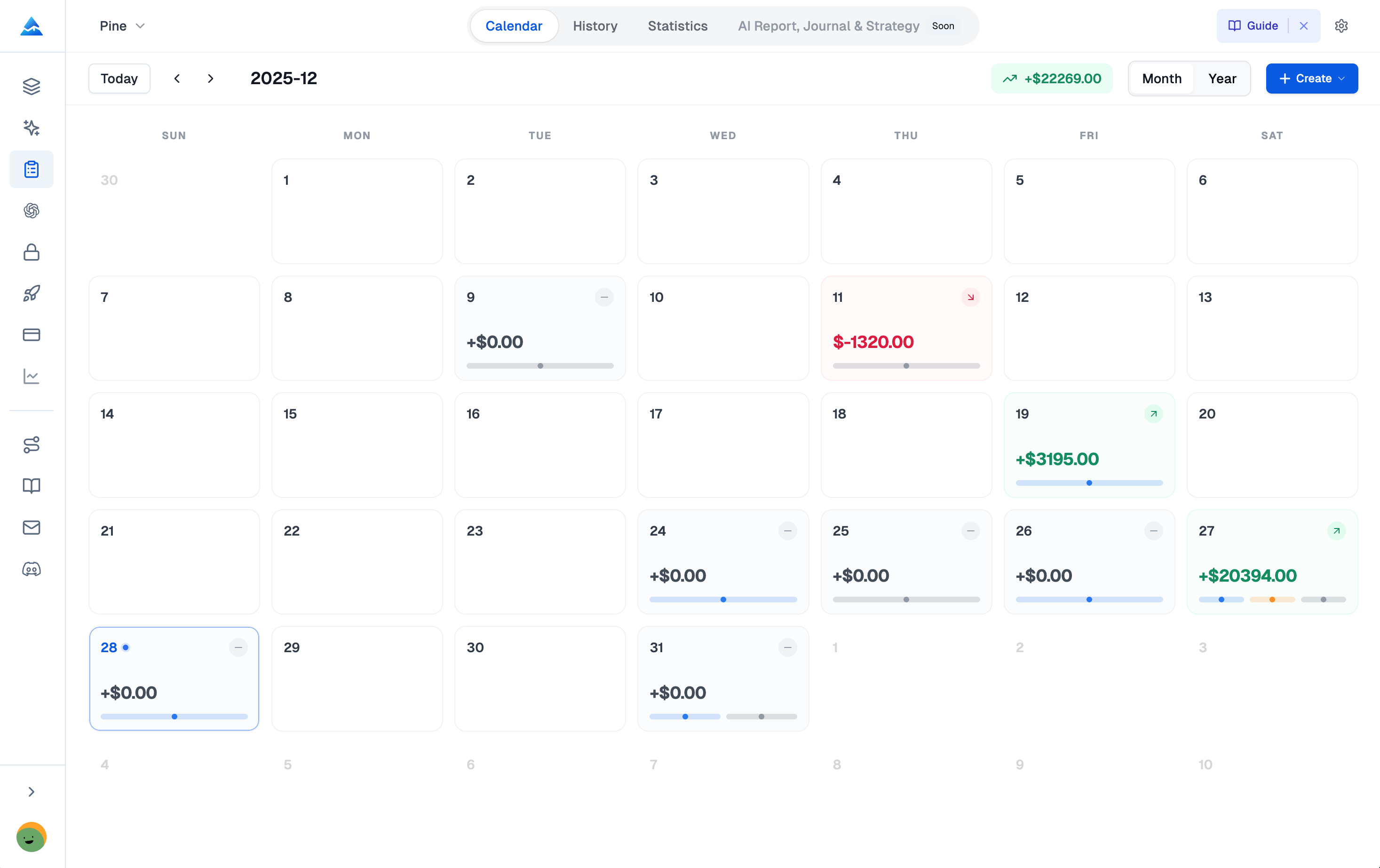
Core Features
| Feature | Description |
|---|---|
| Visual Trade Editor | Log trades with entry/exit prices, dates, position size, fees, and notes. Supports market, limit, stop, and trailing stop order types. |
| Analytics Dashboard | P&L curves, win rate, average trade duration, Sharpe ratio, and drawdown analysis. |
| Multi-Strategy Tagging | Tag each trade with a strategy name. Compare strategy performance head-to-head to find what's working. |
| Risk Management Tracking | Track risk-reward ratios, position sizing, and maximum drawdown per strategy. |
| Multi-Asset Support | Stocks, options, crypto, forex, and futures — all in one journal. |
| Data Export | Export your trade history and analytics as CSV for offline analysis. |
Analytics Dashboard
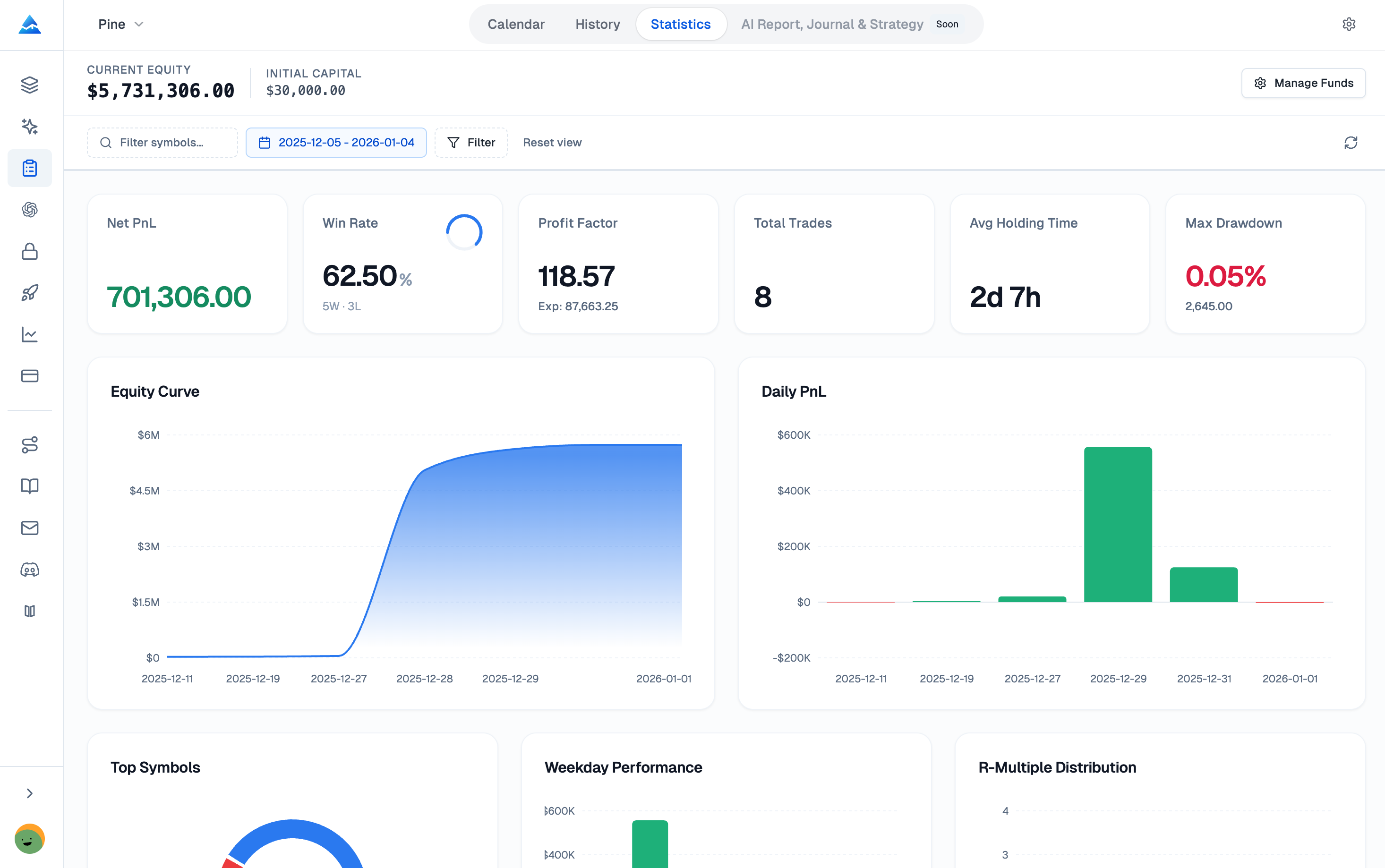
The analytics dashboard aggregates all your trade data into visual charts and key metrics:
- Cumulative P&L Curve: See your equity growth over time with daily, weekly, and monthly breakdowns.
- Win Rate & Trade Distribution: Histogram of winning vs. losing trades with average win/loss sizes.
- Key Performance Metrics: Profit factor, Sharpe ratio, average holding period, expectancy, and maximum consecutive losses.
- Calendar View: See your daily P&L at a glance with color-coded calendar cells.
Strategies
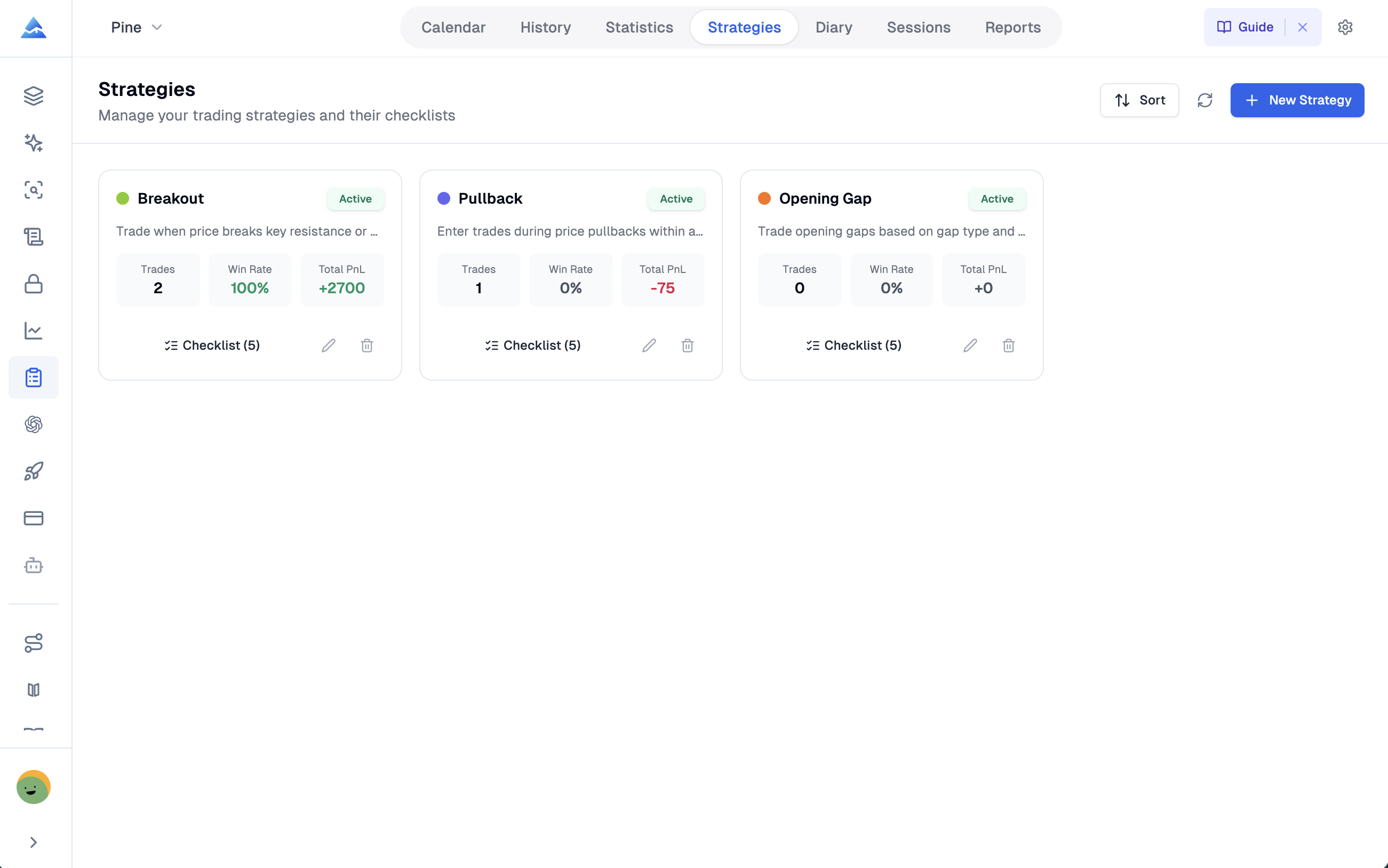
Tag every trade with a strategy and compare them side by side:
- Create named strategies (e.g., "Mean Reversion", "Breakout", "Earnings Play").
- See per-strategy P&L, win rate, average trade duration, and profit factor.
- Identify which strategies are generating alpha and which should be retired.
- Sort and filter by any metric to focus on what matters.
Trading Diary
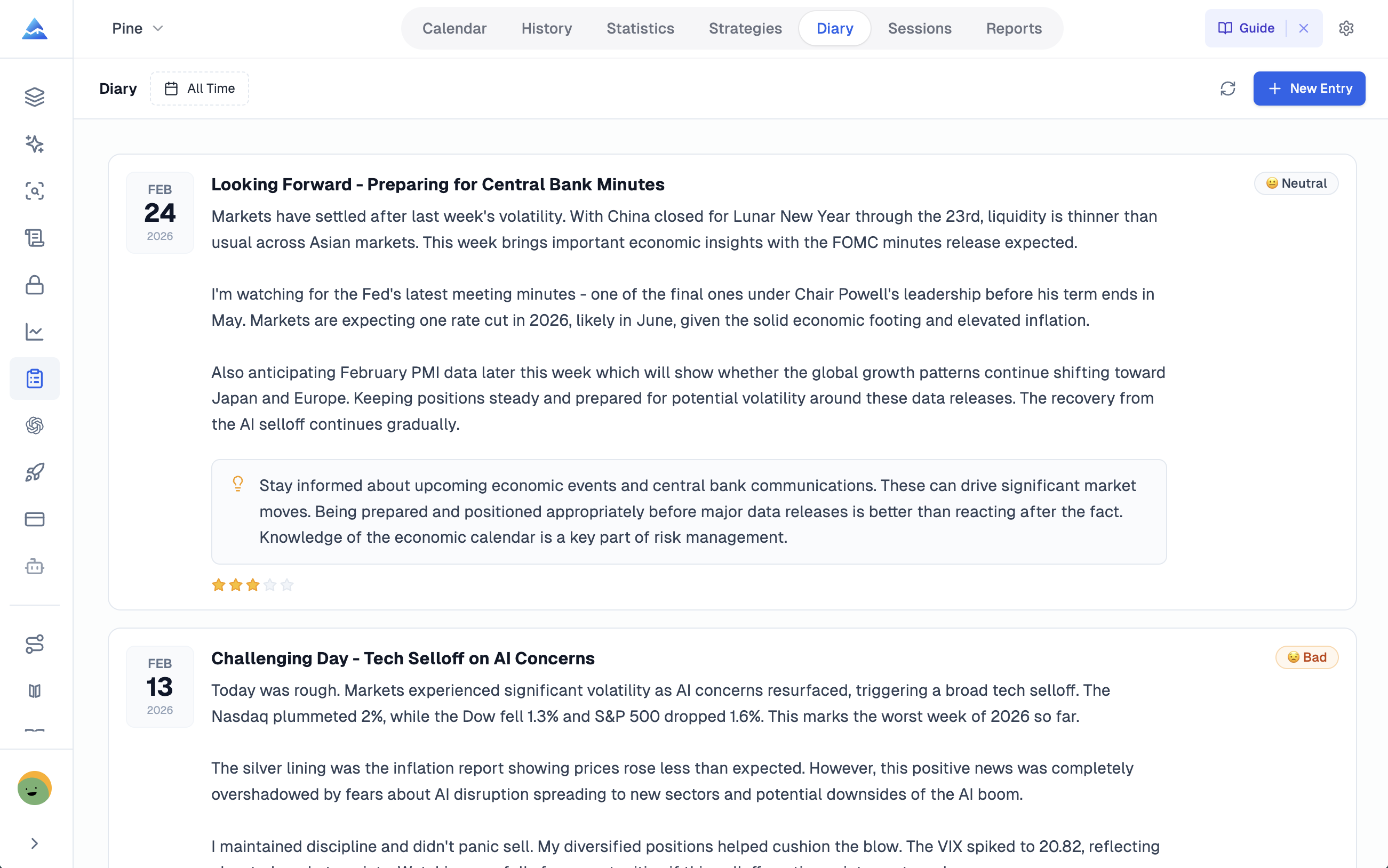
A structured place to write daily or per-trade reflections:
- Log your market observations, emotional state, and decision rationale.
- Link diary entries to specific trades for post-mortem analysis.
- Review past entries to identify recurring behavioral patterns.
- Build consistency through regular journaling discipline.
Trading Sessions
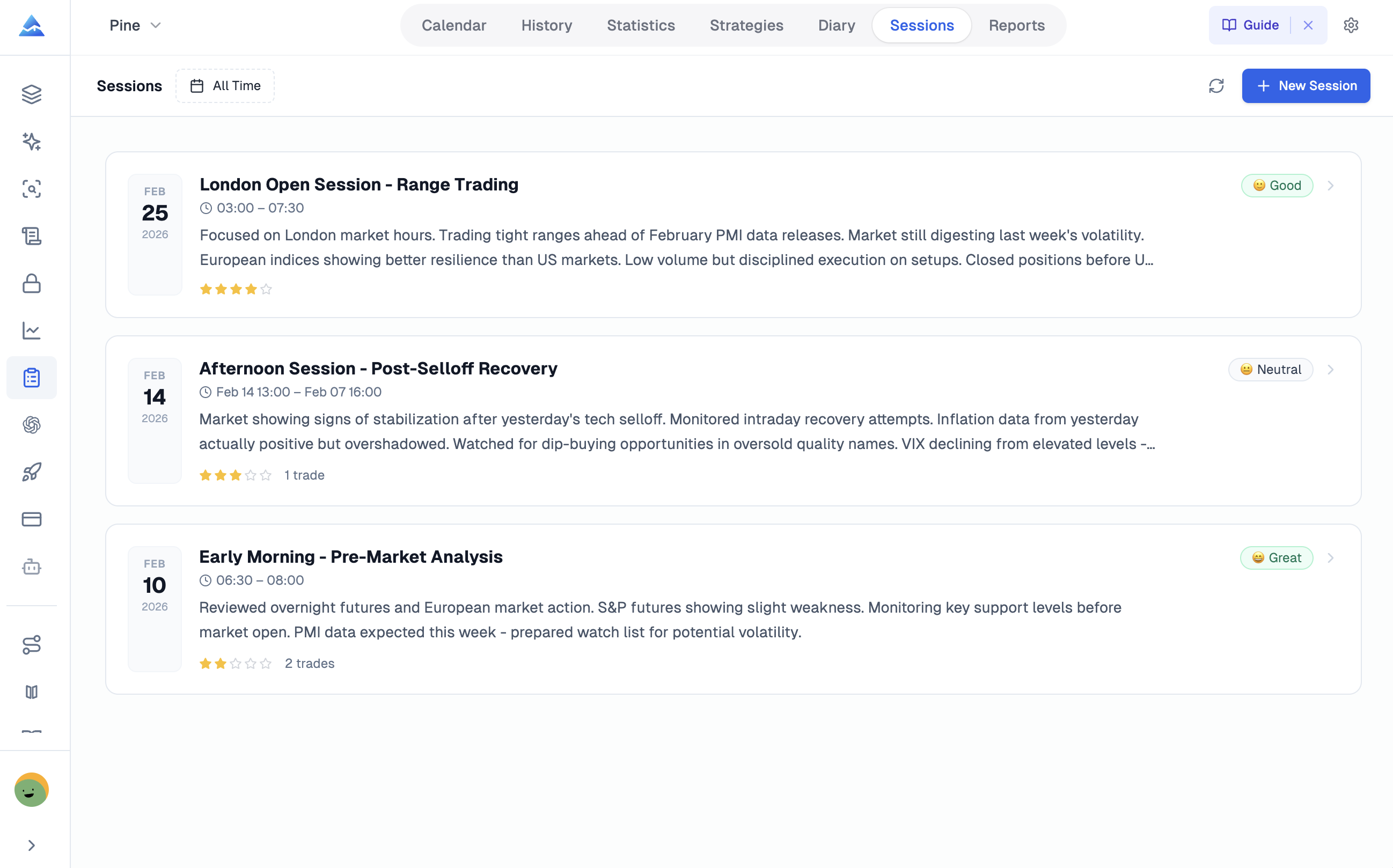
Group trades by session (morning, afternoon, or custom time windows):
- See which times of day you perform best.
- Filter by session to isolate time-based performance patterns.
- Analyze execution quality across different market conditions.
Reports
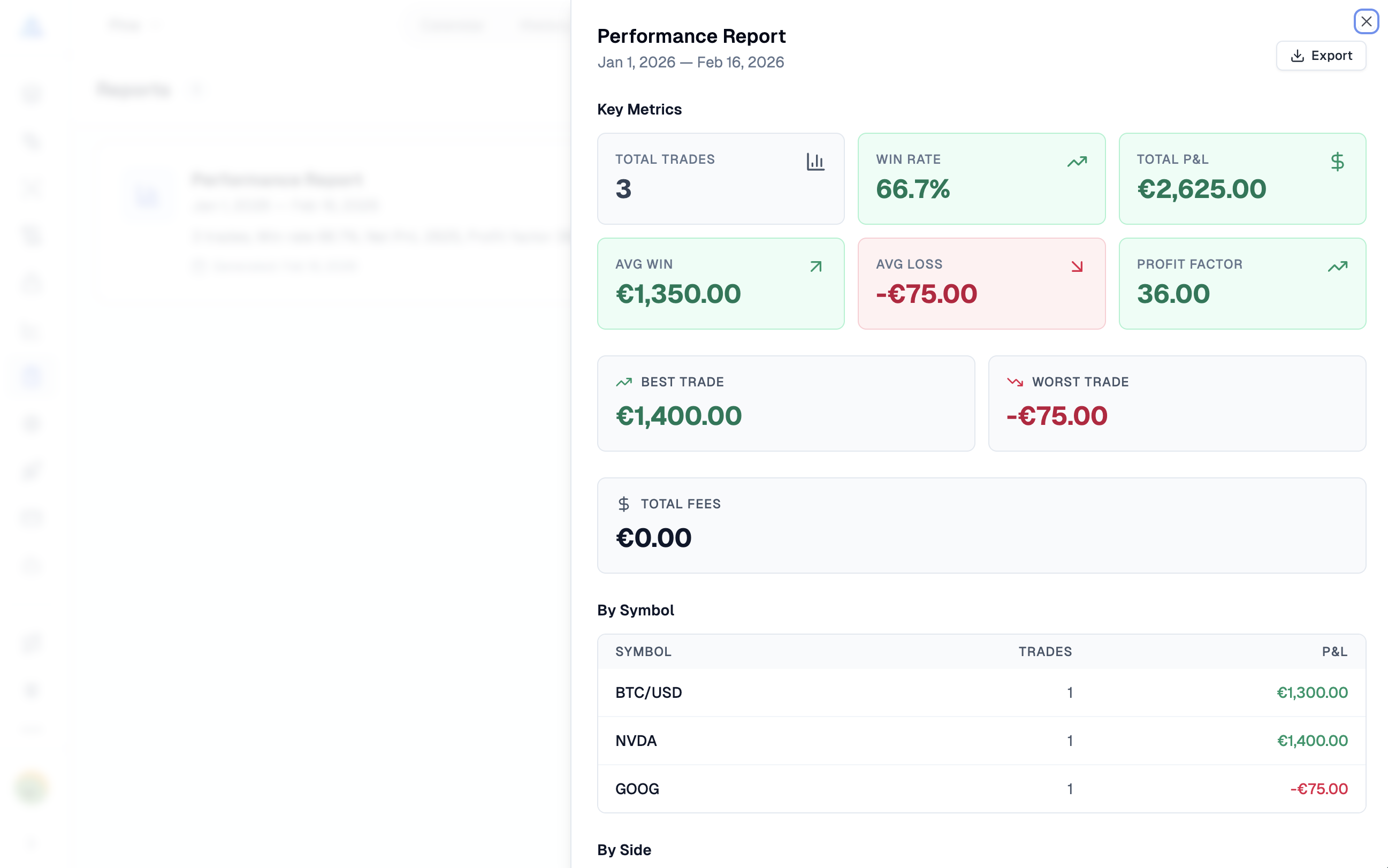
Generate portfolio-level reports:
- Monthly and quarterly performance summaries.
- Strategy-level breakdowns with detailed statistics.
- Risk analysis including max drawdown periods and recovery times.
- Export reports for record-keeping or sharing.
Availability
The Trading Journal is available to all Pineify subscribers. Free users can log a limited number of trades per month. Advanced and Lifetime plans unlock unlimited trade logging, full analytics, strategies, diary, and report generation.
Premium Scripts
Explore Pineify's premium TradingView scripts and indicators — professional Pine Script tools with full source code, step-by-step tutorials, and lifetime access.
Backtest Report
Generate advanced backtest reports for TradingView strategies with KPI dashboards, returns distribution, Monte Carlo simulation, rolling window analysis, heatmaps, and MFE/MAE charts.