

Backtest Report
Generate advanced backtest reports for TradingView strategies with KPI dashboards, returns distribution, Monte Carlo simulation, rolling window analysis, heatmaps, and MFE/MAE charts.
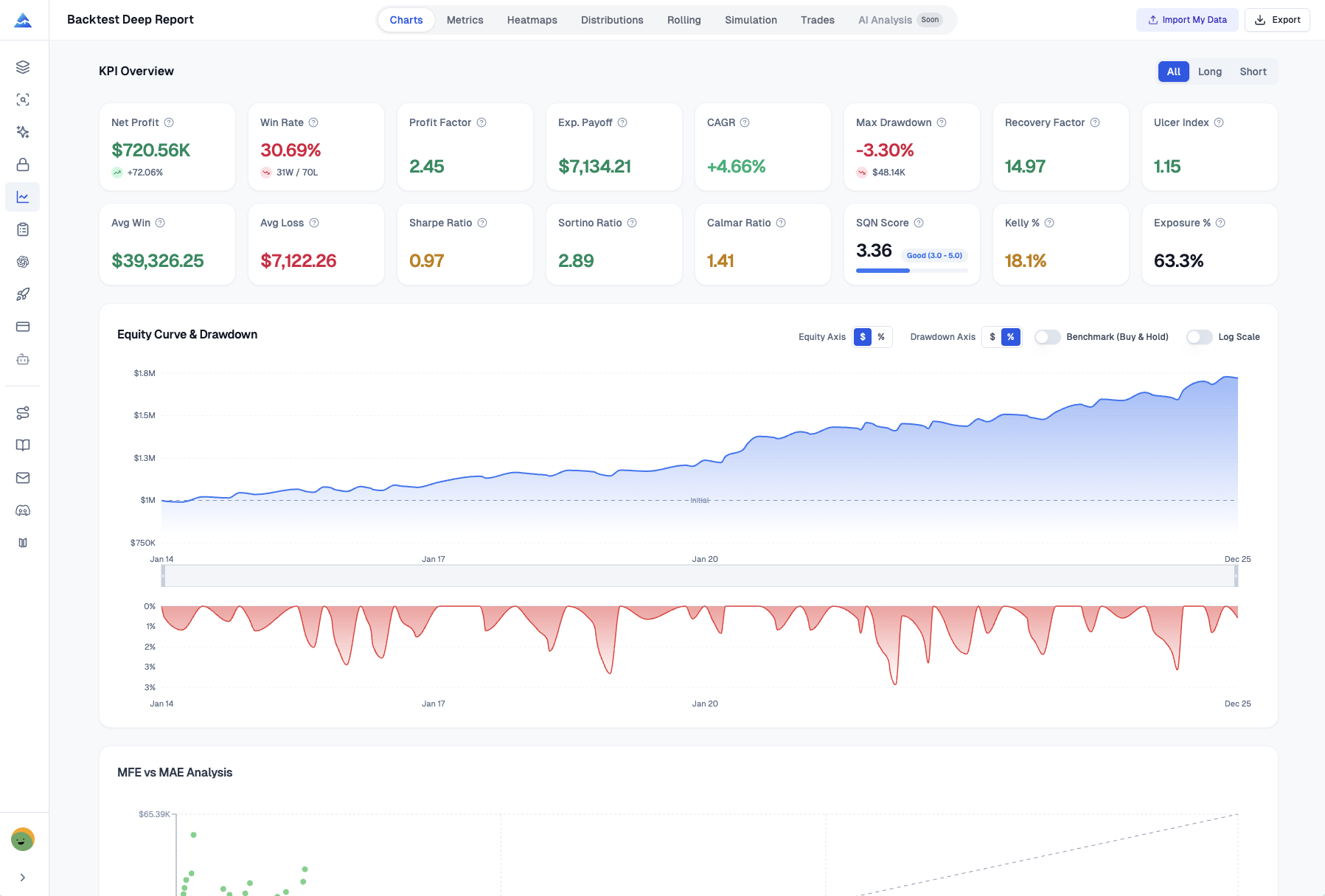
The Backtest Report turns TradingView's basic strategy tester output into an advanced analytics suite. Export your backtest data and get 16+ KPIs, 8 analysis tabs, 1,000-run Monte Carlo simulations, and visual heatmaps — the kind of analysis hedge funds use to validate strategies.
You can access the Backtest Report from the Pineify App.
By the Numbers
| Metric | Value |
|---|---|
| Performance KPIs | 16+ |
| Analysis Tabs | 8 |
| Monte Carlo Simulation Runs | 1,000 |
Analysis Modules
KPI Dashboard
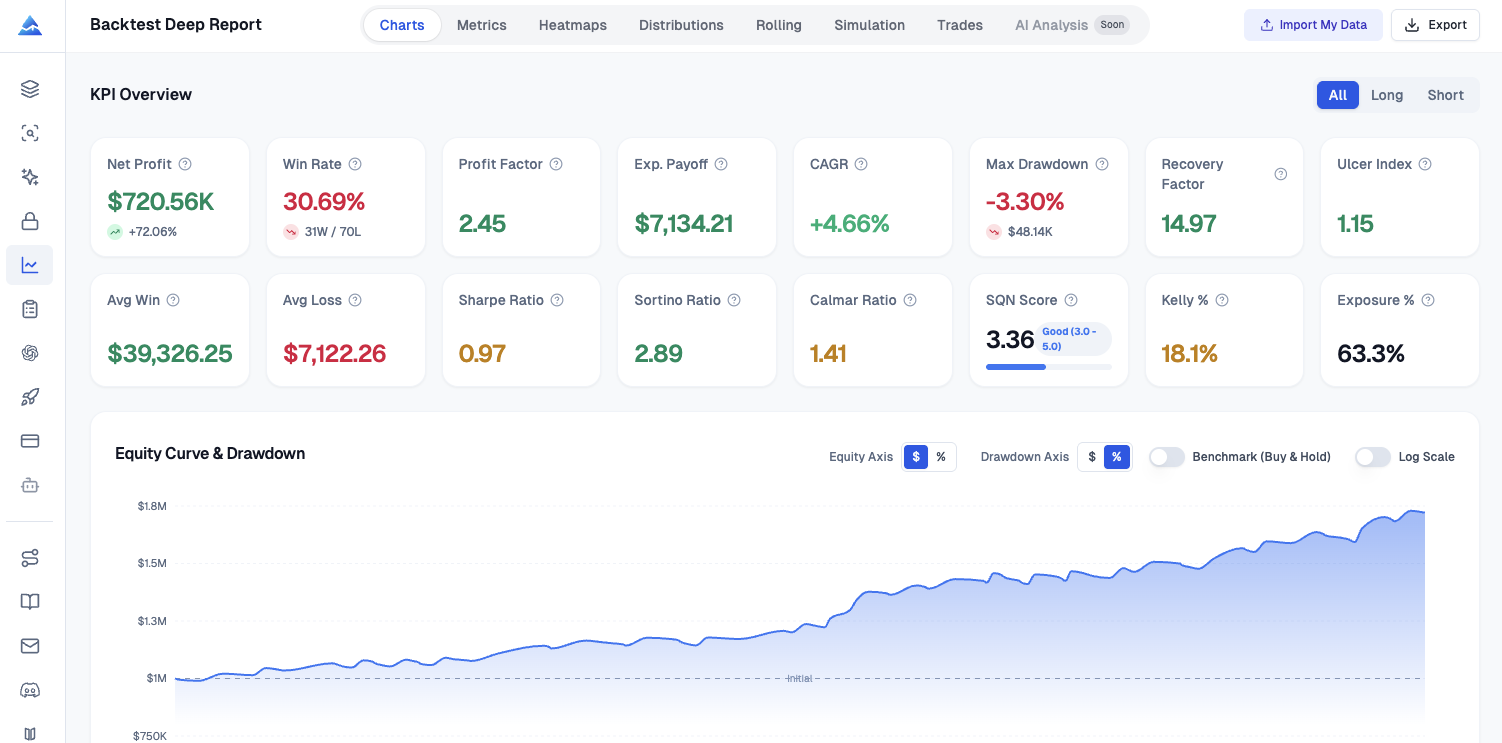
A single-screen overview of every key performance metric:
- Net profit, gross profit, gross loss, and profit factor
- Win rate, average win/loss, largest win/loss, and average trade duration
- Maximum drawdown (dollar and percentage) with recovery period
- Sharpe ratio, Sortino ratio, and expectancy per trade
- All metrics shown for all trades, long only, and short only
Returns Distribution
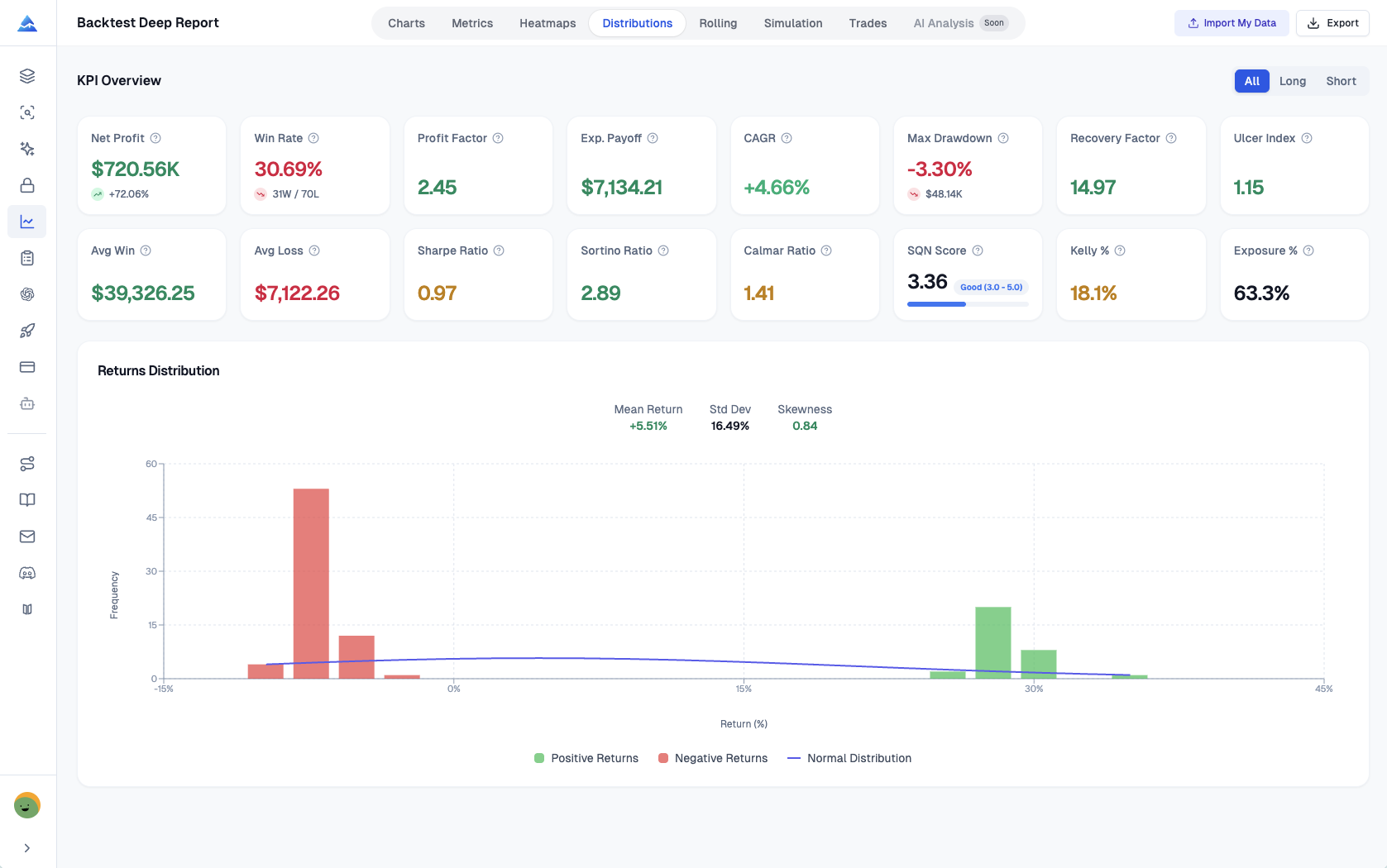
Visual analysis of how your strategy's returns are distributed:
- Histogram of individual trade returns with a normal distribution overlay
- Equity curve with drawdown periods highlighted
- Skewness and kurtosis metrics to assess tail risk
- Percentile breakdowns (10th, 25th, 50th, 75th, 90th)
Rolling Window Analysis
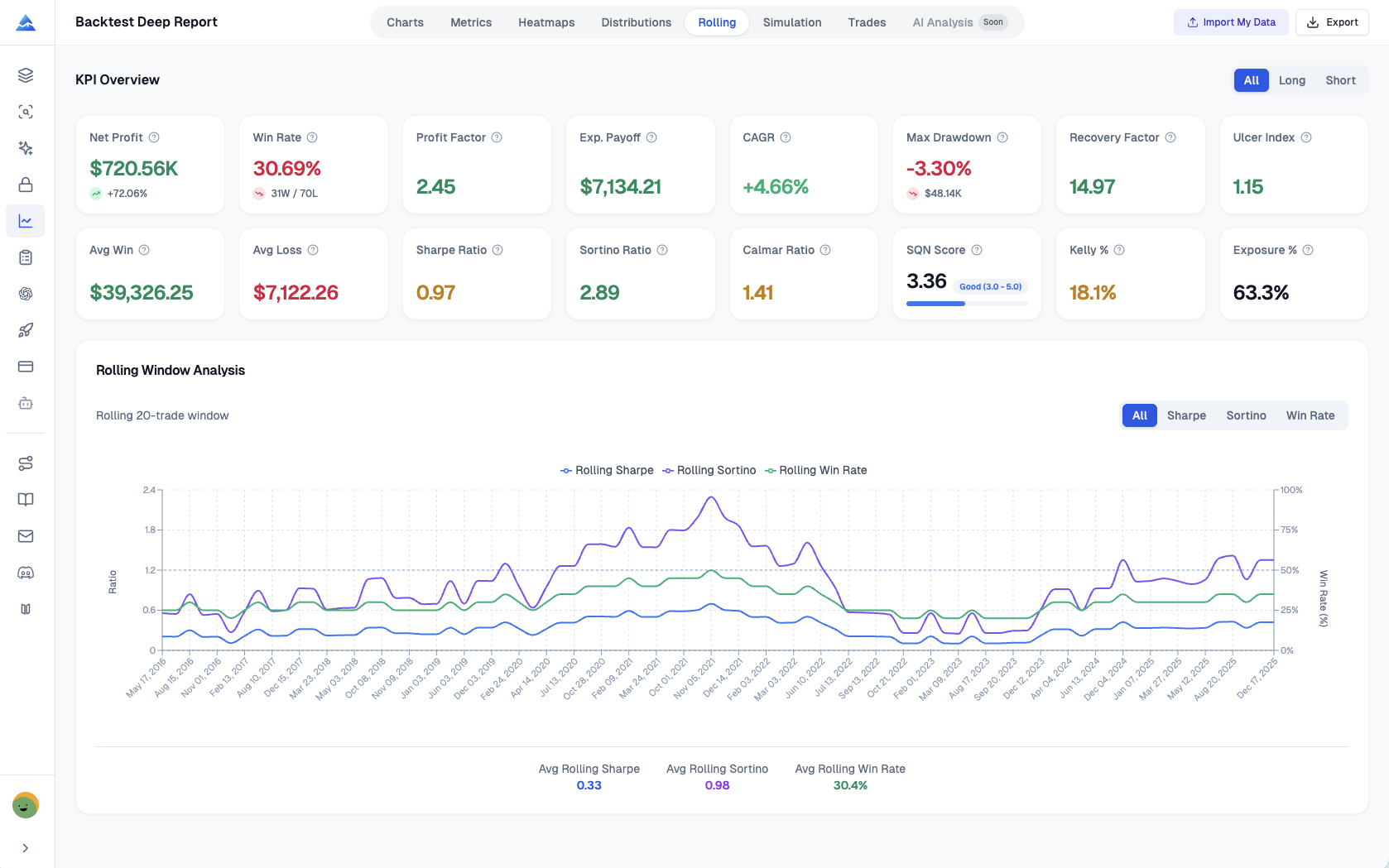
See how your strategy's performance changes over time through rolling windows:
- Rolling win rate, rolling profit factor, and rolling Sharpe across configurable window sizes
- Identify performance degradation or improvement trends
- Detect regime changes where the strategy's edge strengthens or weakens
- Compare multiple window sizes simultaneously
Monte Carlo Simulation
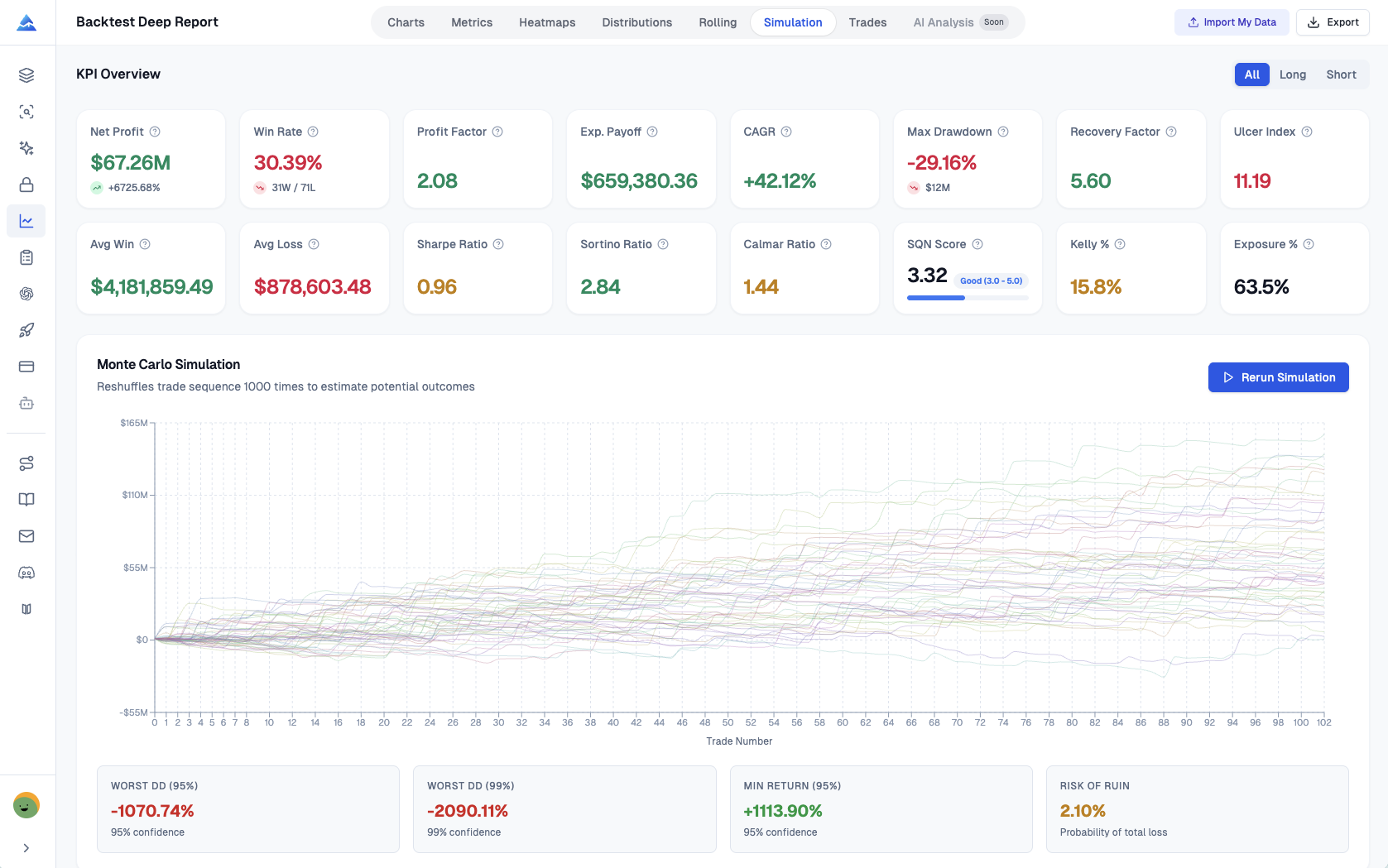
1,000 randomized permutations of your trade sequence to stress-test the strategy:
- Probability distribution of final equity outcomes
- Worst-case, best-case, and median equity curves
- Confidence intervals (e.g., 95% probability of ending above $X)
- Maximum drawdown distribution across all simulations
- Risk of ruin calculation
Visual Heatmaps
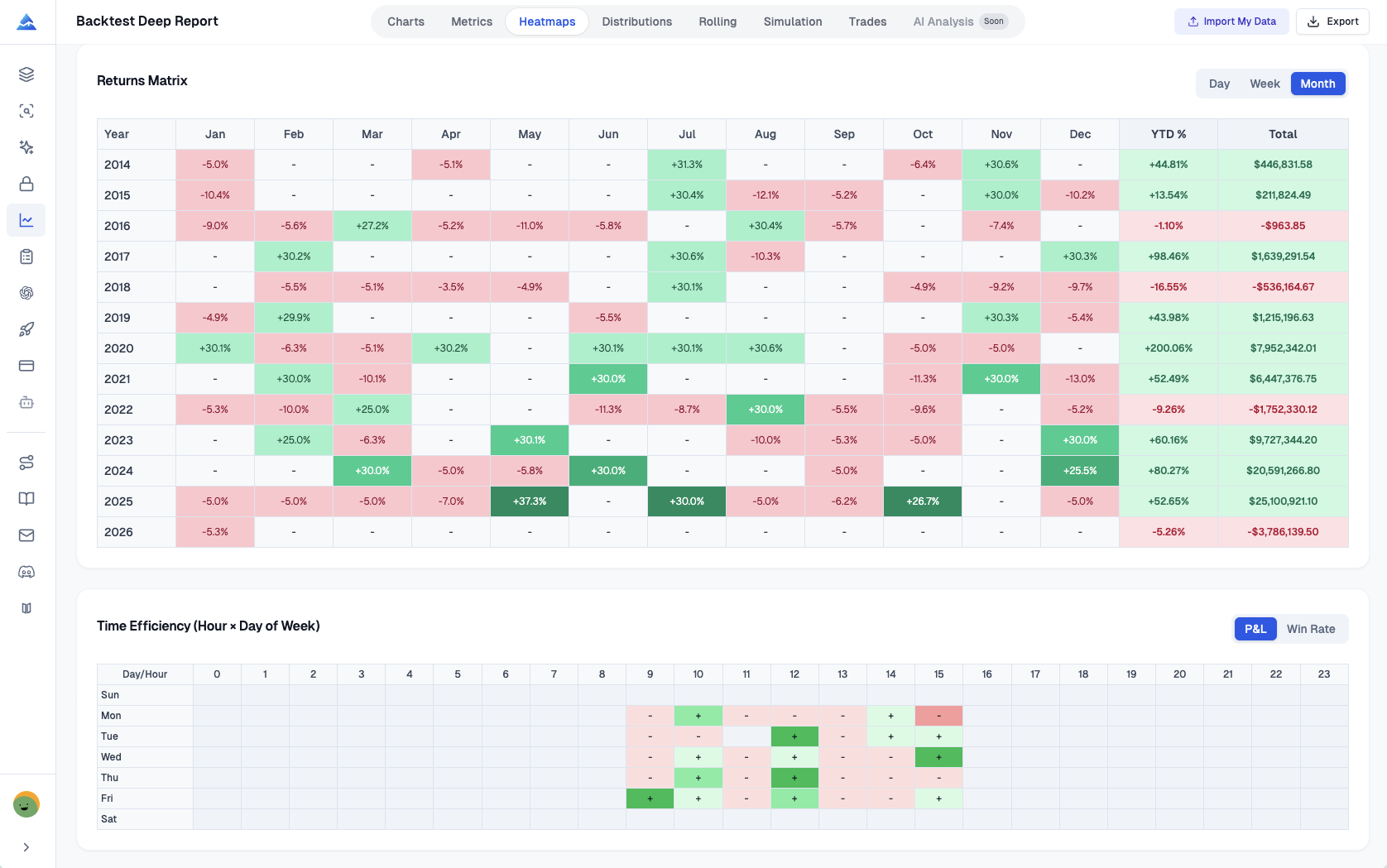
Color-coded heatmaps that reveal time-based performance patterns:
- Day-of-week performance heatmap — find your best and worst trading days
- Month-of-year heatmap — identify seasonal patterns in your strategy
- Hour-of-day analysis for intraday strategies
- Heatmap by trade duration — see if holding time affects outcomes
MFE / MAE Analysis
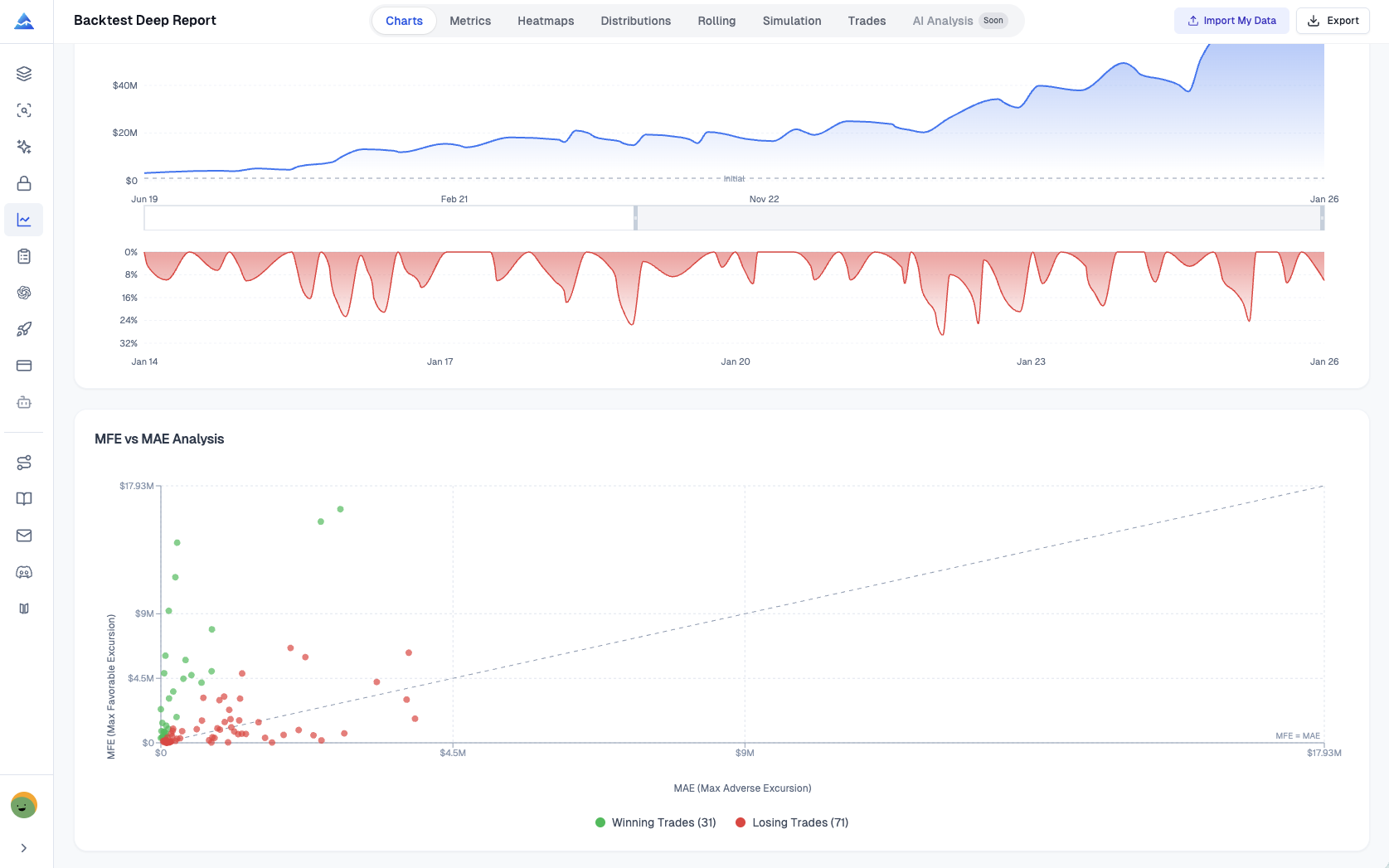
Maximum Favorable Excursion (MFE) and Maximum Adverse Excursion (MAE) analysis:
- Scatter plot of each trade's best unrealized profit (MFE) vs. worst unrealized loss (MAE)
- Identify if you're exiting winners too early by analyzing MFE distributions
- Determine if stop losses are too tight or too loose by analyzing MAE patterns
- Optimize take profit and stop loss placement with data-driven evidence
How It Works
- Run Your Strategy on TradingView: Load any Pine Script strategy on a TradingView chart and let the Strategy Tester generate the trade list.
- Export to Pineify: Click the export button to send your backtest data to Pineify's Backtest Report tool. (The Strategy Optimizer extension also supports one-click export.)
- Analyze the Full Report: Review all 8 tabs — KPI dashboard, equity curves, returns distribution, rolling windows, Monte Carlo, heatmaps, MFE/MAE, and the full trade list.
You can also export the complete report to Excel for further analysis or record-keeping.
Availability
The Backtest Report is available to all Pineify subscribers. Free users can analyze reports with limited trade history. Advanced and Lifetime plans unlock full Monte Carlo simulation, all 8 analysis tabs, and Excel export.
Trading Journal
Track, analyze, and improve your trades with Pineify's Trading Journal — featuring a visual trade editor, analytics dashboard, strategy tagging, diary, session reviews, and portfolio reports.
Manage Your Indicators
Easily manage your trading indicators and strategies with Pineify. Create, edit, and organize tools intuitively for enhanced trading performance.