

Visual Pine Script Editor
Build TradingView indicators, strategies, and screeners visually with Pineify's no-code Pine Script editor. Supports 235+ indicators — no programming required.
The Visual Pine Script Editor lets you create professional TradingView indicators, strategies, and screeners in minutes. No coding required — just point, click, and trade. The editor generates clean, production-ready Pine Script V6 code that works in TradingView immediately.
You can access the Visual Editor from the Pineify Builder.
Visual Indicator Builder

An interactive point-and-click builder for 235+ technical indicators. No coding required:
- 235+ Built-in Indicators: EMA, SMA, Bollinger Bands, MACD, Supertrend, RSI, QQE, and many more — with the list constantly expanding.
- Candlestick Pattern Recognition: Detect engulfing, doji, hammer, and other patterns automatically.
- Combine Multiple Indicators: Merge any number of indicators into a single custom script, bypassing TradingView's free-tier indicator limit.
- Auto-Generate Error-Free Pine Script: The editor produces valid Pine Script V6 that compiles correctly on the first attempt.
Visual Strategy Builder
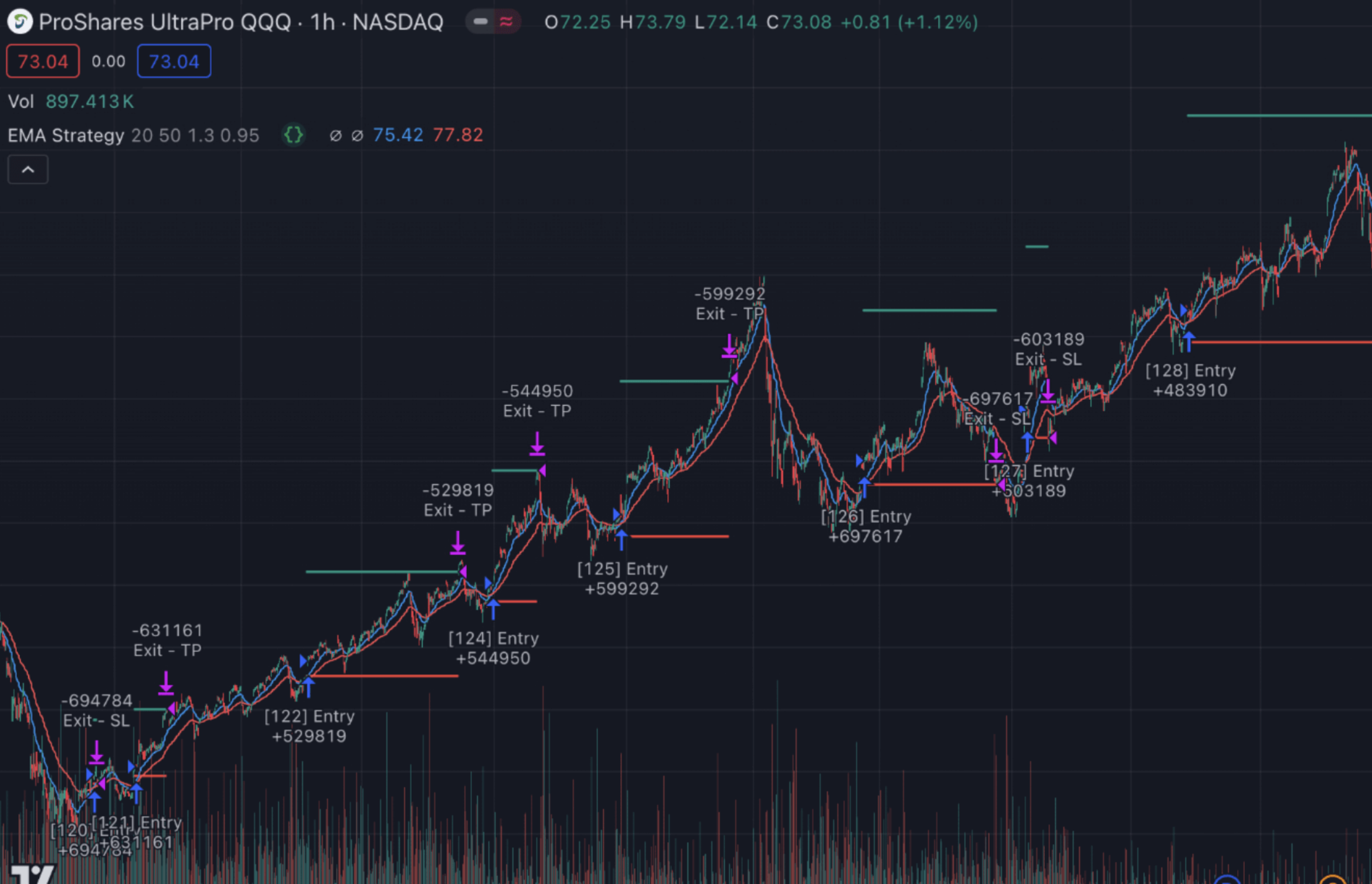
Create automated trading strategies with visual logic blocks:
- Visual Entry & Exit Rules: Define long and short conditions using the drag-and-drop condition editor — no code required.
- Stop Loss & Take Profit Management: Configure market orders, take profit, stop loss, and trailing stop — all through the visual interface.
- Risk Management Settings: Set position sizing, pyramiding rules, and commission parameters visually.
- Backtest Instantly on TradingView: Every strategy generates code that works with TradingView's Strategy Tester for immediate backtesting.
Screener Generator
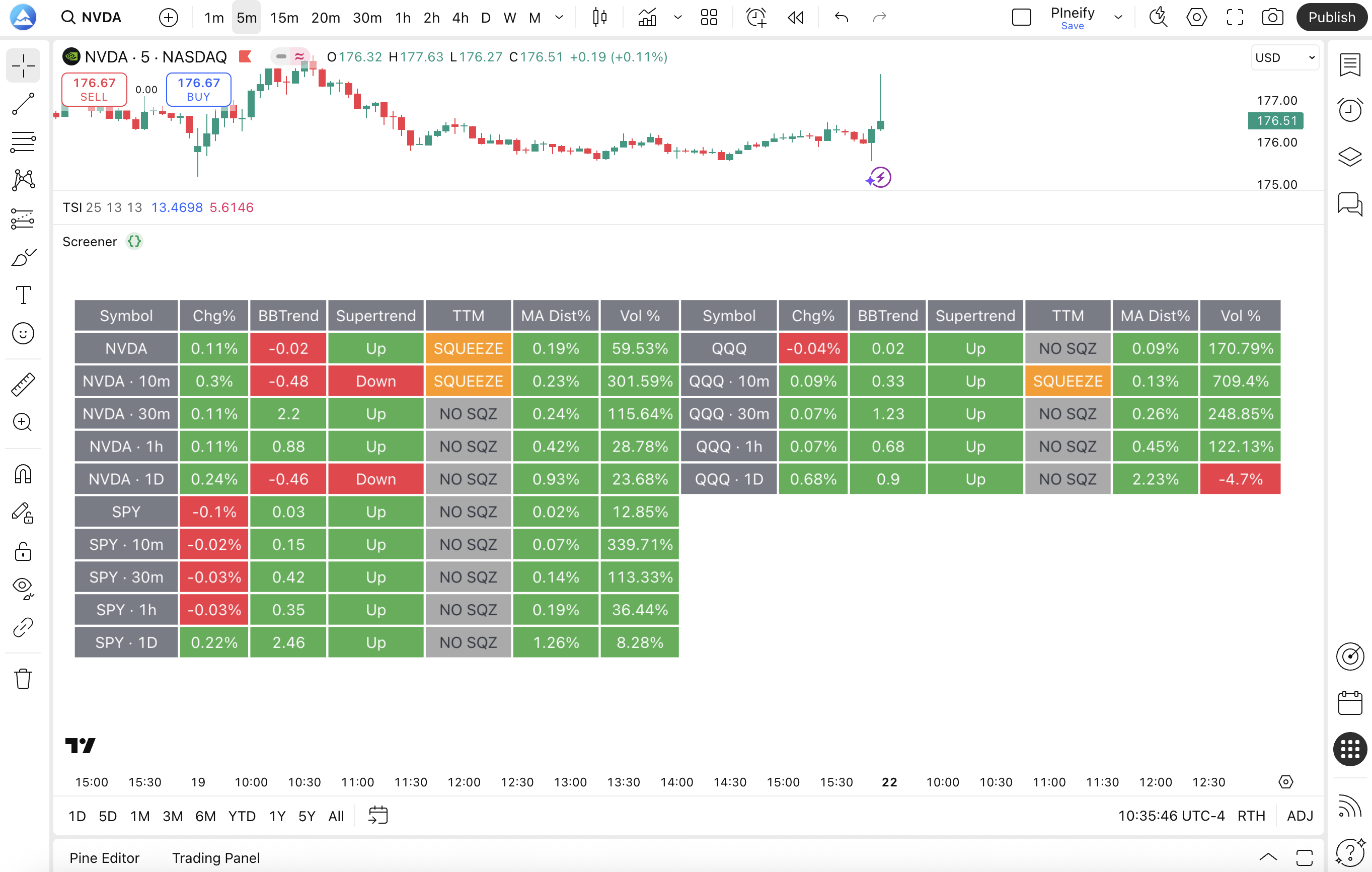
Build custom Pine Script screeners to scan the market:
- Scan Multiple Symbols & Timeframes: Define screening criteria that work across any market and timeframe.
- Custom Filtering Conditions: Use the same condition editor from the indicator and strategy builders to create screening logic.
- Real-Time Alerts: Set up alert conditions so you're notified when the screener finds matching symbols.
- One-Click Export to TradingView: Generate screener code and paste it into TradingView's Pine Editor.
Additional Capabilities
| Feature | Description |
|---|---|
| Import Custom Code | Insert existing Pine Script code and the editor parses its signals and variables, making them available in the visual builder |
| Real-Time Alerts | Set up complex alert conditions visually and get notified instantly when your strategy triggers |
| AI Assistance | Use the Coding Agent to modify your code, explain logic, or optimize parameters directly from the editor |
For detailed guides on each capability, see the Visual Editor Guide section.
Availability
The Visual Pine Script Editor is available to all Pineify users. Free users can create basic indicators. Advanced features like multi-symbol data, custom code import, and strategy building require a paid subscription.
Market Insights
Access real-time options flow, dark pool activity, congress trading data, and market sentiment through Pineify's institutional-grade Market Insights dashboard.
Invite-Only Indicator
Access Pineify's institutional-grade invite-only TradingView indicator — Signals & Overlays™ — with backtested buy/sell signals, Dow Theory trend detection, and ATR-based risk management.