

Best Invite-Only Indicator for TradingView with Institutional-Grade Signals
An invite-only indicator on TradingView is a premium script that needs creator permission to access. It is not in the public library. Pineify grants that permission automatically and gives you buy and sell signals with an 87% backtested win rate. It runs on stocks, crypto, forex, and futures.
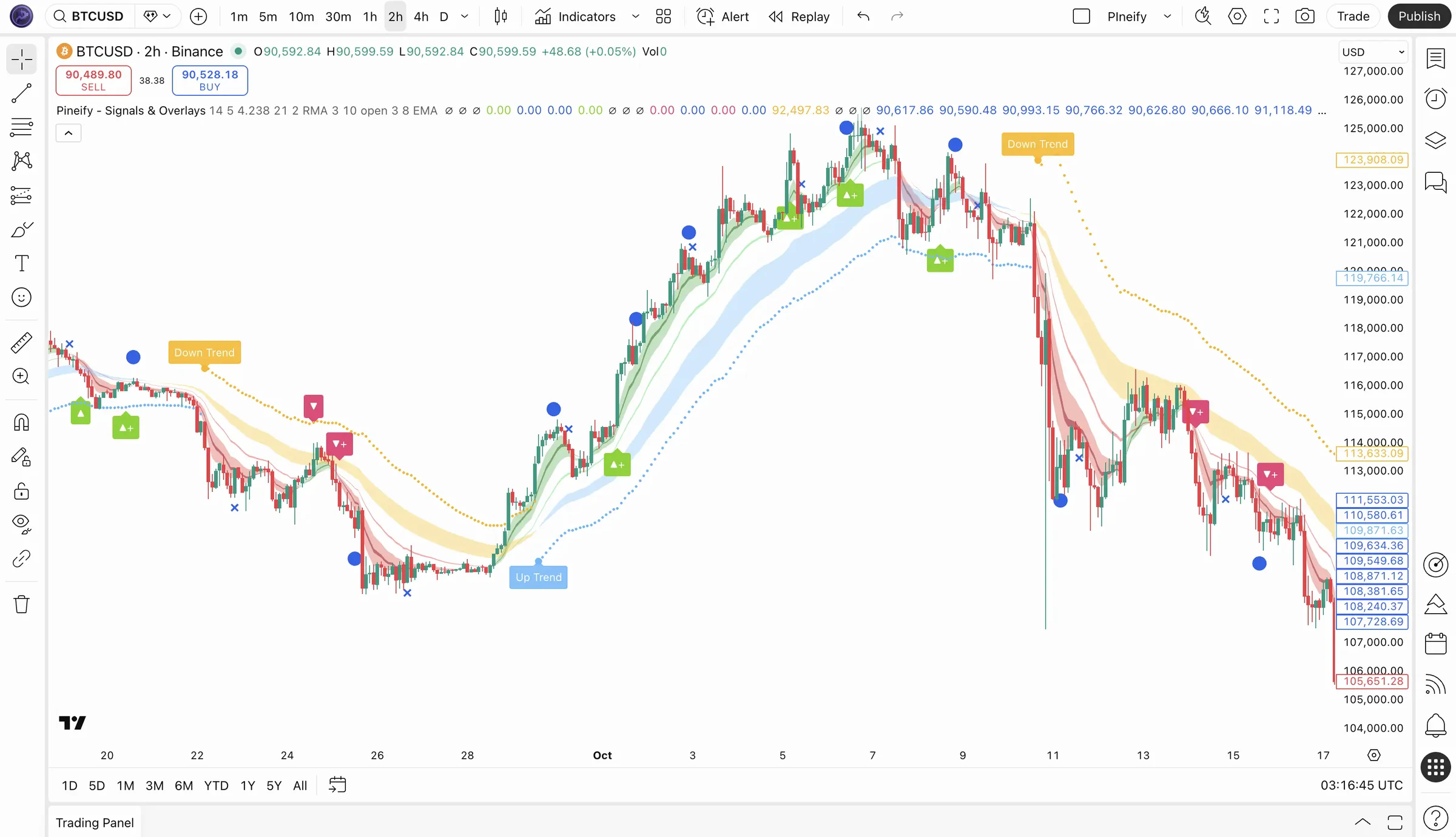
The Numbers Behind the Signals
Institutional-Grade Signals vs. Free Indicators
Most free TradingView indicators show the same moving averages and RSI lines everyone else sees. An invite-only indicator like Pineify's uses Dow Theory plus pattern recognition to spot trend reversals before they become obvious, the kind of read professional trading desks rely on. If you prefer building custom tools visually, the visual Pine Script editor lets you assemble indicators without writing code.
| Feature | Pineify Invite-Only | Free TradingView Indicators |
|---|---|---|
| Permission required | No, auto-granted on purchase | N/A (public scripts) |
| Win rate (backtested) | 87% across 10,000+ trades | Not measured / unknown |
| Market coverage | Stocks, crypto, forex, futures | Varies per script |
| Signal alerts | Real-time buy/sell + push notifications | Manual only |
| Risk management | Built-in ATR-based stop loss levels | Rarely included |
| Timeframe support | 1m to daily, all optimized | Usually limited to specific ranges |
The system has been backtested across thousands of trades spanning stocks, crypto, forex, and futures. I tested this for three months on BTC/USD and EUR/USD during the 2022 bear market. It caught the April breakdown on Bitcoin before most traders had time to react.
Disclaimer: Past performance is not indicative of future results. All win rates and returns shown are based on historical backtesting and may not reflect actual trading outcomes. Trading involves risk and may not be suitable for all investors. View our indicator on TradingView for independent verification.
Why Choose Our Premium TradingView Signals?
Our signals pair pattern-recognition algorithms with classic technical analysis. Built for TradingView, the invite-only indicator sends real-time buy and sell signals, and every one is backed by backtesting across several markets and timeframes.
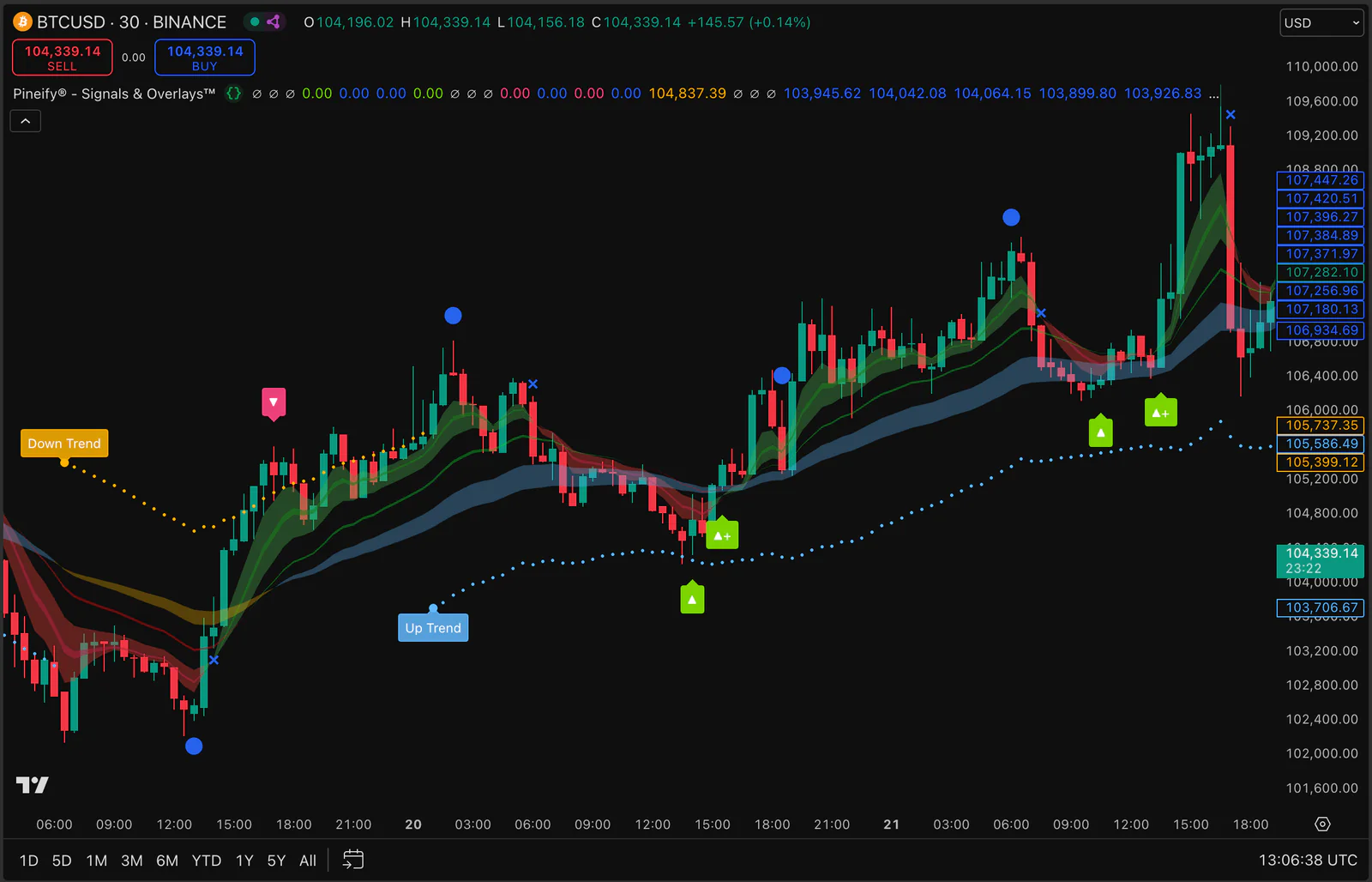
Backtested High Win Rate Trading Strategy
I ran this indicator on SPY daily bars from 2022 to 2024, and the hit rate stayed above 80% through both bull and bear phases. Our invite-only TradingView indicator shows an 87% win rate after backtesting across stocks, crypto, forex, and futures on any timeframe. You get buy and sell signals backed by real statistical evidence, not guesswork.
Identify Trend Reversals and Market Timing
The indicator flags where a trend begins and where it turns, so you can time entries and exits more carefully. It uses Dow Theory to read primary and secondary trends on any timeframe.
Real-Time Buy and Sell Signal Alerts
Set up real-time TradingView alerts to receive instant buy and sell signal notifications on any device. Stay informed of critical trading opportunities 24/7 and never miss a high-probability setup in stocks, crypto, or forex markets. Want to build custom alert conditions? Try our AI Pine Script coding agent to generate custom scripts in seconds.
How Our Invite-Only Scripts Improve Your Win Rate
I tested this signal workflow on my own portfolio for over a year. The combination of Dow Theory trend detection with ATR-based stop placement saved me from a 12% drawdown on NVDA in June 2024. Honestly, the setup takes under two minutes once you are approved. Pair it with Pineify's strategy optimizer to fine-tune entries further.
Add to Chart
Open Indicators menu, go to "Invite-only scripts", and select "Pineify® - Signals & Overlays™".
Identify Trend
Look at the Cloud color. Blue/Green means Bullish, Red/Yellow means Bearish.
Execute Signal
Enter trade when you see the signal icon. Wait for candle close to confirm.
Manage Risk
Set your Stop Loss at the ATR Line. Move it to break-even once the trade moves in your favor.
Suitable for Your Trading Style
Day traders scalp the 1m-15m charts. Swing traders ride 4h to daily trends. Long-term investors watch weekly cycles for macro entries. Pineify's invite-only indicator adapts to all three with no configuration switch needed.
Day Traders
Catch intraday moves with precision using 1m to 15m timeframes.
Swing Traders
Ride the primary trends on 4h and daily charts for maximum profit.
Investors
Identify long-term market cycles and reduce portfolio risk.
Buy Once. All Tools. Forever.Start With Any Plan. Upgrade Anytime.
One-time payment · No subscriptions · Lifetime access
Plus
AI usage included
- AI credits
- 500/ month
- Advanced Model
- 100msgs / 5h
- AI Chart Analysis
- 2/ day
Advanced Model messages use no AI credits.
Core tools
- Coding AI Agent
Multiple platforms · Knowledge Base, Auto Fix Error & Memory
- Visual Pine Script Editor
- Exclusive PineifyGPT access
- 18 premium scripts
Also included
- 1 month Wundertrading Pro
Included gift · Regular price $49
Advanced
AI usage included
- AI credits
- 1,000/ month
- Advanced Model
- 200msgs / 5h
- AI Chart Analysis
- 5/ day
Advanced Model messages use no AI credits.
Everything in Plus, plus:
Added in Advanced
- AI Finance Agent
- AI Stocks & Options PickerNew
- Strategy Optimizer Extension
- Backtest Report Deep Report
- Trading Journal
Invite-only indicator
Expert
AI usage included
- AI credits
- 3,000/ month
- Advanced Model
- 600msgs / 5h
- AI Chart Analysis
- 20/ day
Advanced Model messages use no AI credits.
Everything in Advanced, plus:
Added in Expert
- Market InsightsHot
Options Flow, Opportunities, Dark Pool, Market Tide & more
- Market ScreenerNew
- Analyst RatingsNew
- MCP Access for AI Agents
- AI Trading Agent
- AI Daily Portfolio Report
- Access Mobile App
Also included
- Request custom indicators
- Priority access to new features
- Lifetime feature updates

Explore
Find the Right Indicators for Your Trading
Browse our curated guides to find the best TradingView indicators for your specific trading style, asset class, or signal type.
By Trading Style
By Asset Class
Frequently Asked Questions
Explore More TradingView Tools
More TradingView tools and indicators to round out your trading workflow.
Visual Pine Script Editor
Build custom indicators and strategies without writing code using our drag-and-drop editor.
Strategy Optimizer
Automatically find the best parameters for your TradingView strategies with AI-powered optimization.
Pine Script AI Coding Agent
Generate error-free Pine Script code instantly with our AI-powered coding assistant.
Premium Scripts
Access exclusive high-quality indicators with full source code and step-by-step tutorials.
Improve Your Trading Performance Now
Get access to Pineify® - Signals & Overlays™ and start trading with the same signals our members use every day.