

Identify newly announced changes
Review product launches, partnerships, leadership updates, and other developments described in recent releases.
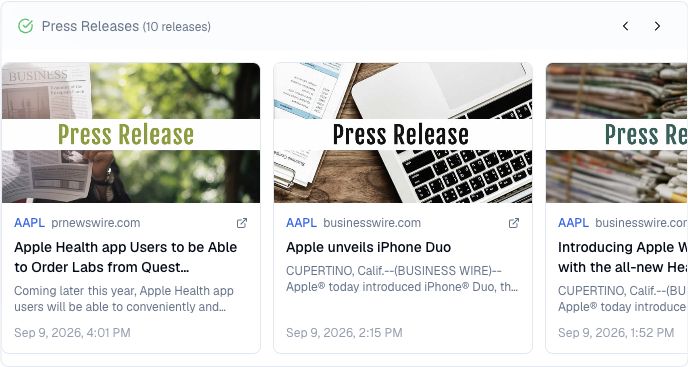
Pineify Finance Agent returns press releases tied to one or more stock tickers, with titles, source sites, publication dates, short excerpts, and links. Use a date range to review what was announced, then open the source to see who issued it. A ticker match can include a partner release, and the card is not the full regulatory filing.
Opens Finance Agent with a company press-release question ready to send.
Company announcement research
Ask for one or more tickers and read titles, source sites, dates, excerpts, and links. Use the page to see how an issuer frames a product, partnership, or leadership change. A ticker match can include a partner release, and the release is not independent verification of its claims.
Ask for a ticker or a comma-separated group of tickers and, optionally, start and end dates. A request returns 20 releases by default and at most 50. Additional pages are separate requests; the arrows on a result card move through the returned cards and do not fetch the next page.
Use cases
Review product launches, partnerships, leadership updates, and other developments described in recent releases.
Open the linked release to identify the issuing organization. The card’s site label may name a distribution service such as Business Wire rather than the company making the statement.
Use a sequence of announcements to identify themes and decide which claims, filings, or reported outcomes need deeper research.
Prompt examples
FAQ
Ask Finance Agent for recent company press releases, review who issued each release, and continue into the business changes that matter to your research.
Open Finance AgentFor informational and research use only. No output is investment advice or a guarantee of future performance.