

An explicit EA specification
Document the symbol, timeframe, closed-bar or tick behavior, entry and exit rules, position scope, and sizing units. Ask the assistant to identify missing decisions before it generates order handling.
MQL5 development · Pineify guide
A plain-language prompt can start an EA project, but it does not remove the setup and testing work. Pineify provides editable MQL5 source and requested compiler checks. Your MT5 environment is where you verify dependencies, inputs, and runtime behavior.
Open PineifyOpen the Coding Agent and select MQL5. Account and plan usage limits apply.
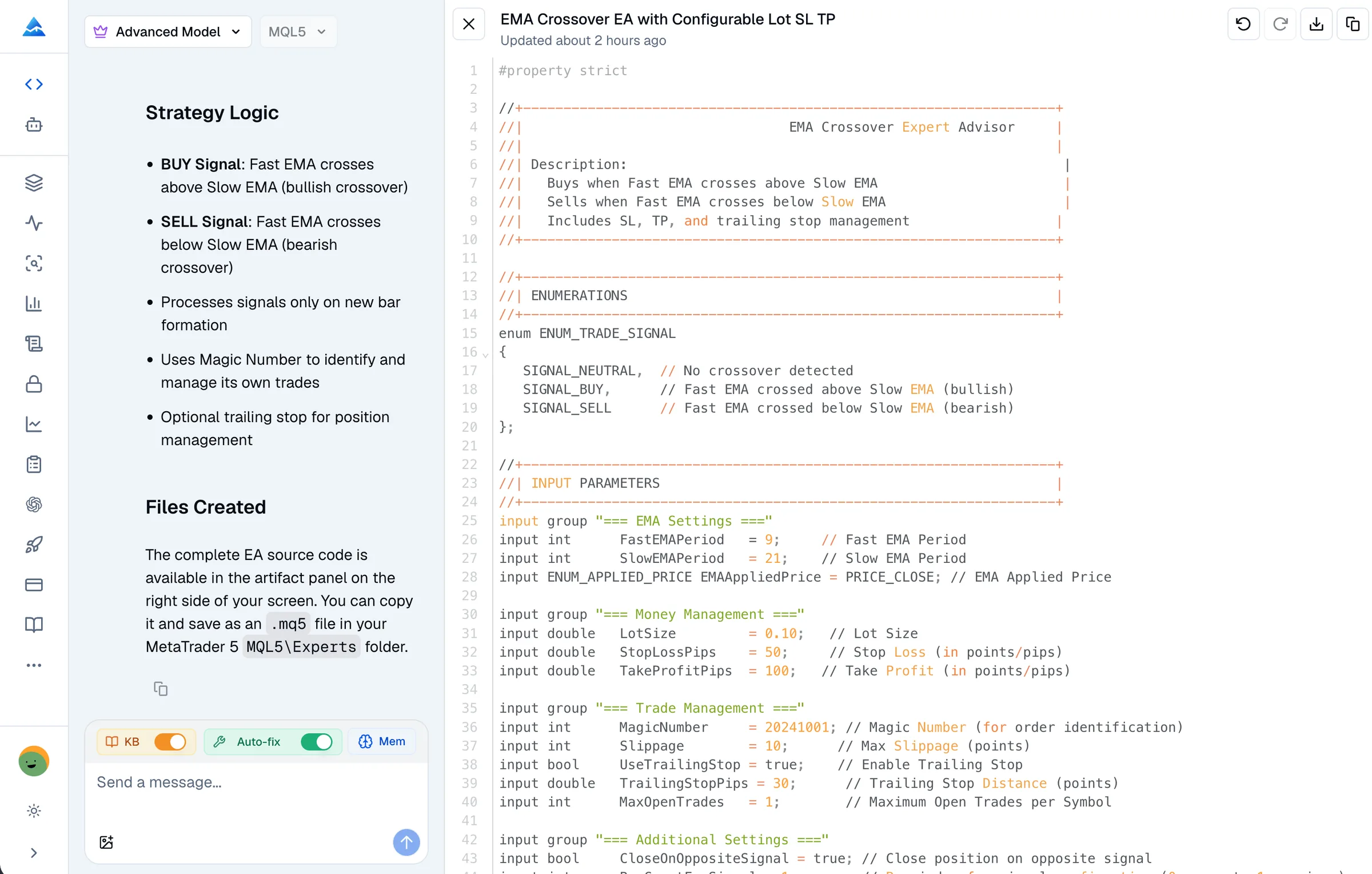
Document the symbol, timeframe, closed-bar or tick behavior, entry and exit rules, position scope, and sizing units. Ask the assistant to identify missing decisions before it generates order handling.
Keep the final .mq5 source and list of required includes or custom indicators. Pineify’s current remote check submits one source file; it may not have files installed on your computer.
Compile locally with the correct dependencies and examine diagnostics. Select a suitable demo account and verify its symbol settings and account mode. A browser coding session is not an installed EA.
Retain the exact source version, inputs, symbol, dates, and tester settings with each result. If a rule changes, the previous test no longer describes the current program.
Illustrative request for your own development workflow, not a tested trading strategy.
Draft an MQL5 EA that only logs the proposed entries and exits from my rules. Do not submit orders. Expose the relevant parameters and explain the dependencies, account-mode assumptions, and duplicate-signal handling. List the tests I should run before requesting an execution-enabled revision.
Open the Coding Agent, choose MQL5, and review the generated source. Explicitly request a syntax check or a fix. Resolve errors or a failed check before treating the file as verified.
Save the EA in the appropriate MQL5 Experts location and provide its required files. Compile in MetaEditor and review the diagnostics. Do not assume a web checker has produced a deployable EX5 for you.
Choose the program, symbol, dates, inputs, and modeling settings. Use the visual result and logs to compare decisions with your specification. Test a separate forward period rather than relying on the development sample alone.
Check inputs, permissions, symbol constraints, and logs in a demo environment. Confirm how the EA behaves after a restart and how to stop it. A VPS is an operational hosting choice, not proof of strategy quality.
No-coding describes how you begin the draft; it does not mean no MetaEditor, no review, or no maintenance. If you cannot judge a change to order handling, obtain a qualified review before using that revision.
Generated code is not guaranteed to work on every broker or account. Netting and hedging behavior, symbol rules, permissions, and dependencies can affect execution. Compilation and historical results do not guarantee live performance.
For Pineify’s workflow and examples, see the MQL5 Coding Agent. Check the current pricing and your account allowance before starting a larger project.
Yes, you can describe the requirements and ask Pineify for a draft. You still need to inspect the result and complete the MT5 compilation and testing workflow.
Use MetaEditor to compile the final source in your local environment and inspect its diagnostics. Pineify’s remote syntax check does not replace dependency and runtime verification on your installation.
A VPS can keep a configured terminal running when your own computer is off, but it is not required to draft or locally test an EA. Hosting, broker access, and ongoing operation are separate from source generation.
That cannot be established by generation or a compiler pass. Review its rules, test failure cases and historical behavior, and assess demo operation. None of these checks guarantees future returns.
Bring your requirements or existing source to Pineify. Review the draft, request diagnostics, and validate the final program in MT5.
Open Pineify