

Compilation errors
Missing declarations, incompatible types, or incorrect function arguments can prevent a build. Record the exact error and source location. A check applies to that source version and environment.
MQL5 development · Pineify guide
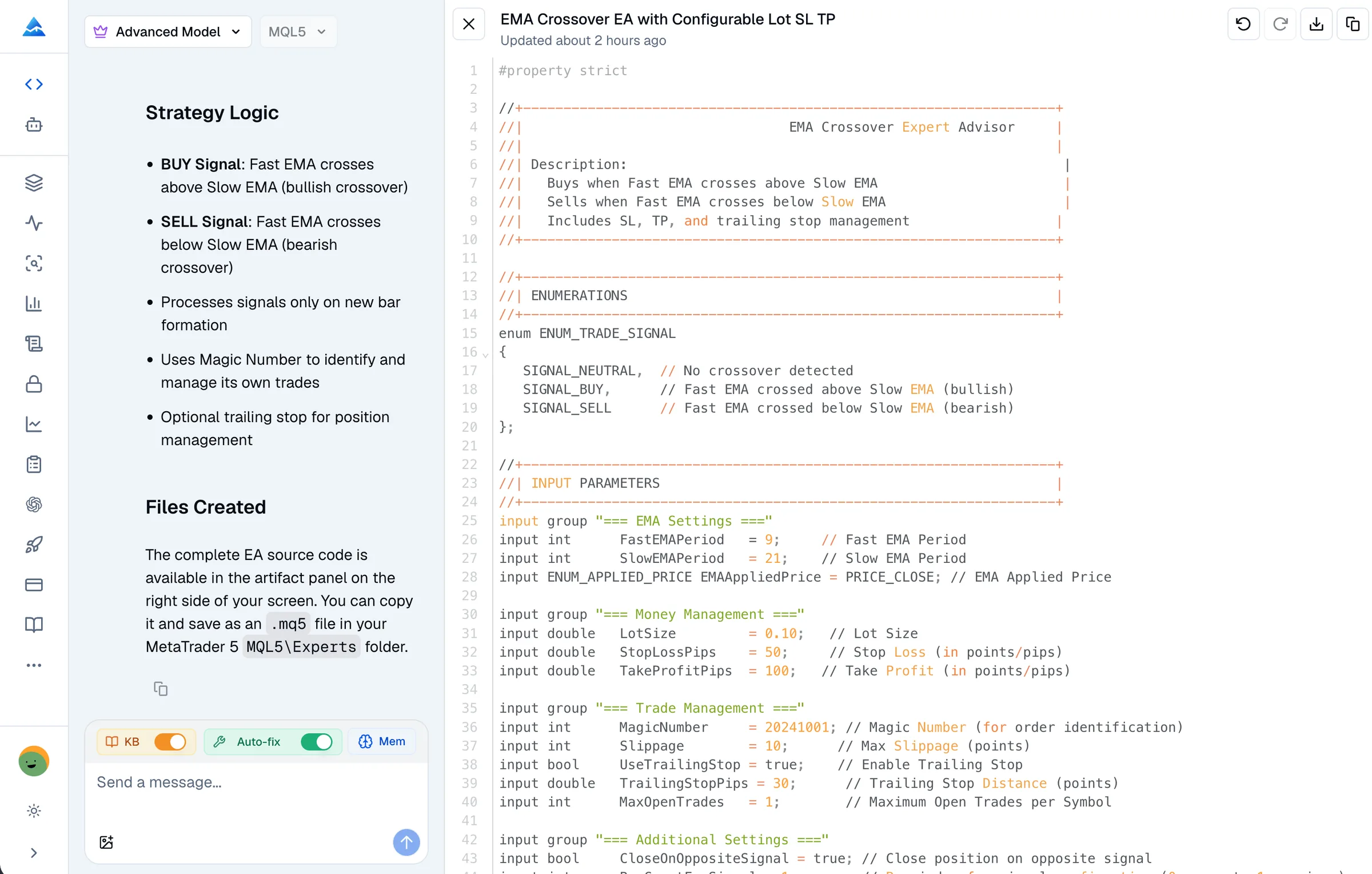
No AI generator can establish that a trading program has no defects simply by producing code. Pineify offers a syntax-check tool you can request. Use its diagnostics to guide revisions, then test the behavior that a compiler cannot prove.
Open PineifyOpen the Coding Agent and select MQL5. Account and plan usage limits apply.
Missing declarations, incompatible types, or incorrect function arguments can prevent a build. Record the exact error and source location. A check applies to that source version and environment.
A program can build and then encounter unavailable data, an invalid array access, or rejected trading requests. Inspect the logs and reproduce the condition; do not label every runtime problem a compiler error.
Code may run exactly as written while using the wrong bar, duplicate-entry rule, or sizing assumption. Compare the observed action against a written requirement and a concrete test case.
A timeout or service error is not a clean compiler result. Retry or use MetaEditor locally. Do not infer a pass from the absence of diagnostic lines when the checking process did not finish.
Illustrative request for your own development workflow, not a tested trading strategy.
Here is the current MQL5 source, the full compiler diagnostic, and the expected behavior. Explain the first error and make a focused correction. List changes that affect trading logic. Use the syntax-check tool on the revised source and state whether the check passed, failed, or could not finish.
Save the source, compiler build, and relevant diagnostic or runtime log. Include required dependencies and a reproducible input. Avoid sharing account details or secrets.
Pineify can revise the editable source and return compiler diagnostics when you request checking. Review the change; the tool is not evidence of a guaranteed automatic repair loop.
Compile the final file in MetaEditor and rerun the scenario that failed. For EAs, inspect Strategy Tester orders and logs, then use demo testing for environment-dependent behavior.
Pineify’s MQL5 checking service compiles a submitted source file using MetaEditor. It reports compiler errors with source locations, but it can time out or fail. It does not inspect every possible market state, prove the trading rules, or establish profitable results.
Some alleged errors in AI comparisons are themselves wrong. OnInit returning zero indicates successful initialization. OrderSend is a documented MQL5 API. Verify the exact signature and return semantics in official documentation instead of replacing valid code based on a product comparison.
There is no universal number of trades that proves an EA is safe for live use. Relevant checks depend on its logic, data, account mode, broker constraints, and failure cases. A profitable historical run can still be overfitted.
For Pineify’s workflow and examples, see the MQL5 Coding Agent. Check the current pricing and your account allowance before starting a larger project.
No. It can generate and revise source, and you can explicitly request a syntax check. Errors and service failures remain possible. The page does not claim a first-pass success rate.
It establishes the result of the compiler check for the submitted source and supported environment. It does not prove runtime behavior, correct position sizing, or trading profitability.
Provide the source, exact diagnostic, and intended behavior. Ask for the smallest relevant change, inspect the revision, and rerun the check and failing scenario.
The current tool is intended for an explicit request to check, verify, or fix code errors. Ask for a check and inspect its result; the presence of a generated document is not proof that one ran.
Bring your requirements or existing source to Pineify. Review the draft, request diagnostics, and validate the final program in MT5.
Open Pineify