

Signal timing
Choose the symbol and timeframe, whether signals use closed bars or live ticks, and when a signal expires. Define whether repeated ticks may create more than one order.
MQL5 development · Pineify guide
An EA needs more than an entry signal. Use Pineify to draft editable MQL5 from a specification that includes exits, position limits, and failure handling. Review those decisions before enabling automated trading.
Open PineifyOpen the Coding Agent and select MQL5. Account and plan usage limits apply.
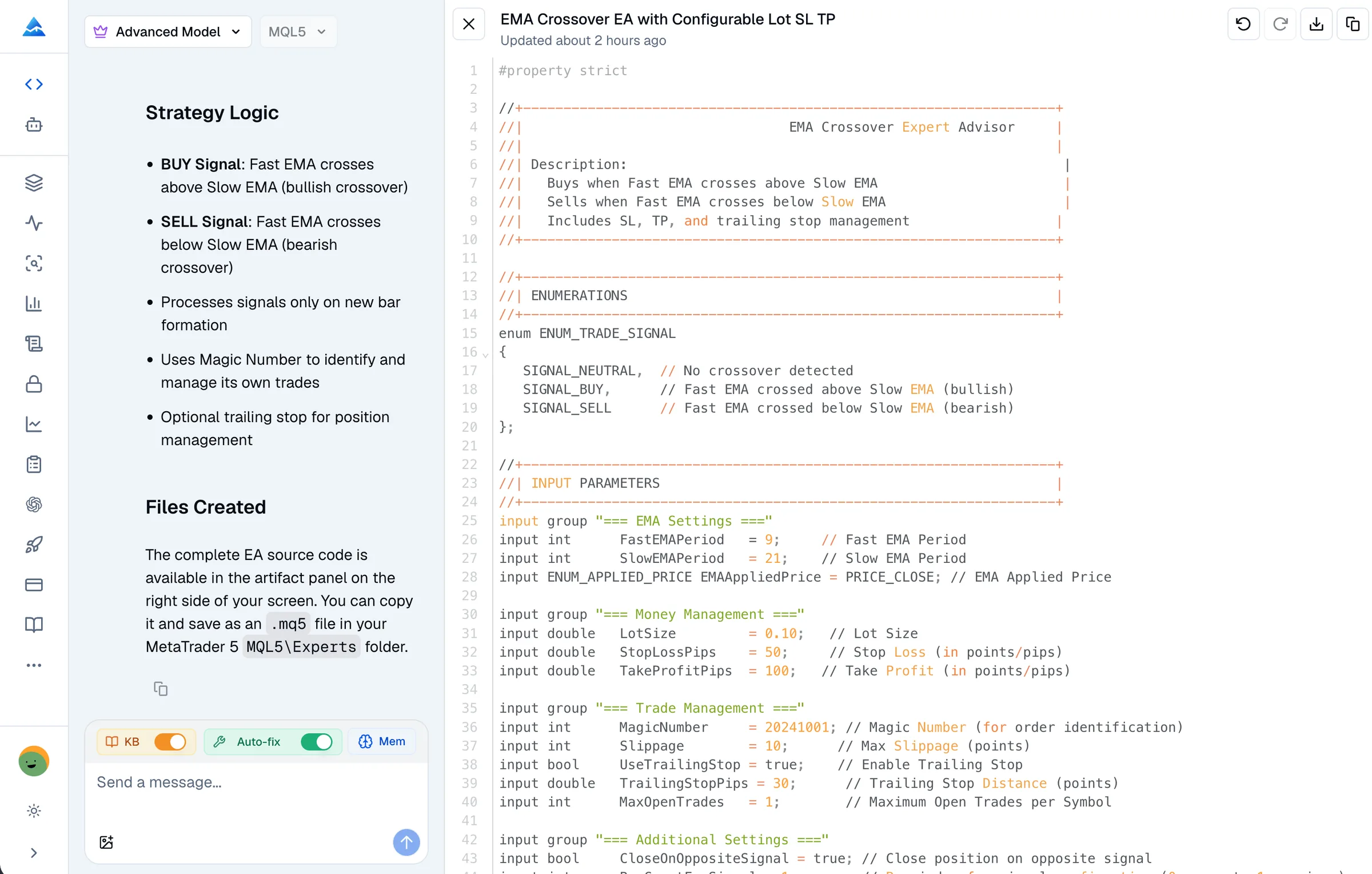
Choose the symbol and timeframe, whether signals use closed bars or live ticks, and when a signal expires. Define whether repeated ticks may create more than one order.
State whether the EA manages only its own positions or also existing positions. Include its identifier, maximum exposure, and the expected netting or hedging account behavior.
Specify the sizing method, stop and target units, and what happens when broker volume or stop constraints reject the requested values. A requested risk rule is not proof that the generated calculation is correct.
Define what the program should log and do after missing market data, a rejected order, a restart, or a connection interruption. Avoid an unlimited retry rule that could create unintended trades.
Illustrative request for your own development workflow, not a tested trading strategy.
Draft a signal-only MQL5 EA from these entry and exit rules. Evaluate completed bars once per bar and log each proposed action with its reason. Do not submit orders yet. List the account mode, indicator data, sizing assumptions, and missing requirements you need me to confirm before adding execution.
Open Pineify’s Coding Agent, select MQL5, and provide the specification. Ask for a description of the event flow and any assumptions rather than accepting a list of features as a test result.
Explicitly request the syntax-check tool. Review source locations in the diagnostics and compare each revision with the rules. Repeat the check on the final revision, and compile it locally with required dependencies.
Use MT5 Strategy Tester to examine individual signals, requests, and resulting positions. Test invalid inputs and rejected operations as well as the normal path, then assess demo behavior.
OrderSend is a valid MQL5 trading function. Its successful return means the request passed the initial checks; it does not by itself establish that a trade has been executed. Inspect the server result and the resulting order or position. A helper class does not remove this responsibility.
Pineify’s coding workflow is not a brokerage connection or an MT5 backtest result. The current remote checker receives one source file. External indicators and include files require an explicit dependency plan. Compile success cannot guarantee correct risk controls or profitability.
For Pineify’s workflow and examples, see the MQL5 Coding Agent. Check the current pricing and your account allowance before starting a larger project.
It can draft and revise MQL5 source from explicit requirements. Treat the output as a program to review and test, not as an automatically verified trading system.
Pineify’s MQL5 workflow can draft either type. State the intended type and output at the start: an indicator and an EA have different event and execution requirements.
MQL5 targets MT5. There is no general compatibility mode that makes an MQL5 EA an MT4 program. An MT4 implementation needs MQL4-specific work and its own validation.
No. Specify the controls, inspect their implementation, and test normal and failure cases. Compiler checks do not verify financial assumptions, broker execution, or live losses.
Bring your requirements or existing source to Pineify. Review the draft, request diagnostics, and validate the final program in MT5.
Open Pineify