

Initialization
Check invalid inputs and failed indicator creation. An integer OnInit return value of zero means success; INIT_SUCCEEDED names the same outcome. Do not rewrite valid code just because it uses zero.
MQL5 development · Pineify guide
If you use Claude to draft an EA or indicator, keep the original specification, source, and diagnostics together. The useful question is whether this version implements your rules and passes the checks you ran, rather than which brand supposedly never makes mistakes.
Open PineifyOpen the Coding Agent and select MQL5. Account and plan usage limits apply.
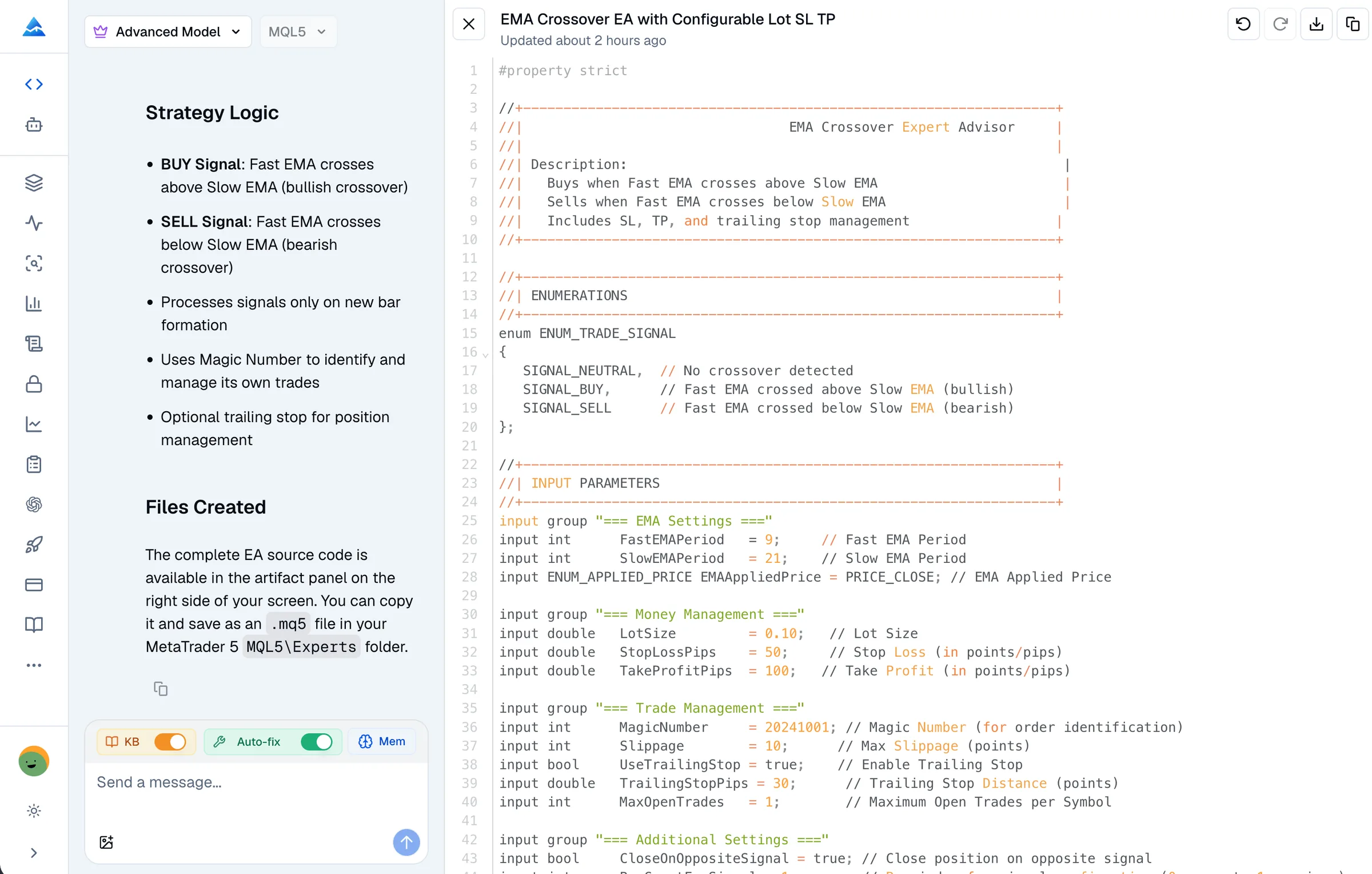
Check invalid inputs and failed indicator creation. An integer OnInit return value of zero means success; INIT_SUCCEEDED names the same outcome. Do not rewrite valid code just because it uses zero.
Confirm whether the program should follow the chart timeframe or a fixed timeframe. _Period is a valid MQL5 predefined variable. Check handle creation, data availability, and which bars are read.
OrderSend is a documented MQL5 function, not an obsolete API simply because CTrade also exists. Review its request structure and server result; a successful function return alone does not prove that a trade executed.
List custom indicators and include files before moving the source between tools. A missing local dependency requires the right file or a deliberate rewrite, not a claim that the assistant cannot code MQL5.
Illustrative request for your own development workflow, not a tested trading strategy.
Review this MQL5 source against the attached requirements and compiler log. Explain the first diagnostic, propose the smallest correction, and list any changed behavior. Keep the entry and exit rules unchanged unless you identify a contradiction. Tell me which dependencies are required and which checks you have actually run.
Save the original source and the compiler messages before requesting changes. Include the MetaEditor build and the expected behavior. Remove account details or credentials from any logs you share.
Paste the source and explain the failure. Pineify provides an editable code artifact and a syntax-check tool. Explicitly request a check or a fix; generation alone is not evidence of compilation.
Inspect the changes, compile the saved source in your own environment, and examine the relevant behavior in MT5. Changing one compiler error can expose another; a clean build still needs runtime testing.
Claude chat, Claude Code with tools, and a configured MetaTrader connection are different workflows. MetaQuotes documents MT5 MCP support for compatible external agents, including Claude Code, as well as a built-in MetaEditor AI assistant. Check the actual connection and permissions instead of assuming that every Claude session is restricted to text.
Pineify’s current MQL5 checker submits a single source file to a MetaEditor service and returns compiler diagnostics. It can fail or time out, and it does not imply that your custom local includes are available. This page does not report a comparative accuracy test or claim specialized model training.
For Pineify’s workflow and examples, see the MQL5 Coding Agent. Check the current pricing and your account allowance before starting a larger project.
You can provide the source, requirements, and errors for revision, then explicitly request a syntax check. A successful correction is not guaranteed. Review changed behavior and test the final source in MetaTrader 5.
This workflow provides editable source and compiler diagnostics. Do not assume it delivers a deployment-ready EX5. Save the final MQL5 source and compile it in MetaEditor with the dependencies your program needs.
No. OnTester is used for custom tester behavior such as a custom optimization criterion. Its absence alone is not evidence that an EA cannot be backtested. Use the tester configuration appropriate to the program.
This page has no controlled speed or accuracy benchmark. Compare your own task and current plan terms, including model usage and separate provider charges. Pineify account and plan limits apply.
Bring your requirements or existing source to Pineify. Review the draft, request diagnostics, and validate the final program in MT5.
Open Pineify