

Spot upgrades and downgrades
Filter your attention to firms that moved a grade and see exactly what the previous and new labels were on the recorded date.
Pineify Finance Agent retrieves up to 30 FMP grade records for one stock ticker, showing the date, grading company, previous grade, new grade, and recorded action. Use the firm and date to locate the original research note separately; this result does not include note links, individual analyst names, price targets, or a consensus calculation.
Opens Finance Agent with an Apple stock-grade history question ready to send.
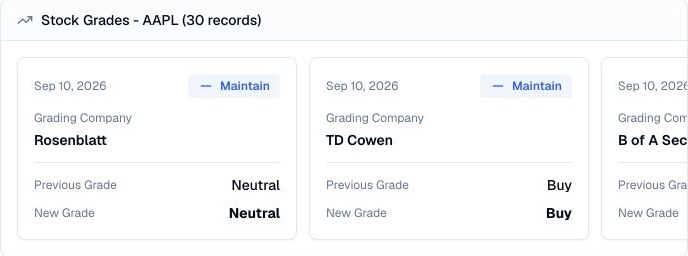
A before-and-after rating timeline
Choose a ticker and inspect the recorded action alongside both grade labels. The tool has no date range, firm filter, or pagination, and preserves provider order. A recent set of update events is not a complete list of firms currently covering the company.
A grade update is an analyst opinion at a point in time, not a complete thesis. Use the timeline to identify source material and competing views, then check the assumptions, valuation, risks, and current company evidence behind each change.
Use cases
Filter your attention to firms that moved a grade and see exactly what the previous and new labels were on the recorded date.
Recognize maintained views as follow-through updates rather than treating every record as a new opinion.
Review multiple grading companies side by side to see where views converge, diverge, or change at different times.
Prompt examples
FAQ
Use the dated updates to find meaningful changes, then verify the original note, target assumptions, current price, filings, and business evidence.
Open Finance AgentFor informational and research use only. No output is investment advice or a guarantee of future performance.