

Record a deposit
Save an already completed deposit as a journal cash-flow entry.
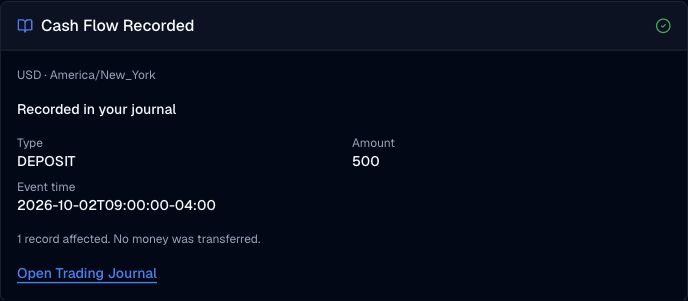
Pineify Finance Agent can record a deposit or withdrawal that already happened on your explicit request. Provide a positive amount and clear event time, then review its saved receipt.
Opens Finance Agent with a journal request ready to send. Advanced or higher is required.
Your personal trading records
Select the ledger first and check its account currency and timezone. State deposit or withdrawal, the positive amount in that currency, and the event time with its timezone. The saved receipt confirms the record, and you can read the transaction back to verify its stored details.
Journal capabilities are available in Finance Agent on Advanced or higher. Your journal content may enter the model context and your own chat history; this capability does not add a public conversation or sharing workflow.
Use cases
Save an already completed deposit as a journal cash-flow entry.
Save an already completed withdrawal without initiating a transfer.
Include the account-currency amount, event time and a short note for later review.
Prompt examples
FAQ
Select an existing ledger, check its currency and timezone, and describe the record you want to read or save.
Open Finance AgentFor informational and research use only. No output is investment advice or a guarantee of future performance.