

Find relevant stories faster
Search by ticker or topic and keep the source and timestamp visible while scanning a busy news stream.
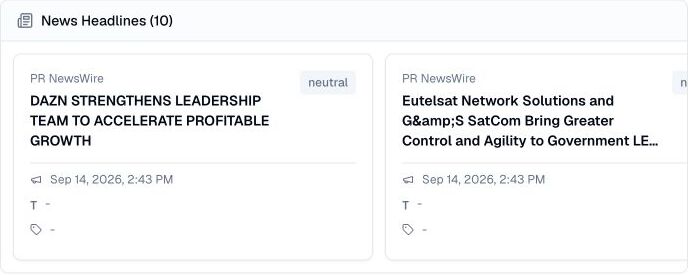
Pineify Finance Agent retrieves Unusual Whales headlines with source, timestamp, ticker tags, sentiment, and a major-news flag. Filter by ticker, headline text, comma-separated sources, or major-only status. The tool requests 10 headlines by default, up to 20 per page; it does not retrieve full articles or display article links.
Opens Finance Agent with a recent-news research question ready to send.
A focused feed for market-moving context
Start with a ticker or words expected in the headline. A topic search matches headline content rather than searching the full article. Request 1–20 results and keep source, timestamp, and duplicate reports with your research notes. Cards show up to five ticker tags and four topic tags.
Locate the original coverage separately using its headline and source, then compare it with filings or official releases. The displayed timestamp is formatted in the viewing environment’s local time; it may represent creation or publication, not the time the underlying event occurred.
Use cases
Search by ticker or topic and keep the source and timestamp visible while scanning a busy news stream.
Use major-news and sentiment context as triage signals without treating them as a substitute for judgment.
Record the headline and source, find the original article separately, and cross-check any factual claim against company releases, filings, or official economic data.
Prompt examples
FAQ
Use the feed as a fast discovery layer, then read the source, check the company or macro data, and test whether the event changes your thesis.
Open Finance AgentFor informational and research use only. No output is investment advice or a guarantee of future performance.