

Find the largest reported positions
Compare position value, units, close price, and portfolio share to see which names or funds matter most in the reported snapshot.
Pineify Finance Agent organizes Unusual Whales’ reported institution holdings by company or fund, units, position value, average price, close price, portfolio share, and change in units. Use the view to discover concentration, compare positions, and choose filings for deeper diligence, while treating the report as a dated snapshot rather than a live portfolio or proof of investment intent.
Opens Finance Agent with an institutional holdings research question ready to send.
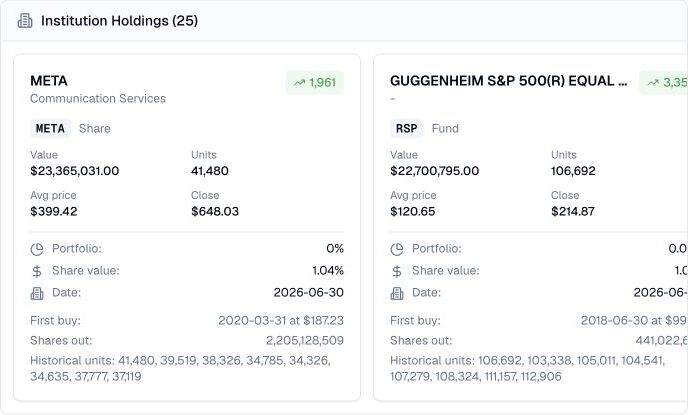
A reported portfolio view for institutional research
Institutional portfolio research is easier when holdings, position size, price context, and reporting date stay together. Name the institution precisely, then optionally filter by ticker, report-date bounds, or security type and request a sort such as position value. The tool returns 25 holdings by default, at most 50 per page, with page numbering starting at 1 and a one-hour cache.
A holdings report is not a live account statement. Reporting lags, security types, derivatives, private assets, and rounding can leave important context out, so confirm the original filing and the institution’s current disclosures before relying on a position.
Use cases
Compare position value, units, close price, and portfolio share to see which names or funds matter most in the reported snapshot.
Use unit changes and first-buy context to identify additions, reductions, and long-held positions worth investigating.
Choose a ticker or fund from the feed, then verify the reporting period, security type, filing notes, and current business evidence.
Prompt examples
FAQ
Use a reported position as a lead, then verify the filing date, security type, position changes, and what the institution may hold outside the report.
Open Finance AgentFor informational and research use only. No output is investment advice or a guarantee of future performance.