

Scan recent reported activity
Browse transactions across companies and quickly see the ticker, reporting person, role, action, shares, price, and date.
Pineify Finance Agent displays Unusual Whales’ insider-activity records in one view, connecting the ticker, reporting person, role, transaction type, shares, price, sector, market-cap context, and dates. Use the feed to find activity worth investigating and then read the original filing and surrounding business evidence; a reported trade is not a standalone buy or sell signal.
Opens Finance Agent with a recent insider-transactions question ready to send.
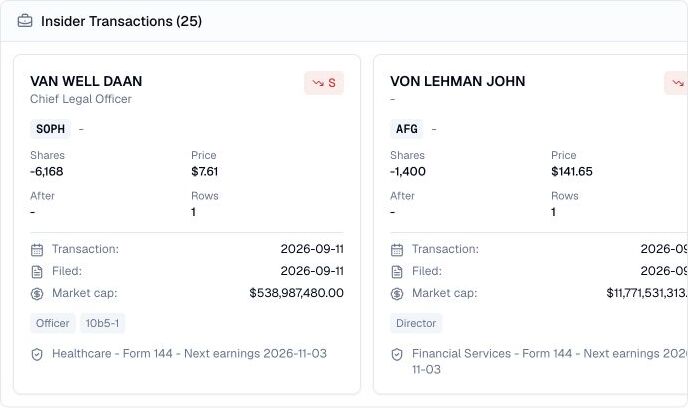
A market-wide view of reported insider activity
Insider activity is most useful when the person, role, ticker, transaction, and timing stay connected. Choose tickers, an owner name, sector, transaction codes, roles, company size, or transaction-date bounds to narrow the provider query. The default is 25 records on page 1, with up to 50 per page and an hour-long response cache.
The feed describes disclosed events, not the insider’s reasoning or complete economic exposure. Awards, tax withholding, gifts, planned sales, conversions, and other filing types can look different from an open-market purchase or sale, so the original filing remains essential context.
Use cases
Browse transactions across companies and quickly see the ticker, reporting person, role, action, shares, price, and date.
Compare shares and price with market-cap, sector, ownership, and next-earnings context to choose records worth deeper research.
Use transaction codes, roles, forms, and filing dates to distinguish compensation or planned activity from events that merit a closer read.
Prompt examples
FAQ
Use a transaction as a lead, then verify the form, transaction code, ownership context, trading plan, and current company evidence.
Open Finance AgentFor informational and research use only. No output is investment advice or a guarantee of future performance.