

Spot the largest industry moves
Compare the largest absolute average changes among the retained records, then query a named industry separately if you need to check coverage.
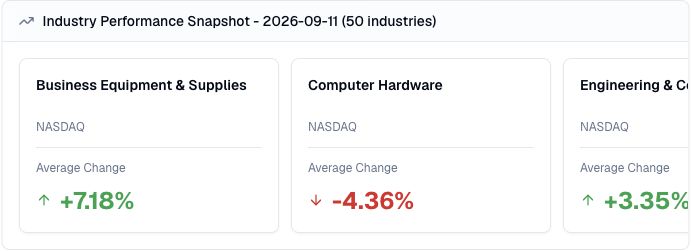
Pineify Finance Agent can compare available stock market industries for a chosen date and exchange, organize them by the magnitude of their average price change, and show the largest gains or declines within the returned sample.
Opens Finance Agent with a dated NASDAQ industry-performance question ready to send.
Industry-level market context
A sector can contain industries moving in very different directions. An industry-level snapshot gives you a narrower view of where market strength or weakness was concentrated on a particular date.
The tool requests FMP data for one date, optionally filtered by exchange and industry name. It keeps the first 50 provider records, then sorts those retained rows by absolute average change. That sequence matters: an industry outside the retained sample cannot appear at the top even if its move was larger. The direction remains visible, so you can distinguish an unusually strong gain from an unusually steep decline before starting deeper research.
Use cases
Compare the largest absolute average changes among the retained records, then query a named industry separately if you need to check coverage.
Keep the positive or negative direction visible while comparing the magnitude of each industry move on the same date.
Use an industry outlier as a starting point for follow-up company, earnings, filing, or news research in Finance Agent.
Prompt examples
FAQ
Start with the largest industry moves, then investigate the companies, announcements, and market conditions behind them.
Open Finance AgentFor informational and research use only. No output is investment advice or a guarantee of future performance.