

Follow an indicator through time
Review dated readings for a chosen economic measure and see whether it has risen, fallen, stabilized, or changed direction over the period you care about.
Pineify Finance Agent can review how an economic indicator has changed through time, surface the dates and readings behind the trend, and help you connect GDP, inflation, employment, interest rates, and other macroeconomic measures to a wider research question.
Opens Finance Agent with a historical unemployment-rate question ready to send.
Macroeconomic context
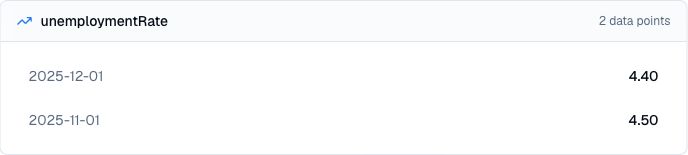
Choose one supported indicator and optional start and end dates. The tool returns up to 50 dated values in the received order. The card displays each value to two decimal places; it does not draw a trend chart or automatically calculate a growth rate.
Use this capability to research growth, inflation, employment, consumer activity, production, housing, interest rates, and other parts of the economic backdrop. The history helps frame a question; it does not predict the next release or the market reaction.
Use cases
Review dated readings for a chosen economic measure and see whether it has risen, fallen, stabilized, or changed direction over the period you care about.
Use changes in the series to identify possible turning points, unusual moves, or periods that deserve closer research with official releases and other evidence.
Bring inflation, labor, growth, rates, or consumer conditions into market, sector, and company research without losing sight of the underlying observations.
Prompt examples
FAQ
Choose an indicator, review how it changed, and use the trend as context for deeper market, industry, or company analysis.
Open Finance AgentFor informational and research use only. No output is investment advice or a guarantee of future performance.