

Only a code response
Save a complete source file and record its dependencies. A confident explanation is not a compiler log. Check whether your current environment can actually run the required tool.
MQL5 development · Pineify guide
If a chat-generated EA is hard to debug, identify the missing step before changing tools. You may need compiler access, a complete dependency list, or a clearer specification. This Pineify guide compares those requirements without claiming that one model always writes correct MQL5.
Open PineifyOpen the Coding Agent and select MQL5. Account and plan usage limits apply.
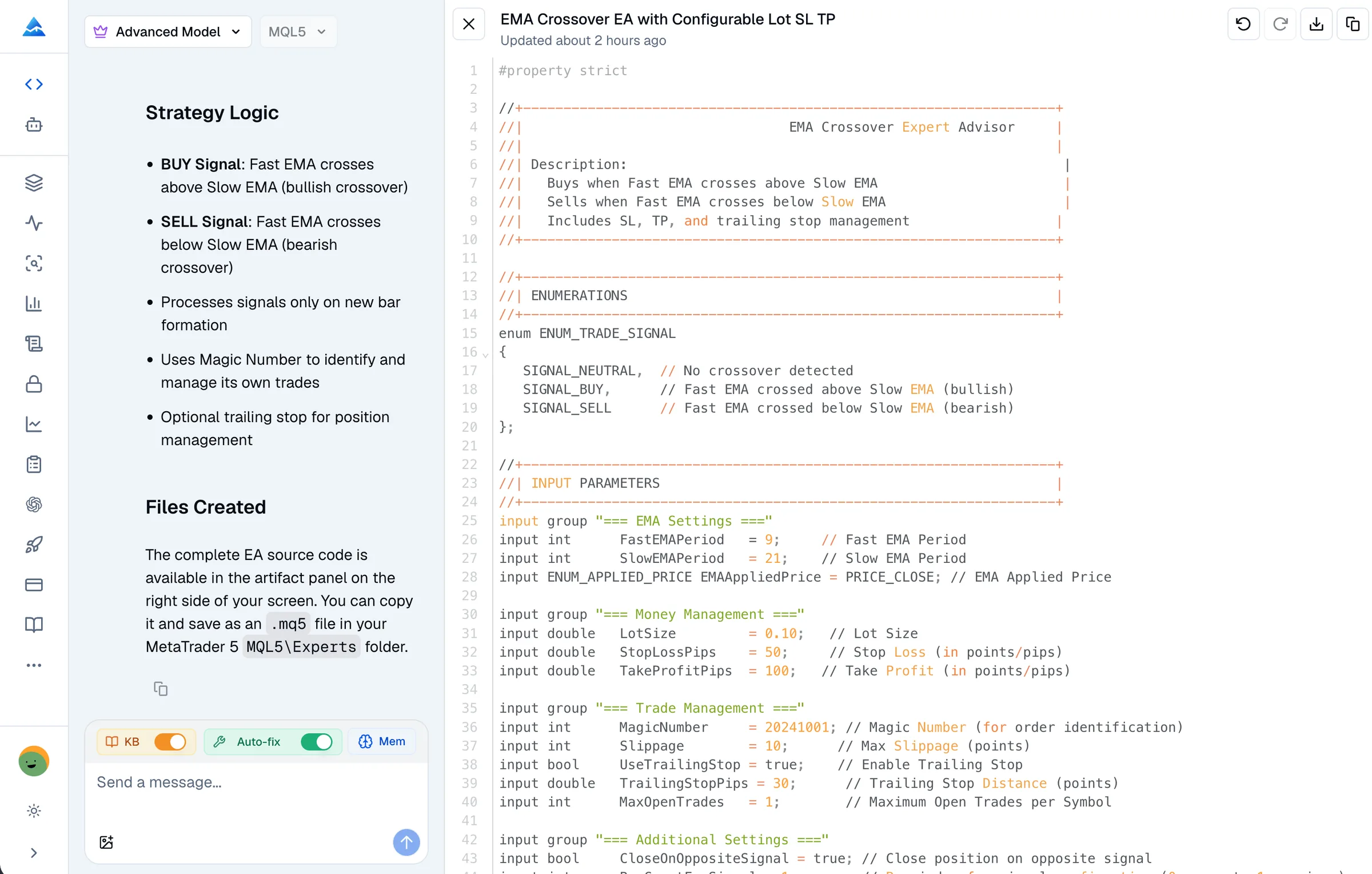
Save a complete source file and record its dependencies. A confident explanation is not a compiler log. Check whether your current environment can actually run the required tool.
Provide the exact diagnostic and source version. Ask for a focused change and verify it. Switching assistants does not remove the need to compile and inspect the revised source.
Use a concrete expected-versus-observed example. Check bar timing, repeated entries, position selection, and the server response. These can be behavior defects without compilation errors.
Compare current plan terms, model limits, separate provider charges, and the effort to review and test. This page does not estimate a competitor’s price or claim unlimited Pineify generation.
Illustrative request for your own development workflow, not a tested trading strategy.
Here is my MQL5 source, its dependencies, the compiler log, and one example where behavior differs from my requirements. Separate compilation issues from logic issues. Explain the proposed changes and what still needs testing. Do not claim a check passed unless a tool actually ran on this source version.
Pineify keeps editable MQL5 source and an on-request syntax-check tool in the coding conversation. Select MQL5 and explicitly request checking. Failures and timeouts need follow-up; there is no guarantee of an automatic clean result.
MetaEditor now includes AI development assistance, and MT5 supports MCP connections for compatible agents. Evaluate your actual configured tools and permissions. ChatGPT and OpenAI Codex are different products; an MCP capability documented for Codex does not establish the same integration for every ChatGPT session.
Give each workflow the same small specification and retain the resulting source and diagnostics. Test behavior in MT5 before comparing convenience. This page does not present a controlled benchmark or claim a winner.
MQL5 has a documented OrderSend function as well as the CTrade helper class. Using OrderSend is not, on its own, evidence of obsolete MQL4 code. Review the actual signature, request fields, and result handling against the current MQL5 reference.
Pineify’s current remote check submits one source file to a MetaEditor service. It does not automatically supply your local custom includes, run an MT5 backtest, or prove profitability. A workflow with compilation still needs source review and runtime tests.
Keep model capability claims tied to a named version, configuration, and observed result. This guide does not assert what any provider used for training or how often its output compiles. MetaQuotes’ official AI documentation is a better source for supported MT5 connections than an assumption about generic chatbots.
For Pineify’s workflow and examples, see the MQL5 Coding Agent. Check the current pricing and your account allowance before starting a larger project.
No such conclusion is established here. Output depends on the task, model, context, and available tools. Review the source and actual diagnostics instead of relying on a brand-wide failure claim.
It provides a browser coding workspace with editable source and a syntax-check tool you can explicitly request. You must still inspect errors, dependencies, and the final program’s behavior in MT5.
Yes. MetaQuotes documents expanded AI development assistance and MT5 MCP support in build 6060. Check the current setup and permissions for the integration you intend to use.
Do not assume compatibility. MT4 uses MQL4 and the APIs differ. A port requires a separate implementation review, compilation, and runtime testing.
Bring your requirements or existing source to Pineify. Review the draft, request diagnostics, and validate the final program in MT5.
Open Pineify